
Original Industrial Spare Part
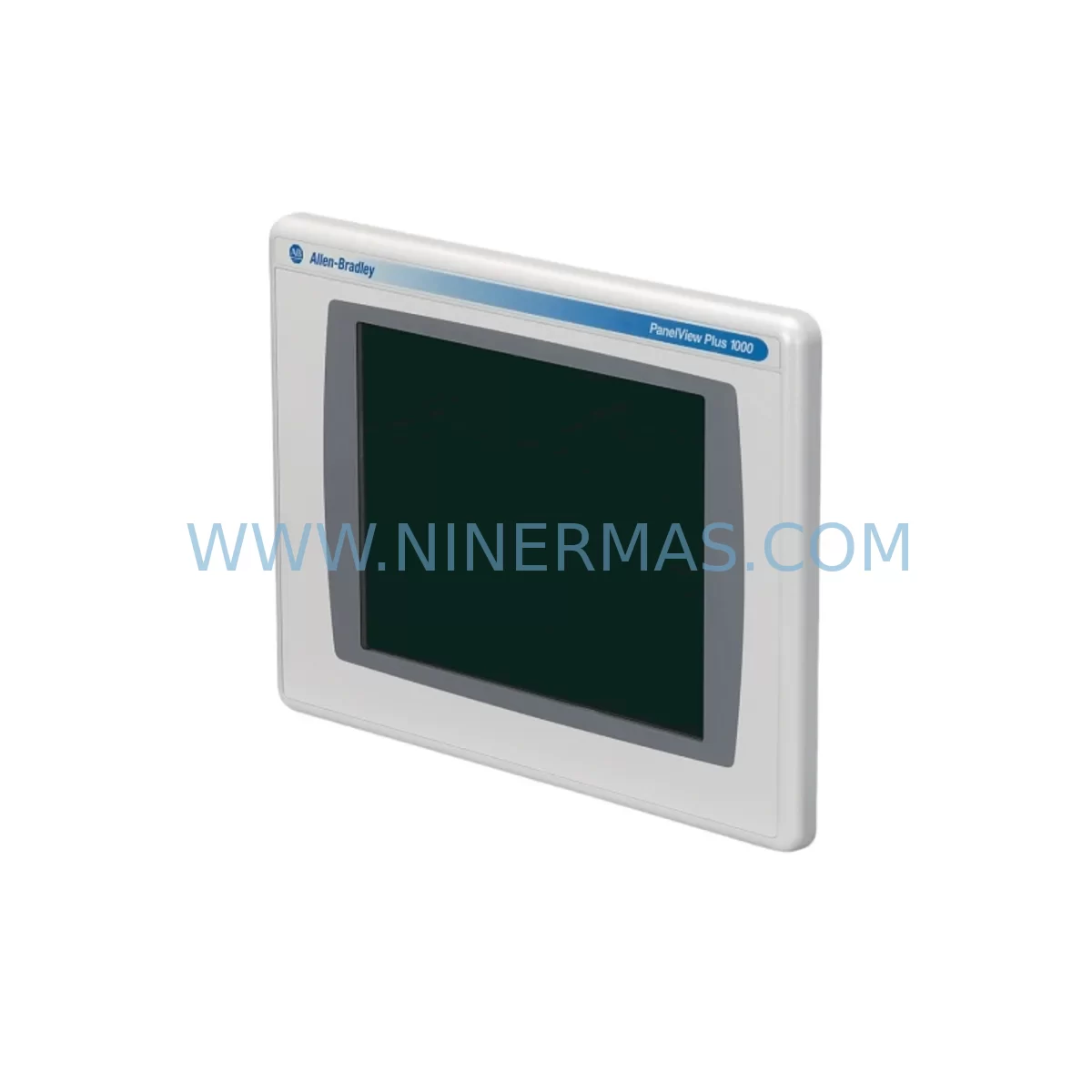
Allen-Bradley 2711P-T10C4D1/A Retrofit-Compatible HMI for Legacy Systems
Verify the part, confirm the platform family, and move straight into quotation with the right commercial details.
RFQ Ready
- SKU2711P-T10C4D1/A
- CategoryPLC & Industrial Automation Modules
- BrandAllen-Bradley
- SupportAvailability, lead time, condition, and shipping coordination
How Buyers Usually Use This Page
- Confirm the exact part number and platform family before sending the quote request.
- Use direct email when quantity, condition, and destination are already defined internally.
- Switch to the broader brand or category archive when you need alternates nearby.
Series Navigation
Move through the most common platform families behind this part.
Product RFQ
Send this part directly for quotation.
Include quantity, required condition, destination country, and target delivery timing. Current reference: Allen-Bradley 2711P-T10C4D1/A Retrofit-Compatible HMI for Legacy Systems with SKU 2711P-T10C4D1/A.
Allen-Bradley 2711P-T10C4D1/A Retrofit-Compatible HMI for Legacy Systems
The Allen-Bradley 2711P-T10C4D1/A is a 10.4-inch color touch-screen HMI terminal from the PanelView Plus 1000 series, designed for seamless integration into existing Rockwell Automation control architectures. As legacy PanelView 550, PanelView 900, and PanelView 1000 units reach end-of-life, the 2711P-T10C4D1/A provides a validated retrofit path that preserves existing ControlLogix, CompactLogix, and SLC 500 program logic while delivering a modern operator interface. Each unit shipped by NINERMAS undergoes pre-shipment functional testing and is covered by a 12-month warranty, ensuring reliable deployment in production-critical environments.
For automation engineers managing aging control cabinets, the 2711P-T10C4D1/A supports EtherNet/IP and DH-485 communication links, enabling direct connection to existing network infrastructure without protocol conversion hardware. The unit accepts 24 VDC panel power, compatible with standard 1606-XLP and 1606-XLS power supply modules already installed in most Allen-Bradley control enclosures. Its NEMA 4/4X front-panel rating makes it suitable for washdown and harsh-environment installations where older PanelView units have degraded.
When planning a retrofit from a PanelView 550 or PanelView 900, engineers must verify the existing cutout dimensions against the 2711P-T10C4D1/A panel cutout specification (approximately 280 mm × 216 mm) to confirm installation space without major enclosure modification. Terminal block wiring for the DC power input and communication ports follows the same general layout as earlier PanelView Plus 6 models, reducing re-wiring time during changeover. If the existing installation uses a 1747-UIC USB-to-DH-485 programming cable or a 1784-U2DHP USB-to-DH+ adapter, these remain compatible for initial commissioning and program upload.
Upgrade Compatibility Table
| Parameter | Details |
|---|---|
| SKU / Part Number | 2711P-T10C4D1/A |
| Series | PanelView Plus 1000 |
| Display Size | 10.4-inch Color TFT Touch Screen |
| Communication Ports | EtherNet/IP (RJ-45), DH-485, USB Host & Device |
| Power Supply | 24 VDC (18–32 VDC range) |
| Panel Cutout | Approx. 280 mm × 216 mm (verify against installation drawing) |
| Environmental Rating | NEMA 4/4X (front panel) |
| Compatible Controllers | ControlLogix, CompactLogix, SLC 500, MicroLogix (via EtherNet/IP or DH-485) |
| Replaces / Upgrades From | PanelView 550, PanelView 900, PanelView 1000, PanelView Plus 6 (select models) |
| Software | FactoryTalk View ME (ME Station application) |
| Commissioning Tool | FactoryTalk View Studio, RSLinx Classic or RSLinx Enterprise |
| Warranty | 12 Months — NINERMAS Pre-Shipment Tested |
Retrofit Planning for Existing Automation Systems
A successful retrofit of the 2711P-T10C4D1/A into a legacy control system requires a structured pre-migration checklist. Begin by auditing the existing control cabinet for available 24 VDC capacity from the installed power supply — a 1606-XLP72E or equivalent unit should provide sufficient headroom for the HMI alongside existing I/O loads. If the cabinet also houses a 1756-L71 or 1756-L73 ControlLogix processor with a 1756-EN2T EtherNet/IP communication module, the 2711P-T10C4D1/A can be added to the same EtherNet/IP subnet with minimal network reconfiguration.
For installations still running DH-485 networks connecting SLC 500 or MicroLogix 1400 controllers, the 2711P-T10C4D1/A’s onboard DH-485 port eliminates the need for a separate 1761-NET-AIC Advanced Interface Converter in most single-drop configurations. Engineers should confirm the DH-485 network termination resistor settings and node address assignments before powering the new terminal to avoid address conflicts with existing devices on the link.
I/O expansion modules such as 1734 POINT I/O or 1769 Compact I/O racks connected to the host controller are unaffected by the HMI swap, as the 2711P-T10C4D1/A communicates exclusively with the controller — not directly with I/O modules. However, any HMI screen tags referencing I/O addresses must be validated in FactoryTalk View Studio after the application is transferred to the new terminal. If the legacy application was developed for an older PanelView Plus 6 terminal such as the 2711P-T10C4A8, the project file can typically be opened and re-compiled in FactoryTalk View Studio ME with minor resolution adjustments.
Where the existing control cabinet includes a 1756-DNB DeviceNet Scanner or a 1756-MVI Modbus communication module, these modules continue to operate independently of the HMI replacement. Signal isolators installed on analog input channels — such as those used with 1769-IF4 or 1769-IF8 Compact I/O analog modules — do not require recalibration as part of the HMI retrofit. The physical installation should also account for the 2711P-T10C4D1/A’s rear-panel depth clearance requirement to ensure the communication cables and USB connections are not pinched against the enclosure back panel.
Downtime Control During System Migration
Minimizing production downtime during an HMI replacement is a primary concern for plant engineers. The recommended approach is to prepare and validate the new FactoryTalk View ME application on a bench setup — using a spare 1756-L72 ControlLogix processor or a software emulator — before scheduling the cutover window. This allows the HMI screen logic, alarm configurations, and tag database to be fully verified without touching the live production system.
During the physical cutover, the existing PanelView terminal can be powered down and removed while the controller continues to execute its ladder or function block program independently. The 2711P-T10C4D1/A can be mounted, wired, and powered within a typical 30–60 minute maintenance window for a prepared team. Once powered, the terminal loads the pre-loaded ME application and establishes its EtherNet/IP or DH-485 connection to the controller automatically, restoring operator visibility and control without requiring a controller program download or PLC restart.
To protect the original program logic, a full backup of the controller project should be archived using Studio 5000 Logix Designer or RSLogix 500 before the cutover begins. This backup, combined with the pre-tested HMI application file, ensures that any unexpected issue during commissioning can be resolved by reverting to the known-good configuration without extended downtime. NINERMAS recommends retaining the replaced PanelView unit as a short-term standby spare for the first 30 days post-retrofit, providing an additional safety net during the stabilization period.
Retrofit Support FAQ
Q1: Is the 2711P-T10C4D1/A a direct drop-in replacement for the PanelView Plus 6 2711P-T10C4A8?
The 2711P-T10C4D1/A shares the same 10.4-inch display size and PanelView Plus platform as the 2711P-T10C4A8, making it a functionally compatible replacement in most applications. Panel cutout dimensions and communication port locations should be verified against the installation drawing before ordering. Existing FactoryTalk View ME application files developed for the 2711P-T10C4A8 are generally compatible with minor recompilation in FactoryTalk View Studio.
Q2: What commissioning steps are required after installing the 2711P-T10C4D1/A?
After physical installation and wiring, configure the terminal’s IP address (for EtherNet/IP) or node address (for DH-485) via the terminal’s configuration menu. Load the FactoryTalk View ME application using a USB drive or via RSLinx network transfer. Verify all screen tags communicate correctly with the host controller, confirm alarm setpoints, and perform a functional test of all operator control elements before returning the system to production.
Q3: Does NINERMAS perform pre-shipment testing on the 2711P-T10C4D1/A?
Yes. Every 2711P-T10C4D1/A unit shipped by NINERMAS undergoes pre-shipment functional testing covering power-on, display, touch-screen calibration, and communication port verification. Units are covered by a 12-month warranty from the date of shipment. In-stock units are available for same-week dispatch to minimize retrofit project lead times.
Q4: Can the 2711P-T10C4D1/A connect to both EtherNet/IP and DH-485 simultaneously?
The 2711P-T10C4D1/A supports EtherNet/IP and DH-485 communication, but the active protocol for controller communication is determined by the FactoryTalk View ME application configuration. In most retrofit scenarios, one primary communication path is configured. If dual-network connectivity is required for a complex migration involving both legacy DH-485 devices and modern EtherNet/IP controllers, consult the Rockwell Automation 2711P installation manual for supported multi-network configurations.
| Product Series | 2711 |
|---|---|
| Country of Origin | US |
Catalog Continuation
More Allen-Bradley modules in the catalog.
Use the brand lane to compare nearby part numbers, platform-adjacent modules, and other inquiry-ready listings before sending your final RFQ.




Catalog Continuation
Alternative parts within PLC & Industrial Automation Modules.
Stay inside the same system family when you need substitutes, adjacent modules, or a broader shortlist for procurement review.



SKU: HDD02.2-W040N-HS12-01-FW FWA-DIAX04-ELS-05VRS-MS
Rexroth HDD02.2-W040N-HS12-01-FW Service-Ready Spare Part

SKU: I5DAE375F10010000S
Lenze I5DAE375F10010000S Service-Ready Spare Part for Industrial Maintenance



