Original Industrial Spare Part
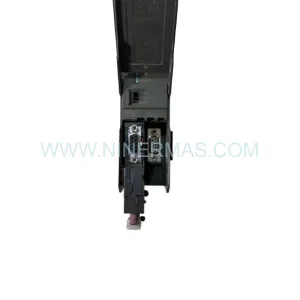
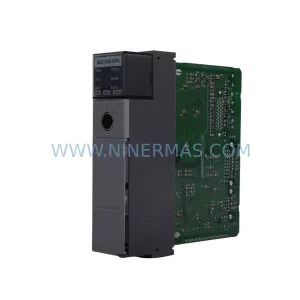
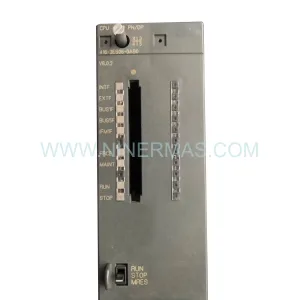
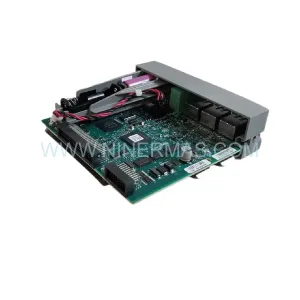
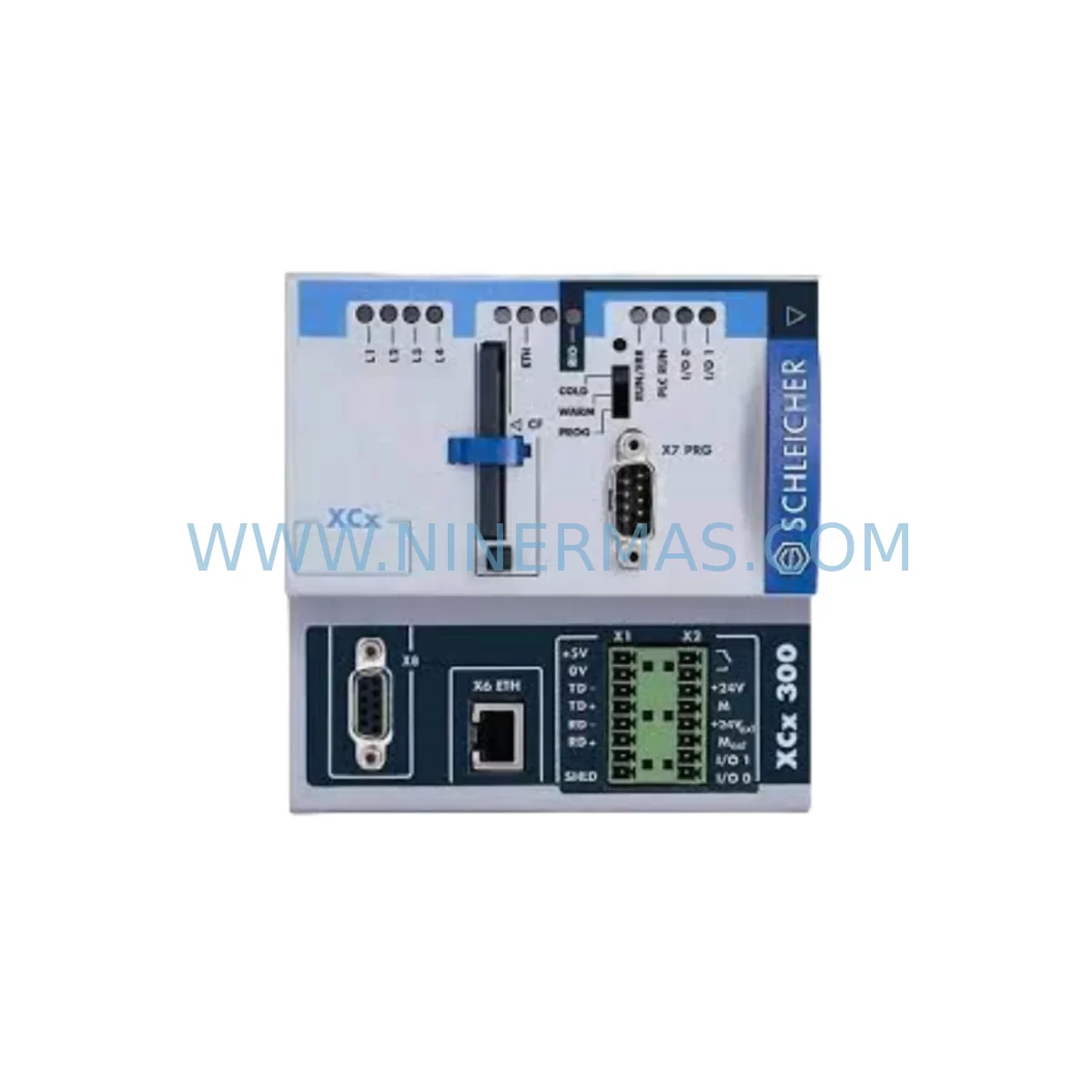
Schleicher XCX300 Service-Ready Spare for Industrial Maintenance
Verify the part, confirm the platform family, and move straight into quotation with the right commercial details.
RFQ Ready
- SKUXCX300 XCS300
- CategoryPLC & Industrial Automation Modules
- BrandSchleicher
- SupportAvailability, lead time, condition, and shipping coordination
How Buyers Usually Use This Page
- Confirm the exact part number and platform family before sending the quote request.
- Use direct email when quantity, condition, and destination are already defined internally.
- Switch to the broader brand or category archive when you need alternates nearby.
Series Navigation
Move through the most common platform families behind this part.
Product RFQ
Send this part directly for quotation.
Include quantity, required condition, destination country, and target delivery timing. Current reference: Schleicher XCX300 Service-Ready Spare for Industrial Maintenance with SKU XCX300 XCS300.
Schleicher XCX300 Service-Ready Spare for Industrial Maintenance
The Schleicher XCX300 is a central processing unit module designed for the Pronumeric series of programmable logic controllers, widely deployed across precision manufacturing, machine tool automation, and process control environments. As production lines age and OEM support windows close, maintaining a verified, service-ready XCX300 spare in your inventory is one of the most effective strategies for controlling unplanned downtime and protecting long-term system availability. NINERMAS supplies the XCX300 as an original spare part, pre-tested before shipment and backed by a 12-month warranty, ensuring that your replacement unit arrives ready for immediate installation without the delays associated with factory repair cycles or obsolete-part sourcing.
Industrial maintenance teams operating Schleicher Pronumeric-based control systems understand that the XCX300 CPU is the execution core of the entire control architecture. When this module fails — whether due to firmware corruption, capacitor degradation, power surge damage, or simply end-of-service-life wear — the entire machine or production cell stops. Every hour of unplanned downtime translates directly into lost throughput, missed delivery commitments, and escalating labor costs. Having a tested XCX300 spare on the shelf reduces mean time to repair (MTTR) from days to hours, enabling maintenance engineers to swap the module, restore the program from backup, and return the line to production within a single shift.
Spare Maintenance Table
| Parameter | Specification / Detail |
|---|---|
| Part Number | XCX300 |
| Series | Pronumeric |
| Module Type | PLC CPU Module |
| Brand | Schleicher |
| Origin | Germany |
| Supply Voltage | 24 VDC (via backplane bus) |
| Communication Interface | Pronumeric backplane bus; serial / fieldbus options per system configuration |
| Program Memory | Non-volatile EEPROM / Flash (configuration-dependent) |
| Operating Temperature | 0 °C to +55 °C |
| Mounting | DIN rail via Pronumeric backplane (BKX300 series) |
| Compatibility | Schleicher Pronumeric XCX300 / XCS300 control systems |
| Pre-Shipment Testing | Full functional test performed before dispatch |
| Warranty | 12 Months from date of delivery |
| Condition | Original spare — refurbished to OEM standard |
| Lead Time | Subject to stock availability; reserved inventory programs available |
Maintenance Planning for Continuous Operation
Replacing the XCX300 CPU module is rarely an isolated task. Experienced maintenance engineers treat a CPU replacement event as an opportunity to audit the entire control cabinet and associated electrical circuits, reducing the risk of secondary failures that could cause another unplanned stop within weeks of the initial repair. When pulling the XCX300 for replacement, the following components should be inspected or tested in parallel.
The XCS300 — the companion CPU or co-processor module in certain Pronumeric configurations — should be checked for firmware version alignment and communication handshake integrity with the new XCX300 unit. Mismatched firmware revisions between CPU modules are a common source of post-replacement faults that are difficult to diagnose without a systematic approach. Alongside the CPU modules, the PSX300 power supply module deserves close attention: a degraded power supply delivering marginal voltage to the backplane bus is frequently the root cause of CPU module failures, and installing a new XCX300 into a cabinet with a failing PSX300 risks damaging the replacement unit within a short operating period.
The BKX300 backplane itself should be visually inspected for cracked connectors, oxidized bus contacts, or physical damage to the card guide rails. Backplane connector integrity is critical for reliable data and power transfer to the XCX300. While the backplane is exposed, maintenance teams should also verify the condition of the IOX300 I/O expansion modules seated in adjacent slots — loose seating or corroded edge connectors on I/O modules can generate spurious input signals that cause the new CPU to fault immediately after startup.
Communication continuity is another key checkpoint. The COM300 communication module, responsible for fieldbus or serial communication to upstream SCADA systems or downstream drives, should be tested for correct addressing and baud rate configuration after the CPU swap, as some Pronumeric configurations store communication parameters in the CPU module itself. Similarly, the RLY300 relay output module should be tested under load to confirm that output contacts are not welded or worn, since relay failures can cause the new CPU to detect output circuit faults during its self-test routine.
At the field wiring level, inspect the TBX300 terminal block assemblies for loose screw terminals, insulation breakdown, or moisture ingress — particularly in environments with temperature cycling or high humidity. Signal quality issues originating at the terminal level are often misdiagnosed as CPU faults. Where analog signals are present, the SIG300 signal isolator modules should be verified for correct scaling and isolation resistance, as degraded isolators can introduce ground loops that corrupt analog input readings and trigger false alarms in the new CPU’s diagnostic registers.
If the control system includes an operator interface, the HMI300 operator panel communication link to the XCX300 should be re-established and tested after the CPU replacement, confirming that screen navigation, alarm acknowledgment, and parameter entry functions are fully operational before returning the machine to production. Finally, review the cabinet’s FUS300 fuse holders and protection fuses — a blown fuse on the 24 VDC supply rail is sometimes the first symptom of a CPU module failure, and replacing the fuse without replacing the damaged CPU will result in immediate re-failure.
Site Replacement Workflow
Replacing an XCX300 in a live production environment requires a structured approach to minimize downtime and avoid configuration errors. Begin by backing up the current PLC program and all parameter sets using the Schleicher programming software before powering down the cabinet — if the existing CPU is still partially functional, this step is critical to avoid losing the production program. If the CPU has failed completely and no backup exists, NINERMAS technical support can advise on program recovery options based on the specific Pronumeric system configuration.
Once the cabinet is de-energized and locked out per site LOTO procedures, remove the failed XCX300 by releasing the module locking mechanism and sliding it clear of the backplane connector. Inspect the backplane connector pins for damage before inserting the replacement unit. Seat the new XCX300 firmly until the locking tab engages, then restore power and observe the module’s status LEDs during the boot sequence. A healthy XCX300 will complete its self-test and enter run mode within the expected startup time defined in the system documentation.
Restore the program backup to the new CPU using the programming interface, verify all I/O assignments, and perform a controlled test cycle before releasing the machine to production. Document the replacement in the site maintenance log, including the serial number of the removed module and the replacement unit, the date of replacement, and any observations about the failure mode. This documentation supports warranty claims and provides valuable data for future maintenance planning and spare parts inventory decisions.
For sites operating multiple Pronumeric-based machines, NINERMAS recommends establishing a reserved inventory program for the XCX300 to ensure that at least one tested spare is available at all times. Long-term supply commitments allow procurement engineers to lock in pricing and availability for critical spare parts, reducing exposure to market shortages and extended lead times that are common for legacy industrial automation components.
Spare Parts Support FAQ
Q: What is the warranty coverage for the XCX300 spare part supplied by NINERMAS?
A: All XCX300 units supplied by NINERMAS are covered by a 12-month warranty from the date of delivery. Each unit undergoes a full functional test before shipment to verify operational integrity. In the event of a warranty claim, NINERMAS will provide a replacement unit or repair service subject to inspection of the returned module.
Q: How do I verify compatibility between the XCX300 spare and my existing Pronumeric system?
A: Compatibility is determined by the Pronumeric system variant, firmware revision, and backplane configuration. Provide NINERMAS with your existing module’s part number, any revision markings on the module label, and the Pronumeric system model designation. Our technical team will confirm compatibility before shipment to avoid installation issues.
Q: Can NINERMAS support long-term supply of the XCX300 for multi-site maintenance programs?
A: Yes. NINERMAS offers reserved inventory and long-term supply agreements for critical spare parts including the XCX300. These programs allow procurement teams to secure stock at agreed pricing and lead times, providing supply chain stability for legacy systems that may no longer be supported by the original manufacturer.
Q: What should I do if the replacement XCX300 does not boot correctly after installation?
A: First, verify that the module is fully seated on the backplane and that the backplane power supply (PSX300 or equivalent) is delivering correct voltage. Check the system documentation for the expected LED boot sequence and compare against observed behavior. If the module fails to reach run mode, contact NINERMAS with a description of the LED status and any fault codes displayed on the HMI or programming interface. Our support team will assist with diagnosis and, if necessary, arrange a warranty replacement.
| Product Series | Other series |
|---|
Catalog Continuation
More Schleicher modules in the catalog.
Use the brand lane to compare nearby part numbers, platform-adjacent modules, and other inquiry-ready listings before sending your final RFQ.
Catalog Continuation
Alternative parts within PLC & Industrial Automation Modules.
Stay inside the same system family when you need substitutes, adjacent modules, or a broader shortlist for procurement review.

SKU: 6SL3224-0BE33-7UA0
Siemens 6SL3224-0BE33-7UA0 Service-Ready Spare Part
SKU: HENF331395R0001 P4LDA
ABB HENF331395R0001 Service-Ready Industrial Spare Part