
Original Industrial Spare Part
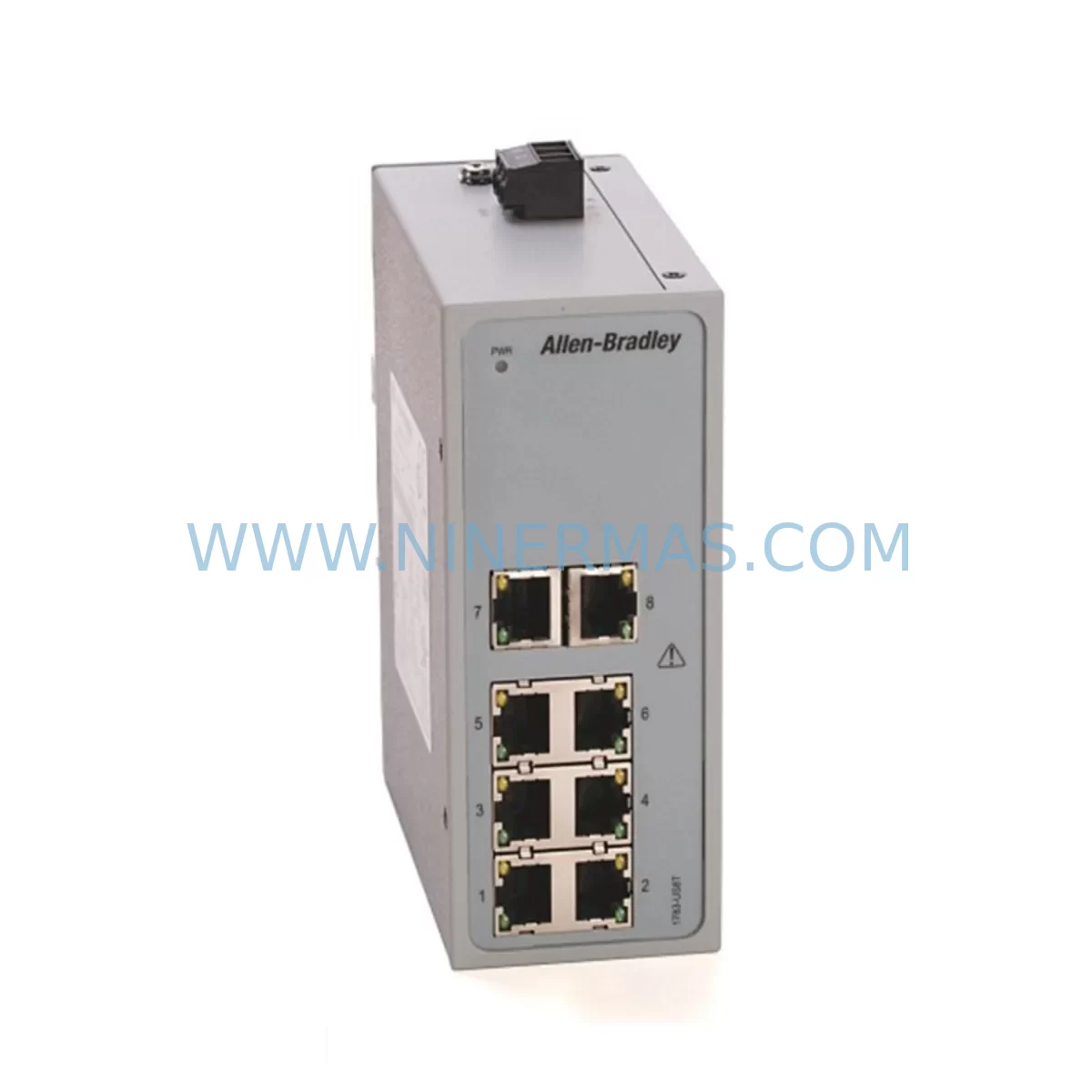
Allen-Bradley 1783-US08T Retrofit-Compatible Switch for Legacy Systems
Verify the part, confirm the platform family, and move straight into quotation with the right commercial details.
RFQ Ready
- SKU1783-US08T
- CategoryPLC & Industrial Automation Modules
- BrandAllen-Bradley
- SupportAvailability, lead time, condition, and shipping coordination
How Buyers Usually Use This Page
- Confirm the exact part number and platform family before sending the quote request.
- Use direct email when quantity, condition, and destination are already defined internally.
- Switch to the broader brand or category archive when you need alternates nearby.
Series Navigation
Move through the most common platform families behind this part.
Product RFQ
Send this part directly for quotation.
Include quantity, required condition, destination country, and target delivery timing. Current reference: Allen-Bradley 1783-US08T Retrofit-Compatible Switch for Legacy Systems with SKU 1783-US08T.
Allen-Bradley 1783-US08T Retrofit-Compatible Switch for Legacy Systems
The Allen-Bradley 1783-US08T is an 8-port unmanaged industrial Ethernet switch from the Stratix 2000 series, purpose-built for seamless integration into existing automation architectures. As legacy control networks age and original hardware reaches end-of-life, the 1783-US08T provides a reliable, drop-in retrofit path that preserves existing wiring infrastructure, minimizes downtime, and extends the operational life of your control system without requiring a full platform migration.
At NINERMAS, we maintain verified inventory of the 1783-US08T with full pre-shipment functional testing and a 12-month warranty, supporting engineers and procurement teams managing brownfield upgrades, spare parts lifecycle programs, and emergency replacement scenarios across continuous process industries.
Upgrade Compatibility Table
| Parameter | Specification / Retrofit Guidance |
|---|---|
| SKU / Part Number | 1783-US08T |
| Series | Stratix 2000 |
| Port Configuration | 8 × 10/100BASE-TX RJ45 (auto-negotiation, auto-MDIX) |
| Switch Type | Unmanaged — no configuration required, plug-and-play retrofit |
| Power Input | 24V DC (18–30V DC operating range); verify existing panel PSU capacity before installation |
| Power Connector | Removable screw-terminal block; compatible with standard DIN-rail panel wiring |
| Mounting | 35mm DIN rail; confirm available rail space and clearance in existing control cabinet |
| Communication Compatibility | EtherNet/IP, Modbus TCP, standard IEEE 802.3 — no protocol migration required |
| Replacement Fit | Direct physical and electrical replacement for end-of-life Stratix 2000 8-port unmanaged variants |
| Operating Temperature | 0°C to 60°C; suitable for standard industrial control cabinet environments |
| Protection Rating | IP30 (panel-mounted); confirm enclosure rating meets site requirements |
| Commissioning Notes | No firmware upload required; verify IP addressing on connected PLCs and HMI devices post-swap |
| Warranty | 12 Months — covers manufacturing defects, functional failure under normal operating conditions |
Retrofit Planning for Existing Automation Systems
Replacing an end-of-life network switch in a live automation environment requires careful pre-migration planning. The 1783-US08T is designed to minimize that complexity, but a structured approach ensures a smooth transition with no unintended disruption to connected devices.
Power Supply Verification: Before installation, confirm that the existing 24V DC power supply module in the control cabinet — such as an Allen-Bradley 1606-XLP or equivalent — can support the additional load of the replacement switch. The 1783-US08T draws minimal power, but aging PSUs in legacy panels may already be operating near capacity. If the panel also hosts a 1756-PA75 ControlLogix power supply or similar rack-mounted unit, cross-check total current draw across all connected modules.
Terminal Wiring and Physical Fit: The 1783-US08T uses a removable screw-terminal power connector, which simplifies direct re-termination from the original switch wiring. Measure the available DIN rail space in the existing enclosure — particularly in cabinets that also house a 1756-A7 or 1756-A13 ControlLogix chassis, where rail space is often shared with I/O modules, terminal blocks, and cable management. Confirm that the replacement unit’s physical footprint matches the allocated slot.
Network Topology and Port Mapping: Document all eight RJ45 connections on the outgoing switch before removal — label each cable with its destination device (PLC, HMI, remote I/O adapter, or upstream switch). In systems where a 1783-MX08F Stratix 8000 managed switch serves as the backbone, the 1783-US08T typically operates as a downstream access-layer device. Maintaining this topology during replacement prevents unintended changes to EtherNet/IP device addressing.
PLC and I/O Module Address Integrity: Connected devices such as 1756-EN2T EtherNet/IP communication modules, 1734-AENT POINT I/O Ethernet adapters, and 1769-L33ER CompactLogix controllers retain their IP configurations independently of the switch. Since the 1783-US08T is unmanaged, no VLAN, QoS, or port configuration is stored on the device — replacement is transparent to the network layer. However, verify that all connected devices re-establish communication within expected timeframes after power restoration.
HMI Continuity: In panels where a 2711P PanelView Plus terminal communicates with the PLC via the switch, confirm that the HMI re-establishes its EtherNet/IP connection automatically after the switch replacement. Most PanelView configurations use persistent IP addressing, so no HMI project modification is required — but a brief communication timeout during the swap should be anticipated and communicated to operations.
Programming Cable and Commissioning Access: During the retrofit window, ensure that a 1784-U2DHP USB-to-DH+ programming cable or standard Ethernet laptop connection is available for online verification of PLC program status post-swap. Confirm that the Studio 5000 Logix Designer project reflects the correct network topology before closing the cabinet.
Downtime Control During System Migration
Unplanned downtime during a network switch replacement is one of the most avoidable risks in a brownfield retrofit — yet it remains a common outcome when the replacement process is not properly sequenced. The 1783-US08T’s unmanaged, plug-and-play architecture is a significant advantage here: there is no configuration to transfer, no firmware to load, and no management interface to reconfigure.
The recommended approach is a hot-swap preparation sequence: photograph and label all cable connections before removal, pre-terminate the power connector on the replacement unit before cutting power to the original switch, and restore power to the new unit before reconnecting Ethernet cables one port at a time. This approach limits the network interruption window to under two minutes in most panel configurations.
For systems where even brief communication loss is unacceptable — such as continuous chemical dosing lines, power substation SCADA networks, or water treatment PLC loops — coordinate the replacement during a scheduled maintenance window and notify the DCS or SCADA operator to suppress alarms for the affected network segment during the swap interval. Ensure that any 1756-ENBT or 1756-EN2T modules connected through the switch are configured with appropriate connection timeout values to prevent controller faults during the brief interruption.
Post-installation, verify all eight port link lights are active, confirm PLC-to-HMI communication is restored, and document the replacement in the site’s maintenance log with the new unit’s serial number and installation date. NINERMAS provides a 12-month warranty from the date of shipment, and each unit undergoes functional port-level testing before dispatch — giving site engineers confidence that the replacement unit will perform from the first power-on.
Retrofit Support FAQ
Q1: Is the 1783-US08T a direct replacement for other end-of-life Stratix 2000 8-port models?
Yes. The 1783-US08T is the standard 8-port copper unmanaged variant of the Stratix 2000 series and serves as the direct replacement for discontinued Stratix 2000 units with equivalent port counts and power input specifications. For fiber-uplink or managed variants, confirm the exact original part number before ordering.
Q2: Does replacing the switch require any changes to PLC programs or HMI projects?
No program or project changes are required. The 1783-US08T is an unmanaged switch — it stores no configuration data and is transparent to the EtherNet/IP network. Connected PLCs, I/O adapters, and HMI terminals retain their existing IP addresses and communication parameters. The only post-installation step is verifying that all devices re-establish communication after power restoration.
Q3: What pre-shipment testing does NINERMAS perform on the 1783-US08T?
Every unit undergoes functional port-level testing prior to shipment, including power-on verification, link establishment on all eight RJ45 ports, and basic traffic forwarding validation. Units are shipped with original or equivalent protective packaging. A 12-month warranty covers manufacturing defects and functional failure under normal industrial operating conditions from the date of shipment.
Q4: Can NINERMAS support long-term supply for ongoing maintenance programs?
Yes. NINERMAS maintains stock of the 1783-US08T and other Stratix 2000 series components to support spare parts programs, planned maintenance schedules, and emergency replacement requirements. For volume procurement or scheduled delivery agreements, contact our sales team directly to confirm availability and lead times.
| Product Series | Stratix |
|---|---|
| Country of Origin | US |
Catalog Continuation
More Allen-Bradley modules in the catalog.
Use the brand lane to compare nearby part numbers, platform-adjacent modules, and other inquiry-ready listings before sending your final RFQ.




Catalog Continuation
Alternative parts within PLC & Industrial Automation Modules.
Stay inside the same system family when you need substitutes, adjacent modules, or a broader shortlist for procurement review.



SKU: HDD02.2-W040N-HS12-01-FW FWA-DIAX04-ELS-05VRS-MS
Rexroth HDD02.2-W040N-HS12-01-FW Service-Ready Spare Part

SKU: I5DAE375F10010000S
Lenze I5DAE375F10010000S Service-Ready Spare Part for Industrial Maintenance



