
Original Industrial Spare Part
B&R 7CP570.60-1 Spare Part for Industrial Maintenance
Verify the part, confirm the platform family, and move straight into quotation with the right commercial details.
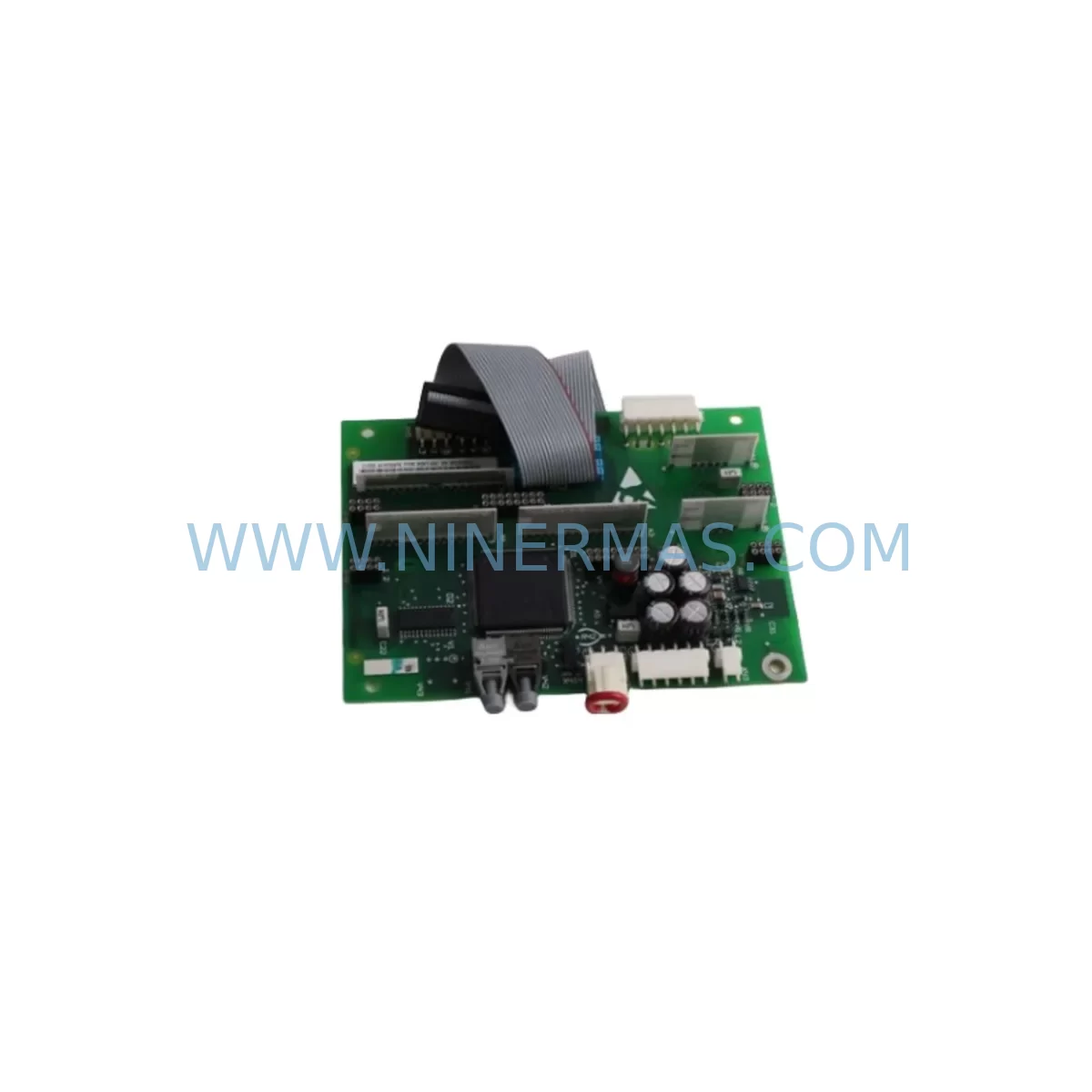
RFQ Ready
- SKU7CP570.60-1
- CategoryPLC & Industrial Automation Modules
- BrandB&R
- SupportAvailability, lead time, condition, and shipping coordination
How Buyers Usually Use This Page
- Confirm the exact part number and platform family before sending the quote request.
- Use direct email when quantity, condition, and destination are already defined internally.
- Switch to the broader brand or category archive when you need alternates nearby.
Series Navigation
Move through the most common platform families behind this part.
Product RFQ
Send this part directly for quotation.
Include quantity, required condition, destination country, and target delivery timing. Current reference: B&R 7CP570.60-1 Spare Part for Industrial Maintenance with SKU 7CP570.60-1.
B&R 7CP570.60-1 Spare Part for Industrial Maintenance
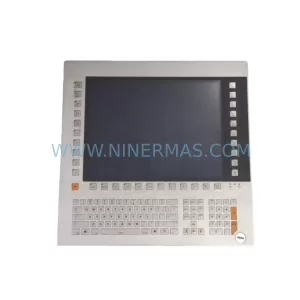
The B&R 7CP570.60-1 is a service-ready spare unit from the B&R 7CP570 Series Compact Panel PC platform — a widely deployed HMI and control computing solution found across automotive assembly lines, packaging machinery, plastics processing, and discrete manufacturing cells. When a 7CP570.60-1 fails or reaches end-of-service life, unplanned downtime can cascade rapidly through dependent I/O, motion, and SCADA layers. Sourcing a verified original replacement unit is the fastest path to restoring production continuity without re-engineering the control architecture.
At NINERMAS, every 7CP570.60-1 unit is inspected, function-tested, and shipped with full documentation to support your maintenance team’s site replacement workflow. We maintain long-term stock of B&R 7CP570 series components to support both emergency callouts and planned annual overhaul schedules, backed by a 12-month warranty.
Spare Maintenance Table
| Parameter | Specification |
|---|---|
| Part Number | 7CP570.60-1 |
| Brand / Manufacturer | B&R (Bernecker & Rainer), Austria |
| Series | B&R 7CP570 Compact Panel PC |
| Product Type | Industrial Panel PC / HMI Controller |
| Display Size | 15″ TFT LCD (series standard) |
| Operating System | Windows Embedded / B&R Automation Runtime compatible |
| Communication Interfaces | Ethernet, USB, RS-232/RS-485, POWERLINK (series dependent) |
| Supply Voltage | 24 VDC nominal (series standard) |
| Protection Rating | IP65 front panel (series standard) |
| Operating Temperature | 0 °C to +50 °C |
| Mounting | Panel cut-out, rear-mount bracket |
| Compatibility | B&R 7CP570 series control cabinets; B&R Automation Studio projects |
| Condition | Original spare — inspected and function-tested |
| Warranty | 12 months from shipment date |
| Origin | Austria |
| Delivery | Global express shipping; DHL / FedEx / UPS available |
Maintenance Planning for Continuous Operation
Replacing a B&R 7CP570.60-1 in a live production environment is rarely an isolated task. Maintenance engineers and procurement teams should treat this replacement as an opportunity to audit the surrounding control cabinet and electrical circuit for wear, compatibility drift, and latent failure risk.
Begin with the 24 VDC power supply feeding the Panel PC — units such as the B&R 0PS1100.1 or equivalent DIN-rail power supplies should be load-tested and inspected for capacitor aging. A degraded power supply is a common root cause of intermittent Panel PC faults that are misdiagnosed as display or CPU failures. Simultaneously, inspect the 24 VDC wiring harness and terminal blocks (e.g., Phoenix Contact or Weidmüller terminal strips) for oxidation, loose ferrules, and insulation cracking — especially in high-vibration or high-humidity environments.
The B&R X20 I/O modules connected to the 7CP570.60-1 via POWERLINK or Ethernet should be checked for firmware version alignment with the replacement unit. Mismatched firmware between the Panel PC and X20 digital input/output modules (such as X20DI9371 or X20DO9322) can cause communication faults immediately after restart. Similarly, any X20 communication modules (e.g., X20BC0083 POWERLINK controller) should be verified for compatibility with the replacement unit’s Automation Runtime version.
If the 7CP570.60-1 interfaces with B&R ACOPOS servo drives or motion controllers, confirm that the motion project parameters and axis configurations are backed up before the swap. Servo drive parameter loss during a Panel PC replacement is a preventable but costly mistake. Inspect signal isolation modules and analog input cards in the same cabinet — these components are often overlooked during Panel PC replacements but can introduce ground loop noise that affects the new unit’s performance.
For cabinets that also house B&R X20 CPU modules (such as X20CP1584 or X20CP3585) running parallel control tasks, verify that the Automation Studio project version is compatible with both the CPU and the replacement Panel PC. Procurement teams should also consider stocking a spare CompactFlash or SSD storage module compatible with the 7CP570 series, as storage media is a high-wear consumable in Panel PCs operating in industrial thermal cycles. Finally, inspect any UPS backup modules or battery units associated with the Panel PC for charge capacity — a failed UPS will not protect the replacement unit during power transients.
Site Replacement Workflow
Step 1 — Pre-replacement backup: Export the full Automation Studio project, HMI screen configuration, and any recipe or parameter files from the existing 7CP570.60-1 to a USB drive or network share. Confirm the backup is readable before proceeding.
Step 2 — Power isolation: Isolate the 24 VDC supply to the Panel PC at the cabinet’s main disconnect. Use a lockout/tagout (LOTO) procedure. Verify zero voltage at the Panel PC power connector before disconnecting cables.
Step 3 — Cable labelling and disconnection: Label all Ethernet, USB, RS-232, and power cables before removal. Photograph the rear connector layout. Disconnect cables in reverse order of installation.
Step 4 — Panel removal: Release the rear-mount clamps or panel cut-out retaining clips. Carefully extract the 7CP570.60-1 from the panel cut-out, supporting the unit weight to avoid stress on the front bezel.
Step 5 — Replacement unit installation: Insert the NINERMAS-supplied 7CP570.60-1 replacement into the panel cut-out. Secure all retaining clips evenly to maintain IP65 front-panel sealing. Reconnect all cables per the labelled reference.
Step 6 — Software restore and commissioning: Power up the unit and restore the Automation Studio project. Verify all I/O, communication links, and HMI screens are operational. Run a short production cycle in manual mode before returning to automatic operation.
Step 7 — Documentation: Record the replacement date, unit serial number, and warranty start date in your CMMS or maintenance log. Retain the original failed unit for failure analysis if required.
This workflow minimises downtime to a planned maintenance window and ensures the replacement 7CP570.60-1 is commissioned correctly, maintaining full system compatibility and operational safety.
Spare Parts Support FAQ
Q1: Is the NINERMAS 7CP570.60-1 an original B&R spare part?
Yes. All units supplied by NINERMAS are original B&R manufactured components sourced through established industrial supply channels. Each unit undergoes incoming inspection and functional testing before shipment. A 12-month warranty is provided from the date of shipment.
Q2: How do I confirm compatibility between the replacement 7CP570.60-1 and my existing Automation Studio project?
Compatibility is determined by the Automation Runtime version supported by the replacement unit and the project’s target configuration. Share your existing project version and hardware configuration with our technical team at sale@ninermas.com and we will confirm compatibility before shipment. We recommend aligning the replacement unit’s firmware with your existing X20 I/O and CPU modules.
Q3: What is your lead time and do you support emergency orders?
Standard lead time is 3–7 business days for in-stock units with global express shipping. Emergency orders with same-day or next-day dispatch are supported subject to stock availability. Contact us directly at +0086 187 5021 5667 for urgent requirements. We maintain long-term stock of 7CP570 series components to support both planned overhauls and unplanned breakdowns.
Q4: What does the 12-month warranty cover?
The 12-month warranty covers manufacturing defects and functional failures under normal industrial operating conditions. It does not cover damage resulting from incorrect installation, overvoltage events, or physical impact. In the event of a warranty claim, NINERMAS will arrange replacement or repair at no additional cost. All units are tested and documented before dispatch to minimise the risk of DOA (dead-on-arrival) failures.
| Product Series | Other series |
|---|---|
| Country of Origin | AT |
Catalog Continuation
More B&R modules in the catalog.
Use the brand lane to compare nearby part numbers, platform-adjacent modules, and other inquiry-ready listings before sending your final RFQ.
Catalog Continuation
Alternative parts within PLC & Industrial Automation Modules.
Stay inside the same system family when you need substitutes, adjacent modules, or a broader shortlist for procurement review.
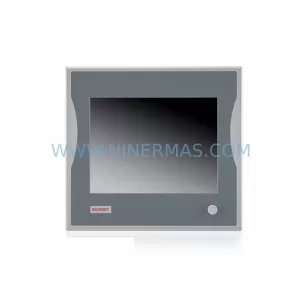
SKU: CP6902-1009-0000
Beckhoff CP6902-1009-0000 Spare Part for Industrial Maintenance
SKU: HW0380219-A HP-25A-11-F0-SP
YASKAWA HW0380219-A Retrofit Servo Board for Legacy Systems



