Original Industrial Spare Part
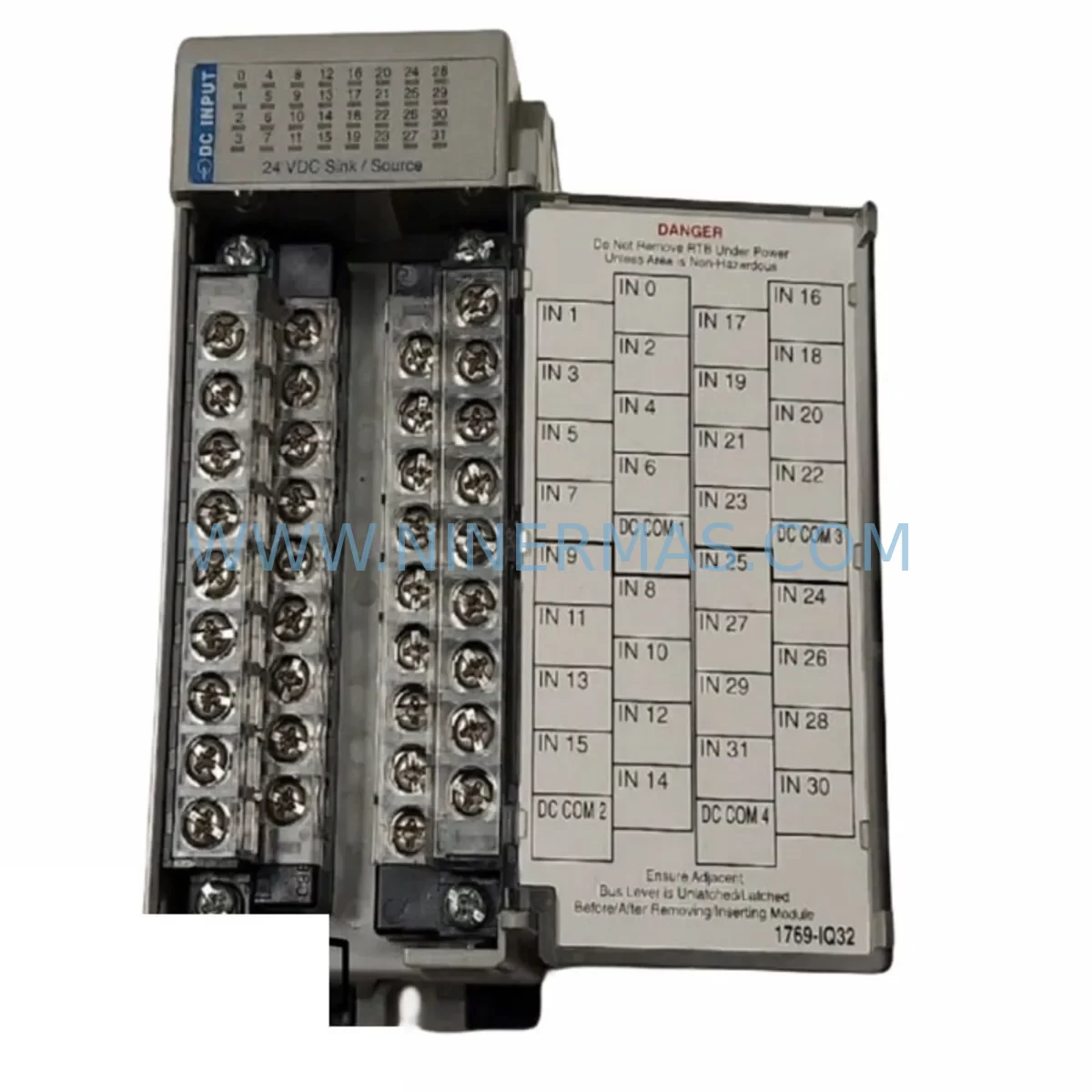
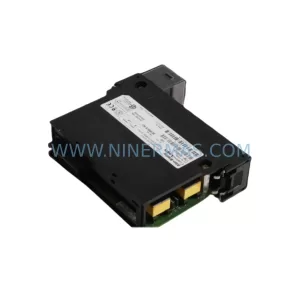
Allen-Bradley 1769-IQ32 Service-Ready Spare Part
Verify the part, confirm the platform family, and move straight into quotation with the right commercial details.
RFQ Ready
- SKU1769-IQ32
- CategoryPLC & Industrial Automation Modules
- BrandAllen-Bradley
- SupportAvailability, lead time, condition, and shipping coordination
How Buyers Usually Use This Page
- Confirm the exact part number and platform family before sending the quote request.
- Use direct email when quantity, condition, and destination are already defined internally.
- Switch to the broader brand or category archive when you need alternates nearby.
Series Navigation
Move through the most common platform families behind this part.
Product RFQ
Send this part directly for quotation.
Include quantity, required condition, destination country, and target delivery timing. Current reference: Allen-Bradley 1769-IQ32 Service-Ready Spare Part with SKU 1769-IQ32.
Allen-Bradley 1769-IQ32 Service-Ready Spare Part for Industrial Maintenance
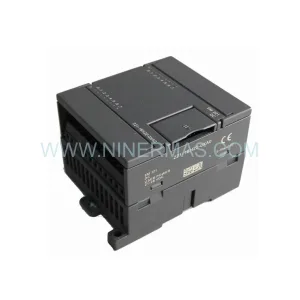
The Allen-Bradley 1769-IQ32 is a 32-point digital input module designed for the Compact I/O (1769 series) platform, widely deployed in CompactLogix L1, L2, L3, L16, L18, L24, L27, L30, L32, and L35 controller systems across discrete manufacturing, material handling, automotive assembly, food & beverage processing, and utilities. As a service-ready original spare part, the 1769-IQ32 enables maintenance teams to execute rapid field replacements, restore production uptime, and maintain full system compatibility without re-engineering the I/O configuration or modifying the existing PLC program.
In high-availability production environments, unplanned downtime caused by a failed digital input module can cascade into significant financial loss within minutes. Stocking the 1769-IQ32 as a certified spare ensures that maintenance engineers can swap the module, verify input signal integrity, and return the line to operation — often within a single shift. Each unit shipped by NINERMAS undergoes pre-shipment functional verification and is backed by a 12-month warranty, giving procurement engineers confidence in both quality and long-term supply continuity.
Spare Maintenance Table
| Parameter | Specification |
|---|---|
| Part Number | 1769-IQ32 |
| Brand / Manufacturer | Allen-Bradley (Rockwell Automation) |
| Series | Compact I/O — 1769 Series |
| Module Type | 32-Point Digital Input Module (Sink/Source) |
| Input Voltage Range | 10–31.2 VDC |
| Input Points | 32 (grouped in 2 × 16-point banks) |
| Backplane Current Draw | 120 mA @ 5 VDC |
| Operating Temperature | 0 °C to +60 °C (32 °F to 140 °F) |
| Storage Temperature | -40 °C to +85 °C |
| Relative Humidity | 5–95% non-condensing |
| Compatible Controllers | CompactLogix L1x, L2x, L3x, L16, L18, L24, L27, L30, L32, L35; MicroLogix 1500 |
| Compatibility | Direct replacement for 1769-IQ32 across all CompactLogix generations |
| Installation | Right-side or left-side mounting on 1769 bus; no tools required for module seating |
| Certifications | UL, CE, C-Tick; Class I Div 2 Groups A, B, C, D (T4) |
| Application Environment | Discrete I/O, machine control, conveyor systems, safety interlocks, sensor interfacing |
| Maintenance Recommendation | Inspect wiring harness and terminal block connections at each annual PM cycle; verify LED input status indicators during commissioning |
| Warranty | 12 Months — NINERMAS Quality Assurance |
| Origin | United States |
Maintenance Planning for Continuous Operation
When replacing the 1769-IQ32 in a CompactLogix control cabinet, a disciplined maintenance engineer will treat the module swap as an opportunity to audit the surrounding electrical ecosystem. Begin by verifying the 24 VDC field power supply — commonly a 1769-PB4 or 1769-PA2 power supply module — to confirm output voltage is within tolerance and that the power budget across all installed 1769-series modules remains within the backplane capacity. A degraded power supply is frequently the root cause of intermittent input faults that are misdiagnosed as module failure.
Next, inspect the wiring terminations on the 1769-IQ32’s removable terminal block (RTB). Loose or corroded field wiring at the 40-pin connector is a common source of false input states, particularly in high-vibration environments. If the RTB shows signs of heat discoloration or terminal oxidation, replace it alongside the module. Check the associated field devices — proximity sensors, limit switches, push-button stations, and photoelectric sensors — for proper output voltage levels and current draw within the module’s input threshold specifications.
For systems using a 1769-L30ER or 1769-L33ER CompactLogix controller, also verify the 1769-ECR end cap and any 1769-CRL3 or 1769-CRR3 right-to-left or right-to-right expansion cables connecting multiple I/O banks. A damaged expansion cable can cause the entire right-side I/O bank to drop offline, mimicking a module fault. Similarly, inspect the 1769-IQ16 or 1769-IQ16F modules in adjacent slots — if multiple input modules are exhibiting faults simultaneously, the issue may originate at the backplane bus rather than any individual module.
In systems where the 1769-IQ32 interfaces with safety circuits, confirm that any associated safety relay modules — such as the 1769-OB16 output module driving the safety relay coil — are functioning correctly and that the safety relay’s feedback contacts are wired back to a dedicated input point on the 1769-IQ32 or a separate 1769-IQ16 module. For communication-intensive cabinets, check the 1769-L18ERM or similar EtherNet/IP-enabled controller’s network adapter status and verify that the I/O tree in Studio 5000 Logix Designer reflects the correct module configuration after replacement. If the system uses a 1769-SDN DeviceNet scanner or a 1769-ASCII serial module in the same bank, confirm these modules remain online after the I/O module swap.
Procurement engineers managing multi-site spare parts programs should consider stocking the 1769-IQ32 alongside the 1769-IQ16, 1769-OB16, 1769-PA2, and 1769-PB4 as a standardized CompactLogix I/O spare kit. This approach reduces mean time to repair (MTTR) across facilities and eliminates the risk of extended lead times for individual components during peak demand periods.
Site Replacement Workflow
Step 1 — Pre-Replacement Verification: Before removing the 1769-IQ32, place the CompactLogix controller in Program mode via Studio 5000 or the keyswitch on the controller. Document the current I/O configuration and take a screenshot of the module properties (slot number, input filter times, diagnostic settings) to ensure the replacement module is configured identically.
Step 2 — Safe Isolation: De-energize the 24 VDC field power supply feeding the module’s input bank. Do not rely solely on the controller being in Program mode — physically isolate field power to prevent accidental actuation of connected field devices during the swap.
Step 3 — Module Removal: Disconnect the removable terminal block (RTB) by releasing the locking tabs. Slide the 1769-IQ32 off the backplane bus connector. Inspect the backplane bus pins on the adjacent modules for any signs of damage or contamination.
Step 4 — Replacement Installation: Seat the new 1769-IQ32 onto the backplane bus, ensuring full engagement of the bus connector. Reconnect the RTB. Restore field power and return the controller to Run mode. Verify all 32 input LED indicators reflect the correct field device states.
Step 5 — Functional Verification: Use the controller’s online diagnostic tools in Studio 5000 to confirm no module faults are present. Cycle each field device connected to the module and verify the corresponding input bit toggles correctly in the I/O data table. Log the replacement in the site maintenance record with the module serial number, date, and technician ID.
This workflow minimizes downtime to under 30 minutes for a trained technician and ensures full system compatibility is maintained without requiring a PLC program download or I/O reconfiguration.
Spare Parts Support FAQ
Q1: Is the 1769-IQ32 a direct drop-in replacement for all CompactLogix systems?
Yes. The 1769-IQ32 is backward and forward compatible across all CompactLogix 1769-series I/O banks, including systems running RSLogix 5000 and Studio 5000 Logix Designer. No firmware changes or program modifications are required when replacing a like-for-like 1769-IQ32 module. Confirm the slot number assignment in the I/O configuration tree matches the original installation.
Q2: What pre-shipment testing does NINERMAS perform on the 1769-IQ32?
Every 1769-IQ32 unit undergoes functional verification prior to dispatch, including backplane communication integrity checks, input channel continuity testing across all 32 points, and visual inspection for physical damage. Units that do not pass testing are quarantined and not shipped. A test report is available upon request for critical procurement orders.
Q3: What is the warranty coverage and what does it include?
All 1769-IQ32 units supplied by NINERMAS carry a 12-month warranty from the date of shipment. The warranty covers manufacturing defects, premature component failure under normal operating conditions, and DOA (dead on arrival) units. Warranty claims are processed with priority turnaround to minimize site downtime. Damage caused by incorrect installation, overvoltage, or environmental conditions outside the module’s rated specifications is excluded.
Q4: Can NINERMAS support long-term or blanket purchase orders for the 1769-IQ32?
Yes. NINERMAS supports long-term supply agreements, blanket POs, and scheduled delivery programs for the 1769-IQ32 and the broader 1769-series Compact I/O product family. For facilities managing aging CompactLogix systems with extended lifecycle requirements, we recommend establishing a committed spare parts inventory program to protect against market shortages and extended lead times. Contact our sales team to discuss volume pricing, consignment stock options, and multi-site delivery coordination.
| Product Series | CompactLogix |
|---|---|
| Country of Origin | US |
Catalog Continuation
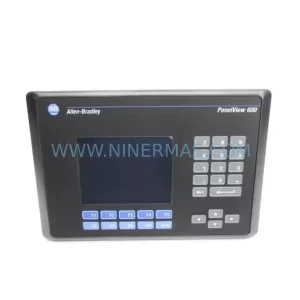
More Allen-Bradley modules in the catalog.
Use the brand lane to compare nearby part numbers, platform-adjacent modules, and other inquiry-ready listings before sending your final RFQ.

Catalog Continuation
Alternative parts within PLC & Industrial Automation Modules.
Stay inside the same system family when you need substitutes, adjacent modules, or a broader shortlist for procurement review.