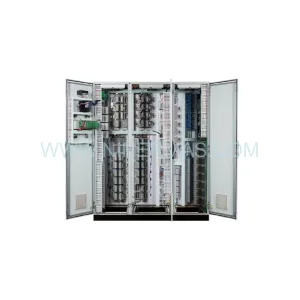
Original Industrial Spare Part
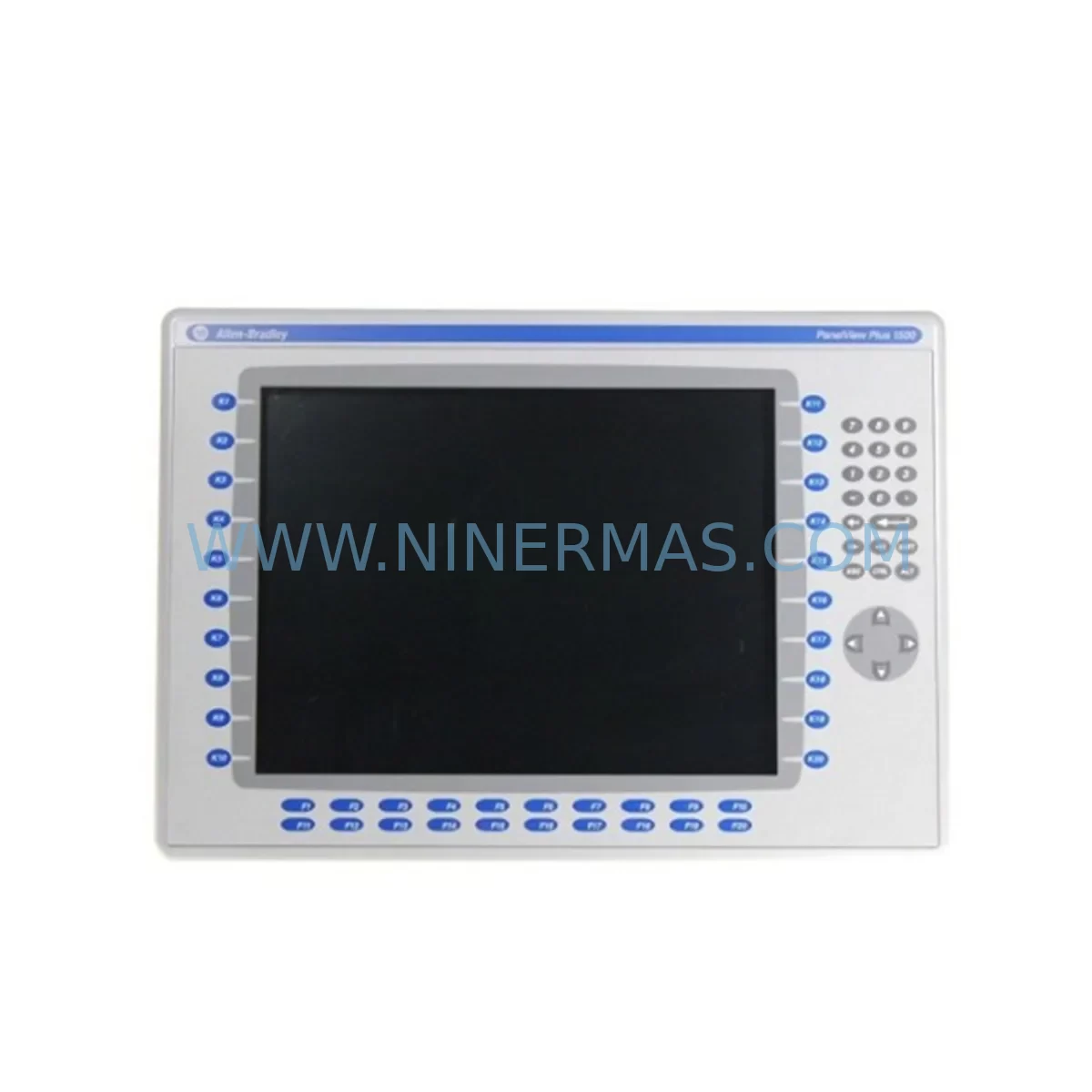
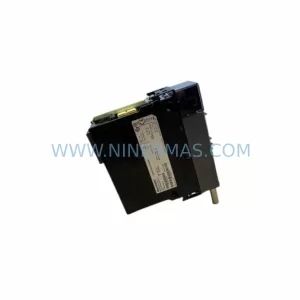
Allen-Bradley 2711P-K15C4A8 Service-Ready Spare Part for Industrial Maintenance
Verify the part, confirm the platform family, and move straight into quotation with the right commercial details.
RFQ Ready
- SKU2711P-K15C4A8
- CategoryPLC & Industrial Automation Modules
- BrandAllen-Bradley
- SupportAvailability, lead time, condition, and shipping coordination
How Buyers Usually Use This Page
- Confirm the exact part number and platform family before sending the quote request.
- Use direct email when quantity, condition, and destination are already defined internally.
- Switch to the broader brand or category archive when you need alternates nearby.
Series Navigation
Move through the most common platform families behind this part.
Product RFQ
Send this part directly for quotation.
Include quantity, required condition, destination country, and target delivery timing. Current reference: Allen-Bradley 2711P-K15C4A8 Service-Ready Spare Part for Industrial Maintenance with SKU 2711P-K15C4A8.
Allen-Bradley 2711P-K15C4A8 Service-Ready Spare Part for Industrial Maintenance
The Allen-Bradley 2711P-K15C4A8 is a 15-inch color touch-screen operator terminal from the PanelView Plus 1500 series, designed for demanding industrial environments where uptime is non-negotiable. As a direct-replacement spare part, this unit is sourced, inspected, and dispatched to support maintenance engineers who need a verified, service-ready component to restore HMI functionality with minimal downtime. Whether you are managing a scheduled annual overhaul, responding to an unplanned panel failure, or building a strategic spare-parts inventory for a critical production line, the 2711P-K15C4A8 delivers the compatibility, reliability, and long-term supply assurance that industrial operations require.
The PanelView Plus 1500 platform is widely deployed across discrete manufacturing, process control, water treatment, and energy sectors. The 2711P-K15C4A8 variant integrates a keypad and touch interface, communicates natively over EtherNet/IP, and is fully compatible with FactoryTalk View ME application software. Its robust aluminum housing and sealed front panel meet NEMA 4/4X and IP65 ratings, making it suitable for washdown and dusty environments alike. When this terminal fails or reaches end of service life, production visibility is lost and operators are left without a control interface — a situation that can cascade into extended unplanned downtime and significant revenue loss.
Stocking a verified 2711P-K15C4A8 as a cold spare eliminates the lead-time risk associated with sourcing HMI terminals on demand. Our units are tested prior to dispatch, shipped with full documentation, and backed by a 12-month warranty covering manufacturing defects and functional failures under normal operating conditions.
Spare Maintenance Table
| SKU / Part Number | 2711P-K15C4A8 |
| Series | PanelView Plus 1500 |
| Brand | Allen-Bradley (Rockwell Automation) |
| Display Size | 15-inch Color TFT LCD |
| Interface Type | Touch Screen + Keypad |
| Communication | EtherNet/IP (dual-port) |
| Software Compatibility | FactoryTalk View ME |
| Supply Voltage | 24V DC |
| Protection Rating | NEMA 4/4X, IP65 (front panel) |
| Operating Temperature | 0°C to 55°C |
| Mounting | Panel cutout, rear-mount |
| Origin | United States |
| Compatibility | Direct replacement for PanelView Plus 1500 series; compatible with ControlLogix, CompactLogix, and MicroLogix PLC platforms |
| Maintenance Recommendation | Inspect display backlight, touch calibration, and EtherNet/IP link status during scheduled PM; replace if response latency or display artifacts are observed |
| Warranty | 12 Months — covers manufacturing defects and functional failures under normal operating conditions |
Maintenance Planning for Continuous Operation
A PanelView Plus 1500 terminal does not operate in isolation. It sits at the intersection of the operator interface layer and the control system backbone, which means a failure here affects visibility across the entire cell or line. When planning a replacement or scheduled swap of the 2711P-K15C4A8, maintenance engineers should treat the event as an opportunity to audit the surrounding electrical and communication infrastructure.
Begin with the 24V DC power supply feeding the terminal. Units such as the Allen-Bradley 1606-XLP or equivalent industrial DIN-rail power supplies should be checked for output voltage stability and ripple — a degraded power supply is a common root cause of intermittent HMI lockups and display anomalies. Inspect the terminal block connections on the 24V feed for signs of oxidation or loose torque, particularly in high-vibration environments.
The EtherNet/IP communication path is equally critical. Verify the integrity of the Cat5e or Cat6 patch cables connecting the 2711P-K15C4A8 to the managed Ethernet switch. If the control cabinet uses an Allen-Bradley Stratix 5700 or Stratix 2000 series switch, confirm that the port configuration and VLAN assignments are correct before bringing the replacement terminal online. A misconfigured switch port can prevent the new HMI from establishing a connection to the ControlLogix or CompactLogix controller, adding unnecessary troubleshooting time to an already stressful recovery.
On the PLC side, confirm that the 1756-EN2T or 1769-L33ER communication module firmware is compatible with the replacement terminal’s FactoryTalk View ME application version. Firmware mismatches between the controller and the HMI application are a frequently overlooked cause of post-replacement communication faults. If the control system also includes a 1756-IB16 or 1756-OB16 I/O module rack, use the replacement window to verify that all I/O status indicators are normal and that no latched faults are present in the controller’s I/O tree.
For cabinets that include safety relay modules such as the Allen-Bradley MSR127RP or Guardmaster 440C series, confirm that the safety circuit integrity has not been compromised during the panel work. Similarly, if the system uses a 1734 POINT I/O adapter or a 1756-DNB DeviceNet bridge module for field device communication, verify adapter status LEDs and network health before returning the line to production.
Finally, if the installation includes a remote I/O panel or a distributed control node connected via ControlNet or DeviceNet, a 1756-CNB or 1756-DNBI bridge module inspection should be part of the post-replacement checklist. Documenting these checks in your CMMS against the 2711P-K15C4A8 work order creates a traceable maintenance record that supports future audits and spare-parts justification.
Site Replacement Workflow
Replacing the 2711P-K15C4A8 on-site is a straightforward process when the correct spare is on hand and the replacement procedure is pre-planned. The following workflow is designed to minimize downtime and ensure a clean handover back to production.
Step 1 — Pre-Replacement Preparation: Download and archive the current FactoryTalk View ME application from the existing terminal using a USB drive or network backup. Confirm the application version and runtime version. Verify that the replacement 2711P-K15C4A8 has the same or compatible firmware loaded. If a firmware update is required, perform it on the bench before installation to avoid extended downtime at the panel.
Step 2 — Safe Isolation: Follow your site’s lockout/tagout (LOTO) procedure for the control cabinet. Isolate the 24V DC supply to the HMI terminal. Label all cables before disconnection — EtherNet/IP, 24V power, and any USB or serial accessories.
Step 3 — Physical Swap: Remove the panel cutout mounting hardware and extract the failed unit. Install the replacement 2711P-K15C4A8 into the same cutout. The PanelView Plus 1500 series uses a standardized panel cutout dimension, so no mechanical modification should be required for a like-for-like replacement. Reconnect all cables in the documented order.
Step 4 — Power-Up and Communication Verification: Restore 24V DC power. Confirm the terminal boots to the FactoryTalk View ME runtime. Verify EtherNet/IP communication status — the terminal should establish a connection to the controller within 30 seconds under normal network conditions. Check all configured tags for correct data display.
Step 5 — Functional Acceptance Test: Run through the operator screens defined in your site acceptance test (SAT) checklist. Confirm touch calibration, alarm display, and any critical control interlocks visible from the HMI. Document the replacement in your CMMS with the serial number of the removed unit and the installed spare.
This workflow applies equally to planned maintenance replacements and emergency recovery scenarios. Having a pre-staged 2711P-K15C4A8 spare with the correct application pre-loaded reduces the total recovery time from hours to under 30 minutes in most installations.
Spare Parts Support FAQ
Q1: Is the 2711P-K15C4A8 compatible with my existing FactoryTalk View ME application?
The 2711P-K15C4A8 is compatible with FactoryTalk View ME applications developed for the PanelView Plus 1500 platform. Compatibility depends on the ME runtime version installed on the terminal and the application version. We recommend confirming the runtime version of your existing unit before ordering, and we can advise on firmware alignment if required. Our team tests each unit for basic communication and display functionality before dispatch.
Q2: What is your warranty policy and what does it cover?
All 2711P-K15C4A8 units supplied by NINERMAS carry a 12-month warranty from the date of shipment. The warranty covers manufacturing defects and functional failures arising under normal operating conditions, including display, touch interface, communication ports, and power input circuitry. Physical damage caused by incorrect installation, overvoltage, or environmental exposure beyond the rated IP65 specification is excluded. Warranty claims are processed promptly with replacement or repair options.
Q3: Can you support long-term or repeat supply for our maintenance program?
Yes. NINERMAS maintains stock of PanelView Plus series components including the 2711P-K15C4A8 to support ongoing maintenance programs, annual shutdown kits, and strategic spare-parts inventory builds. We can provide volume pricing for multi-unit orders and work with your procurement team to establish a supply agreement that aligns with your planned maintenance schedule. Long-term supply continuity is a core part of our service model for industrial customers.
Q4: How do you verify the condition of spare parts before shipment?
Each unit undergoes a pre-shipment inspection that includes visual examination for physical damage, power-on functional test, display and touch interface verification, and communication port check where applicable. Units that do not pass inspection are not dispatched. Test results are available on request. We ship with appropriate anti-static and protective packaging to ensure the unit arrives in the same condition it left our facility.
| Product Series | 2711 |
|---|---|
| Country of Origin | US |
Catalog Continuation
More Allen-Bradley modules in the catalog.
Use the brand lane to compare nearby part numbers, platform-adjacent modules, and other inquiry-ready listings before sending your final RFQ.

Catalog Continuation
Alternative parts within PLC & Industrial Automation Modules.
Stay inside the same system family when you need substitutes, adjacent modules, or a broader shortlist for procurement review.

SKU: 6FC5357-0BB12-0AE0
Siemens 6FC5357-0BB12-0AE0 Service-Ready Industrial Spare Part

SKU: 3BSE011790R1(PXHK401)
ABB 3BSE011790R1 PXHK401 Retrofit-Ready Communication Module