Original Industrial Spare Part
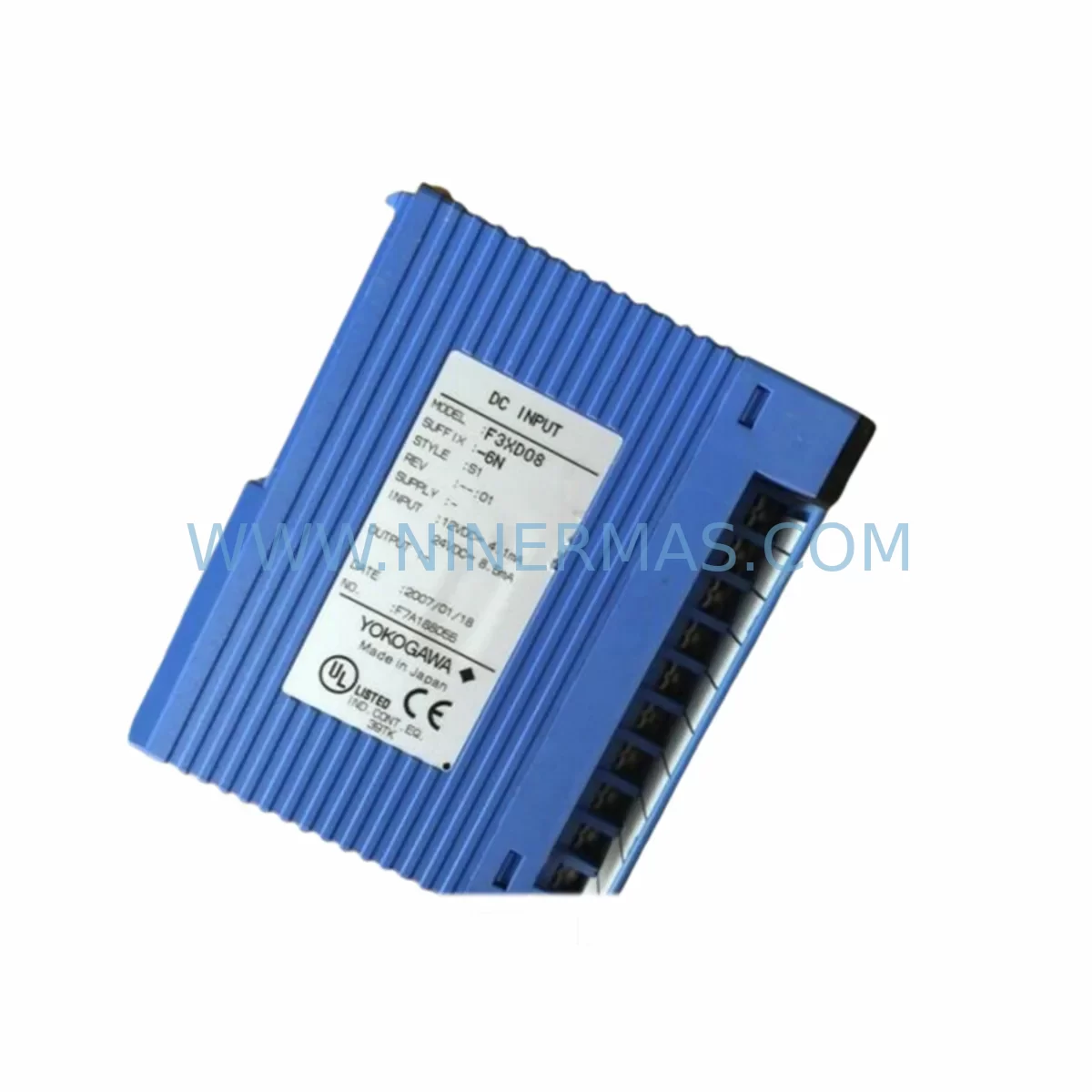
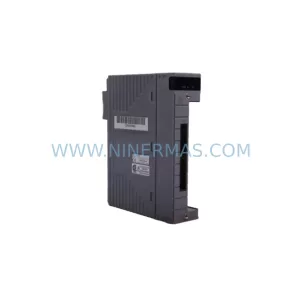
Yokogawa F3XD16-4N Service-Ready Spare for Industrial Maintenance
Verify the part, confirm the platform family, and move straight into quotation with the right commercial details.
RFQ Ready
- SKUF3XD16-4N
- CategoryDCS Distributed Control Systems
- BrandYokogawa
- SupportAvailability, lead time, condition, and shipping coordination
How Buyers Usually Use This Page
- Confirm the exact part number and platform family before sending the quote request.
- Use direct email when quantity, condition, and destination are already defined internally.
- Switch to the broader brand or category archive when you need alternates nearby.
Series Navigation
Move through the most common platform families behind this part.
Product RFQ
Send this part directly for quotation.
Include quantity, required condition, destination country, and target delivery timing. Current reference: Yokogawa F3XD16-4N Service-Ready Spare for Industrial Maintenance with SKU F3XD16-4N.
Yokogawa F3XD16-4N Service-Ready Spare for Industrial Maintenance
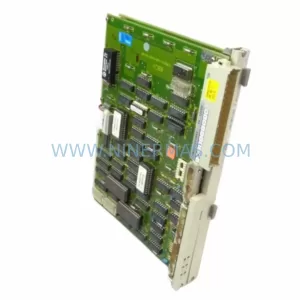
The Yokogawa F3XD16-4N is a ruggedized 16-channel digital input module engineered for the FA-M3 programmable controller platform — one of Yokogawa’s most widely deployed process automation architectures across petrochemical, power generation, water treatment, and discrete manufacturing facilities. When a digital input module fails or degrades in a live control cabinet, every minute of unplanned downtime translates directly into production loss and safety risk. Sourcing a verified, service-ready F3XD16-4N spare from a reliable supplier is the fastest path to restoring system integrity without compromising compatibility or warranty coverage.
At NINERMAS, each F3XD16-4N unit is sourced from authorized supply channels, inspected against Yokogawa’s original electrical specifications, and dispatched with a 12-month warranty. Whether you are managing a planned annual shutdown, responding to an emergency fault, or building a strategic spare parts buffer for aging FA-M3 infrastructure, this module ships ready for immediate installation.
Spare Maintenance Table
| Parameter | Specification |
|---|---|
| Model / SKU | F3XD16-4N |
| Brand | Yokogawa Electric Corporation |
| Series | FA-M3 (Wide Series) |
| Module Type | Digital Input (DI) Module — Ruggedized / Extended Temperature |
| Number of Input Channels | 16 Channels |
| Input Voltage Range | 24 VDC (nominal), compatible with standard FA-M3 field wiring |
| Isolation | Photocoupler isolation between field and backplane |
| Operating Temperature | -20°C to +70°C (ruggedized rating for harsh environments) |
| Mounting | FA-M3 base unit slot (F3BU□□-□N / F3BP□□-□N compatible) |
| Communication Interface | FA-M3 internal bus via backplane connector |
| Compatibility | FA-M3 Wide Series CPUs: F3SP22-0S, F3SP28-3N, F3SP38-6N, F3SP53-4H, F3SP58-6H and compatible base units |
| Country of Origin | Japan |
| Warranty | 12 Months — Tested and verified before dispatch |
| Application Environment | Process automation, DCS integration, discrete I/O, harsh industrial environments |
| Maintenance Recommendation | Inspect every 12–24 months; replace proactively if input response time degrades or LED indicators show intermittent faults |
Maintenance Planning for Continuous Operation
Replacing the F3XD16-4N in a live FA-M3 control cabinet is rarely an isolated task. Maintenance engineers and procurement teams working on FA-M3 systems should treat a digital input module replacement as an opportunity to audit the surrounding electrical circuit and control architecture. The following components are commonly inspected or replaced in the same maintenance window:
The F3XD32-3N (32-channel digital input module) is frequently installed in adjacent slots and shares the same field wiring terminal philosophy — if one DI module shows age-related degradation, the neighboring unit warrants inspection. Similarly, the F3YD64-1P digital output module on the same I/O rack should be checked for contact wear and output response consistency, particularly in high-cycle applications.
Power integrity is critical in any FA-M3 cabinet. The F3PU20-0S power supply module feeds the backplane bus; a failing or undersized power supply is a common root cause of intermittent DI module faults that are misdiagnosed as module failures. Always verify power supply output voltage and ripple before condemning an input module. The F3BP20-0N base unit (backplane) should also be inspected for oxidized slot connectors, which can cause unreliable module seating and false input readings.
On the communications side, the F3LC11-1N Ethernet communication module and F3NC11-0N network coupler are often co-located in the same rack. If the FA-M3 system is integrated into a SCADA or DCS network, verifying communication module firmware and link status during a DI module replacement prevents secondary faults from surfacing after restart. For analog signal conditioning, the F3DA04-6N analog output module and F3AD04-6N analog input module should be checked for calibration drift if the control loop involves both digital and analog I/O in the same process segment.
Terminal blocks, field wiring ferrules, and signal isolators connected to the F3XD16-4N’s 16 input channels should be inspected for corrosion, loose terminations, and insulation breakdown — especially in humid or chemically aggressive environments where the ruggedized rating of the -4N variant is most relevant. Fuse holders and surge protection devices on the 24 VDC field supply rail are also common failure points that are best addressed during the same maintenance window. For systems with HMI integration, the operator panel connection to the FA-M3 CPU should be verified to ensure display refresh and alarm acknowledgment remain functional after the module swap.
Site Replacement Workflow
Replacing the F3XD16-4N on-site follows a structured sequence designed to minimize downtime and eliminate compatibility risk:
1. Pre-Replacement Verification: Confirm the replacement unit’s model number matches F3XD16-4N exactly. The -4N suffix denotes the ruggedized, extended-temperature variant — do not substitute with standard-temperature variants (e.g., F3XD16-3N) without engineering review, as operating temperature ratings differ. Verify the FA-M3 CPU firmware version supports the module revision level of the replacement unit.
2. Safe Isolation: Place the FA-M3 CPU in STOP mode via the key switch or engineering workstation. De-energize the 24 VDC field supply to the affected I/O rack section. Document the current input status of all 16 channels before removal using the engineering tool or HMI historian.
3. Module Removal and Inspection: Remove the F3XD16-4N by releasing the module locking lever and sliding it from the base unit slot. Inspect the backplane connector pins on both the module and the F3BP□□-□N base unit for contamination or mechanical damage. Clean with appropriate contact cleaner if required.
4. Installation and Restart: Insert the replacement F3XD16-4N firmly into the same slot until the locking lever engages. Restore the 24 VDC field supply and return the CPU to RUN mode. Verify all 16 input channel LEDs reflect the correct field signal states. Confirm no fault codes appear on the CPU status display or engineering workstation.
5. Post-Replacement Documentation: Record the replacement date, module serial number, and channel verification results in the site maintenance log. Update the spare parts inventory to trigger reorder of a replacement buffer unit — maintaining at least one F3XD16-4N in stock is recommended for facilities with multiple FA-M3 racks.
Spare Parts Support FAQ
Q1: Is the F3XD16-4N still available as a new original spare, or only as refurbished stock?
NINERMAS supplies original F3XD16-4N units sourced from authorized distribution channels. Each unit undergoes pre-shipment electrical testing. Availability is confirmed at the time of inquiry, and long-term supply continuity is supported through our global sourcing network for end-of-life and legacy Yokogawa FA-M3 components.
Q2: How do I verify compatibility between the F3XD16-4N and my existing FA-M3 CPU and base unit?
The F3XD16-4N is compatible with all FA-M3 Wide Series base units (F3BU□□-□N, F3BP□□-□N) and the full range of FA-M3 CPUs including F3SP22-0S through F3SP58-6H. Confirm your base unit slot type and CPU firmware revision. If you provide your system configuration, our technical team can confirm compatibility before shipment.
Q3: What does the 12-month warranty cover, and what is the replacement process if a fault is found after installation?
The 12-month warranty covers manufacturing defects and electrical failures under normal operating conditions. If a fault is identified post-installation, contact NINERMAS with the unit serial number and fault description. We will arrange priority replacement dispatch to minimize your system downtime. Warranty claims are processed within 5 business days of fault confirmation.
Q4: What is the recommended spare parts stocking strategy for FA-M3 digital input modules in a multi-rack installation?
For facilities operating 3 or more FA-M3 racks, we recommend maintaining a minimum buffer of 2 × F3XD16-4N units per site. For critical process lines with zero-tolerance for downtime, a one-for-one hot-spare strategy per rack is advisable. Annual procurement cycles aligned with planned shutdowns reduce emergency sourcing lead times and procurement risk for discontinued or long-lead Yokogawa components.
| Product Series | FA-M3 |
|---|---|
| Country of Origin | JP |
Catalog Continuation
More Yokogawa modules in the catalog.
Use the brand lane to compare nearby part numbers, platform-adjacent modules, and other inquiry-ready listings before sending your final RFQ.

Catalog Continuation
Alternative parts within DCS Distributed Control Systems.
Stay inside the same system family when you need substitutes, adjacent modules, or a broader shortlist for procurement review.