Original Industrial Spare Part
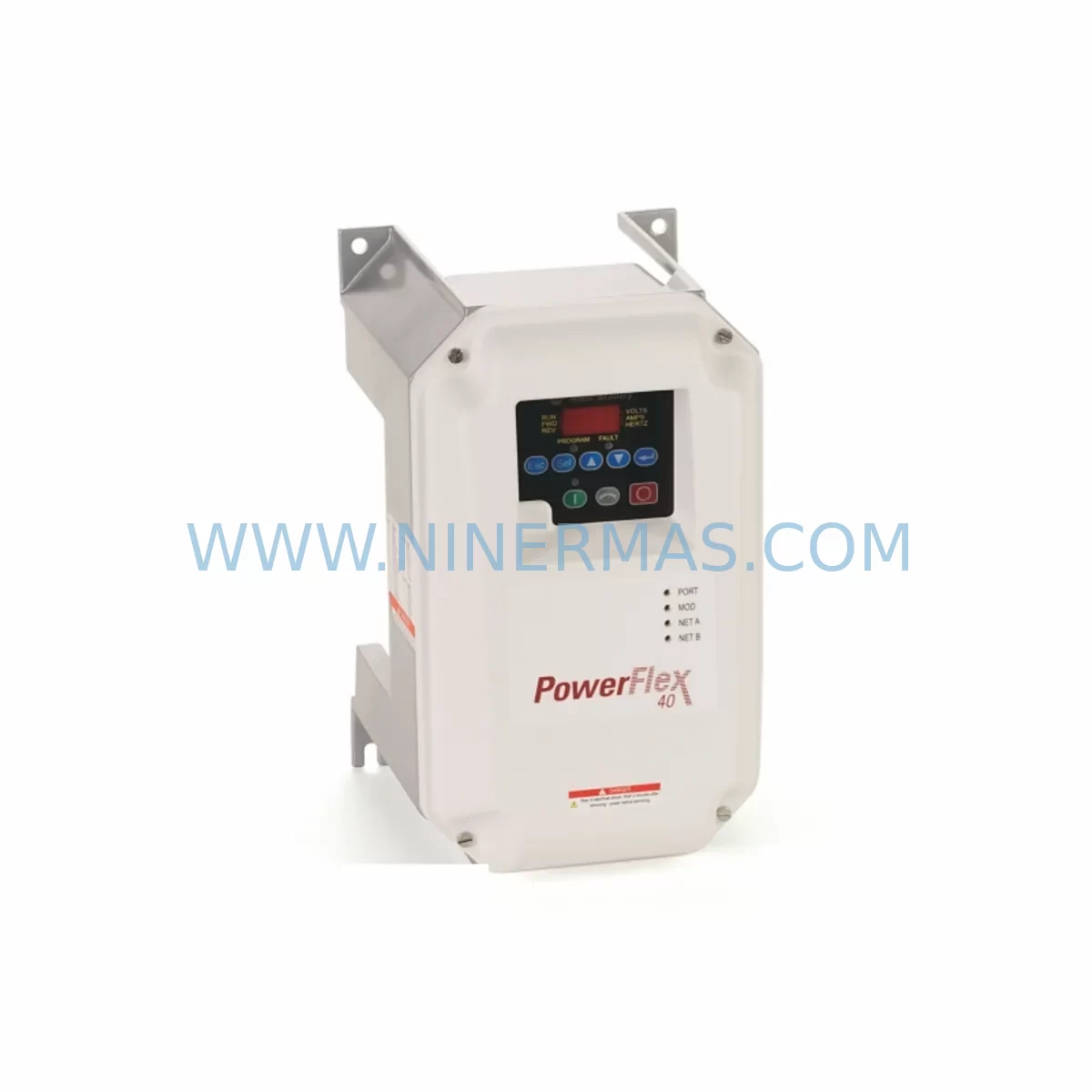
Allen-Bradley 22B-D010C104 Retrofit AC Drive for Legacy Systems
Verify the part, confirm the platform family, and move straight into quotation with the right commercial details.
RFQ Ready
- SKU22B-D010C104
- CategoryPLC & Industrial Automation Modules
- BrandAllen-Bradley
- SupportAvailability, lead time, condition, and shipping coordination
How Buyers Usually Use This Page
- Confirm the exact part number and platform family before sending the quote request.
- Use direct email when quantity, condition, and destination are already defined internally.
- Switch to the broader brand or category archive when you need alternates nearby.
Series Navigation
Move through the most common platform families behind this part.
Product RFQ
Send this part directly for quotation.
Include quantity, required condition, destination country, and target delivery timing. Current reference: Allen-Bradley 22B-D010C104 Retrofit AC Drive for Legacy Systems with SKU 22B-D010C104.
Allen-Bradley 22B-D010C104 Retrofit AC Drive for Legacy Systems
The Allen-Bradley 22B-D010C104 is a PowerFlex 40 series AC variable frequency drive rated at 480V AC, 3-phase input, 5HP (3.7kW) output. Designed for smooth speed control of three-phase induction motors, this drive has been widely deployed across manufacturing lines, HVAC systems, conveyor applications, and pump control panels throughout the past two decades. As original equipment reaches end-of-life and OEM support is discontinued, the 22B-D010C104 remains one of the most sought-after retrofit-compatible replacements for legacy drive installations that cannot be easily redesigned.
NINERMAS maintains verified stock of the 22B-D010C104 with pre-shipment functional testing and a 12-month warranty, making it a reliable source for maintenance engineers and system integrators managing aging automation infrastructure. Whether you are replacing a failed unit on an active production line or building a spare parts buffer for a critical facility, this drive is available for immediate dispatch.
Upgrade Compatibility Table
| Parameter | 22B-D010C104 (PowerFlex 40) | Retrofit Notes |
|---|---|---|
| Input Voltage | 480V AC, 3-Phase | Verify panel supply voltage before installation |
| Output Rating | 5HP / 3.7kW, 10A | Confirm motor nameplate matches drive output current |
| Control Interface | Digital keypad + terminal strip | Map existing wiring to TB1 terminal block layout |
| Communication | DSI port (native); optional 20-COMM-E for EtherNet/IP | Check PLC communication adapter compatibility |
| Enclosure | IP20 / NEMA Type 1 | Confirm cabinet ventilation and mounting clearance |
| Mounting | Panel mount, DIN rail optional | Measure available rail depth and width in control cabinet |
| Replacement Path | Direct replacement for 22B-D010C104 units | No firmware re-flash required for same-series swap |
| Commissioning | Parameter restore via DriveExplorer or keypad | Back up P-file before removal of old unit |
| Warranty | 12-Month Warranty — All units pre-tested before shipment by NINERMAS | |
Retrofit Planning for Existing Automation Systems
When planning a retrofit around the 22B-D010C104, the scope of work typically extends beyond the drive itself. Engineers must audit the full control cabinet to confirm that the existing power supply, terminal wiring, communication links, and HMI screens remain compatible with the replacement unit.
Power capacity is the first checkpoint. The drive draws from the same 480V bus that may also feed a 1769-PA4 CompactLogix power supply or other panel loads. Confirm that the transformer and breaker ratings support the combined draw without derating. If a line reactor such as the 22-RF012-BL is already installed upstream of the original drive, retain it — it provides harmonic filtering and protects the replacement drive’s input rectifier during switching transients.
Terminal wiring is the next critical step. The 22B-D010C104 uses a standard TB1 terminal strip for analog speed reference (0–10V or 4–20mA), digital start/stop inputs, fault relay output, and motor output (U, V, W). When replacing an older drive from a different manufacturer or an earlier PowerFlex generation, technicians must re-map each wire to the correct terminal. Mislabeled or undocumented wiring is a common source of commissioning delays and should be traced and verified before energizing the replacement unit.
Communication link verification is essential for networked installations. Many PowerFlex 40 drives in legacy systems communicate via the DSI serial port to a 20-COMM-E EtherNet/IP communication adapter, which bridges the drive to a ControlLogix or CompactLogix PLC backplane. If the existing 20-COMM-E adapter is functional, it can be transferred to the replacement drive without reconfiguration. However, if the adapter is also aged or damaged, sourcing a replacement 20-COMM-E alongside the 22B-D010C104 is advisable to avoid a second unplanned outage.
On the PLC side, a 1769-L33ER CompactLogix controller typically manages drive start/stop commands and speed references through Add-On Instructions (AOIs) mapped to the drive’s EtherNet/IP node address. Before swapping the drive, confirm the node IP address assignment and verify that the AOI tag structure in the PLC program matches the replacement drive’s parameter map. No program changes are required for a same-model swap, but if the drive firmware version differs, parameter defaults may vary and should be reviewed.
Analog I/O modules such as the 1769-IF8 (8-channel analog input) are often used to feed process feedback signals — flow, pressure, or temperature — into the PLC for closed-loop speed control. Verify that the analog signal scaling configured in the 1769-IF8 channel properties matches the speed reference range expected by the 22B-D010C104. Similarly, discrete output modules like the 1769-OB16 may be wired to the drive’s digital input terminals for remote start, direction, and fault reset commands. Confirm terminal assignments against the original panel drawings.
HMI screens on a 2711P-T7C4D8 PanelView Plus terminal may display drive speed, current, fault codes, and run status via the PLC data table. These screens do not communicate directly with the drive and will continue to function correctly after the drive swap, provided the PLC tag structure is unchanged. If the HMI was configured to display drive-specific parameters via a direct DSI connection, that link must be re-established after installation.
For installations using a 1756-EN2T EtherNet/IP communication module in a ControlLogix rack, confirm that the drive’s IP address is correctly assigned and that the module’s connection parameters (RPI rate, connection size) match the replacement drive’s I/O assembly configuration. A mismatch will cause a connection fault in the PLC I/O tree and prevent the drive from receiving commands.
Finally, confirm available installation space in the control cabinet. The 22B-D010C104 has specific minimum clearance requirements above and below the unit for airflow. If the original drive was a different frame size, additional panel modifications may be required before the replacement can be mounted safely.
Downtime Control During System Migration
Minimizing unplanned downtime is the primary concern for any drive replacement on an active production line. A structured pre-swap checklist significantly reduces the risk of extended outages.
Before removing the failed or end-of-life drive, use DriveExplorer software or the drive’s onboard keypad to export the full parameter file (P-file). This file captures all customized settings including acceleration/deceleration ramps, current limits, fault response configurations, and analog scaling. Restoring this file to the replacement 22B-D010C104 after installation eliminates the need to manually re-enter dozens of parameters and reduces commissioning time from hours to minutes.
Photograph or document all terminal wiring before disconnection. Label each wire with its terminal designation and signal function. This documentation protects against wiring errors during reconnection and provides a reference for future maintenance personnel.
During the swap, keep the PLC in program mode to prevent automatic restart commands from reaching the drive before commissioning is complete. After wiring is confirmed and the parameter file is restored, perform a no-load test by running the drive without the motor connected to verify output voltage balance across U, V, and W phases. Then reconnect the motor and perform a low-speed jog to confirm rotation direction and speed reference response before returning the system to automatic control.
NINERMAS ships all 22B-D010C104 units with a pre-shipment functional test report, confirming that the drive powers up correctly, responds to control inputs, and produces balanced three-phase output. This reduces on-site commissioning risk and supports warranty claims if a fault is identified after installation.
Retrofit Support FAQ
Q: Is the 22B-D010C104 a direct replacement for my existing PowerFlex 40 drive?
A: Yes. The 22B-D010C104 is a same-model replacement and is fully compatible with existing wiring, parameter files, and communication adapters from the original installation. No hardware or software modifications are required for a like-for-like swap.
Q: Can I transfer my existing 20-COMM-E EtherNet/IP adapter to the replacement drive?
A: Yes. The 20-COMM-E adapter connects to the DSI port on the PowerFlex 40 and is fully transferable to a replacement 22B-D010C104. Retain the existing IP address configuration and the adapter will resume communication with the PLC without reconfiguration.
Q: What pre-shipment testing does NINERMAS perform on the 22B-D010C104?
A: Each unit undergoes a functional power-on test, control input verification, and three-phase output balance check before shipment. A test report is included with the delivery. All units are covered by a 12-month warranty from the date of shipment.
Q: How quickly can NINERMAS ship the 22B-D010C104?
A: NINERMAS maintains ready stock of the 22B-D010C104. Orders confirmed before the daily cut-off are typically dispatched the same business day. Contact sale@ninermas.com or call +0086 187 5021 5667 for real-time stock confirmation and lead time.
| Product Series | PowerFlex |
|---|---|
| Country of Origin | US |
Catalog Continuation
More Allen-Bradley modules in the catalog.
Use the brand lane to compare nearby part numbers, platform-adjacent modules, and other inquiry-ready listings before sending your final RFQ.

Catalog Continuation
Alternative parts within PLC & Industrial Automation Modules.
Stay inside the same system family when you need substitutes, adjacent modules, or a broader shortlist for procurement review.