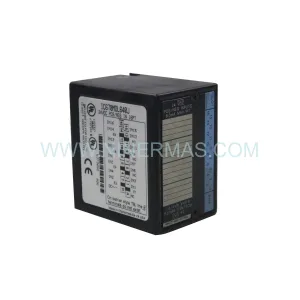
Original Industrial Spare Part
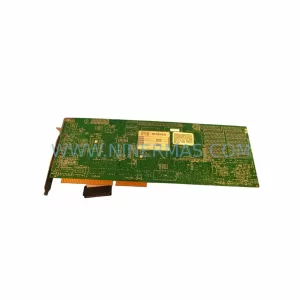
Matrox METEOR/RGB PCI 571-03 Service-Ready Spare Part
Verify the part, confirm the platform family, and move straight into quotation with the right commercial details.
RFQ Ready
- SKUMETEOR/RGB PCI 571-03
- CategoryPLC & Industrial Automation Modules
- BrandMatrox
- SupportAvailability, lead time, condition, and shipping coordination
How Buyers Usually Use This Page
- Confirm the exact part number and platform family before sending the quote request.
- Use direct email when quantity, condition, and destination are already defined internally.
- Switch to the broader brand or category archive when you need alternates nearby.
Series Navigation
Move through the most common platform families behind this part.
Product RFQ
Send this part directly for quotation.
Include quantity, required condition, destination country, and target delivery timing. Current reference: Matrox METEOR/RGB PCI 571-03 Service-Ready Spare Part with SKU METEOR/RGB PCI 571-03.
Matrox METEOR/RGB PCI 571-03 Service-Ready Spare Part: Minimizing Downtime in Industrial Vision Systems
The Matrox METEOR/RGB PCI 571-03 is a professional-grade RGB analog frame grabber card designed for integration into PCI-bus industrial machine vision systems. As a service-ready original spare part, this unit is sourced, inspected, and dispatched to support maintenance engineers and procurement teams managing legacy imaging infrastructure across manufacturing, semiconductor, pharmaceutical, and process automation environments. Whether you are executing a planned annual overhaul, responding to an unscheduled line stoppage, or building a strategic spare parts buffer, the METEOR/RGB PCI 571-03 delivers the compatibility and reliability your system demands — backed by a 12-month warranty.
Spare Maintenance Table
| Parameter | Specification / Detail |
|---|---|
| Part Number / SKU | METEOR/RGB PCI 571-03 |
| Brand | Matrox Imaging |
| Series | Meteor Series — PCI Frame Grabber |
| Product Type | RGB Analog Frame Grabber Card |
| Bus Interface | PCI (32-bit, 33 MHz) |
| Signal Input | RGB Analog (composite and component) |
| Compatibility | PCI-bus industrial PCs, legacy machine vision workstations |
| Operating Environment | Industrial control cabinet, vision inspection station |
| Application | Machine vision, quality inspection, process imaging, AOI systems |
| Origin | Canada (Matrox Imaging) |
| Condition | Original spare — tested before dispatch |
| Warranty | 12 Months from date of shipment |
| Lead Time | Subject to stock availability — contact for confirmation |
| Long-Term Supply | Available for blanket order and annual procurement programs |
Maintenance Planning for Continuous Operation
When a Matrox METEOR/RGB PCI 571-03 frame grabber fails or degrades in performance, the impact extends well beyond the card itself. Maintenance engineers performing fault isolation on a machine vision station should treat this replacement as an opportunity to audit the full imaging and control chain. Begin with the industrial PC power supply unit — an aging ATX or rack-mount PSU delivering marginal 3.3 V or 5 V rails is a common root cause of intermittent PCI card failures and should be load-tested or replaced proactively.
Inspect the PCI slot and backplane connector for oxidation, bent pins, or mechanical stress from vibration — particularly in environments with high-cycle machinery nearby. If the system uses a Matrox Meteor-II or Matrox Orion series card in a parallel imaging channel, verify that IRQ and DMA resource allocation does not conflict after the replacement card is seated. Check the camera interface cable — typically a 15-pin HD-15 or BNC coaxial assembly — for continuity and shielding integrity, as signal degradation at the cable level is frequently misdiagnosed as a card fault.
For systems integrated into a broader PLC or DCS architecture, confirm that the digital I/O trigger lines connecting the frame grabber to the PLC (often via an Opto-22 or Phoenix Contact I/O terminal block) are correctly wired and that trigger pulse timing has not drifted. If the vision system feeds inspection results to a Siemens S7 or Allen-Bradley ControlLogix PLC via serial or Ethernet, validate the communication handshake after card replacement to ensure no timeout parameters need adjustment.
In control cabinet environments, also inspect the 24 VDC DIN-rail power supply feeding auxiliary lighting controllers or camera strobe units — a Meanwell or Phoenix Contact PSU in this role should be checked for output ripple and thermal performance. Signal isolators on analog trigger or encoder lines should be verified for correct channel mapping. If the system uses a Cognex or Keyence vision controller in a hybrid configuration alongside the Matrox card, ensure software driver versions remain compatible post-replacement. Finally, review the industrial Ethernet switch port configuration if image data is streamed over GigE for archiving or SPC analysis — port speed, duplex settings, and VLAN assignments should be confirmed stable.
Site Replacement Workflow
Step 1 — Pre-replacement audit: Document the current system configuration including driver version, OS build, IRQ assignments, and camera settings. Capture a reference image set from the existing card if it is still partially functional, to use as a post-installation benchmark.
Step 2 — Safe shutdown and ESD precautions: Power down the industrial PC following the site lockout/tagout procedure. Use an ESD wrist strap and anti-static mat when handling the METEOR/RGB PCI 571-03. PCI cards are sensitive to electrostatic discharge even in low-humidity industrial environments.
Step 3 — Physical installation: Seat the replacement card firmly into the PCI slot, secure the bracket screw, and reconnect all camera and trigger cables. Verify cable routing does not create strain on the card connector.
Step 4 — Driver and software validation: Boot the system and confirm the card is recognized by the OS. Reinstall or update the Matrox MIL (Matrox Imaging Library) driver if required. Run the Matrox diagnostic utility to verify signal acquisition from all connected cameras.
Step 5 — Functional test and sign-off: Execute a full inspection cycle under production conditions. Compare output image quality and trigger latency against the pre-replacement benchmark. Document the replacement in the site maintenance log and update the spare parts inventory record.
This structured workflow reduces mean time to repair (MTTR), ensures system compatibility is maintained, and provides a clear audit trail for ISO or GMP compliance requirements.
Spare Parts Support FAQ
Q1: Is the METEOR/RGB PCI 571-03 compatible with my existing Matrox MIL software version?
The METEOR/RGB PCI 571-03 is supported under Matrox MIL legacy driver packages. Compatibility depends on your OS version and MIL release. We recommend confirming your current MIL version before ordering. Our technical team can advise on driver compatibility based on your system configuration — contact us at sale@ninermas.com before purchase if you have specific version requirements.
Q2: What does the 12-month warranty cover, and how is it handled?
All spare parts supplied by NINERMAS carry a 12-month warranty from the date of shipment. The warranty covers manufacturing defects and functional failures under normal operating conditions. Each unit undergoes pre-shipment functional testing. In the event of a warranty claim, we coordinate replacement or repair logistics directly — no third-party RMA process is required.
Q3: Can I place a blanket order or long-term supply agreement for this part?
Yes. NINERMAS supports annual procurement programs and blanket purchase orders for critical spare parts including the METEOR/RGB PCI 571-03. Long-term supply agreements help you lock in availability and pricing for multi-site maintenance programs. Contact our procurement team to discuss volume commitments, lead time guarantees, and consignment stock options.
Q4: How do I verify compatibility before committing to a purchase?
Provide your system’s motherboard model, PCI slot specification, OS version, and current Matrox driver version. Our engineering support team will cross-reference these against the METEOR/RGB PCI 571-03 specification and confirm fit before you place the order. We do not recommend purchasing frame grabber cards without compatibility verification for legacy systems — this step eliminates procurement risk and avoids unnecessary downtime.
| Product Series | Other series |
|---|
Catalog Continuation
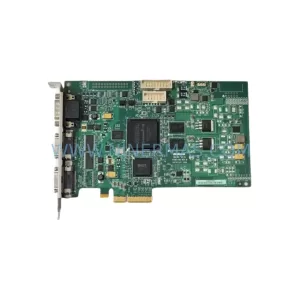
More Matrox modules in the catalog.
Use the brand lane to compare nearby part numbers, platform-adjacent modules, and other inquiry-ready listings before sending your final RFQ.
Catalog Continuation
Alternative parts within PLC & Industrial Automation Modules.
Stay inside the same system family when you need substitutes, adjacent modules, or a broader shortlist for procurement review.



SKU: HDD02.2-W040N-HS12-01-FW FWA-DIAX04-ELS-05VRS-MS
Rexroth HDD02.2-W040N-HS12-01-FW Service-Ready Spare Part

SKU: I5DAE375F10010000S
Lenze I5DAE375F10010000S Service-Ready Spare Part for Industrial Maintenance