Original Industrial Spare Part
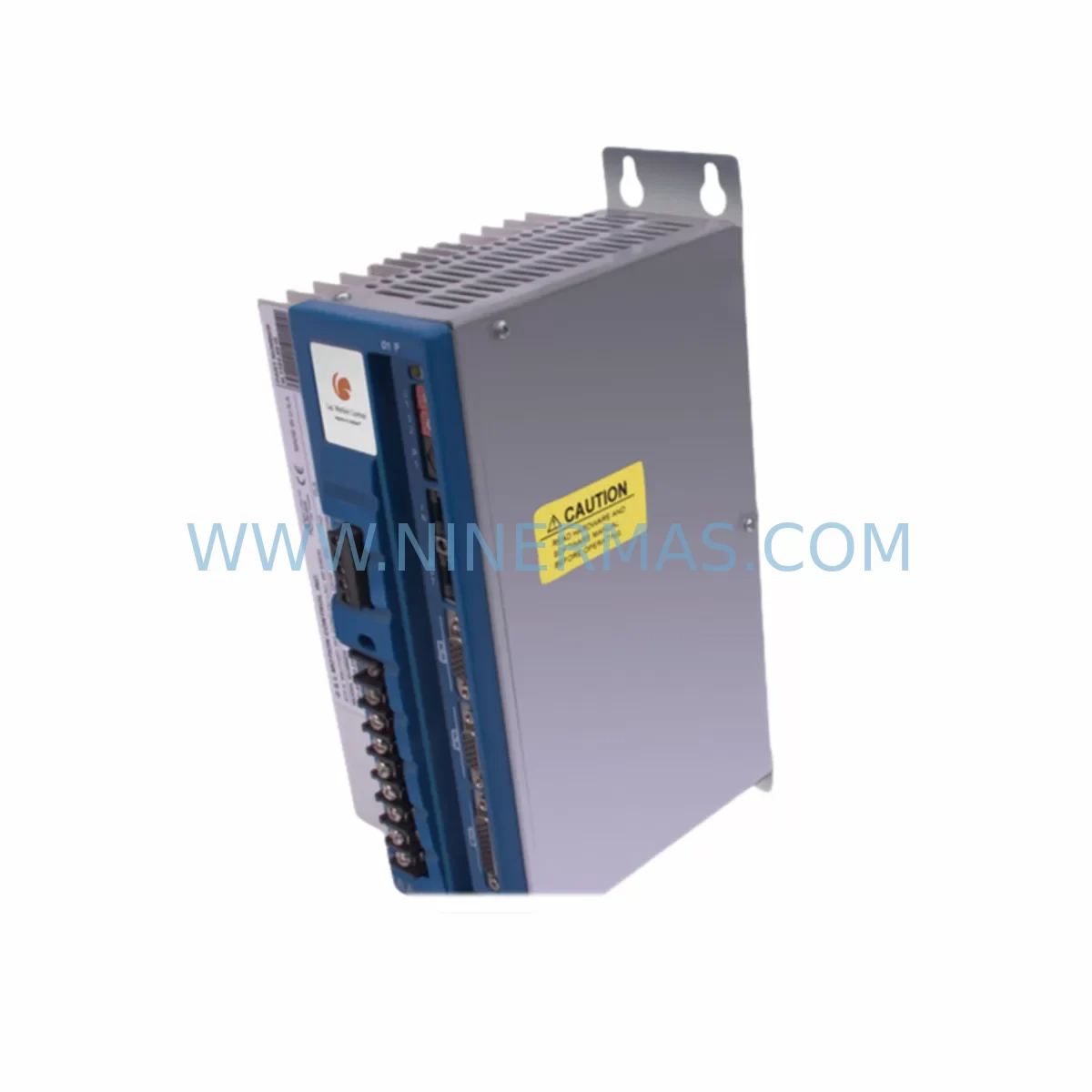
G&L MMC-SD-1.0-230-DN Retrofit-Compatible Motion Control
Verify the part, confirm the platform family, and move straight into quotation with the right commercial details.
RFQ Ready
- SKUMMC-SD-1.0-230-DN
- CategoryPLC & Industrial Automation Modules
- BrandG&L Motion Control
- SupportAvailability, lead time, condition, and shipping coordination
How Buyers Usually Use This Page
- Confirm the exact part number and platform family before sending the quote request.
- Use direct email when quantity, condition, and destination are already defined internally.
- Switch to the broader brand or category archive when you need alternates nearby.
Series Navigation
Move through the most common platform families behind this part.
Product RFQ
Send this part directly for quotation.
Include quantity, required condition, destination country, and target delivery timing. Current reference: G&L MMC-SD-1.0-230-DN Retrofit-Compatible Motion Control with SKU MMC-SD-1.0-230-DN.
G&L MMC-SD-1.0-230-DN Retrofit-Compatible Motion Control for Legacy Systems
The G&L MMC-SD-1.0-230-DN is a servo drive motion control module engineered for 230V AC single-axis applications within the G&L Motion Control MMC platform. Designed with legacy system compatibility at its core, this module serves as a direct retrofit solution for aging automation lines where the original MMC-SD series hardware has reached end-of-life or is no longer available through standard distribution channels. With DeviceNet (DN) communication onboard, it integrates seamlessly into existing control architectures without requiring a full PLC or network infrastructure overhaul.
For maintenance engineers and automation managers facing unplanned downtime due to a failed or obsolete motion axis, the MMC-SD-1.0-230-DN provides a validated, in-stock replacement path. NINERMAS maintains verified inventory of this module with full functional testing prior to shipment and a 12-month warranty covering manufacturing defects — giving procurement teams the confidence to plan both emergency replacements and scheduled upgrade projects.
Whether you are managing a single-axis conveyor retrofit, upgrading a legacy packaging line, or restoring motion capability to a mothballed production cell, the MMC-SD-1.0-230-DN is a proven starting point for controlled, low-risk system modernization.
Upgrade Compatibility Table
| Parameter | MMC-SD-1.0-230-DN (This Unit) | Retrofit Notes |
|---|---|---|
| Supply Voltage | 230V AC Single-Phase | Verify incoming power rail; confirm panel transformer tap if site is 208V or 240V nominal |
| Axis Count | Single Axis (1.0) | Multi-axis applications require additional MMC-SD modules or an MMC-SD-2.0 variant per axis |
| Communication Protocol | DeviceNet (DN) | Confirm DeviceNet scanner card is present in host PLC rack (e.g., 1747-SDN or equivalent); node address must be reassigned to match legacy configuration |
| Backplane / Rack Interface | MMC Rack-Mount (G&L MMC platform) | Module slots in standard G&L MMC rack; confirm rack backplane revision for firmware compatibility |
| Encoder / Feedback Interface | Incremental Encoder Input | Verify encoder cable pinout and differential signal levels; re-use existing motor feedback wiring where possible |
| Terminal Wiring | Screw-terminal I/O connector | Document original wiring before removal; re-terminate per MMC-SD wiring diagram; check torque specs |
| Installation Space | Standard MMC module footprint | Direct slot replacement; no panel modification required if replacing same-generation MMC-SD module |
| Programming Compatibility | G&L MMC Motion Programmer / DeviceNet EDS | Existing motion programs (cam profiles, velocity loops, position targets) are retained in host controller; re-download after module swap |
| HMI Screen Compatibility | No change required | HMI tag addresses remain valid if DeviceNet node address is preserved; verify alarm and status bit mapping |
| Warranty | 12-Month Warranty — covers manufacturing defects from date of shipment; full functional test performed before dispatch | |
Retrofit Planning for Existing Automation Systems
Successful integration of the MMC-SD-1.0-230-DN into a running production environment begins well before the module arrives on-site. A structured pre-retrofit audit reduces commissioning time and eliminates the most common causes of extended downtime during legacy motion system replacements.
Power Capacity Verification: Confirm that the control cabinet’s 230V AC supply rail has sufficient capacity to support the MMC-SD-1.0-230-DN alongside co-installed modules. In multi-axis cabinets, the G&L MMC power supply module — typically an MMC-PS series unit — must be assessed for total load. If the existing power supply is undersized or itself approaching end-of-life, a simultaneous power supply replacement is strongly recommended to avoid a secondary failure shortly after the motion module swap.
Backplane and Rack Integrity: The MMC-SD-1.0-230-DN installs into the G&L MMC rack backplane. Before insertion, inspect the backplane connector for bent pins, corrosion, or heat damage — particularly in older installations where the rack has been in continuous service for 10 or more years. If the rack itself is a legacy G&L MMC-R series chassis, confirm that the slot assignment matches the original module position, as some MMC configurations use slot-dependent axis addressing.
DeviceNet Network Commissioning: The DN suffix indicates this module communicates over DeviceNet. During retrofit, the DeviceNet node address must be set to match the address previously occupied by the failed module. This is typically configured via rotary switches on the module face or through the EDS file loaded into the DeviceNet scanner — often a 1747-SDN card in an Allen-Bradley SLC 500 rack, or a 1756-DNB card in a ControlLogix system. Verify that the DeviceNet trunk cable termination resistors (120Ω) are correctly placed at both ends of the network segment, especially if the cable topology has been modified during previous maintenance.
Terminal Wiring and Signal Isolation: Before removing the failed module, photograph and document all terminal connections. The MMC-SD-1.0-230-DN uses screw-terminal I/O connectors for enable signals, fault outputs, and analog references. In applications where the servo motor feedback cable runs through a signal isolator or a surge protection device, confirm that these inline components are functional and correctly wired before re-energizing. Replacing a motion module while leaving a degraded signal isolator in the feedback path is a common cause of post-retrofit encoder faults.
Motor and Drive Compatibility: The 1.0 designation in the MMC-SD-1.0-230-DN refers to the continuous current rating of the drive stage. Confirm that the connected servo motor’s nameplate current does not exceed this rating. In legacy lines where the original motor has been rewound or substituted with a different frame size, re-verify the motor’s electrical parameters against the drive’s output specifications before commissioning.
Programming Cable and Software Access: If the host controller requires a motion program re-download after the module swap, ensure that the G&L MMC programming software and the appropriate programming cable (or Ethernet programming path, depending on the controller generation) are available on-site. In some legacy installations, the original program backup may reside only on a single engineering workstation — confirm that a current backup exists before beginning the physical swap.
Related Components Commonly Required in the Same Retrofit: In practice, an MMC-SD-1.0-230-DN replacement rarely occurs in isolation. Maintenance teams frequently discover that adjacent components in the same control cabinet require attention during the same maintenance window. Commonly co-replaced or co-inspected items include the G&L MMC-PS power supply module, MMC-CPU controller module, MMC rack backplane assembly, DeviceNet drop cables and T-taps, 1747-SDN or 1756-DNB DeviceNet scanner cards, servo motor feedback cables with M23 or D-sub connectors, 24VDC I/O power supplies feeding the module’s logic circuits, panel-mount HMI terminals displaying axis status, signal isolators on analog reference inputs, and programming cables for the MMC platform. Addressing these components proactively during a planned retrofit window significantly reduces the probability of a secondary unplanned outage within the following 12 months.
Downtime Control During System Migration
Minimizing production interruption during a motion control module replacement requires a disciplined sequence of pre-work, physical swap, and recommissioning steps. The following approach is recommended for sites where the affected axis is part of a continuous or semi-continuous production process.
Pre-Shutdown Preparation: Before taking the axis offline, capture a full snapshot of the current system state: record all DeviceNet node parameters, export the motion program from the host controller, photograph all terminal wiring, and note the current axis tuning parameters (velocity loop gain, position loop gain, acceleration/deceleration ramps) from the HMI or programming software. This snapshot becomes the baseline for post-swap verification and eliminates the need for re-tuning from scratch if the replacement module requires parameter initialization.
Controlled Shutdown Sequence: Initiate a controlled stop of the affected axis through the PLC program rather than cutting power abruptly. This ensures that the host controller registers the axis as intentionally offline rather than faulted, which simplifies the restart sequence and avoids spurious fault codes in the DeviceNet scanner’s diagnostic log. Once the axis is at rest and the drive is disabled, de-energize the 230V AC supply to the MMC rack before removing the module.
Module Swap and Initial Power-Up: Insert the MMC-SD-1.0-230-DN into the correct rack slot, re-terminate all wiring per the documented layout, and restore 230V AC power. On initial power-up, observe the module’s status LEDs before enabling the axis: a solid green network status LED confirms successful DeviceNet node acquisition; a flashing or red LED indicates a node address conflict or network wiring fault that must be resolved before proceeding.
Program Re-Download and Axis Verification: Re-download the motion program to the host controller if required by the platform. Jog the axis at reduced speed (typically 10–20% of maximum velocity) to verify encoder feedback direction, limit switch response, and fault output behavior before returning to automatic mode. Confirm that the HMI displays correct axis position and status before releasing the line to production.
Protecting Original Program Logic: The MMC-SD-1.0-230-DN does not store the motion program internally — program logic resides in the host MMC-CPU or PLC. This means the original cam profiles, gearing ratios, and position targets are preserved through the module swap without modification. The only parameters that may require re-entry are drive-level tuning values if the replacement module’s factory defaults differ from the previous unit’s commissioned settings.
With proper pre-work, a skilled technician can complete an MMC-SD-1.0-230-DN swap and return the axis to production in under four hours for a straightforward single-axis application. More complex multi-axis or networked configurations may require a full shift. NINERMAS provides pre-shipment functional testing and documentation support to help reduce on-site commissioning time.
Retrofit Support FAQ
Q1: Is the MMC-SD-1.0-230-DN a direct drop-in replacement for my existing G&L MMC-SD module?
In most cases, yes — provided your existing installation uses the same rack platform, 230V AC supply voltage, and DeviceNet communication. Confirm the axis current rating (1.0A continuous) matches your motor’s requirements. If your original module carried a different current suffix (e.g., MMC-SD-2.0-230-DN), the physical form factor is similar but the drive stage rating differs. Contact NINERMAS with your original module’s full part number for a compatibility confirmation before ordering.
Q2: What commissioning steps are required after installing the replacement module?
After physical installation and wiring re-termination, set the DeviceNet node address to match the original configuration, restore 230V AC power, and verify network status LEDs. Re-download the motion program from the host controller if prompted. Jog the axis at reduced speed to confirm encoder feedback, limit switch response, and fault output behavior. Re-enter drive tuning parameters if the replacement module requires initialization. Full commissioning typically takes 1–4 hours depending on system complexity.
Q3: Does NINERMAS test the MMC-SD-1.0-230-DN before shipment, and what does the warranty cover?
Yes. Every unit shipped by NINERMAS undergoes functional testing prior to dispatch to verify power-up behavior, communication interface integrity, and I/O response. The 12-month warranty covers manufacturing defects from the date of shipment. It does not cover damage resulting from incorrect installation, overvoltage events, or mechanical impact. Warranty claims are supported directly through NINERMAS — contact sale@ninermas.com with your order reference and a description of the fault.
Q4: Can NINERMAS supply other G&L MMC platform components needed for a complete retrofit?
Yes. NINERMAS maintains inventory of multiple G&L MMC platform components including power supply modules, CPU modules, rack assemblies, and communication interface cards. If your retrofit project requires a broader bill of materials — for example, replacing an entire MMC rack assembly alongside the motion module — contact our sales team with your full parts list for availability and lead-time confirmation. We support both emergency single-unit orders and planned bulk procurement for scheduled maintenance programs.
| Product Series | Other series |
|---|
Catalog Continuation
More G&L Motion Control modules in the catalog.
Use the brand lane to compare nearby part numbers, platform-adjacent modules, and other inquiry-ready listings before sending your final RFQ.
SKU: MMC-SD-0.5-230-D
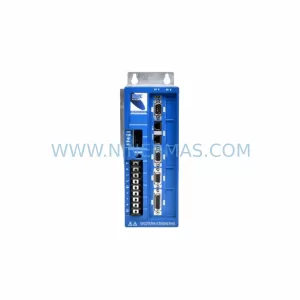
G&L Motion Control MMC-SD-0.5-230-D Safety-Reliable AC Drive
Catalog Continuation
Alternative parts within PLC & Industrial Automation Modules.
Stay inside the same system family when you need substitutes, adjacent modules, or a broader shortlist for procurement review.
SKU: 14L41-RS0B0-B24R-ST5S00N-R0SU
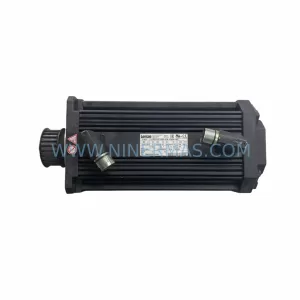
LENZE 14L41-RS0B0-B24R-ST5S00N-R0SU Retrofit for Legacy Systems
SKU: CI540 3BSE001077R1
ABB CI540 3BSE001077R1 Spare Part for Industrial Maintenance

SKU: ZINT-541 3AUA00000658960
ABB ZINT-541 3AUA00000658960 Retrofit-Compatible Inverter Power Module