Original Industrial Spare Part
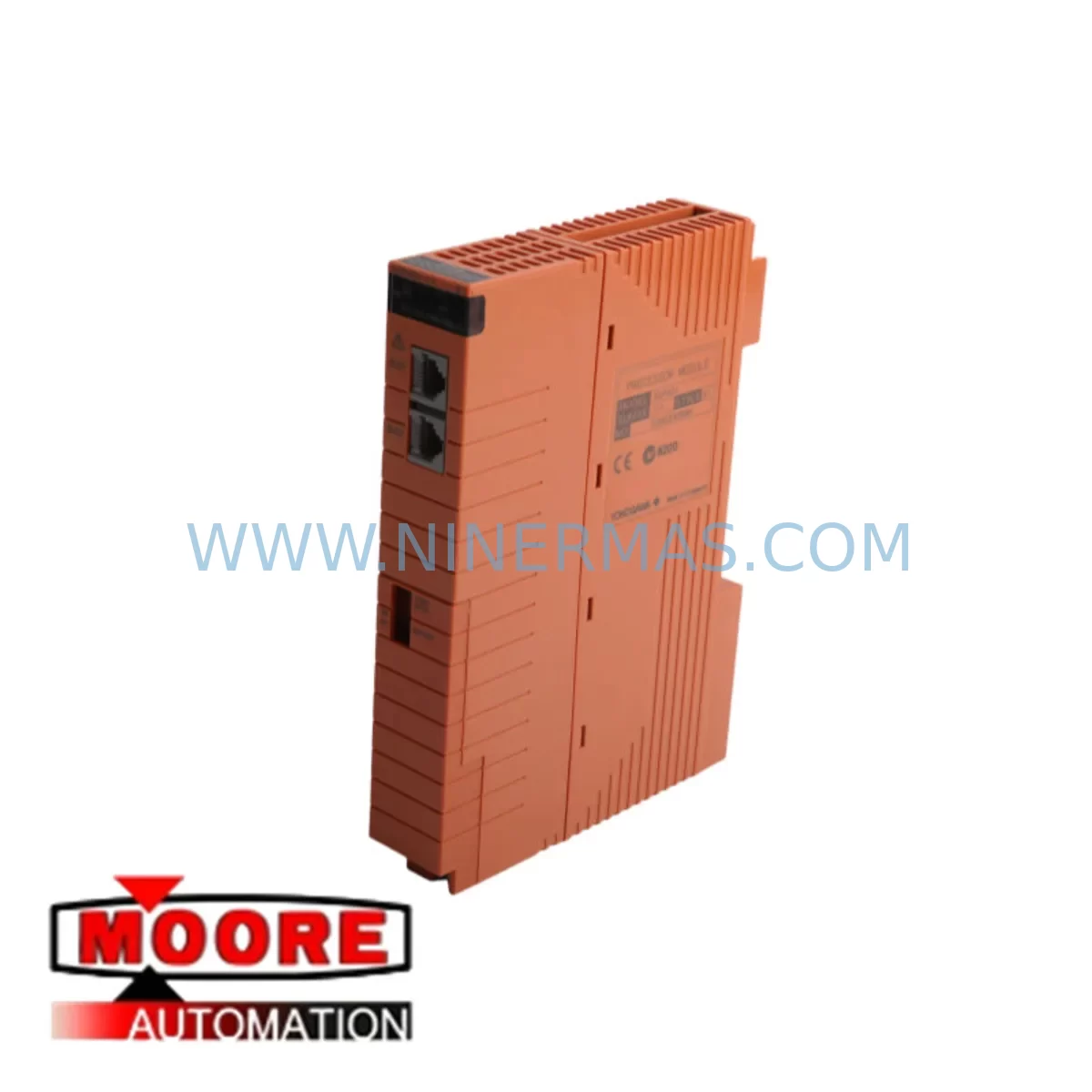
Yokogawa SCP401-11-S1 Retrofit Safety Module for Legacy Systems
Verify the part, confirm the platform family, and move straight into quotation with the right commercial details.
RFQ Ready
- SKUSCP401-11 S1
- CategorySIS Safety & Redundancy Systems
- BrandYokogawa
- SupportAvailability, lead time, condition, and shipping coordination
How Buyers Usually Use This Page
- Confirm the exact part number and platform family before sending the quote request.
- Use direct email when quantity, condition, and destination are already defined internally.
- Switch to the broader brand or category archive when you need alternates nearby.
Series Navigation
Move through the most common platform families behind this part.
Product RFQ
Send this part directly for quotation.
Include quantity, required condition, destination country, and target delivery timing. Current reference: Yokogawa SCP401-11-S1 Retrofit Safety Module for Legacy Systems with SKU SCP401-11 S1.
Yokogawa SCP401-11-S1 Retrofit Safety Module for Legacy Systems
The Yokogawa SCP401-11-S1 is a ruggedized Safety Communication Processor module designed for the ProSafe-RS safety instrumented system platform. As legacy ProSafe-RS installations age and original spare parts reach end-of-life, the SCP401-11-S1 has become a critical retrofit component for maintenance engineers and system integrators tasked with extending the operational life of existing safety control architectures. Whether you are replacing a failed unit, building a strategic spare inventory, or planning a phased control system upgrade, the SCP401-11-S1 provides a direct, validated replacement path that preserves your existing program logic, I/O mapping, and safety certification boundaries.
The SCP401-11-S1 functions as the primary communication bridge between the ProSafe-RS safety controller and the plant-wide control network. It handles safety-critical data exchange over Vnet/IP and supports integration with CENTUM VP distributed control systems, making it indispensable in facilities where the safety layer must remain synchronized with the process control layer. When this module is replaced during a retrofit, engineers must verify the firmware revision compatibility with the existing SSB401-10 safety station bus module and confirm that the NCS401 network communication station is configured to recognize the replacement unit’s node address before powering up the rack.
Upgrade Compatibility Table
| Parameter | SCP401-11-S1 Specification | Retrofit Consideration |
|---|---|---|
| Series | Yokogawa ProSafe-RS | Direct replacement within ProSafe-RS platform |
| Module Function | Safety Communication Processor | Verify firmware version matches existing SSB401-10 |
| Communication Protocol | Vnet/IP (Ethernet-based safety bus) | Confirm IP address and node ID before installation |
| Backplane Interface | ProSafe-RS ESB401 expansion bus | Check backplane slot assignment and module address |
| Power Requirement | 24 VDC via rack power supply | Verify PW481 or PW482 power module output capacity |
| Installation Space | Single-slot ProSafe-RS rack | Confirm physical slot availability in existing cabinet |
| Program Compatibility | Compatible with ProSafe-RS R3.xx and above | Validate SCS project file version before hot-swap |
| HMI Integration | CENTUM VP HIS screen data preserved | No HMI screen rebuild required for direct replacement |
| Commissioning | Node address configuration via SCS Builder | Perform loop check and safety function test post-swap |
| Warranty | 12-Month Warranty — All units pre-tested before shipment by NINERMAS | |
Retrofit Planning for Existing Automation Systems
Successful integration of the SCP401-11-S1 into an aging ProSafe-RS system requires a structured pre-retrofit assessment that covers every layer of the safety architecture. Begin with a full audit of the existing rack configuration. In a typical ProSafe-RS cabinet, the SCP401-11-S1 occupies a dedicated slot adjacent to the safety controller, sharing the ESB401 expansion station bus with analog input modules such as the SAI143-S03 and digital output modules such as the SDV541-S13. Before removing the original processor, document the current slot assignments for all installed modules, including any AAI143-S00 analog I/O modules and ADV151-P00 digital valve interface cards, to ensure the replacement unit is inserted into the correct backplane position.
Power capacity is a frequent oversight in retrofit projects. The SCP401-11-S1 draws its operating power from the rack-mounted power supply, typically a PW481 or PW482 unit. If the existing power module has been in service for more than five years, it is advisable to replace it concurrently with the SCP401-11-S1 to eliminate the risk of a secondary power-related failure during the commissioning phase. Confirm that the total current draw of all installed modules — including any AAI543-S00 high-density analog input cards and signal isolators mounted in adjacent terminal assemblies — does not exceed the rated output of the power supply after the new processor is installed.
Communication link verification is equally critical. The SCP401-11-S1 connects to the plant network through the NCS401 network communication station, which manages the Vnet/IP safety bus topology. After physical installation, use the SCS Builder engineering tool to assign the correct node address and confirm that the CENTUM VP DCS recognizes the replacement module without requiring a full system restart. In facilities where the ProSafe-RS system communicates with a legacy CENTUM CS 3000 platform, additional protocol mapping steps may be required to maintain alarm and interlock data continuity across the migration boundary.
For sites planning a broader control system modernization — such as migrating from ProSafe-RS R2.xx to R4.xx — the SCP401-11-S1 serves as a stable interim component that allows the safety layer to remain operational while the process control layer is upgraded in phases. This approach minimizes the scope of simultaneous changes and reduces the risk of introducing multiple variables into a single maintenance window. Pair the SCP401-11-S1 replacement with a review of the existing programming cable and laptop configuration to ensure the SCS Builder software version is compatible with the replacement module’s embedded firmware before attempting any online program download.
Downtime Control During System Migration
Minimizing unplanned downtime is the primary operational concern when replacing a safety communication processor in a live production environment. The SCP401-11-S1 retrofit should be planned as a scheduled maintenance activity with a defined maintenance window, a pre-tested replacement unit, and a fully documented rollback procedure in place before work begins.
Prior to the maintenance window, perform a complete backup of the SCS project file, including all function block diagrams, cause-and-effect matrices, and safety loop configurations. Store the backup on an isolated engineering workstation and verify the file integrity by performing a comparison against the currently running program. This step protects the original program logic and ensures that if the replacement unit requires a fresh program download, the correct and validated version is available immediately.
During the swap, follow the ProSafe-RS hot-standby changeover procedure if the system is configured in redundant mode. In simplex configurations, coordinate with the process control team to place the affected safety loops in manual bypass mode using the CENTUM VP operator station before de-energizing the module slot. After installing the SCP401-11-S1, restore power to the rack, confirm the module status LED sequence, and verify communication link establishment with the NCS401 before releasing the safety loops from bypass. Conduct a full loop check on all I/O channels associated with the replaced processor before returning the system to automatic mode. Total downtime for a well-prepared SCP401-11-S1 replacement in a simplex configuration is typically achievable within a two-to-four-hour maintenance window.
Retrofit Support FAQ
Q1: Is the SCP401-11-S1 a direct drop-in replacement for earlier SCP401 variants?
The SCP401-11-S1 is designed as a compatible replacement within the ProSafe-RS SCP401 family. However, firmware version alignment with the existing SSB401-10 and the installed SCS Builder software version must be confirmed before installation. NINERMAS provides pre-shipment compatibility verification upon request — contact our technical team with your current system revision details.
Q2: What commissioning steps are required after installing the SCP401-11-S1?
After physical installation, assign the correct node address using SCS Builder, verify Vnet/IP communication link establishment with the NCS401, perform a program download if required, and conduct a full safety function test on all associated I/O loops. A loop check report should be completed and archived before returning the system to automatic operation.
Q3: Can the SCP401-11-S1 be used in a system that also contains AAI143-S00 and SDV541-S13 modules?
Yes. The SCP401-11-S1 is fully compatible with the ProSafe-RS I/O module family, including the AAI143-S00 analog input module and the SDV541-S13 digital output module. Ensure that the total power budget of the rack is within the rated capacity of the installed power supply after adding the replacement processor.
Q4: What warranty and pre-shipment testing does NINERMAS provide for the SCP401-11-S1?
Every SCP401-11-S1 unit supplied by NINERMAS undergoes functional testing and visual inspection before shipment. All units are covered by a 12-month warranty from the date of delivery. In-stock units are available for immediate dispatch, with lead time confirmation provided at the time of order. For urgent requirements, expedited shipping arrangements can be made upon request.
| Product Series | ProSafe-RS |
|---|---|
| Country of Origin | JP |
Catalog Continuation
More Yokogawa modules in the catalog.
Use the brand lane to compare nearby part numbers, platform-adjacent modules, and other inquiry-ready listings before sending your final RFQ.

Catalog Continuation
Alternative parts within SIS Safety & Redundancy Systems.
Stay inside the same system family when you need substitutes, adjacent modules, or a broader shortlist for procurement review.
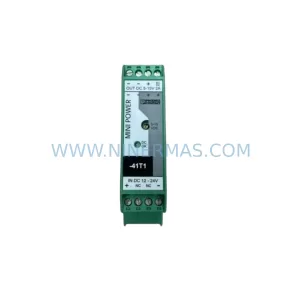
SKU: MINI-PS/12-24DC/5-15DC/2 2320018
Phoenix Contact MINI-PS/12-24DC/5-15DC/2 2320018 DC Power Supply