
Original Industrial Spare Part
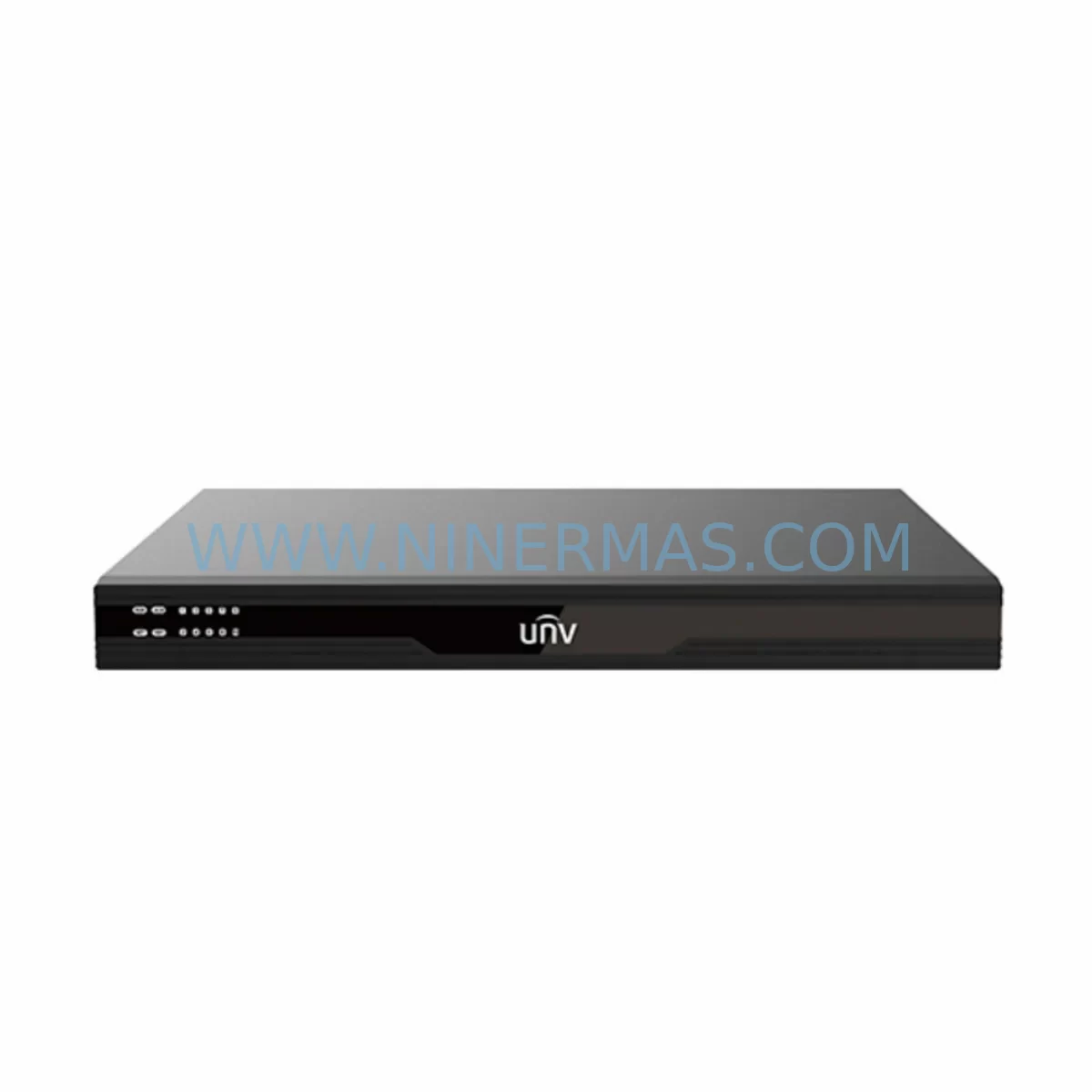
Uniview DC5506 Service-Ready Spare Part for Industrial Maintenance
Verify the part, confirm the platform family, and move straight into quotation with the right commercial details.
RFQ Ready
- SKUDC5506
- CategoryPLC & Industrial Automation Modules
- BrandUniview
- SupportAvailability, lead time, condition, and shipping coordination
How Buyers Usually Use This Page
- Confirm the exact part number and platform family before sending the quote request.
- Use direct email when quantity, condition, and destination are already defined internally.
- Switch to the broader brand or category archive when you need alternates nearby.
Series Navigation
Move through the most common platform families behind this part.
Product RFQ
Send this part directly for quotation.
Include quantity, required condition, destination country, and target delivery timing. Current reference: Uniview DC5506 Service-Ready Spare Part for Industrial Maintenance with SKU DC5506.
Uniview DC5506 Service-Ready Spare Part for Industrial Maintenance
The Uniview DC5506 is a ruggedized 6-channel HD video decoder engineered for continuous operation in demanding industrial and surveillance environments. As a service-ready original spare part, the DC5506 is a critical component for maintenance engineers managing video management systems (VMS), control room infrastructure, and distributed IP surveillance networks where unplanned downtime carries significant operational and safety risk. Whether you are executing a scheduled annual overhaul, responding to an emergency decoder failure, or building a proactive spare parts inventory, sourcing an original DC5506 ensures full compatibility with your existing Uniview architecture without the risk of firmware conflicts, signal degradation, or integration failures that often accompany non-original substitutes.
The DC5506 supports decoding of up to 6 channels of HD video streams simultaneously, making it a backbone component in multi-camera monitoring stations, industrial plant control rooms, and perimeter security systems. Its ruggedized design accommodates harsh ambient conditions including wide temperature ranges, high humidity, and environments subject to vibration — characteristics that are essential for deployment in manufacturing floors, substations, oil and gas facilities, and transportation hubs. When this unit reaches end-of-life or sustains damage from power surge, thermal stress, or physical impact, rapid replacement with an original DC5506 spare part is the fastest path to restoring full situational awareness and operational continuity.
For procurement engineers, maintaining at least one DC5506 unit in the on-site spare parts cabinet is a recognized best practice for any facility operating a Uniview-based video management infrastructure. The DC5506 is a long-cycle component, but its failure — particularly in legacy or end-of-life system configurations — can be difficult to source on short notice. NINERMAS maintains verified stock of original DC5506 units with full 12-month warranty coverage, pre-shipment functional testing, and documented compatibility confirmation, reducing procurement risk and lead time uncertainty for critical maintenance events.
Spare Maintenance Table
| Parameter | Specification / Detail |
|---|---|
| SKU / Model | DC5506 |
| Brand / Series | Uniview / DC55 Series |
| Product Type | Ruggedized 6-Channel HD Video Decoder |
| Video Channels | 6-channel simultaneous HD decoding |
| Video Standard | H.265 / H.264 / MJPEG (series-dependent) |
| Network Interface | RJ45 Ethernet (10/100/1000 Mbps) |
| Video Output | HDMI / VGA (model configuration dependent) |
| Operating Temperature | -10°C to +55°C (ruggedized range) |
| Power Supply | DC 12V / AC adapter (per installation spec) |
| Mounting | Rack-mount / Desktop (per enclosure) |
| Compatibility | Uniview NVR series, VMS platforms, IP camera streams |
| Application Environment | Industrial plant, substation, control room, perimeter security |
| Part Condition | Original, new, factory-tested |
| Warranty | 12 Months — NINERMAS Verified |
| Pre-Shipment Testing | Functional power-on and signal output verification |
| Origin | China (CN) |
Maintenance Planning for Continuous Operation
When a DC5506 video decoder is flagged for replacement during a control room inspection or following an unplanned failure event, the maintenance scope should extend beyond the decoder unit itself. A thorough site assessment at the time of DC5506 replacement should include inspection and, where appropriate, simultaneous replacement of the following associated components to prevent cascading failures and reduce the frequency of return maintenance visits.
The DC12V regulated power supply module feeding the decoder rack should be load-tested and replaced if it shows signs of voltage ripple or thermal stress — a degraded power supply is a leading cause of premature decoder failure. The Cat6 or Cat6A structured cabling and patch panels connecting the DC5506 to the network switch should be inspected for physical damage, connector oxidation, and bend radius violations, particularly in environments subject to vibration or chemical exposure. The managed PoE network switch serving the decoder and associated IP cameras should be checked for port health, firmware currency, and VLAN configuration integrity.
If the DC5506 is integrated into a Uniview NVR (such as the NVR308-32E or NVR516-128 series), the NVR’s storage health, RAID status, and firmware version should be verified at the same maintenance interval. The HDMI or VGA display output cables and monitor inputs should be tested to confirm signal integrity after decoder replacement. In control rooms using video wall controllers, the video wall controller unit and its input matrix configuration should be validated to ensure the DC5506 output is correctly mapped post-replacement.
For facilities using Uniview access control or alarm integration alongside the video system, the alarm input/output terminal blocks and RS-485 communication wiring connected to the decoder should be inspected for continuity and correct termination. The UPS (uninterruptible power supply) protecting the decoder rack should have its battery capacity tested — a UPS with degraded battery life provides inadequate protection during grid disturbances, which are a common cause of decoder hardware damage. Finally, the rack enclosure ventilation and cooling fans should be cleaned and tested, as thermal accumulation in poorly ventilated racks significantly shortens the service life of video decoders and associated electronics.
Site Replacement Workflow
Step 1 — Pre-replacement documentation: Before removing the failed DC5506, photograph the rear panel connections, note all IP address assignments, VLAN tags, and decoder channel configurations from the VMS management interface. Export the decoder configuration file if the firmware supports it.
Step 2 — Safe power-down: Notify the control room operator and coordinate a maintenance window. Power down the decoder via the VMS interface first, then disconnect the DC power input. Do not hot-swap the network connection without first disabling the switch port to avoid network disruption.
Step 3 — Physical replacement: Remove the failed DC5506 from the rack or mounting position. Install the replacement DC5506 original spare part, reconnecting all cables in the documented sequence. Verify that the power supply voltage matches the unit’s input specification before energizing.
Step 4 — Configuration restore: Power on the replacement unit and access the web management interface. Restore the IP address, subnet mask, gateway, and VLAN settings. Import the saved configuration file or manually re-enter channel assignments and stream URLs. Confirm that all 6 decoder channels are receiving and displaying video correctly in the VMS.
Step 5 — System validation: Run a full-channel decode test for a minimum of 30 minutes to confirm thermal stability and sustained performance. Document the replacement in the site maintenance log with the new unit’s serial number and the date of installation. Update the spare parts inventory record to trigger reorder of a replacement DC5506 unit for the on-site cabinet.
Spare Parts Support FAQ
Q1: Is the DC5506 supplied by NINERMAS an original Uniview unit?
Yes. NINERMAS supplies original Uniview DC5506 units sourced through verified industrial supply channels. Each unit undergoes pre-shipment functional testing including power-on verification and video output signal confirmation. A 12-month warranty is provided from the date of shipment.
Q2: How do I confirm compatibility between the DC5506 and my existing Uniview NVR or VMS platform?
The DC5506 is designed for use within the Uniview ecosystem and is compatible with Uniview NVR series and standard RTSP/H.264/H.265 IP camera streams. For site-specific compatibility confirmation — including firmware version matching and VMS integration — contact NINERMAS with your NVR model number and current firmware version prior to ordering.
Q3: What is the lead time for DC5506 spare part orders, and can NINERMAS support long-term supply agreements?
Standard in-stock orders are processed and shipped within 1–3 business days. For facilities requiring guaranteed long-term supply of DC5506 units — particularly for legacy or end-of-life system support — NINERMAS offers blanket order arrangements and reserved stock programs. Contact our sales team to discuss annual volume requirements and supply continuity planning.
Q4: What testing is performed before the DC5506 is shipped?
Every DC5506 unit is powered on and subjected to a functional output test prior to packaging. Units that do not pass the pre-shipment test are quarantined and not dispatched. Shipment documentation includes the test result confirmation. In the event of a DOA (dead on arrival) unit, NINERMAS provides priority replacement under the 12-month warranty policy.
| Product Series | Other series |
|---|
Catalog Continuation
Alternative parts within PLC & Industrial Automation Modules.
Stay inside the same system family when you need substitutes, adjacent modules, or a broader shortlist for procurement review.


SKU: 6FC5357-0BB12-0AE0
Siemens 6FC5357-0BB12-0AE0 Service-Ready Industrial Spare Part

SKU: 3BSE011790R1(PXHK401)
ABB 3BSE011790R1 PXHK401 Retrofit-Ready Communication Module




