Original Industrial Spare Part
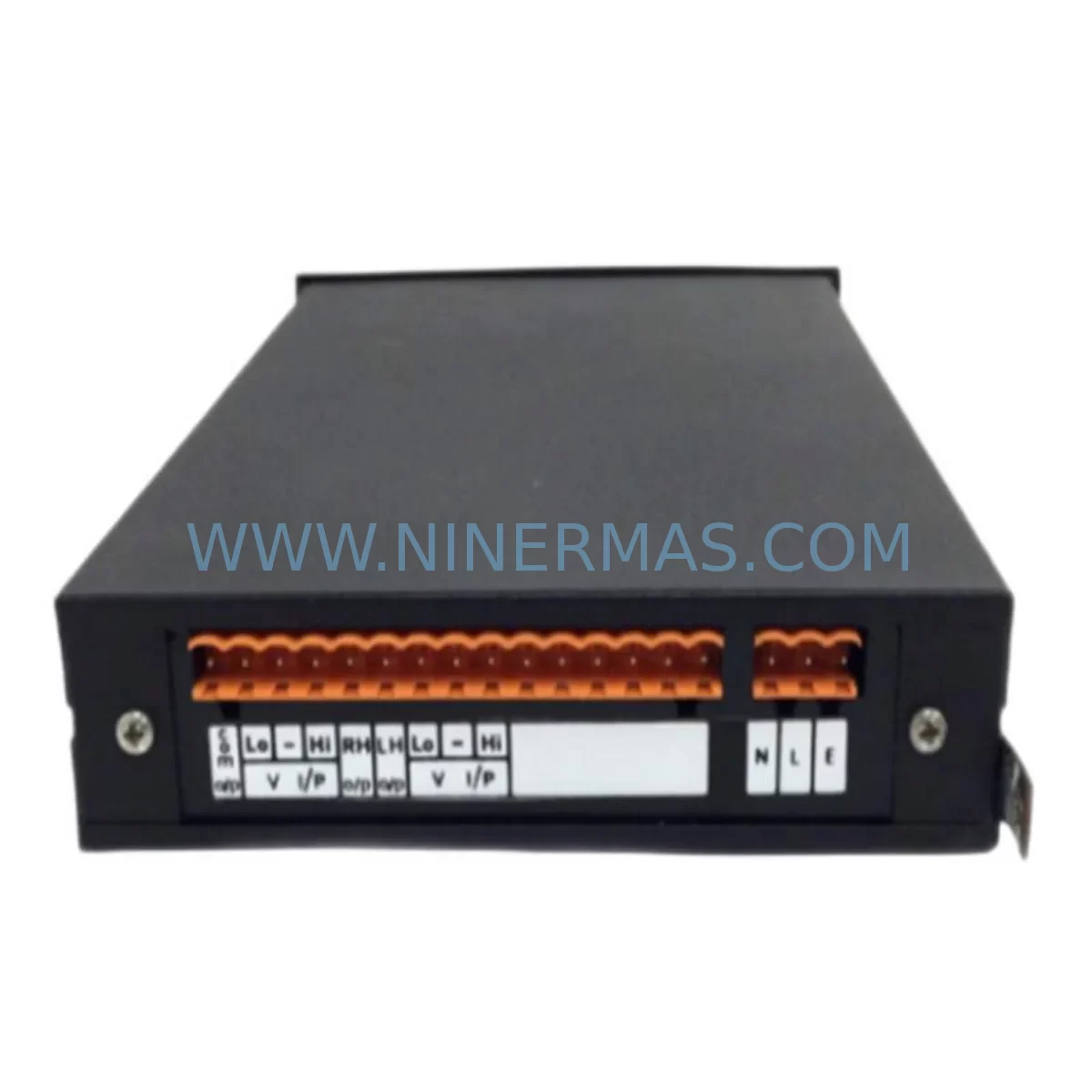
Trendview STRIPLITE INDICATOR 2SLL Service-Ready Spare Part
Verify the part, confirm the platform family, and move straight into quotation with the right commercial details.
RFQ Ready
- SKUSTRIPLITE INDICATOR 2SLL
- CategoryPLC & Industrial Automation Modules
- BrandTrendview
- SupportAvailability, lead time, condition, and shipping coordination
How Buyers Usually Use This Page
- Confirm the exact part number and platform family before sending the quote request.
- Use direct email when quantity, condition, and destination are already defined internally.
- Switch to the broader brand or category archive when you need alternates nearby.
Series Navigation
Move through the most common platform families behind this part.
Product RFQ
Send this part directly for quotation.
Include quantity, required condition, destination country, and target delivery timing. Current reference: Trendview STRIPLITE INDICATOR 2SLL Service-Ready Spare Part with SKU STRIPLITE INDICATOR 2SLL.
Trendview STRIPLITE INDICATOR 2SLL Service-Ready Spare Part for Industrial Maintenance
The Trendview STRIPLITE INDICATOR 2SLL is a purpose-built strip light indicator designed for continuous process monitoring, alarm annunciation, and status display in industrial control panels. As a direct service-ready spare part, this unit supports rapid replacement in Striplite-series indicator systems commonly deployed across oil & gas, chemical processing, power generation, water treatment, and discrete manufacturing environments. Sourced as an original component, the STRIPLITE INDICATOR 2SLL is pre-shipment tested and backed by a 12-month warranty, ensuring your maintenance team can restore panel visibility and alarm indication functions with minimal downtime.
Maintenance engineers and procurement specialists managing aging control panels understand the critical role strip light indicators play in operator situational awareness. A failed or degraded STRIPLITE INDICATOR 2SLL can compromise alarm acknowledgment workflows, obscure process status, and create compliance gaps in safety-critical environments. Keeping a verified spare on the shelf — or sourcing a tested replacement unit on short notice — is a fundamental element of any robust spare parts strategy for Trendview Striplite panel systems.
Spare Maintenance Table
| Parameter | Specification / Detail |
|---|---|
| Part Number / SKU | STRIPLITE INDICATOR 2SLL |
| Brand | Trendview |
| Series | Striplite Indicator Series |
| Product Type | Strip Light Indicator / Panel Annunciator |
| Indicator Channels | 2-segment strip light (2SLL configuration) |
| Display Function | Process status, alarm state, and operational indication |
| Mounting | Panel-mount, compatible with Striplite series enclosures and bezels |
| Application Environment | Industrial control panels, DCS/SCADA operator stations, process skids |
| Compatibility | Trendview Striplite series indicator systems; verify bezel and wiring harness compatibility before installation |
| Origin | United Kingdom (Trendview / Honeywell Trendview lineage) |
| Condition | Original spare; pre-shipment tested |
| Warranty | 12 months from date of shipment |
| Lead Time | Subject to stock availability; contact for confirmed lead time |
| Long-Term Supply | Available under blanket order and scheduled delivery programs |
| Maintenance Recommendation | Inspect lamp/LED elements, wiring harness, and bezel seal annually; replace at first sign of dimming or intermittent indication |
Maintenance Planning for Continuous Operation
When a STRIPLITE INDICATOR 2SLL is identified for replacement during a scheduled outage or emergency callout, experienced maintenance engineers know that the indicator itself is rarely the only component requiring attention. A thorough panel inspection at the time of replacement significantly reduces the risk of repeat failures and unplanned downtime.
Begin by verifying the 24 VDC or 110/240 VAC panel power supply feeding the indicator circuit — a marginal power supply is a common root cause of premature indicator failure and should be load-tested before the new unit is commissioned. Inspect the wiring harness and terminal blocks connecting the indicator to the field signal source; corroded or loose terminations on DIN rail-mounted terminal strips are a frequent source of intermittent indication faults. If the Striplite panel includes a Trendview recorder or data acquisition module — such as a Trendview Minitrend or Multitrend series unit — confirm that the signal output driving the indicator is within specification and that the recorder’s alarm relay contacts are functioning correctly.
For panels integrating Trendview Striplite annunciator modules alongside the 2SLL indicator, check the annunciator’s logic card and lamp driver board for signs of heat stress or capacitor aging. Where the indicator is driven by a PLC digital output module — whether from a Siemens S7 series, Allen-Bradley ControlLogix, or Schneider Electric Modicon platform — verify the DO channel output voltage and current sink/source capability against the indicator’s input requirements. A failing DO channel can cause erratic indicator behavior that is often misdiagnosed as an indicator fault.
Inspect signal isolators or barriers in the loop if the indicator is driven from a hazardous area field device; a degraded Zener barrier or galvanic isolator can introduce signal noise that causes false alarm states on the strip light. Check fuse holders and miniature circuit breakers on the indicator supply rail — these are often overlooked during routine inspections but are critical for circuit protection. If the panel includes a Trendview Striplite power distribution module, verify its output voltage under load and inspect for signs of overheating at the connector block.
For facilities operating legacy Trendview Striplite systems beyond their original design life, it is advisable to maintain a minimum stock of two STRIPLITE INDICATOR 2SLL units per panel, alongside spare lamp assemblies, wiring harness connectors, and bezel gaskets. Procurement engineers should also consider blanket order agreements to secure long-term supply of this and related Striplite components, particularly as original manufacturer support for legacy Trendview products may be limited.
Site Replacement Workflow
Replacing the STRIPLITE INDICATOR 2SLL on-site is a straightforward procedure when the correct spare is available and the panel has been properly isolated. Follow this workflow to minimize downtime and ensure system compatibility:
1. Isolation and Permit: Obtain a valid permit to work and isolate the panel supply feeding the indicator circuit. Confirm isolation with a calibrated voltage tester before opening the panel door.
2. Documentation: Photograph the existing wiring connections and label all conductors before disconnection. Record the indicator’s position within the Striplite bezel assembly and note any channel assignment markings.
3. Removal: Disconnect the wiring harness from the rear of the indicator. Release the indicator from the bezel using the appropriate tool — avoid forcing the retaining clips, as bezel damage can compromise the panel’s IP rating.
4. Compatibility Verification: Before installing the replacement STRIPLITE INDICATOR 2SLL, confirm that the unit’s channel configuration (2SLL — two-segment strip light) matches the original. Verify supply voltage compatibility and check that the wiring harness connector is the correct type for this unit.
5. Installation and Commissioning: Install the replacement unit, reconnect the wiring harness per the documented configuration, and restore panel power. Functionally test each indicator segment by simulating the corresponding alarm or status condition from the control system. Confirm correct indication color, brightness, and response time.
6. Documentation and Handover: Update the panel maintenance log with the replacement date, new unit serial number (if applicable), and test results. Notify the operations team that the panel has been returned to service. Initiate a replenishment order for the consumed spare to maintain stock levels.
This workflow supports rapid restoration of panel indication functions while maintaining system integrity and compliance with site maintenance standards. For facilities with multiple Striplite panels, a standardized replacement kit — including the STRIPLITE INDICATOR 2SLL, spare harness connectors, and bezel gaskets — can further reduce mean time to repair (MTTR).
Spare Parts Support FAQ
Q1: Is the STRIPLITE INDICATOR 2SLL compatible with all Trendview Striplite panel configurations?
The STRIPLITE INDICATOR 2SLL is designed for use within the Trendview Striplite indicator series and is compatible with standard Striplite bezel assemblies and wiring harnesses. However, compatibility should always be verified against the specific panel model, channel count, and supply voltage before installation. Contact our technical team with your panel model number for a confirmed compatibility assessment.
Q2: What pre-shipment testing is performed on this spare part?
Each STRIPLITE INDICATOR 2SLL unit is functionally tested prior to shipment to verify indicator operation, supply voltage acceptance, and signal response. Test records are available upon request. All units are shipped with protective packaging to prevent transit damage and are covered by a 12-month warranty from the date of shipment.
Q3: Can I source this part under a long-term supply agreement?
Yes. NINERMAS supports blanket order and scheduled delivery programs for the STRIPLITE INDICATOR 2SLL and related Trendview Striplite components. Long-term supply agreements provide price stability, guaranteed stock allocation, and priority lead times — particularly valuable for facilities managing aging Striplite panel fleets where original manufacturer availability may be constrained.
Q4: What is the warranty coverage and what does it include?
All STRIPLITE INDICATOR 2SLL units supplied by NINERMAS are covered by a 12-month warranty from the date of shipment. The warranty covers defects in materials and workmanship under normal operating conditions. Units that fail within the warranty period will be replaced or credited at our discretion. The warranty does not cover damage resulting from incorrect installation, overvoltage, or use outside the specified operating parameters.
| Product Series | Other series |
|---|
Catalog Continuation
Alternative parts within PLC & Industrial Automation Modules.
Stay inside the same system family when you need substitutes, adjacent modules, or a broader shortlist for procurement review.


SKU: 6FC5357-0BB12-0AE0
Siemens 6FC5357-0BB12-0AE0 Service-Ready Industrial Spare Part

SKU: 3BSE011790R1(PXHK401)
ABB 3BSE011790R1 PXHK401 Retrofit-Ready Communication Module