Original Industrial Spare Part
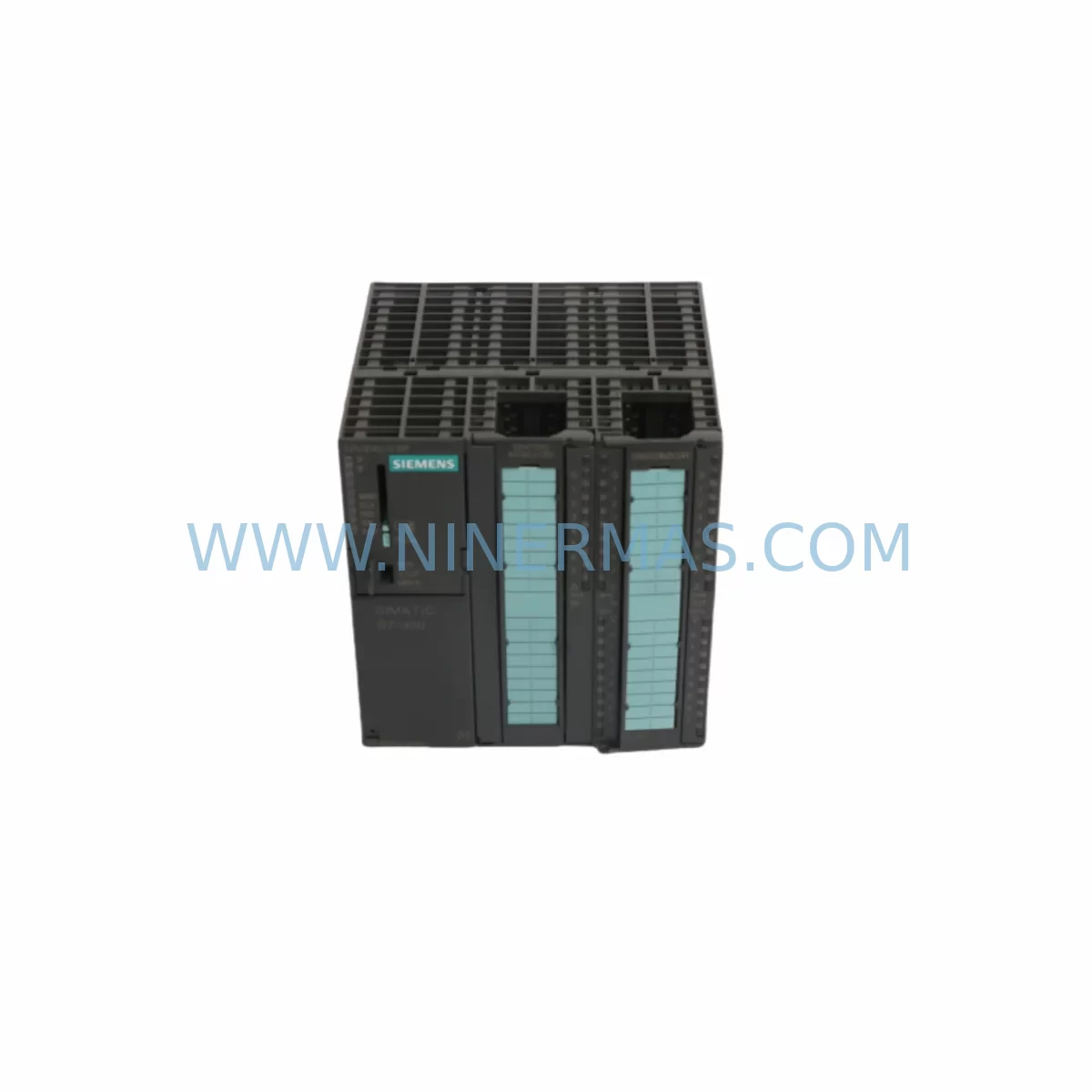
Siemens 6ES7314-6CH04-0AB0 Spare Part for Industrial Maintenance
Verify the part, confirm the platform family, and move straight into quotation with the right commercial details.
RFQ Ready
- SKU6ES7314-6CH04-0AB0
- CategoryPLC & Industrial Automation Modules
- BrandSiemens
- SupportAvailability, lead time, condition, and shipping coordination
How Buyers Usually Use This Page
- Confirm the exact part number and platform family before sending the quote request.
- Use direct email when quantity, condition, and destination are already defined internally.
- Switch to the broader brand or category archive when you need alternates nearby.
Series Navigation
Move through the most common platform families behind this part.
Product RFQ
Send this part directly for quotation.
Include quantity, required condition, destination country, and target delivery timing. Current reference: Siemens 6ES7314-6CH04-0AB0 Spare Part for Industrial Maintenance with SKU 6ES7314-6CH04-0AB0.
Siemens 6ES7314-6CH04-0AB0 Spare Part for Industrial Maintenance
The Siemens 6ES7314-6CH04-0AB0 is a compact CPU module from the SIMATIC S7-300 series — specifically the CPU 314C-2 DP variant — designed for demanding industrial automation environments. As a service-ready spare part, this unit is essential for maintenance engineers managing production lines, control cabinets, and process automation systems where unplanned downtime carries significant operational and financial risk.
Whether you are responding to an emergency CPU failure, executing a scheduled annual overhaul, or building a strategic spare parts inventory for aging S7-300 infrastructure, the 6ES7314-6CH04-0AB0 delivers the compatibility, reliability, and performance required to restore operations quickly and confidently. Each unit supplied by NINERMAS is sourced from verified channels, tested prior to shipment, and backed by a 12-month warranty — giving procurement engineers the assurance they need when sourcing critical automation components.
The CPU 314C-2 DP integrates onboard I/O (24 DI / 16 DO digital, 4 AI / 2 AO analog) and a built-in PROFIBUS-DP master/slave interface, making it a highly capable compact controller for mid-range automation tasks. Its compatibility with the standard S7-300 backplane and power supply ecosystem means replacement can be completed with minimal system reconfiguration, reducing mean time to repair (MTTR) significantly on the plant floor.
Spare Maintenance Table
| Parameter | Specification |
|---|---|
| SKU / Order Number | 6ES7314-6CH04-0AB0 |
| Product Series | SIMATIC S7-300 |
| CPU Type | CPU 314C-2 DP (Compact CPU with DP Interface) |
| Work Memory | 192 KB |
| Onboard Digital I/O | 24 DI / 16 DO |
| Onboard Analog I/O | 4 AI / 2 AO |
| Communication Interface | MPI + PROFIBUS-DP (Master/Slave) |
| Supply Voltage | 24 V DC (via PS307 or equivalent S7-300 power supply) |
| Mounting | DIN Rail, S7-300 Standard Rail |
| Operating Temperature | 0 °C to +60 °C |
| Protection Rating | IP20 |
| Dimensions (W×H×D) | 80 × 125 × 130 mm (approx.) |
| Compatibility | SIMATIC S7-300 backplane, IM 360/361 expansion, ET 200 remote I/O via DP |
| Programming Software | STEP 7 V5.x / TIA Portal (with legacy support) |
| Origin | Germany |
| Condition | Original, Service-Ready |
| Warranty | 12 Months |
| Pre-shipment Testing | Yes — functional verification before dispatch |
Maintenance Planning for Continuous Operation
Replacing the 6ES7314-6CH04-0AB0 in a live production environment requires more than simply swapping the CPU module. A thorough site assessment and coordinated spare parts strategy are essential to prevent secondary failures and ensure a clean system restart. Maintenance engineers should treat this replacement as an opportunity to inspect the entire control cabinet and associated electrical circuit.
Begin with the power supply module — the Siemens 6ES7307-1EA01-0AA0 PS307 5A or equivalent S7-300 power supply should be checked for output voltage stability, capacitor aging, and thermal performance. A degraded power supply is a common root cause of intermittent CPU faults and should be replaced proactively if the system has been in service for more than five years.
Next, inspect the S7-300 backplane bus connector and rail assembly. Corroded or mechanically stressed bus connectors can cause communication errors between the CPU and expansion modules even after a CPU replacement. Spare bus connectors (e.g., 6ES7390-1AE80-0AA0) should be kept in stock for any S7-300 installation.
The PROFIBUS-DP network connected to this CPU should be audited during the maintenance window. Check the PROFIBUS cable termination resistors, verify bus segment lengths, and inspect DP connectors (such as the 6ES7972-0BB52-0XA0) for pin damage or contamination. A faulty DP connector can prevent the new CPU from establishing communication with remote I/O stations or drives on the network.
For systems using Siemens ET 200S or ET 200M remote I/O stations connected via PROFIBUS, verify that the IM 151 or IM 153 interface modules are functioning correctly and that their firmware is compatible with the replacement CPU firmware version. Incompatible firmware combinations can cause GSD configuration mismatches that delay restart.
Inspect all signal isolators and analog input conditioning modules in the cabinet. The onboard analog inputs of the CPU 314C-2 DP are sensitive to ground loops and signal noise — if analog readings were erratic before the CPU failure, the root cause may lie in the field wiring or signal isolators rather than the CPU itself. Components such as Phoenix Contact MINI MCR signal isolators or equivalent DIN-rail mounted isolators should be verified for correct output range and isolation integrity.
Review the 24 V DC distribution fusing within the cabinet. Blown or weakened fuses on the I/O supply rail can cause partial I/O loss that mimics CPU faults. Replace any suspect fuses and verify that terminal blocks (such as Weidmüller or Phoenix Contact DIN-rail terminal strips) are tight and free from oxidation.
If the system includes an HMI panel — such as a Siemens TP700 Comfort, KTP900, or legacy OP series — verify that the MPI or PROFIBUS connection to the new CPU is re-established after replacement and that the HMI project’s CPU address configuration matches. HMI communication failures after CPU replacement are a common post-maintenance issue that can delay production restart.
For installations where the S7-300 system controls variable frequency drives (VFDs) via PROFIBUS DP — such as Siemens SINAMICS G120 or MICROMASTER 440 — confirm that the drive parameters and GSD device files are correctly loaded in the CPU configuration. A missing or mismatched GSD file will prevent the drive from being recognized on the DP network.
Finally, ensure that the MMC (Micro Memory Card) — for example the 6ES7953-8LJ31-0AA0 — containing the user program is transferred to the replacement CPU before commissioning. The CPU 314C-2 DP requires a valid MMC to retain the program after power cycling. Keeping a pre-programmed backup MMC in your spare parts kit is a best practice that can reduce restart time from hours to minutes in an emergency.
Site Replacement Workflow
Step 1 — Pre-replacement preparation: Back up the existing CPU program via STEP 7 or TIA Portal if the CPU is still partially functional. Document the current MPI address, DP master configuration, and I/O assignment. Photograph all wiring connections and note the MMC part number installed.
Step 2 — Safe isolation: Follow your site’s lockout/tagout (LOTO) procedure. De-energize the S7-300 rack by switching off the PS307 power supply. Wait for the CPU’s RUN/STOP LED to extinguish before proceeding.
Step 3 — Module removal: Disconnect the front connector from the CPU (if applicable to onboard I/O wiring). Remove the MMC from the old CPU. Unscrew the CPU from the DIN rail and disconnect the bus connector from the adjacent module.
Step 4 — Replacement installation: Insert the bus connector into the new 6ES7314-6CH04-0AB0. Mount the module onto the DIN rail and secure it. Insert the MMC containing the user program. Reconnect the front connector and verify all wiring matches the documented configuration.
Step 5 — Power-up and verification: Re-energize the PS307 power supply. Observe the CPU’s LED sequence — the STOP LED should illuminate, then transition to RUN after the program loads from the MMC. Verify PROFIBUS DP communication by checking the BF (Bus Fault) LED; it should be off when all DP slaves are online.
Step 6 — Functional test: From the HMI or STEP 7 online monitor, verify that all I/O signals are reading correctly, that analog channels are within expected ranges, and that any connected drives or remote stations are communicating normally. Document the replacement date, new module serial number, and test results in your maintenance log.
This structured workflow minimizes downtime, reduces the risk of secondary faults, and ensures full system compatibility — allowing production to resume safely and efficiently.
Spare Parts Support FAQ
Q1: Is the 6ES7314-6CH04-0AB0 compatible with my existing S7-300 rack and power supply?
Yes. The CPU 314C-2 DP is fully compatible with the standard S7-300 DIN rail, backplane bus connectors, and PS307 power supply modules. It supports expansion via IM 360/361 interface modules and communicates with ET 200 remote I/O stations over PROFIBUS-DP. Always verify that your STEP 7 or TIA Portal hardware configuration matches the firmware version of the replacement CPU before going online.
Q2: How does NINERMAS verify the condition of spare parts before shipment?
Every unit undergoes functional testing prior to dispatch. We verify power-up behavior, LED status sequences, and communication interface integrity. Units are packaged in anti-static protective materials with inspection documentation included. Our 12-month warranty covers manufacturing defects and functional failures under normal operating conditions.
Q3: Can this CPU replace older CPU 314C-2 DP variants such as the 6ES7314-6CF02-0AB0?
The 6ES7314-6CH04-0AB0 is a later hardware revision of the CPU 314C-2 DP family and is generally backward-compatible with earlier variants in terms of program execution and I/O mapping. However, firmware differences between hardware generations may require a STEP 7 hardware configuration update. We recommend verifying GSD file compatibility for any PROFIBUS DP slaves connected to the system before commissioning the replacement unit.
Q4: What is your long-term supply capability for S7-300 spare parts?
NINERMAS maintains stock of S7-300 CPU modules, power supplies, I/O modules, and communication components to support legacy system maintenance and life extension programs. We understand that many S7-300 installations remain in service well beyond the standard product lifecycle, and our procurement strategy is designed to provide reliable long-term supply. For volume orders or scheduled maintenance contracts, contact our team to discuss dedicated stock reservation and priority fulfillment arrangements.
| Product Series | SIMATIC |
|---|---|
| Country of Origin | DE |
Catalog Continuation
More Siemens modules in the catalog.
Use the brand lane to compare nearby part numbers, platform-adjacent modules, and other inquiry-ready listings before sending your final RFQ.
Catalog Continuation
Alternative parts within PLC & Industrial Automation Modules.
Stay inside the same system family when you need substitutes, adjacent modules, or a broader shortlist for procurement review.
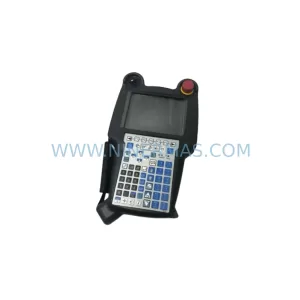
SKU: A05B-2518-C200
FANUC A05B-2518-C200 Retrofit Teach Pendant for Legacy Systems
SKU: 2711PC-T10C4D8
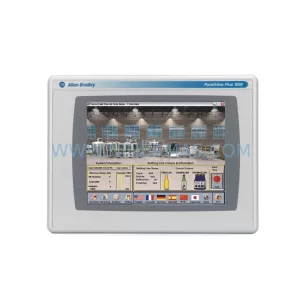
Allen-Bradley 2711PC-T10C4D8 Retrofit-Compatible HMI Terminal