
Original Industrial Spare Part
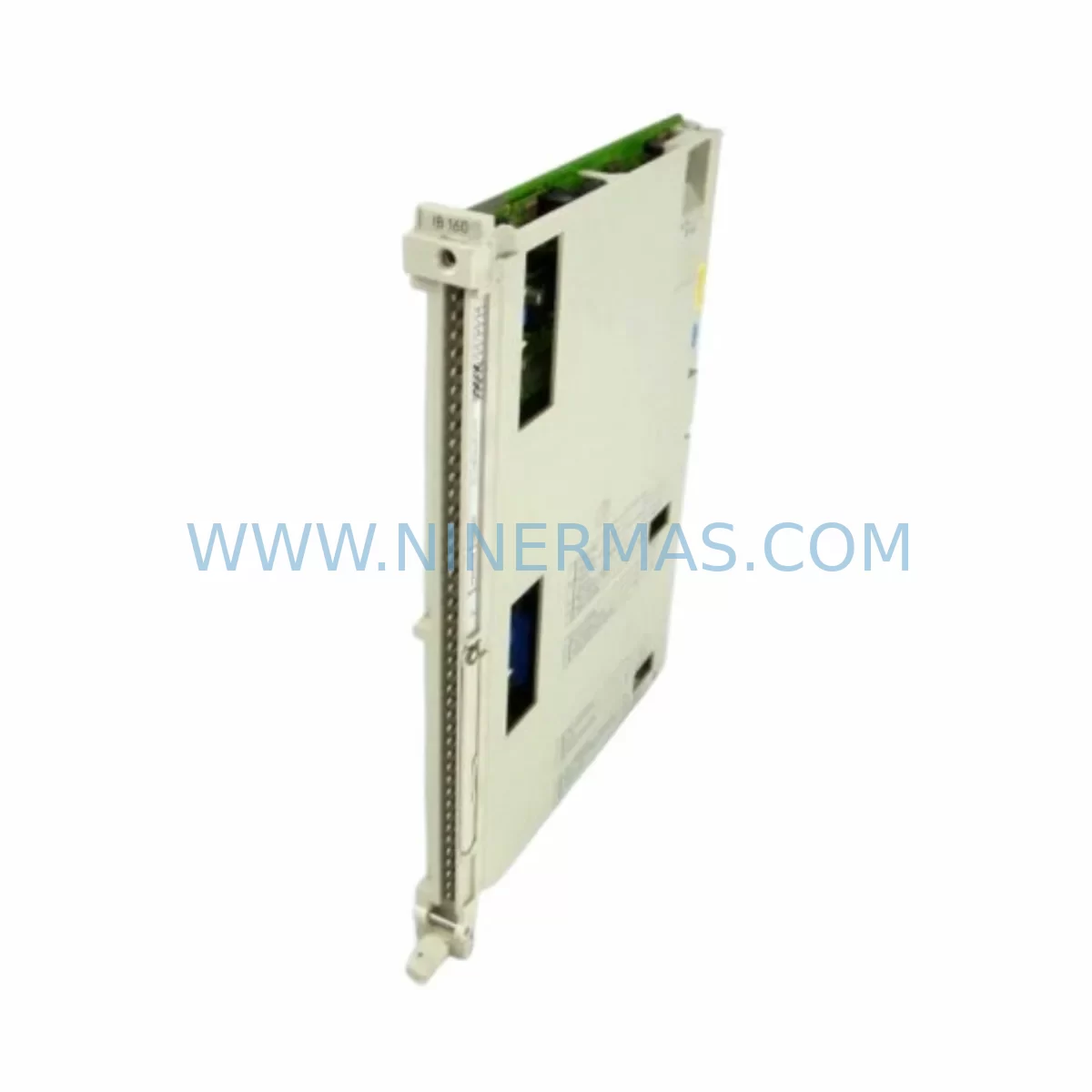
Siemens 6ES5460-4UA11 Retrofit-Compatible Analog Input for Legacy Systems
Verify the part, confirm the platform family, and move straight into quotation with the right commercial details.
RFQ Ready
- SKU6ES5460-4UA11
- CategoryPLC & Industrial Automation Modules
- BrandSiemens
- SupportAvailability, lead time, condition, and shipping coordination
How Buyers Usually Use This Page
- Confirm the exact part number and platform family before sending the quote request.
- Use direct email when quantity, condition, and destination are already defined internally.
- Switch to the broader brand or category archive when you need alternates nearby.
Series Navigation
Move through the most common platform families behind this part.
Product RFQ
Send this part directly for quotation.
Include quantity, required condition, destination country, and target delivery timing. Current reference: Siemens 6ES5460-4UA11 Retrofit-Compatible Analog Input for Legacy Systems with SKU 6ES5460-4UA11.
Siemens 6ES5460-4UA11 Retrofit-Compatible Analog Input for Legacy Systems
The Siemens 6ES5460-4UA11 is an analog input module designed for the SIMATIC S5 programmable logic controller platform — one of the most widely deployed industrial automation systems in manufacturing, process control, and utility infrastructure worldwide. Despite being discontinued by Siemens, the S5 platform remains deeply embedded in legacy production lines, control cabinets, and critical infrastructure where full system replacement is cost-prohibitive or operationally impractical. The 6ES5460-4UA11 serves as a direct retrofit-compatible replacement for aging or failed analog input modules within these environments, enabling engineers and maintenance teams to restore system functionality, extend operational life, and defer large-scale migration projects without compromising process continuity.
At NINERMAS, we specialize in sourcing, testing, and supplying discontinued and hard-to-find industrial control components. Every 6ES5460-4UA11 unit we supply undergoes functional verification prior to shipment, is backed by a 12-month warranty, and is available from in-stock inventory to support urgent breakdown recovery and planned maintenance schedules alike.
Upgrade Compatibility Table
| Parameter | 6ES5460-4UA11 Details | Retrofit Notes |
|---|---|---|
| Compatible Platform | SIMATIC S5 (S5-115U, S5-135U, S5-155U) | Verify rack slot compatibility before installation |
| Module Type | Analog Input Module | Confirm channel count and signal type match existing wiring |
| Backplane Interface | S5 bus connector (standard S5 rack) | Compatible with EU 183, EU 185, EU 187 expansion units |
| Signal Range | Voltage / Current inputs (configurable) | Verify jumper/DIP switch settings match legacy configuration |
| Power Supply Requirement | Supplied via S5 backplane (PS 951, PS 955 compatible) | Check power budget on existing PS module before adding load |
| Communication Protocol | S5 parallel bus (non-Profibus) | Not directly compatible with S7 or TIA Portal without gateway |
| Installation Space | Standard S5 single-slot module | Confirm physical slot availability in existing rack |
| Programming Compatibility | STEP 5 (S5 DOS, PG 740, PG 760) | Existing STEP 5 program logic can be retained without modification |
| Replacement Recommendation | Direct drop-in for failed or degraded 6ES5460-4UA11 units | No firmware update required; module address set via hardware |
| Warranty | 12-Month Warranty | Covered from date of shipment; functional test report available |
Retrofit Planning for Existing Automation Systems
Replacing a failed 6ES5460-4UA11 in a live production environment requires careful pre-installation planning to avoid extended downtime and configuration errors. The first step is to document the existing module’s slot address, channel assignments, and signal wiring before removal. In most S5-115U and S5-135U installations, analog input modules share the backplane with digital I/O modules such as the 6ES5430-4UA12 (digital input) and 6ES5440-4UA13 (digital output), and the power distribution across the rack must be re-evaluated whenever a module is swapped — particularly if the existing PS 951 or PS 955 power supply module is operating near its rated capacity.
Terminal wiring on the 6ES5460-4UA11 uses a front connector that can be unplugged and transferred directly to the replacement module, preserving field wiring integrity and significantly reducing reconnection time. Engineers should verify that the front connector’s terminal assignments match the replacement unit’s channel map, especially in installations where non-standard signal ranges (e.g., 0–20 mA vs. 4–20 mA) were configured via internal jumpers on the original module. Jumper settings must be replicated on the new unit before installation.
For systems where the S5 rack also hosts communication modules such as the 6ES5734-1BD20 (CP 5431 FMS/DP) or older 6ES5524-3UA15 (CP 524) serial communication processors, the analog input replacement does not affect communication link integrity — provided the module address (set via rotary switches or DIP switches on the module face) is correctly matched to the original configuration. Mismatched addresses are one of the most common commissioning errors during S5 analog module replacement and will result in the CPU flagging a hardware fault without generating a descriptive error message in STEP 5.
In control cabinets where the S5 system coexists with third-party HMI panels — such as older Siemens OP 17 or TP 27 operator panels connected via the MPI or TTY interface — the HMI screen assignments linked to analog input tags do not require reconfiguration after a like-for-like module replacement. However, if the retrofit involves migrating from a 6ES5460-4UA11 to a different analog input variant (e.g., a higher-resolution model), HMI tag scaling values may need to be adjusted in the panel’s ProTool or WinCC flexible project.
Where the retrofit scope extends beyond a single module replacement to include rack expansion or I/O restructuring, additional components such as the 6ES5700-0LA12 expansion unit interface module or 6ES5318-3UA11 CPU memory submodule may be required to restore full system capacity. NINERMAS maintains inventory across a broad range of S5 accessories and can assist in identifying compatible components for multi-module retrofit projects.
Downtime Control During System Migration
Minimizing production downtime during a 6ES5460-4UA11 replacement is achievable with structured pre-work. Before the maintenance window opens, the replacement module should be bench-tested using a spare S5 rack or a portable PG 740 / PG 760 programming device to confirm that the unit powers up correctly and responds to simulated analog input signals. This pre-shipment functional verification is standard practice at NINERMAS and is documented in the test report included with each unit.
On-site, the existing STEP 5 program should be backed up to a programming device or PC running S5 for Windows before any hardware is disturbed. The CPU should be placed in STOP mode, and the analog input module removed only after confirming that no interlock logic depends on the analog channels being replaced — or that a safe process state has been established. In continuous-process environments such as chemical dosing, HVAC control, or water treatment, even a brief loss of analog feedback can trigger downstream alarms or safety shutdowns, so coordination with the process control team is essential.
After installing the replacement 6ES5460-4UA11, the CPU should be restarted in RUN mode with an operator standing by at the HMI or local control panel. Analog channel values should be verified against known process references (e.g., a calibrated transmitter output) before the system is returned to automatic control. Total replacement time for a prepared maintenance team is typically 30 to 90 minutes, depending on cabinet access and wiring complexity.
For sites planning a longer-term migration from S5 to S7-300 or S7-1500, the 6ES5460-4UA11 replacement buys critical time to plan the migration properly — including STEP 5 to STEP 7 or TIA Portal program conversion, field device rewiring to ET 200 distributed I/O, and operator retraining — without forcing an unplanned emergency cutover.
Retrofit Support FAQ
Q1: Is the 6ES5460-4UA11 a direct drop-in replacement for my existing failed module?
Yes. The 6ES5460-4UA11 is a like-for-like replacement for units of the same part number installed in SIMATIC S5 racks. The front connector transfers directly from the old module to the new one, preserving all field wiring. You will need to replicate the internal jumper settings from the original module to configure the correct signal range on the replacement unit. No changes to the STEP 5 program are required for a same-model replacement.
Q2: Has the unit been tested before shipment, and what warranty is provided?
Every 6ES5460-4UA11 supplied by NINERMAS is functionally tested prior to shipment. A test report is available upon request. All units are covered by a 12-month warranty from the date of shipment, covering functional defects under normal operating conditions. We maintain in-stock inventory to support both urgent breakdown recovery and scheduled maintenance procurement.
Q3: Can this module be used in an S5-to-S7 migration project?
The 6ES5460-4UA11 is native to the S5 parallel bus architecture and is not directly compatible with S7-300 or S7-1500 racks. However, it is commonly used as a bridge solution — keeping the S5 system operational while the S7 migration is planned and executed in stages. For sites transitioning to distributed I/O architectures, Siemens ET 200M or ET 200SP analog input modules are the typical S7-compatible equivalents, but these require rewiring and program adaptation.
Q4: What if I need additional S5 components beyond the analog input module?
NINERMAS stocks a wide range of SIMATIC S5 components including CPU modules, power supplies, digital I/O modules, communication processors, and rack assemblies. If your retrofit project requires multiple components, contact our technical team at sale@ninermas.com with your full bill of materials and we will confirm availability, lead times, and pricing.
| Product Series | SIMATIC S5 |
|---|---|
| Country of Origin | DE |
Catalog Continuation
More Siemens modules in the catalog.
Use the brand lane to compare nearby part numbers, platform-adjacent modules, and other inquiry-ready listings before sending your final RFQ.
SKU: 6AV6542-0CA10-0AX0
Siemens 6AV6542-0CA10-0AX0 Safety-Reliable HMI for Critical Sites
SKU: A5E00158600 6SE70 TP/EP60 CUVP-02
SIEMENS A5E00158600 6SE70 TP/EP60 CUVP-02 Safety-Reliable Power Module
SKU: 6SE7038-6EK84-1GF0
SIEMENS 6SE7038-6EK84-1GF0 Service-Ready Spare Part
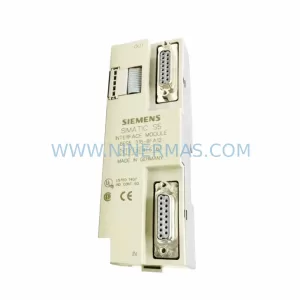
SKU: 6ES5316-8FA12
Siemens 6ES5316-8FA12 Retrofit-Compatible Interface Module
Catalog Continuation
Alternative parts within PLC & Industrial Automation Modules.
Stay inside the same system family when you need substitutes, adjacent modules, or a broader shortlist for procurement review.



SKU: HDD02.2-W040N-HS12-01-FW FWA-DIAX04-ELS-05VRS-MS
Rexroth HDD02.2-W040N-HS12-01-FW Service-Ready Spare Part

SKU: I5DAE375F10010000S
Lenze I5DAE375F10010000S Service-Ready Spare Part for Industrial Maintenance



