
Original Industrial Spare Part
QSI QTERM-G72/3945R Service-Ready Spare Part for Industrial Maintenance
Verify the part, confirm the platform family, and move straight into quotation with the right commercial details.
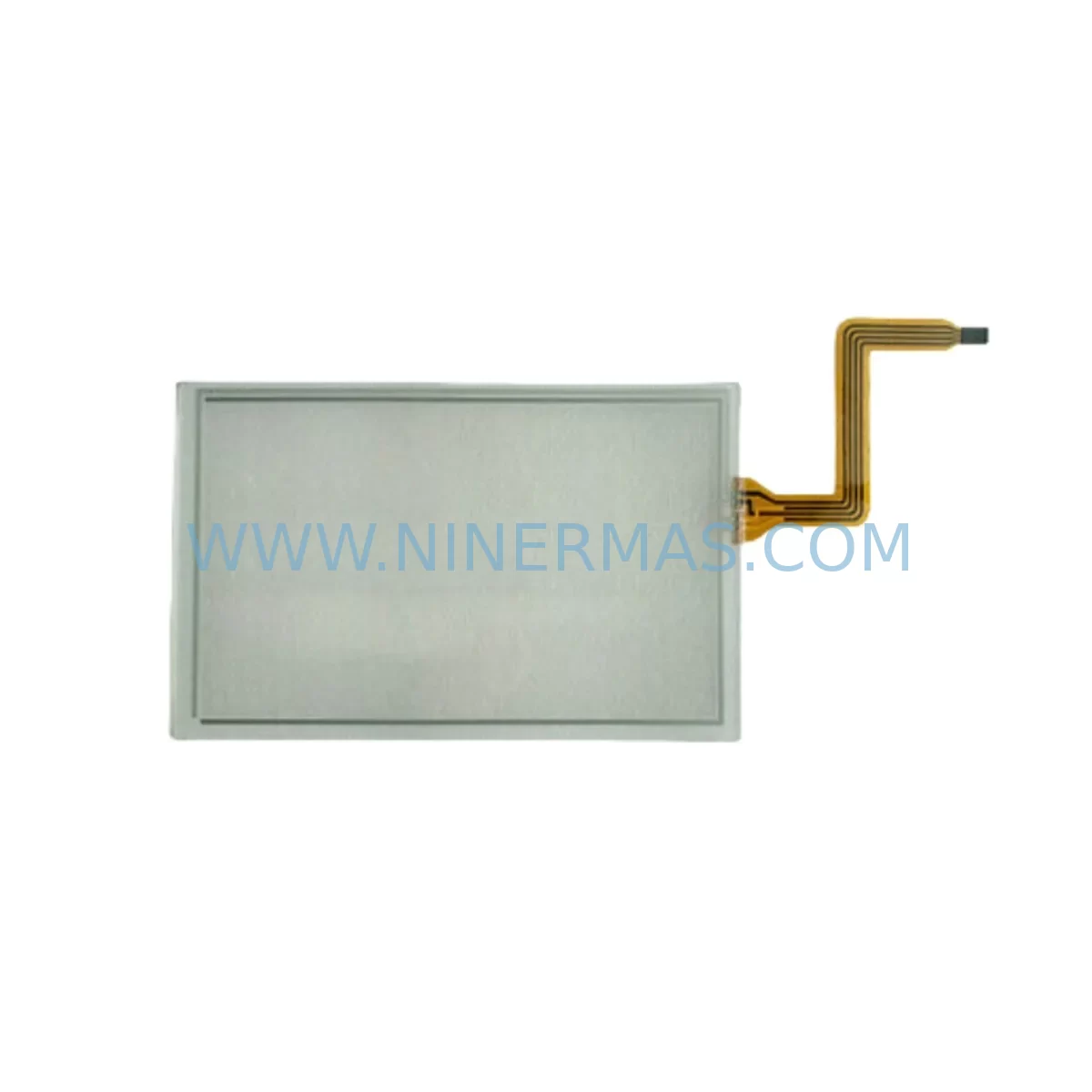
RFQ Ready
- SKUQTERM-G72/3945R
- CategoryPLC & Industrial Automation Modules
- BrandQSI
- SupportAvailability, lead time, condition, and shipping coordination
How Buyers Usually Use This Page
- Confirm the exact part number and platform family before sending the quote request.
- Use direct email when quantity, condition, and destination are already defined internally.
- Switch to the broader brand or category archive when you need alternates nearby.
Series Navigation
Move through the most common platform families behind this part.
Product RFQ
Send this part directly for quotation.
Include quantity, required condition, destination country, and target delivery timing. Current reference: QSI QTERM-G72/3945R Service-Ready Spare Part for Industrial Maintenance with SKU QTERM-G72/3945R.
QSI QTERM-G72/3945R Service-Ready Spare Part for Industrial Maintenance
The QSI QTERM-G72/3945R is a service-ready operator terminal spare part designed for industrial maintenance teams managing QTERM-G72 series HMI installations. Whether you are responding to an unplanned shutdown, executing a scheduled annual overhaul, or building a proactive spare parts inventory for a critical production line, the QTERM-G72/3945R delivers the original compatibility and field-proven reliability that maintenance engineers and procurement teams require. Sourced from verified supply channels, pre-shipment tested, and backed by a 12-month warranty, this unit is ready for immediate deployment in your control cabinet or operator station.
Industrial HMI terminals such as the QTERM-G72/3945R serve as the primary human-machine interface in process and discrete manufacturing environments. When a terminal fails, operators lose visibility into process variables, alarm states, and control commands — directly threatening production continuity. Keeping a certified replacement unit on the shelf eliminates the lead-time risk associated with sourcing obsolete or long-lifecycle components under emergency conditions. The QTERM-G72/3945R is engineered to slot into existing QTERM-G72 panel cutouts without mechanical modification, preserving your installation investment and minimizing downtime during replacement.
Spare Maintenance Table
| Parameter | Specification / Detail |
|---|---|
| Part Number / SKU | QTERM-G72/3945R |
| Brand | QSI Corporation |
| Series | QTERM-G72 |
| Product Type | Industrial HMI Operator Terminal |
| Display Type | Graphic LCD / Touch-capable operator interface |
| Supply Voltage | Refer to QSI QTERM-G72 series datasheet (typically 24 VDC) |
| Communication Interface | Serial RS-232 / RS-485; protocol-dependent on host PLC/DCS |
| Mounting | Panel-mount; compatible with QTERM-G72 series cutout dimensions |
| Operating Temperature | 0°C to +50°C (industrial ambient) |
| Protection Rating | IP65 front panel (typical for QTERM-G72 series) |
| Application Environment | Process manufacturing, discrete automation, OEM machine panels |
| Compatibility | Direct replacement for QTERM-G72 series installations |
| Condition | New / Tested surplus; pre-shipment functional verification |
| Warranty | 12 Months — covers manufacturing defects and functional failure |
| Lead Time | In-stock; ships within 2–5 business days |
| Long-Term Supply | Available under blanket order and stock-commitment programs |
Maintenance Planning for Continuous Operation
Replacing the QTERM-G72/3945R is rarely an isolated task. Experienced maintenance engineers know that an HMI terminal fault often signals broader stress in the surrounding electrical and control infrastructure. A thorough site inspection during replacement should include verification of the 24 VDC panel power supply feeding the terminal — voltage sag or ripple is a leading cause of premature HMI failure. Check the DC power distribution fuses and circuit breakers on the terminal’s supply rail before energizing the replacement unit.
The communication link between the QTERM-G72/3945R and the host controller — typically a PLC serial port module or RS-485 communication card — should be inspected for cable integrity, connector corrosion, and correct termination resistance. If the host system uses a Modbus RTU or proprietary QSI protocol, confirm that the replacement terminal’s firmware version matches the application program loaded on the host. Mismatched firmware can cause display errors or communication timeouts that mimic hardware faults.
While the control cabinet is open, maintenance teams should also inspect adjacent components that share the same electrical environment. I/O expansion modules connected to the same PLC backplane, relay output modules driving field devices, and signal isolators on analog input channels are all subject to the same thermal and electrical stress cycles as the HMI terminal. Replacing the QTERM-G72/3945R without auditing these components risks a repeat failure within the same maintenance window.
For facilities running extended production schedules, consider stocking complementary spare parts alongside the QTERM-G72/3945R: a 24 VDC DIN-rail power supply of equivalent wattage, a set of terminal block connectors for the communication and power wiring, and a spare RS-232/RS-485 converter or communication interface module if the host PLC uses a separate serial gateway. Surge protection devices on the communication lines and EMC filter modules on the power input are low-cost insurance against the transient events that most frequently damage operator terminals in industrial environments. If the installation includes a remote I/O node or distributed I/O rack, verify that the node’s power supply and communication adapter are within their rated service life before closing the cabinet.
Procurement engineers building annual MRO budgets should treat the QTERM-G72/3945R as part of a system-level spare parts kit rather than a standalone line item. Bundling the terminal with its associated panel-mount gasket set, mounting hardware, and communication cable assembly ensures that a field technician can complete the replacement without waiting for secondary parts. NINERMAS supports blanket purchase orders and consignment stock arrangements for customers with recurring demand, enabling just-in-time availability without capital exposure.
Site Replacement Workflow
Step 1 — Isolation and Lockout: De-energize the control cabinet following your site LOTO procedure. Confirm zero voltage on the terminal’s 24 VDC supply rail using a calibrated multimeter before touching any wiring.
Step 2 — Documentation: Photograph the existing wiring connections on the QTERM-G72/3945R before disconnection. Record the communication port settings (baud rate, parity, stop bits, node address) from the outgoing unit’s configuration menu if it is still partially functional.
Step 3 — Removal: Disconnect the power and communication connectors. Release the panel-mount clamps or screws securing the terminal to the enclosure cutout. Slide the unit forward and out of the panel.
Step 4 — Inspection: Inspect the panel cutout gasket for compression set or damage. Replace the gasket if the IP rating of the installation must be maintained. Check the wiring harness for insulation damage, loose ferrules, or corroded contacts.
Step 5 — Installation: Insert the replacement QTERM-G72/3945R into the cutout. Secure the mounting clamps evenly to achieve a uniform seal. Reconnect the power and communication connectors, verifying polarity and pin assignment against the original documentation.
Step 6 — Configuration and Commissioning: Apply power and confirm that the terminal boots to the correct application screen. Verify communication with the host PLC by navigating to a live data display page. Confirm that all operator inputs (function keys, touch zones) respond correctly before returning the system to production.
Step 7 — Documentation Closure: Update the maintenance management system (CMMS) with the replacement date, new unit serial number, and any observations noted during the inspection. Initiate a replenishment order for the consumed spare to restore buffer stock levels.
Spare Parts Support FAQ
Q1: Is the QTERM-G72/3945R a direct drop-in replacement for the original unit in my QTERM-G72 series installation?
Yes. The QTERM-G72/3945R is designed as a form-fit-function replacement for QTERM-G72 series operator terminals. It uses the same panel cutout dimensions, connector pinout, and communication protocol as the original, allowing field replacement without mechanical or wiring modifications. Always verify the firmware version compatibility with your host PLC application before commissioning.
Q2: What does the 12-month warranty cover, and how is a warranty claim processed?
The 12-month warranty covers manufacturing defects and functional failures under normal operating conditions. It does not cover damage resulting from incorrect installation, overvoltage events, or physical impact. To initiate a warranty claim, contact NINERMAS at sale@ninermas.com with the order reference, unit serial number, and a description of the fault. Our technical team will assess the claim and arrange for repair, replacement, or credit as appropriate.
Q3: How do you verify the condition of the unit before shipment?
Every QTERM-G72/3945R unit undergoes a pre-shipment functional test that includes power-on verification, display integrity check, communication port response, and keypad/touch input validation. Units that do not pass all test criteria are quarantined and not shipped. A test record is available upon request for customers with quality documentation requirements.
Q4: Can NINERMAS support long-term or recurring procurement of the QTERM-G72/3945R?
Yes. NINERMAS offers blanket purchase order arrangements, consignment stock programs, and fixed lead-time supply agreements for customers with ongoing MRO demand. These programs are particularly suited to facilities managing aging QTERM-G72 installations where OEM availability is limited or discontinued. Contact our sales team to discuss volume pricing and supply commitment terms.
| Product Series | Other series |
|---|
Catalog Continuation
Alternative parts within PLC & Industrial Automation Modules.
Stay inside the same system family when you need substitutes, adjacent modules, or a broader shortlist for procurement review.
SKU: 14L41-RS0B0-B24R-ST5S00N-R0SU
LENZE 14L41-RS0B0-B24R-ST5S00N-R0SU Retrofit for Legacy Systems
SKU: CI540 3BSE001077R1
ABB CI540 3BSE001077R1 Spare Part for Industrial Maintenance

SKU: ZINT-541 3AUA00000658960
ABB ZINT-541 3AUA00000658960 Retrofit-Compatible Inverter Power Module



