Original Industrial Spare Part
LENZE EL9800 EP8GAP71Y0095M00XX Retrofit HMI for Legacy Systems
Verify the part, confirm the platform family, and move straight into quotation with the right commercial details.
RFQ Ready
- SKUEL9800 EP8GAP71Y0095M00XX-0000602800G
- CategoryPLC & Industrial Automation Modules
- BrandLenze
- SupportAvailability, lead time, condition, and shipping coordination
How Buyers Usually Use This Page
- Confirm the exact part number and platform family before sending the quote request.
- Use direct email when quantity, condition, and destination are already defined internally.
- Switch to the broader brand or category archive when you need alternates nearby.
Series Navigation
Move through the most common platform families behind this part.
Product RFQ
Send this part directly for quotation.
Include quantity, required condition, destination country, and target delivery timing. Current reference: LENZE EL9800 EP8GAP71Y0095M00XX Retrofit HMI for Legacy Systems with SKU EL9800 EP8GAP71Y0095M00XX-0000602800G.
LENZE EL9800 EP8GAP71Y0095M00XX Retrofit HMI Touch Screen Module: Legacy System Compatible Upgrade
The LENZE EL9800 EP8GAP71Y0095M00XX is a ruggedized HMI (Human-Machine Interface) touch screen module engineered for demanding industrial environments. As legacy LENZE visualization platforms approach end-of-life and spare parts become increasingly scarce, the EL9800 series provides a proven retrofit path for engineers managing aging control cabinets, discontinued panel PCs, and obsolete operator terminals across production lines, packaging machinery, and process automation systems.
This module is purpose-built for integration into existing LENZE automation architectures, including systems originally built around the LENZE 9300 servo inverter series, the LENZE SMVector frequency inverter range, and earlier generations of the LENZE ECS motion control platform. Its ruggedized construction ensures reliable operation in environments subject to vibration, dust ingress, and wide temperature fluctuations — conditions common in legacy retrofit projects where the surrounding infrastructure may not be upgraded simultaneously.
For procurement engineers and maintenance teams sourcing replacement HMI panels, the EL9800 EP8GAP71Y0095M00XX eliminates the need to redesign operator interfaces from scratch. Existing LENZE Visualization Builder projects and GDC (Global Drive Control) screen layouts can often be migrated with minimal rework, preserving years of invested HMI development and reducing commissioning time on the shop floor.
Upgrade Compatibility Table
| Parameter | Details |
|---|---|
| SKU / Part Number | EL9800 EP8GAP71Y0095M00XX-0000602800G |
| Brand / Manufacturer | LENZE |
| Series | EL9800 / EP8 HMI Series |
| Product Type | Ruggedized HMI Touch Screen Module |
| Typical Application | Operator panel replacement, legacy control cabinet retrofit, visualization upgrade |
| Communication Compatibility | CANopen, PROFIBUS DP, EtherCAT (subject to firmware version); verify with existing PLC/drive communication profile |
| Mounting / Installation | Panel-cut or DIN-rail compatible; confirm cutout dimensions against existing panel before installation |
| Interface / Connectivity | USB, Ethernet, serial (RS-232/RS-485 depending on variant); verify terminal block pinout against legacy wiring diagram |
| Replacement Recommendation | Direct replacement for discontinued LENZE EP8 and EL9800 series HMI panels; verify firmware compatibility with connected drives |
| Commissioning Notes | Re-upload existing HMI project file; verify tag mapping, alarm lists, and communication node addresses before go-live |
| Warranty | 12-Month Warranty — all units tested and verified before shipment |
Retrofit Planning for Existing Automation Systems
A successful retrofit of the LENZE EL9800 EP8GAP71Y0095M00XX into an existing control system requires a structured pre-installation assessment. Before removing the legacy HMI panel, maintenance engineers should document the existing terminal wiring, communication cable routing, and node address assignments. In systems where the HMI communicates with a LENZE 9300 servo inverter or a LENZE SMVector drive via CANopen, the node ID and baud rate settings must be preserved and re-entered during commissioning of the replacement module.
Control cabinets that house the EL9800 alongside LENZE ECS axis modules, LENZE PS power supply units, or third-party safety relays from the Pilz PNOZ or Schmersal AZM series will require a physical space audit. Confirm that the replacement HMI panel fits within the existing cutout or that a new cutout can be machined without compromising the structural integrity of the cabinet door. Where the original panel was mounted using a proprietary bracket, standard M4 or M6 hardware is typically sufficient for the EL9800 series.
For systems that include LENZE I/O extension modules (such as the EPM-Sxxx series) or third-party distributed I/O connected via PROFIBUS DP, verify that the HMI’s communication driver supports the GSD file version used by the field devices. In mixed-protocol environments — for example, where a LENZE 8400 StateLine inverter communicates via EtherCAT while legacy sensors report over RS-485 — the EL9800 module’s multi-port architecture allows simultaneous protocol handling, reducing the need for additional protocol converters or signal isolators.
Where the original system included a LENZE programming cable (such as the E94AZCUS or USB-to-CAN adapter) for drive parameterization, retain this cable for post-retrofit verification. After the new HMI is installed and powered, use the programming cable to confirm that all drive parameters — including ramp times, torque limits, and reference source selection — remain intact. This step is critical in systems where the HMI previously acted as the parameter master during startup sequences.
If the legacy system included a LENZE EL100 or EL200 series operator keypad as a secondary input device, assess whether this peripheral remains compatible with the new HMI’s USB or serial port. In many retrofit scenarios, the keypad can be retained as a local override input, reducing operator retraining requirements and maintaining familiar control workflows during the transition period.
Downtime Control During System Migration
Minimizing production downtime is the primary concern in any HMI retrofit project. For the LENZE EL9800 EP8GAP71Y0095M00XX, the recommended approach is a staged migration: first, back up the existing HMI project file and all drive parameter sets using the LENZE Engineer software or GDC tool. Store these backups on an external USB drive and a network share simultaneously to guard against data loss during the physical swap.
Schedule the physical panel replacement during a planned maintenance window — ideally a weekend shutdown or a scheduled line changeover. Pre-stage the replacement EL9800 module with the HMI project already loaded and communication parameters pre-configured. This allows the physical installation to proceed as a simple swap: disconnect the legacy panel, install the new module, reconnect terminal wiring according to the documented pinout, and power up. In straightforward retrofits, the entire physical swap can be completed in under two hours.
After power-up, verify communication link status on all connected drives and I/O nodes before releasing the line to production. Check that all alarm screens, trend displays, and recipe management functions operate correctly. If the system includes a LENZE ECS motion controller or a third-party safety PLC, confirm that the HMI’s safety interlock visualization reflects the correct system state before enabling automatic mode. Document the commissioning results and retain a copy of the final HMI project file and drive parameter backup as part of the machine’s maintenance record.
For critical production lines where even a brief unplanned outage is unacceptable, consider sourcing a second LENZE EL9800 EP8GAP71Y0095M00XX unit as a cold standby spare. With a pre-loaded project file and pre-configured communication settings, a standby unit can be installed and operational within minutes of a panel failure, effectively eliminating HMI-related downtime risk for the life of the production line.
Retrofit Support FAQ
Q1: Is the LENZE EL9800 EP8GAP71Y0095M00XX a direct drop-in replacement for my existing LENZE EP8 series HMI panel?
In most cases, yes — the EL9800 EP8GAP71Y0095M00XX is designed as a form-fit-function replacement for discontinued LENZE EP8 and EL9800 series operator panels. However, we recommend verifying the panel cutout dimensions, terminal block pinout, and firmware version compatibility with your connected drives before installation. Our technical team can assist with compatibility verification based on your existing system documentation.
Q2: Can I reuse my existing HMI project files and screen layouts on the replacement module?
Yes. HMI project files developed in LENZE Visualization Builder or GDC are generally compatible with the EL9800 series. Upload the backed-up project file via USB or Ethernet during commissioning. Verify tag mapping and communication node addresses after upload, as address assignments may need to be re-confirmed depending on the project version and connected drive firmware.
Q3: What communication protocols does the EL9800 EP8GAP71Y0095M00XX support, and will it work with my existing PROFIBUS or CANopen network?
The EL9800 EP8GAP71Y0095M00XX supports CANopen and PROFIBUS DP as primary fieldbus protocols, with Ethernet and serial interfaces available for engineering access and data logging. Compatibility with your existing network depends on the GSD or EDS file version used by your field devices. We recommend providing your existing network topology diagram for a pre-sale compatibility review. All units are tested for communication functionality before shipment.
Q4: What warranty and stock availability does NINERMAS offer for the LENZE EL9800 EP8GAP71Y0095M00XX?
All LENZE EL9800 EP8GAP71Y0095M00XX units supplied by NINERMAS carry a 12-month warranty covering manufacturing defects and functional failures under normal operating conditions. Units are tested and verified before shipment. We maintain dedicated stock for this SKU to support urgent retrofit and breakdown replacement requirements. For volume procurement or long-term spare parts programs, contact our sales team to discuss reserved stock arrangements and lead-time commitments.
| Product Series | Legacy |
|---|---|
| Country of Origin | DE |
Catalog Continuation
More Lenze modules in the catalog.
Use the brand lane to compare nearby part numbers, platform-adjacent modules, and other inquiry-ready listings before sending your final RFQ.

SKU: I5DAE375F10010000S
Lenze I5DAE375F10010000S Service-Ready Spare Part for Industrial Maintenance
SKU: BFK458-25 (400 N.M) 180VDC
Lenze BFK458-25 400NM 180VDC Service-Ready Spare Part
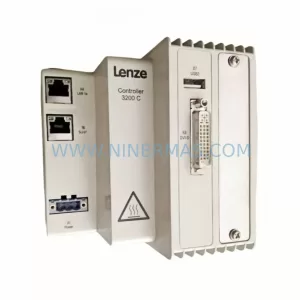
SKU: E32GAC10000M5H0XXX-02S13300000
Lenze E32GAC10000M5H0XXX Safety Servo Drive Critical Sites
Catalog Continuation
Alternative parts within PLC & Industrial Automation Modules.
Stay inside the same system family when you need substitutes, adjacent modules, or a broader shortlist for procurement review.



SKU: HDD02.2-W040N-HS12-01-FW FWA-DIAX04-ELS-05VRS-MS
Rexroth HDD02.2-W040N-HS12-01-FW Service-Ready Spare Part
SKU: VRDM 397/50 LNB VRDM397/50LNB
Berger Lahr VRDM 397/50 LNB Service-Ready Spare Part