Original Industrial Spare Part
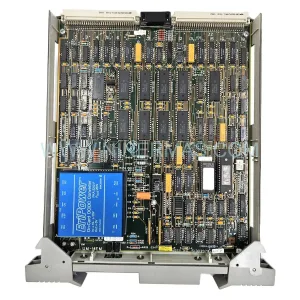
Honeywell TK-FTEB01 Retrofit-Compatible Ethernet Module
Verify the part, confirm the platform family, and move straight into quotation with the right commercial details.
RFQ Ready
- SKUTK-FTEB01
- CategoryDCS Distributed Control Systems
- BrandHoneywell
- SupportAvailability, lead time, condition, and shipping coordination
How Buyers Usually Use This Page
- Confirm the exact part number and platform family before sending the quote request.
- Use direct email when quantity, condition, and destination are already defined internally.
- Switch to the broader brand or category archive when you need alternates nearby.
Series Navigation
Move through the most common platform families behind this part.
Product RFQ
Send this part directly for quotation.
Include quantity, required condition, destination country, and target delivery timing. Current reference: Honeywell TK-FTEB01 Retrofit-Compatible Ethernet Module with SKU TK-FTEB01.
Honeywell TK-FTEB01 Retrofit-Compatible Ethernet Module for Legacy Experion PKS Systems
The Honeywell TK-FTEB01 is a fault-tolerant Ethernet bridge module designed for use within the Experion PKS (Process Knowledge System) distributed control architecture. As legacy Honeywell systems approach end-of-life and original spare parts become increasingly difficult to source, the TK-FTEB01 serves as a critical retrofit-compatible replacement that enables plant engineers to extend the operational lifespan of existing control infrastructure without committing to a full platform migration. NINERMAS maintains verified stock of the TK-FTEB01 with a 12-month warranty, pre-shipment functional testing, and rapid global dispatch to support unplanned outages and scheduled turnaround maintenance.
The TK-FTEB01 bridges the fault-tolerant Ethernet (FTE) network layer within Experion PKS cabinets, providing redundant communication paths between controllers, I/O subsystems, and the supervisory network. In retrofit scenarios, this module is commonly required when upgrading aging C200 or C300 controllers, replacing failed FTE switch infrastructure, or expanding I/O capacity through additional IOTA assemblies. Engineers integrating the TK-FTEB01 into an existing panel must confirm available backplane slot positions, verify FTE port assignments within the Experion configuration database, and ensure that the module firmware revision is compatible with the installed server software version. Mismatched firmware between the TK-FTEB01 and the Experion PKS R4xx or R5xx server environment is a common source of communication faults during commissioning and must be resolved before returning the loop to automatic control.
During panel-level upgrades, the TK-FTEB01 is frequently installed alongside companion components including the TK-FTEN02 FTE network switch, C300 controller modules, IOTA terminal assemblies, and 24 VDC power supply rails. Wiring adaptation between the legacy cabinet harness and the new module’s terminal block layout should be verified against the original loop drawings, with particular attention to shield grounding, cable routing separation between FTE and process I/O cables, and the physical clearance requirements for the module’s front-panel connectors. Where the original installation used older FTE cabling standards, re-termination to Cat5e or Cat6 shielded twisted pair may be required to meet the TK-FTEB01’s link integrity specifications.
Upgrade Compatibility Table
| Parameter | Details |
|---|---|
| Module SKU | TK-FTEB01 |
| Brand / Series | Honeywell / Experion PKS |
| Module Function | Fault-Tolerant Ethernet Bridge |
| Communication Protocol | Fault-Tolerant Ethernet (FTE), 100BASE-TX |
| Compatible Controllers | C200, C300 (Experion PKS) |
| Backplane Interface | Experion PKS standard chassis slot |
| Power Supply Requirement | Supplied via backplane (24 VDC rail) |
| Replacement / Retrofit Path | Direct drop-in for failed or obsolete TK-FTEB01 units in existing PKS cabinets |
| Firmware Compatibility | Must match installed Experion PKS server revision (R4xx / R5xx) |
| Installation Space | Standard PKS chassis slot; confirm slot availability before ordering |
| Commissioning Requirement | FTE port assignment, network address configuration via Experion Configuration Studio |
| Pre-Shipment Testing | Yes — functional verification performed before dispatch |
| Warranty | 12 Months |
Retrofit Planning for Existing Automation Systems
A successful TK-FTEB01 retrofit begins well before the module arrives on site. Plant engineers should audit the existing Experion PKS cabinet layout to identify the target chassis, confirm available slot positions, and document the current FTE network topology including switch port assignments and IP address allocations. In many aging installations, the FTE infrastructure includes legacy TK-FTEN02 network switches that may themselves require replacement or firmware updates to support the restored communication path. Where the control system also includes Series C I/O modules — such as AI, AO, DI, or DO IOTA assemblies — the engineer must verify that the FTE segment carrying the TK-FTEB01’s traffic is correctly segmented from the supervisory LAN to prevent broadcast interference.
For sites running parallel migration strategies — where a new C300 controller is being introduced alongside legacy C200 hardware — the TK-FTEB01 plays a bridging role that allows both controller generations to coexist on the same FTE backbone during the transition period. This approach minimises the scope of simultaneous changes and allows process engineers to validate new control logic in shadow mode before cutting over. During this phase, the Experion Configuration Studio database must be updated to reflect the new module’s node address, and any affected HMI displays referencing the legacy controller’s tag structure should be reviewed for continuity. Operators should be briefed on any temporary changes to alarm presentation or faceplate behaviour during the cutover window.
Additional components commonly involved in a TK-FTEB01 retrofit project include the Experion PKS chassis backplane, redundant 24 VDC power supply modules, FTE patch cables, C300 controller firmware update media, and signal isolators where legacy 4–20 mA field wiring interfaces with new I/O termination assemblies. Programming cable access to the C300 or C200 controller may also be required for firmware staging prior to installation. Where the site uses a Honeywell Safety Manager or Safety System Controller in the same cabinet, care must be taken to maintain physical and logical separation between the safety and basic process control network segments throughout the retrofit activity.
Downtime Control During System Migration
Minimising unplanned downtime during a TK-FTEB01 replacement requires a structured pre-outage preparation process. Before the maintenance window opens, the engineering team should export a full backup of the Experion PKS configuration database, capture a snapshot of all active controller program logic, and document the current FTE network status including any existing fault conditions. Where the process permits, a hot-standby controller should be confirmed as operational so that the FTE bridge replacement can be performed with the redundant path carrying live traffic.
During the physical swap, the replacement TK-FTEB01 should be staged with its firmware pre-loaded and its network parameters pre-configured to match the outgoing module’s address assignments. This eliminates the need for on-the-fly configuration during the maintenance window and reduces the risk of address conflicts or communication timeouts. After installation, the FTE link status indicators on the module should be verified before the chassis is returned to service, and the Experion server event log should be monitored for any residual communication alarms. Where the site operates a distributed historian or third-party OPC interface, the data collection continuity should be confirmed following the cutover to ensure no process data gaps are introduced.
For sites where a cold swap is unavoidable, the recommended approach is to pre-stage the replacement module in a test chassis, validate its communication behaviour against a mirrored Experion configuration, and then execute the physical installation during a planned shutdown with a defined rollback procedure in place. This approach is particularly important where the TK-FTEB01 supports a critical process loop with no manual bypass capability.
Retrofit Support FAQ
Q: Is the TK-FTEB01 a direct drop-in replacement for a failed unit in an existing Experion PKS cabinet?
A: Yes. The TK-FTEB01 is designed for direct slot replacement within compatible Experion PKS chassis. No mechanical modification is required. However, firmware version alignment with the installed Experion server software must be confirmed before installation to avoid communication faults during commissioning.
Q: What wiring or termination changes are required when installing a replacement TK-FTEB01?
A: The TK-FTEB01 connects to the FTE network via standard RJ45 ports. If the existing FTE cabling is Cat5e or better and in good condition, no re-termination is required. Where older or damaged cabling is present, replacement with shielded Cat5e or Cat6 is recommended. Backplane power is supplied through the chassis slot — no additional power wiring is needed.
Q: Does NINERMAS perform pre-shipment testing on the TK-FTEB01?
A: Yes. Every TK-FTEB01 unit dispatched by NINERMAS undergoes functional verification testing prior to shipment. Units are supplied with a 12-month warranty covering manufacturing defects and operational failures under normal service conditions.
Q: What is the typical lead time and stock availability for the TK-FTEB01?
A: NINERMAS maintains in-stock inventory of the TK-FTEB01 to support both planned maintenance and emergency replacement requirements. Standard dispatch is within 1–3 business days. For urgent requirements, expedited shipping options are available. Contact our team to confirm current stock levels and delivery timelines for your location.
| Product Series | Experion PKS |
|---|---|
| Country of Origin | US |
Catalog Continuation
More Honeywell modules in the catalog.
Use the brand lane to compare nearby part numbers, platform-adjacent modules, and other inquiry-ready listings before sending your final RFQ.

Catalog Continuation
Alternative parts within DCS Distributed Control Systems.
Stay inside the same system family when you need substitutes, adjacent modules, or a broader shortlist for procurement review.
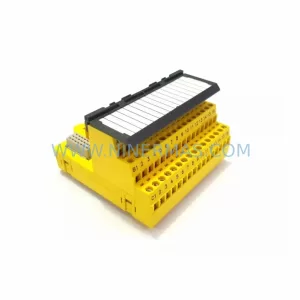
SKU: KJ2201X1-HA1 12P3322X022
Emerson KJ2201X1-HA1 12P3322X022 Service-Ready Spare Part
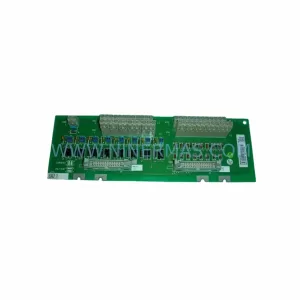
SKU: DSTA001B 3BSE018316R1
ABB DSTA001B 3BSE018316R1 Retrofit-Compatible Interface for Legacy Systems