Original Industrial Spare Part
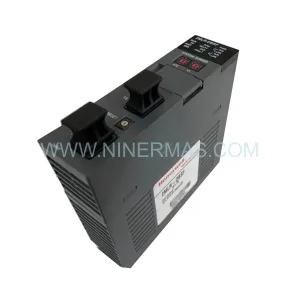
Honeywell FS-TSDI-16115 Retrofit Safe Digital Input Module
Verify the part, confirm the platform family, and move straight into quotation with the right commercial details.
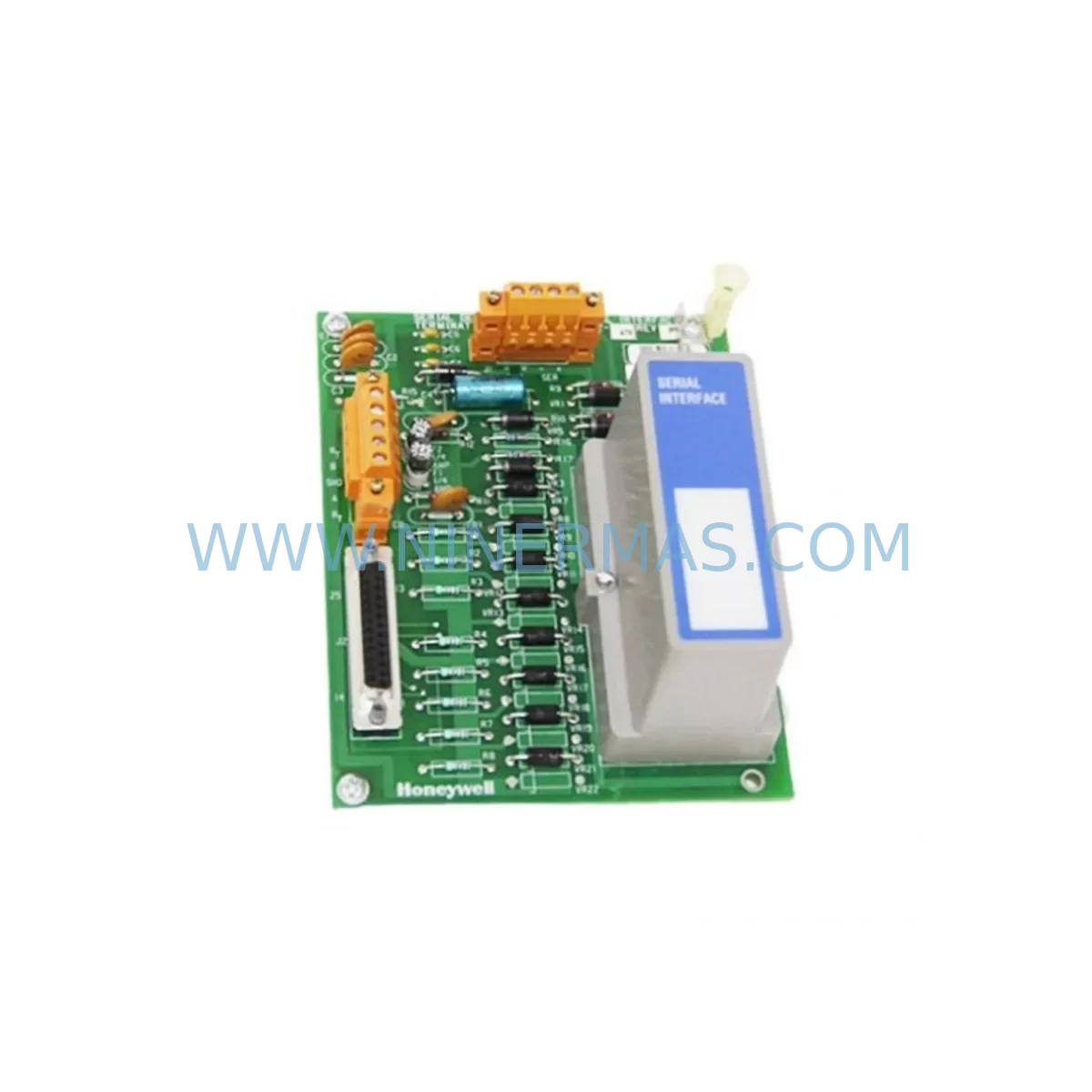
RFQ Ready
- SKUFS-TSDI-16115
- CategorySIS Safety & Redundancy Systems
- BrandHoneywell
- SupportAvailability, lead time, condition, and shipping coordination
How Buyers Usually Use This Page
- Confirm the exact part number and platform family before sending the quote request.
- Use direct email when quantity, condition, and destination are already defined internally.
- Switch to the broader brand or category archive when you need alternates nearby.
Series Navigation
Move through the most common platform families behind this part.
Product RFQ
Send this part directly for quotation.
Include quantity, required condition, destination country, and target delivery timing. Current reference: Honeywell FS-TSDI-16115 Retrofit Safe Digital Input Module with SKU FS-TSDI-16115.
Honeywell FS-TSDI-16115 Retrofit Safe Digital Input Module: Legacy System Compatibility and Smooth Upgrade Path
The Honeywell FS-TSDI-16115 is a ruggedized 16-channel safe digital input module designed for use within Honeywell’s Safety Manager platform — a core component of Safety Instrumented Systems (SIS) deployed across oil and gas, petrochemical, power generation, and heavy manufacturing facilities worldwide. As the Safety Manager series approaches end-of-life and spare parts availability tightens, the FS-TSDI-16115 has become one of the most sought-after replacement modules for engineers managing legacy safety loops and planning phased control system upgrades.
NINERMAS maintains verified in-stock inventory of the FS-TSDI-16115, sourced through authorized industrial channels, pre-shipment tested, and backed by a 12-month warranty. Each unit is inspected for firmware integrity, terminal block condition, and backplane connector alignment before dispatch — ensuring that your retrofit or emergency replacement proceeds without unexpected delays on-site.
Upgrade Compatibility Table
| Parameter | FS-TSDI-16115 Specification | Retrofit / Replacement Notes |
|---|---|---|
| Module Type | 16-Channel Safe Digital Input | Direct slot-compatible replacement within Safety Manager chassis |
| Input Voltage Range | 24 VDC nominal | Verify field wiring voltage before hot-swap; confirm power rail capacity on FS-TSPS-16401 power supply module |
| Backplane Interface | Safety Manager proprietary backplane | Compatible with standard Safety Manager rack; confirm rack revision before installation |
| Channel Count | 16 discrete digital inputs | Map I/O addresses in Safety Builder before module swap to avoid logic mismatch |
| Communication Protocol | Internal Safety Manager bus | No protocol migration required for like-for-like replacement; PROFIBUS or Modbus gateway needed for cross-platform migration |
| Installation Footprint | Standard Safety Manager module width | Confirm available slot space in existing cabinet; no additional DIN rail or panel cutout required |
| Diagnostic Coverage | High (SIL 2/3 capable) | Re-validate SIL loop after replacement per IEC 61511 requirements |
| Warranty | 12 Months (NINERMAS) | Covers hardware defects; includes pre-shipment functional test report |
Retrofit Planning for Existing Automation Systems
When planning a retrofit involving the FS-TSDI-16115, the scope of work extends well beyond a simple module swap. Engineers must evaluate the entire safety loop — from field instrument wiring through the safety PLC logic to the final element — to ensure that the replacement module integrates without introducing new failure modes or invalidating existing SIL certifications.
The first step is a thorough review of the existing cabinet layout. Safety Manager systems are typically housed in dedicated SIS cabinets alongside companion modules such as the FS-TSDO-16112 safe digital output module and the FS-TSAI-16208 safe analog input module. These modules share the same backplane and power distribution architecture, so any change to one module’s slot assignment can affect address mapping across the entire rack. Before removing the FS-TSDI-16115, document the current module address configuration using Safety Builder software and export a backup of the safety application program.
Power capacity is a critical verification point. The FS-TSPS-16401 power supply module feeds the Safety Manager rack, and adding or replacing I/O modules can shift the total current draw. Confirm that the existing power supply has sufficient headroom — typically a 20% margin above calculated load — before proceeding. If the cabinet also houses a TC-CCR014 controller module or a FS-SICC-0001/L8 system interface card, these components draw additional current from the same rail and must be factored into the power budget calculation.
Terminal wiring is another area requiring careful attention. The FS-TSDI-16115 uses a removable terminal block, which simplifies field wiring transfer during replacement. However, engineers should verify wire gauge compatibility, terminal torque specifications, and the presence of any signal conditioning components — such as zener barriers or galvanic isolators — between the field device and the module input. In older installations, signal isolators from the MC-TAIH02 family may be present in the marshalling cabinet, and their output characteristics must be confirmed to be within the FS-TSDI-16115 input threshold range.
For facilities migrating from legacy Honeywell TDC 3000 or HPM-based architectures toward Safety Manager, the FS-TSDI-16115 often serves as the receiving end of a phased I/O migration. In these projects, the 51309276-150 and 51401642-150 legacy I/O termination assemblies are progressively decommissioned, and field signals are re-terminated to Safety Manager I/O modules. This process requires careful loop-by-loop signal verification, updated cause-and-effect matrices, and revised P&ID markups to reflect the new I/O assignment.
HMI screen updates are frequently overlooked during Safety Manager retrofits. If the facility uses a Honeywell Experion PKS or a third-party SCADA system connected via OPC or Modbus TCP, the I/O tag database must be updated to reflect any address changes introduced during the module replacement. Failure to update HMI faceplates and alarm configurations can result in spurious alarms or missed process deviations during the post-retrofit commissioning period. Coordinate with the DCS or SCADA team to schedule a parallel HMI validation session alongside the safety system functional test.
Communication link integrity should be verified after any Safety Manager module replacement. The TC-FPCXX2 fiber optic communication module, where present, provides the high-speed link between Safety Manager controllers and the Experion server. Confirm that the communication link remains stable after the module swap by monitoring the Safety Manager diagnostic display and checking for any new fault codes related to I/O bus communication errors.
Downtime Control During System Migration
Minimizing unplanned downtime is the primary operational concern when replacing a safety I/O module in a live production environment. The FS-TSDI-16115 supports hot-standby configurations in redundant Safety Manager architectures, which allows the replacement to be performed during a planned maintenance window without requiring a full process shutdown — provided the redundant module remains healthy throughout the procedure.
Before initiating the replacement, confirm with the control room that all safety functions associated with the affected input channels are either in a safe state or have been temporarily bypassed in accordance with the facility’s Management of Change (MOC) procedure. Document each bypass activation and set a clear time limit for the maintenance window to ensure that bypassed safety functions are restored before normal operations resume.
Preserve the original safety application program by exporting a verified backup from Safety Builder prior to any hardware change. If the replacement module requires a firmware update to match the system’s current software revision, perform the update on the bench before installation to avoid extending the maintenance window. After installation, perform a channel-by-channel input verification by injecting known signals at the field terminal block and confirming correct status indication in the Safety Builder online monitor and on the HMI.
For facilities without redundant Safety Manager hardware, coordinate the replacement with a scheduled process shutdown or a low-production period to minimize the impact on output. Prepare all replacement materials — including the FS-TSDI-16115 module, terminal block labels, torque wrench, and Safety Builder laptop — in advance to reduce the time the safety system spends in a degraded state. NINERMAS can provide expedited shipping for urgent replacement requirements, with most in-stock units dispatched within 24 hours of order confirmation.
Retrofit Support FAQ
Q1: Is the FS-TSDI-16115 a direct replacement for older Honeywell Safety Manager digital input modules?
A: Yes. The FS-TSDI-16115 is designed as a slot-compatible replacement within the Safety Manager chassis. However, engineers should verify the module firmware revision and confirm compatibility with the installed Safety Builder software version before installation. NINERMAS provides a pre-shipment test report with each unit confirming basic functional operation.
Q2: What wiring changes are required when replacing the FS-TSDI-16115?
A: In most cases, no wiring changes are required if the replacement module uses the same removable terminal block format. Transfer the existing terminal block directly to the new module after confirming that all field wires are correctly labeled and that terminal torque specifications are met. If the original terminal block shows signs of wear or corrosion, replace it with a new compatible terminal block before reinstallation.
Q3: How do I verify compatibility between the FS-TSDI-16115 and my existing Safety Manager system?
A: Compatibility is determined by the Safety Manager system revision, the installed Safety Builder software version, and the rack hardware revision. Provide NINERMAS with your system’s hardware and software revision details, and our technical team will confirm compatibility before shipment. All units are tested against documented Safety Manager I/O specifications prior to dispatch.
Q4: What does the 12-month warranty cover, and what is the lead time for in-stock units?
A: The NINERMAS 12-month warranty covers hardware defects identified under normal operating conditions. It does not cover damage resulting from incorrect installation, overvoltage events, or physical mishandling. In-stock units are typically dispatched within 24–48 hours of order confirmation, with expedited shipping available for urgent requirements. A functional test report is included with each shipment.
| Product Series | Safety Manager |
|---|---|
| Country of Origin | US |
Catalog Continuation
More Honeywell modules in the catalog.
Use the brand lane to compare nearby part numbers, platform-adjacent modules, and other inquiry-ready listings before sending your final RFQ.
Catalog Continuation
Alternative parts within SIS Safety & Redundancy Systems.
Stay inside the same system family when you need substitutes, adjacent modules, or a broader shortlist for procurement review.
SKU: cPCI-6210/510E/M4G/TEL cPCI-6210
ADLINK cPCI-6210/510E/M4G/TEL Safety-Reliable SBC
SKU: WH5-2FF 1X00416H01
Westinghouse WH5-2FF 1X00416H01 Safety-Reliable Relay for Critical Control Sites
SKU: BUS622-15/22-54-M-005
Baumüller BUS622-15/22-54-M-005 Safety-Reliable Servo Drive