Original Industrial Spare Part
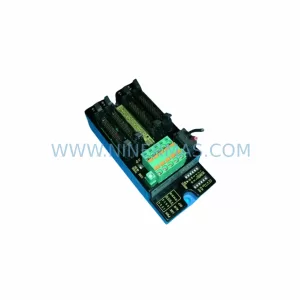
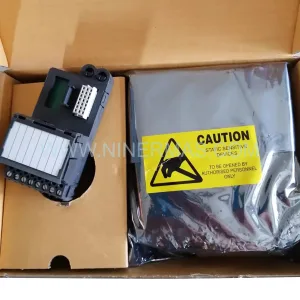
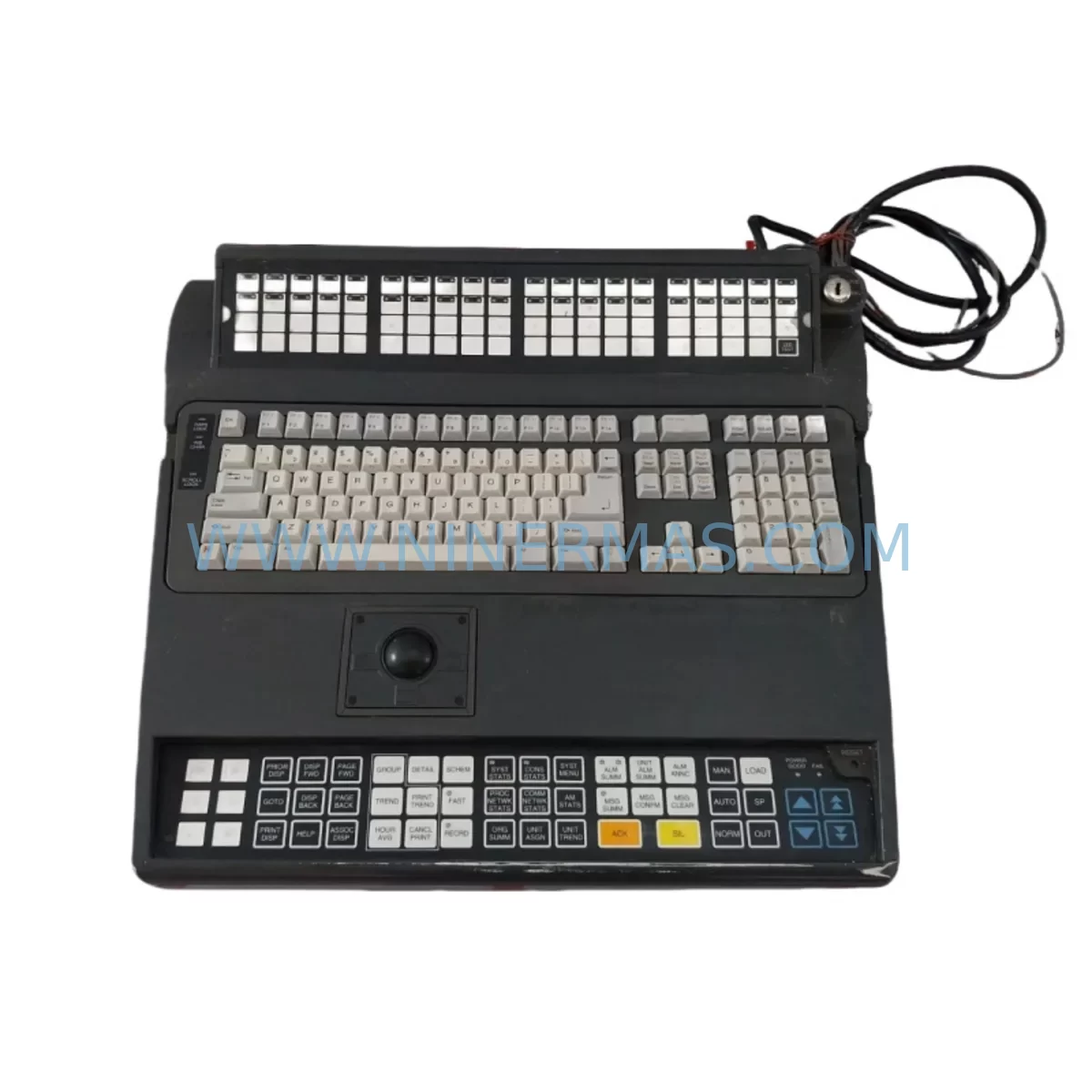
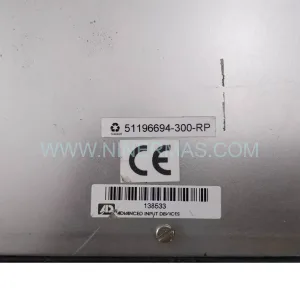
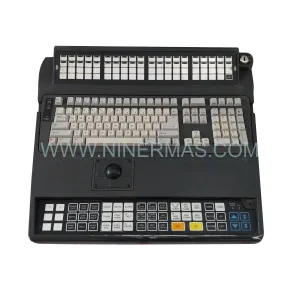
Honeywell 51196694-350 Retrofit-Compatible Keyboard for Legacy Systems
Verify the part, confirm the platform family, and move straight into quotation with the right commercial details.
RFQ Ready
- SKU51196694-350
- CategoryDCS Distributed Control Systems
- BrandHoneywell
- SupportAvailability, lead time, condition, and shipping coordination
How Buyers Usually Use This Page
- Confirm the exact part number and platform family before sending the quote request.
- Use direct email when quantity, condition, and destination are already defined internally.
- Switch to the broader brand or category archive when you need alternates nearby.
Series Navigation
Move through the most common platform families behind this part.
Product RFQ
Send this part directly for quotation.
Include quantity, required condition, destination country, and target delivery timing. Current reference: Honeywell 51196694-350 Retrofit-Compatible Keyboard for Legacy Systems with SKU 51196694-350.
Honeywell 51196694-350 Retrofit-Compatible Keyboard for Legacy Systems
The Honeywell 51196694-350 is a retrofit-compatible integrated keyboard module engineered to serve as a direct replacement and upgrade solution within legacy Honeywell TDC 3000 and Experion PKS distributed control system (DCS) environments. As aging operator workstations reach end-of-life and original spare parts become increasingly scarce, the 51196694-350 provides a reliable, drop-in compatible path for facilities seeking to extend the operational lifespan of their existing control infrastructure without committing to a full platform migration.
Industrial facilities running legacy TDC 3000 consoles or early-generation Experion PKS operator stations frequently encounter challenges sourcing functional keyboard assemblies that maintain full compatibility with existing HMI software, communication links, and operator interface logic. The 51196694-350 addresses this gap directly, offering verified compatibility with the TDC 3000 Universal Station (US) and Global User Station (GUS) architectures, as well as select Experion PKS operator console configurations. Its integrated design consolidates keyboard input and interface logic into a single replaceable unit, reducing the complexity of field installation and minimizing the risk of wiring errors during retrofit operations.
When planning a retrofit around the 51196694-350, engineers and maintenance teams should begin by auditing the existing operator station’s power supply capacity. The console’s internal power module — often a Honeywell 51196653-100 or equivalent regulated DC supply — must be confirmed to deliver stable voltage within the keyboard module’s specified input range. Any deviation in supply voltage, particularly in aging cabinets where capacitors may have drifted, can cause intermittent communication faults or prevent the keyboard from initializing correctly during system startup.
Terminal wiring is the next critical checkpoint. The 51196694-350 connects to the operator station backplane via a defined ribbon cable and connector interface. Before disconnecting the legacy keyboard assembly, technicians should photograph and document all existing cable routing, connector orientations, and any field-applied labeling. In installations where the original Honeywell 51196648-100 backplane has been in service for more than a decade, connector pins may exhibit oxidation or mechanical fatigue; these should be cleaned or replaced prior to installing the new keyboard module to ensure reliable signal integrity.
Module addressing is another area requiring careful attention. In TDC 3000 environments, operator station hardware addresses are typically configured via DIP switches or jumper settings on the module itself or on the associated interface card. The replacement 51196694-350 must be configured to match the address of the unit it replaces. Failure to replicate the original address will result in the station controller — often a Honeywell 51401641-150 or similar node controller — failing to recognize the keyboard during its hardware scan, preventing the operator station from coming online.
Program compatibility should be verified before the replacement unit is powered on in a live environment. Facilities running Honeywell’s HMIWeb Display Builder or legacy GUS display software should confirm that the keyboard’s function key assignments and special key mappings align with the existing HMI display pages. In some cases, display pages built for earlier keyboard hardware may reference key codes that differ slightly from those generated by the 51196694-350; these discrepancies can typically be resolved through a brief remapping exercise in the display configuration software without requiring changes to the underlying control logic.
Communication link integrity must also be validated as part of the retrofit process. The 51196694-350 operates within the operator station’s internal communication architecture, which in TDC 3000 systems typically relies on the Local Control Network (LCN) or the Universal Control Network (UCN). Technicians should verify that the LCN interface card — such as a Honeywell 51304485-100 or equivalent — is functioning correctly and that the network segment serving the operator station is free of excessive noise or termination faults before bringing the replacement keyboard online. In Experion PKS environments, the equivalent check involves confirming the integrity of the FTE (Fault Tolerant Ethernet) network connection serving the console.
Installation space confirmation is straightforward for most TDC 3000 and Experion PKS console enclosures, as the 51196694-350 is designed to occupy the same physical footprint as the original keyboard assembly. However, in installations where the console enclosure has been modified or where additional equipment such as a Honeywell 51196580-100 trackball module or supplementary I/O interface panel has been added, technicians should measure available clearance before proceeding with installation to avoid cable pinching or connector interference.
Commissioning and field adjustment following installation of the 51196694-350 should be conducted during a planned maintenance window to minimize production impact. The recommended sequence begins with a cold power-up of the operator station with the replacement keyboard installed, followed by a hardware diagnostic scan from the system manager console. Once the station is recognized on the network, operators should perform a full functional test of all keyboard zones — including process control keys, alarm acknowledgment keys, and display navigation keys — to confirm correct operation before returning the station to service. Where possible, a parallel operation period of 24 to 48 hours, during which a backup operator station remains available, is advisable to provide a fallback in the event of unexpected compatibility issues.
For facilities undertaking broader control system modernization programs, the 51196694-350 retrofit is often implemented alongside related upgrades such as replacement of aging Honeywell 51196648-100 backplane assemblies, installation of updated Honeywell 51304752-100 power conditioner modules, and migration of operator displays from legacy GUS workstations to current-generation Experion PKS Flex Station hardware. In these broader upgrade scenarios, the keyboard replacement serves as a low-risk, high-value first step that restores full operator interface functionality while the larger migration program proceeds in parallel.
Upgrade Compatibility Table
| Parameter | Details |
|---|---|
| SKU / Part Number | 51196694-350 |
| Brand | Honeywell |
| Series | TDC 3000 / Experion PKS |
| Product Type | Integrated Keyboard Module |
| Compatible Platforms | TDC 3000 Universal Station (US), Global User Station (GUS), Experion PKS Operator Console |
| Interface / Connector | Ribbon cable to backplane; compatible with 51196648-100 backplane interface |
| Communication Compatibility | LCN (Local Control Network), UCN (Universal Control Network), FTE (Fault Tolerant Ethernet) |
| Installation Footprint | Direct drop-in replacement; same physical dimensions as original assembly |
| Address Configuration | DIP switch / jumper — must match legacy unit address |
| Replacement Recommendation | Verify power supply, terminal wiring, module address, and HMI key mapping before commissioning |
| Commissioning Notes | Cold power-up diagnostic scan recommended; full functional key test required before return to service |
| Warranty | 12-Month Warranty |
Retrofit Planning for Existing Automation Systems
A successful retrofit centered on the 51196694-350 requires a structured approach to component selection and sequencing. In most legacy TDC 3000 installations, the keyboard module does not operate in isolation — it functions as part of an integrated operator station ecosystem that includes the backplane assembly, power supply, display interface, and network communication hardware. Retrofit planners should treat the keyboard replacement as one element of a broader component health assessment.
Commonly replaced or upgraded components in the same retrofit cycle include the Honeywell 51196648-100 backplane, which provides the physical and electrical interface between the keyboard module and the station’s internal bus. Where the backplane shows signs of connector wear or trace damage, replacement prior to keyboard installation is strongly recommended. The station’s regulated DC power module — typically a unit in the Honeywell 51196653 series — should be load-tested to confirm it can sustain the combined current draw of the keyboard module and any co-installed peripherals such as a 51196580-100 trackball assembly.
For facilities also upgrading their I/O infrastructure, the keyboard retrofit is frequently coordinated with replacement of Honeywell HLAI (High Level Analog Input) modules, digital output modules, and associated field termination assemblies (FTAs). While these I/O components operate independently of the operator keyboard, their replacement during the same maintenance window reduces total system downtime and allows a single comprehensive commissioning test to cover all upgraded hardware.
Communication module upgrades are another common parallel activity. In TDC 3000 systems transitioning toward Experion PKS, the LCN interface card serving the operator station may require replacement with a current-generation FTE network interface to support the updated communication architecture. This transition should be planned carefully to avoid disrupting the LCN segment serving other active nodes, such as process controllers and historian servers, during the keyboard replacement window.
HMI display migration is a related consideration. Facilities moving from legacy GUS display software to HMIWeb or Experion PKS Station software should use the keyboard retrofit as an opportunity to audit existing display pages for key mapping dependencies and update any display logic that references hardware-specific key codes from the original keyboard assembly. This audit, conducted in advance of the physical replacement, significantly reduces the risk of operator interface issues during the post-retrofit commissioning phase.
Programming cable availability should also be confirmed before the retrofit window begins. In some TDC 3000 configurations, address configuration changes or firmware updates to the keyboard module require a dedicated programming cable and associated configuration utility. Ensuring this tooling is available on-site before the maintenance window opens prevents delays caused by last-minute equipment sourcing.
Downtime Control During System Migration
Minimizing unplanned downtime is the primary operational concern in any legacy DCS retrofit. For the 51196694-350 keyboard replacement, downtime risk can be substantially reduced through advance preparation, parallel operation strategies, and a disciplined commissioning sequence.
The most effective downtime control measure is pre-staging. The replacement keyboard module should be received, inspected, and bench-tested against a representative power supply and backplane assembly before the maintenance window begins. This pre-commissioning step confirms that the unit is functional and correctly configured, eliminating the risk of discovering a configuration error or hardware fault during a live system outage.
Preserving the original control program logic is non-negotiable. Before any hardware is disturbed, a full backup of the operator station configuration — including display page definitions, key mapping tables, alarm setpoints, and network node parameters — should be archived to a secure location. In TDC 3000 environments, this backup is typically performed using the system’s built-in configuration management tools. In Experion PKS environments, the Experion Configuration Studio provides equivalent backup and restore functionality. These backups ensure that if the retrofit encounters an unexpected complication, the system can be restored to its pre-retrofit state without loss of configuration data.
Maintaining field control continuity during the keyboard replacement is achievable in most TDC 3000 and Experion PKS installations because the underlying process control logic resides in dedicated process controllers — such as Honeywell PM (Process Manager) or HPM (High Performance Manager) controllers — rather than in the operator station itself. This architecture means that process control continues uninterrupted during operator station maintenance, provided that the controllers remain powered and connected to the process field devices. The keyboard replacement therefore affects only the operator’s ability to interact with the system, not the system’s ability to execute control logic.
To maintain operator visibility during the replacement window, facilities should designate a backup operator station — either a second TDC 3000 console or an Experion PKS engineering workstation with operator access — as the primary interface for the duration of the maintenance activity. This backup station allows operators to monitor process variables, acknowledge alarms, and make setpoint adjustments while the primary console is offline for keyboard replacement.
Post-replacement commissioning should follow a defined checklist that covers hardware recognition, key functional testing, display page navigation, alarm acknowledgment, and communication link verification. Completing this checklist before returning the station to primary operator use ensures that all retrofit objectives have been met and that no residual issues remain that could affect operator effectiveness during normal production operations.
Retrofit Support FAQ
Q1: Is the 51196694-350 a direct drop-in replacement for the original Honeywell keyboard assembly in TDC 3000 operator stations?
Yes. The 51196694-350 is designed as a form-fit-function replacement for the original integrated keyboard assembly used in TDC 3000 Universal Station and Global User Station configurations. Physical dimensions, connector interface, and backplane compatibility are maintained. Address configuration via DIP switch or jumper must be set to match the original unit before installation.
Q2: What pre-shipment testing is performed on the 51196694-350?
Each unit undergoes functional testing prior to shipment, including power-up verification, key matrix scan testing, and connector integrity inspection. Units are shipped with documentation confirming test completion. A 12-month warranty covers defects in materials and workmanship from the date of shipment.
Q3: Can the 51196694-350 be used in Experion PKS operator console configurations as well as TDC 3000 stations?
The 51196694-350 is compatible with select Experion PKS operator console configurations that share the TDC 3000 hardware lineage. Compatibility should be confirmed against the specific console model and software revision in use at the facility. Our technical team can assist with compatibility verification prior to order placement.
Q4: What is the typical lead time and inventory availability for the 51196694-350?
The 51196694-350 is maintained in stock to support urgent retrofit and emergency replacement requirements. Standard lead time for in-stock units is 3–7 business days for international shipments. For facilities with planned maintenance windows, advance reservation of stock is recommended to guarantee availability. All units are covered by a 12-month warranty from date of shipment.
| Product Series | Experion PKS |
|---|---|
| Country of Origin | US |
Catalog Continuation
Nearby part numbers around 51196694.
Use this lane when the buyer is comparing adjacent model numbers, revision-near items, or closely related spare variants within the same brand family.

Catalog Continuation
More Honeywell modules in the catalog.
Use the brand lane to compare nearby part numbers, platform-adjacent modules, and other inquiry-ready listings before sending your final RFQ.
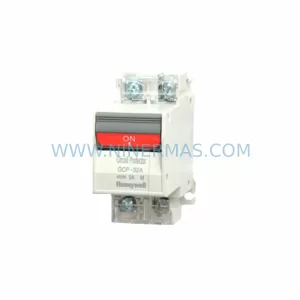
SKU: GCP-32AN 1A 2A 3A 4A 5A 7A 10A 15A 20A 25A 30A
Honeywell GCP-32AN Safety-Reliable Power Supply for Critical Sites
Catalog Continuation
Alternative parts within DCS Distributed Control Systems.
Stay inside the same system family when you need substitutes, adjacent modules, or a broader shortlist for procurement review.