Original Industrial Spare Part
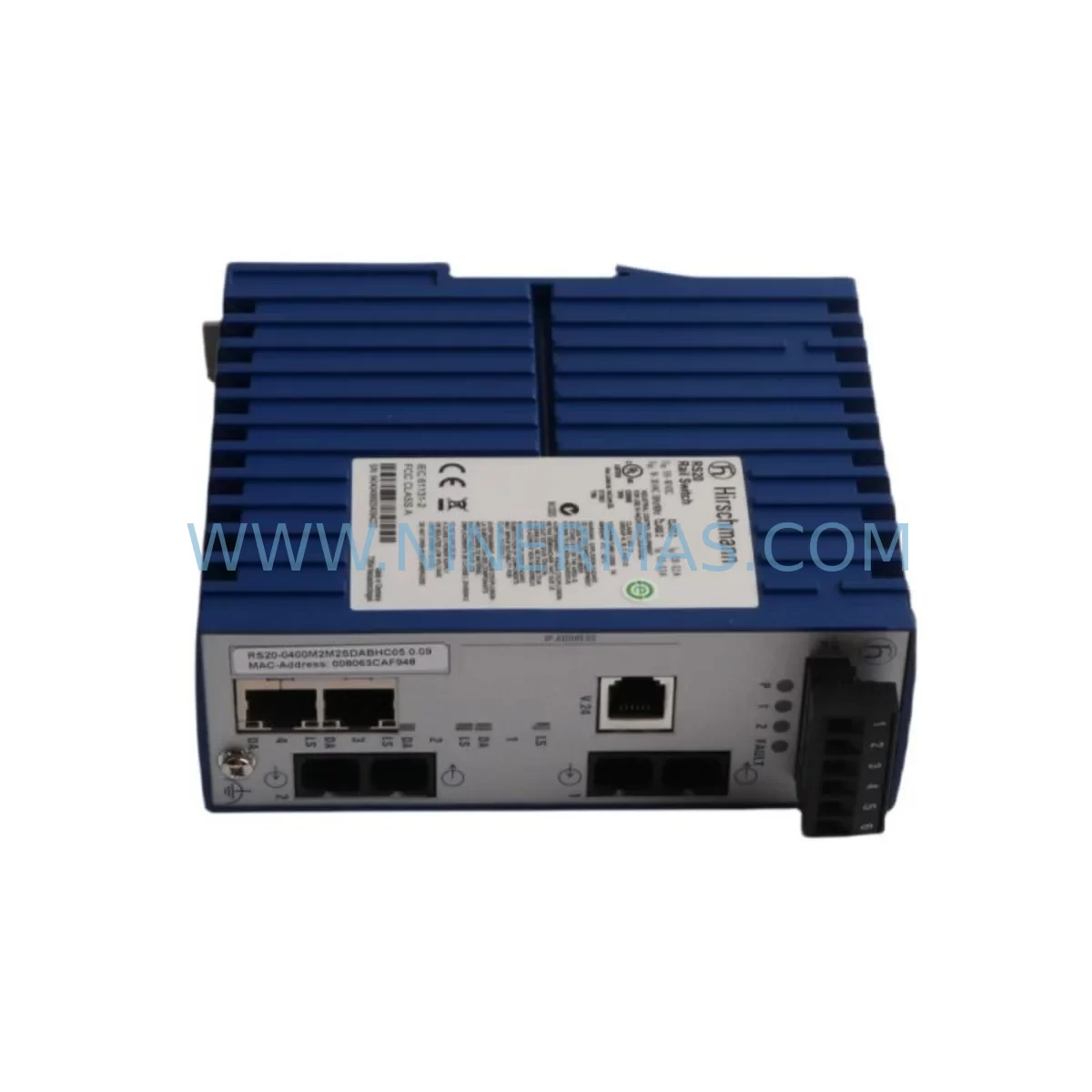
Hirschmann RS20-0800T Service-Ready Spare Part for Industrial Maintenance
Verify the part, confirm the platform family, and move straight into quotation with the right commercial details.
RFQ Ready
- SKURS20 RS20-0800T
- CategoryPLC & Industrial Automation Modules
- BrandHirschmann
- SupportAvailability, lead time, condition, and shipping coordination
How Buyers Usually Use This Page
- Confirm the exact part number and platform family before sending the quote request.
- Use direct email when quantity, condition, and destination are already defined internally.
- Switch to the broader brand or category archive when you need alternates nearby.
Series Navigation
Move through the most common platform families behind this part.
Product RFQ
Send this part directly for quotation.
Include quantity, required condition, destination country, and target delivery timing. Current reference: Hirschmann RS20-0800T Service-Ready Spare Part for Industrial Maintenance with SKU RS20 RS20-0800T.
Hirschmann RS20-0800T Service-Ready Spare Part for Industrial Maintenance
The Hirschmann RS20-0800T is a managed industrial Ethernet switch from the renowned RS20 Series, engineered for demanding automation environments where network reliability directly impacts production continuity. As a service-ready spare part, the RS20-0800T is stocked and tested to support rapid field replacement, minimizing unplanned downtime in manufacturing plants, process control facilities, substations, and transportation infrastructure.
Industrial Ethernet switches like the RS20-0800T serve as the communication backbone of modern control architectures. When this component fails or degrades, the consequences extend beyond simple connectivity loss — PLC-to-SCADA communication drops, HMI screens go dark, remote I/O modules lose synchronization, and entire production lines can halt within seconds. Maintaining a verified spare unit of the RS20-0800T in your on-site inventory is one of the most cost-effective strategies for protecting operational continuity.
At NINERMAS, every RS20-0800T unit is sourced, inspected, and dispatched with full traceability documentation, ensuring compatibility with your existing RS20 Series infrastructure and meeting the expectations of maintenance engineers who cannot afford uncertainty during a critical replacement event.
Spare Maintenance Table
| Parameter | Specification |
|---|---|
| Model | RS20-0800T |
| Brand | Hirschmann |
| Series | RS20 |
| Product Type | Industrial Managed Ethernet Switch (DIN Rail) |
| Ports | 8 × 10/100BASE-TX (RJ45) |
| Network Standard | IEEE 802.3, 802.3u, 802.1D, 802.1Q, 802.1p |
| Switching Capacity | Fast Ethernet (100 Mbps) |
| Management | Managed (Web, SNMP, CLI) |
| Mounting | DIN Rail (35 mm) |
| Power Supply Input | 24 VDC (typical), redundant power input supported |
| Operating Temperature | -10°C to +60°C |
| Protection Rating | IP30 |
| Compatibility | RS20 Series infrastructure; compatible with RS30, MACH100 in mixed topologies |
| Application Environment | PLC networks, SCADA systems, control cabinets, substations, factory automation |
| Installation | Snap-on DIN rail mount; terminal block power connection |
| Maintenance Recommendation | Inspect annually; verify port LEDs, power redundancy, and firmware version |
| Origin | Germany |
| Warranty | 12 Months (NINERMAS) |
Maintenance Planning for Continuous Operation
Replacing the Hirschmann RS20-0800T in a live industrial environment is rarely an isolated task. Experienced maintenance engineers understand that a switch failure is often a symptom of broader stress within the control cabinet or network segment. A structured replacement workflow should include a concurrent inspection of all interdependent components to prevent repeat failures and ensure the restored system operates reliably through the next maintenance cycle.
Begin with the 24 VDC power supply feeding the RS20-0800T. Hirschmann RS20 Series switches support redundant power inputs, and it is common to find that one power feed has silently failed prior to the switch fault. Verify both power rails using a calibrated multimeter and inspect the associated power supply module — units such as the Hirschmann RS20 power feed modules or equivalent 24 VDC DIN rail PSUs should be tested for output stability under load.
Next, inspect all RJ45 patch cables and industrial Ethernet cables connected to the RS20-0800T. In high-vibration environments, connector pins can loosen or corrode over time, causing intermittent packet loss that is often misdiagnosed as a switch fault. Replace any cables showing physical wear, and confirm that cable shielding is properly grounded at the cabinet entry point.
For systems where the RS20-0800T connects to remote I/O modules — such as Profibus DP/PA gateways, EtherNet/IP adapters, or Modbus TCP I/O nodes — verify that each I/O node re-establishes communication after the switch replacement. A brief scan using your PLC’s diagnostic interface will confirm that all I/O addresses are responding correctly.
If the RS20-0800T is part of a ring topology using Hirschmann’s HiPER-Ring or MRP (Media Redundancy Protocol), confirm that the ring manager role is correctly assigned after the replacement unit is installed. Misconfigured ring roles are a common source of post-replacement network instability. Cross-reference the configuration with the RS30 Series or MACH100 Series switches if they participate in the same ring segment.
Inspect the terminal blocks and DIN rail grounding within the cabinet. Loose terminal connections on power or signal wiring can introduce ground loops or voltage spikes that damage switch hardware prematurely. This is also an appropriate time to verify the condition of surge protection devices (SPDs) installed on Ethernet lines entering the cabinet from field devices.
For cabinets that also house signal isolators or relay output modules connected to the same network segment, confirm that these devices have not been affected by the same fault condition that caused the RS20-0800T failure. Relay coil failures and signal isolator degradation can sometimes be traced to the same power quality event that damaged the switch.
Finally, if an HMI panel — such as a Siemens TP or KTP series, or a Weintek/Weinview unit — communicates through the RS20-0800T, perform a full HMI communication test after replacement. Confirm that all tag reads and writes are functioning correctly and that the HMI’s IP address configuration matches the restored network segment.
Stocking a spare RS20-0800T alongside related components — including a spare 24 VDC PSU, a set of pre-terminated industrial Ethernet patch cables, and a spare terminal block strip — creates a complete emergency kit that allows a trained technician to restore the network segment within 30 minutes of fault identification.
Site Replacement Workflow
Step 1 — Fault Isolation: Confirm the RS20-0800T is the failed component by checking port LEDs, power indicator, and attempting a ping sweep from a connected device. Document which ports have lost connectivity and which devices are affected.
Step 2 — Configuration Backup: If the existing switch is partially functional, export the configuration via the web interface or CLI before powering down. The RS20-0800T supports configuration export in standard formats compatible with Hirschmann’s Industrial HiVision network management software.
Step 3 — Safe Isolation: De-energize the cabinet section containing the switch following your site’s lockout/tagout (LOTO) procedure. Disconnect all Ethernet cables and label each port connection before removal to ensure accurate reconnection.
Step 4 — Physical Replacement: Unclip the failed RS20-0800T from the DIN rail. Mount the replacement unit, reconnect power terminal blocks, and verify the power LED illuminates correctly before reconnecting network cables.
Step 5 — Configuration Restore: Import the previously exported configuration, or manually reconfigure the replacement unit to match the original IP address, VLAN settings, port speed/duplex parameters, and ring protocol settings. For legacy RS20 installations where the original configuration is unavailable, NINERMAS can provide guidance on standard factory default settings.
Step 6 — Functional Verification: Reconnect all Ethernet cables in the documented port order. Verify that all connected PLCs, I/O modules, HMIs, and SCADA servers re-establish communication. Confirm ring redundancy is active if applicable. Log the replacement event in your site maintenance record.
This workflow is designed to replace aging or failed RS20-0800T units with minimal disruption, maintaining full compatibility with existing RS20 Series infrastructure and avoiding the need for network redesign or re-cabling.
Spare Parts Support FAQ
Q1: Is the RS20-0800T still available as a new spare part, and how long can I expect supply continuity?
The Hirschmann RS20 Series has been a long-standing platform in industrial automation, and while Hirschmann has introduced successor platforms, demand for RS20-0800T spare parts remains active across legacy installations worldwide. NINERMAS maintains stock of RS20-0800T units and monitors supply chain availability to support customers with long-term maintenance contracts and multi-year procurement plans. Contact our team to discuss scheduled delivery agreements that protect your maintenance budget from spot-market price volatility.
Q2: How do I verify compatibility between a replacement RS20-0800T and my existing network infrastructure?
Compatibility verification for the RS20-0800T should focus on three areas: physical form factor (DIN rail mount, port count, and connector type), power supply voltage (24 VDC nominal), and software/firmware compatibility with your network management system. If your site uses Hirschmann’s Industrial HiVision, confirm that the firmware version on the replacement unit is supported. NINERMAS provides pre-shipment configuration support and can supply units with specific firmware versions upon request.
Q3: What testing does NINERMAS perform before shipping the RS20-0800T?
Every RS20-0800T dispatched by NINERMAS undergoes a pre-shipment functional test that includes power-on verification, port connectivity testing across all 8 RJ45 ports, management interface access confirmation, and visual inspection for physical damage. Units are packaged in anti-static protective packaging with a test report included in the shipment documentation. All units are covered by a 12-month warranty from the date of shipment.
Q4: Can NINERMAS support emergency or urgent orders for the RS20-0800T during unplanned downtime events?
Yes. NINERMAS operates with an expedited dispatch process for customers experiencing active production downtime. Contact our sales team directly at sale@ninermas.com or +0086 187 5021 5667 with your site details and required delivery location. We will confirm stock availability and the fastest available shipping option within one business hour during working hours. For critical infrastructure sites, we recommend establishing a standing spare parts agreement to eliminate lead time risk entirely.
| Product Series | Other series |
|---|---|
| Country of Origin | DE |
Catalog Continuation
More Hirschmann modules in the catalog.
Use the brand lane to compare nearby part numbers, platform-adjacent modules, and other inquiry-ready listings before sending your final RFQ.
SKU: OZD PROFI 12M G12 PRO
Hirschmann OZD PROFI 12M G12 PRO Service-Ready Spare Part
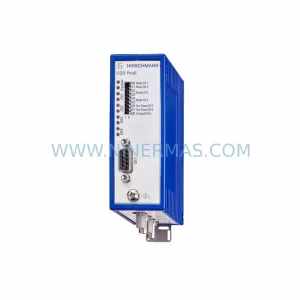
SKU: OZD PROFI 12M G12-1300 PRO
Hirschmann OZD PROFI 12M G12-1300 PRO Industrial Spare Part
Catalog Continuation
Alternative parts within PLC & Industrial Automation Modules.
Stay inside the same system family when you need substitutes, adjacent modules, or a broader shortlist for procurement review.