Original Industrial Spare Part
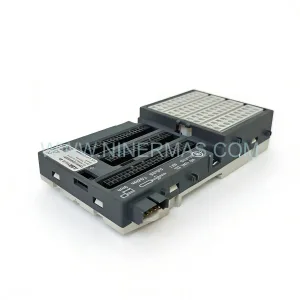
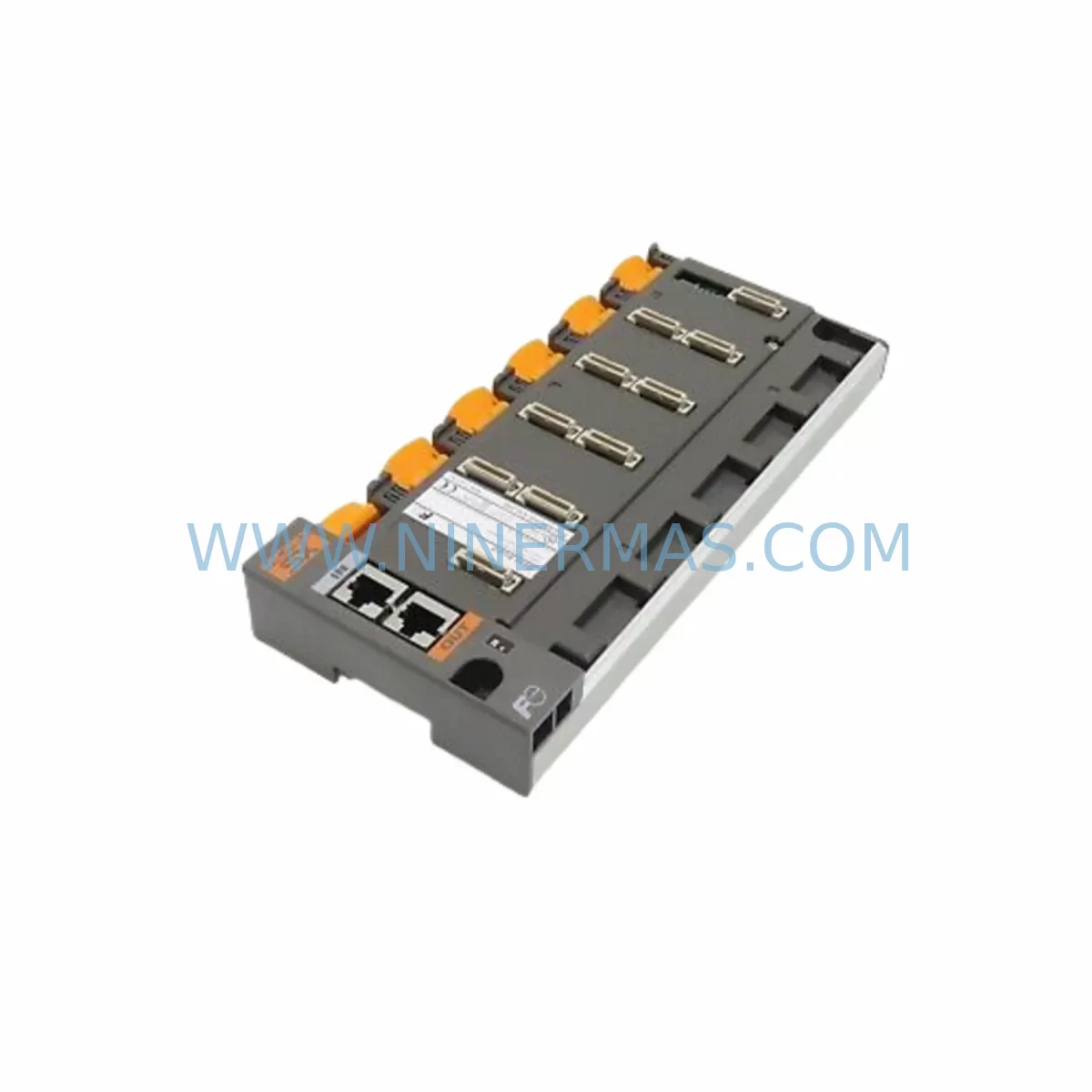
FUJI NP1BS-06 Service-Ready Spare Part for Industrial Maintenance
Verify the part, confirm the platform family, and move straight into quotation with the right commercial details.
RFQ Ready
- SKUNP1BS-06
- CategoryPLC & Industrial Automation Modules
- BrandFUJI
- SupportAvailability, lead time, condition, and shipping coordination
How Buyers Usually Use This Page
- Confirm the exact part number and platform family before sending the quote request.
- Use direct email when quantity, condition, and destination are already defined internally.
- Switch to the broader brand or category archive when you need alternates nearby.
Series Navigation
Move through the most common platform families behind this part.
Product RFQ
Send this part directly for quotation.
Include quantity, required condition, destination country, and target delivery timing. Current reference: FUJI NP1BS-06 Service-Ready Spare Part for Industrial Maintenance with SKU NP1BS-06.
FUJI NP1BS-06 Service-Ready Spare Part for Industrial Maintenance
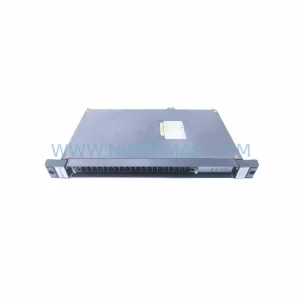
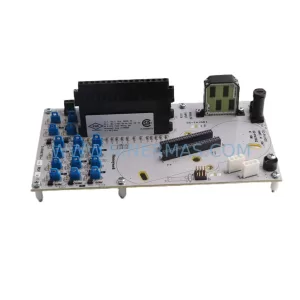
The FUJI NP1BS-06 is an original base board module engineered for deployment within FUJI NP-series programmable controller systems. In industrial environments where control system uptime is non-negotiable, maintaining a verified stock of the NP1BS-06 is a foundational element of any credible spare parts strategy. Whether you are managing a high-cycle discrete manufacturing line, a continuous process plant, or a legacy automation cabinet that has been in service for over a decade, the NP1BS-06 provides the structural and electrical backbone that keeps your I/O modules, CPU units, and communication interfaces seated, powered, and communicating reliably.
Sourced as an original FUJI component and subject to pre-shipment functional verification, each NP1BS-06 unit shipped from our inventory is backed by a 12-month warranty. This commitment reflects our understanding that maintenance engineers and procurement teams cannot afford to introduce uncertainty into a spare parts pool. Every unit is inspected for connector integrity, backplane bus continuity, and physical condition before dispatch.
Spare Maintenance Table
| Parameter | Specification / Detail |
|---|---|
| Part Number / SKU | NP1BS-06 |
| Brand | FUJI Electric |
| Series | FUJI NP Series PLC |
| Module Type | Base Board (Backplane) Module |
| Slot Configuration | 6-slot expansion base |
| Compatible CPU Units | FUJI NP1PS, NP1L series and compatible NP-series CPUs |
| Bus Interface | NP-series internal backplane bus |
| Mounting | DIN rail or panel mount |
| Operating Temperature | 0°C to 55°C (standard industrial range) |
| Storage Temperature | -20°C to 70°C |
| Relative Humidity | 5% to 95% RH, non-condensing |
| Power Supply Compatibility | Via NP-series power supply module (e.g. NP1PS-24) |
| Origin | Japan |
| Condition | Original spare, pre-shipment tested |
| Warranty | 12 months from date of shipment |
| Application | Industrial automation, PLC cabinet maintenance, legacy system extension |
| Maintenance Recommendation | Inspect connector pins and bus contacts annually; replace if oxidation or mechanical wear is detected |
Maintenance Planning for Continuous Operation
When a base board module such as the NP1BS-06 is identified as a replacement candidate during a scheduled inspection or an unplanned fault event, experienced maintenance engineers understand that the base board is rarely the only component that warrants attention. A systematic approach to cabinet-level maintenance around this replacement will significantly reduce the probability of a secondary failure within the same maintenance window.
Begin by auditing the NP-series power supply module (such as the NP1PS-24 or NP1PS-48) that feeds the base board. A degraded power supply delivering marginal voltage under load is a common root cause of intermittent base board faults and I/O communication errors. Verify output voltage stability under full module load before reinstalling the replacement NP1BS-06.
Next, inspect all I/O modules seated in the existing base board slots — including digital input modules (NP1X series), digital output modules (NP1Y series), and any analog I/O modules in use. Connector pins on I/O modules can develop micro-oxidation over years of thermal cycling, and reseating them into a new base board without cleaning the contacts is a missed opportunity. Similarly, review the NP-series CPU module (NP1L or equivalent) for firmware currency and battery backup status; a base board replacement is an ideal time to address CPU battery replacement if the unit has been in service for more than three years.
Communication infrastructure deserves equal attention. If the cabinet includes a FUJI NP-series communication module for MODBUS, PROFIBUS, or proprietary network connectivity, verify that the module’s network address configuration and termination resistor settings are documented before removal. Re-commissioning a communication module after a base board swap without this documentation is a common source of post-maintenance network faults.
For cabinets that include signal isolation modules or relay output modules interfacing the PLC to field devices, inspect the relay contacts for wear and the isolation barriers for leakage current. These components are often overlooked during base board-focused maintenance but share the same thermal and vibration environment. Likewise, check terminal blocks and wiring harnesses connected to the I/O modules for insulation integrity and secure termination — loose field wiring is a leading cause of nuisance faults that are incorrectly attributed to PLC hardware.
If the system includes an HMI panel communicating with the NP-series CPU, confirm that the HMI communication cable and port are undamaged and that the HMI program version is compatible with the CPU firmware. Finally, review the cabinet’s 24VDC auxiliary power supply and any fuse or circuit breaker protection on the I/O power rails — a blown fuse on an output power rail can mimic a base board fault and should be ruled out before any hardware replacement is initiated.
Site Replacement Workflow
Replacing the NP1BS-06 in a live industrial environment requires a structured approach to minimize downtime and ensure system integrity upon restart. The following workflow reflects best practices for maintenance engineers performing this replacement in the field.
Step 1 — Pre-Replacement Documentation: Before powering down the cabinet, photograph or record the physical slot assignments of all modules installed in the existing base board. Note the CPU slot position, power supply connection, and any communication module addresses. Export or back up the PLC program from the CPU module if a backup has not been performed within the current maintenance cycle.
Step 2 — Controlled Shutdown: Follow your site’s lockout/tagout (LOTO) procedure. Power down the NP-series system via the main power supply module. Allow capacitors to discharge (typically 30–60 seconds) before handling any modules.
Step 3 — Module Removal: Remove all I/O modules, the CPU module, and the communication module from the existing NP1BS-06 base board in sequence. Store each module in an anti-static bag labeled with its slot position.
Step 4 — Base Board Replacement: Remove the faulty NP1BS-06 from the DIN rail or panel mount. Install the replacement NP1BS-06, ensuring the DIN rail clips are fully engaged and the unit is mechanically secure. Inspect the backplane bus connectors on the new base board for any shipping damage before proceeding.
Step 5 — Module Reinstallation and Verification: Reinstall all modules in their documented slot positions. Reconnect field wiring to I/O terminal blocks. Restore power and observe the CPU module’s status LEDs for normal initialization. Verify I/O communication by cycling through a diagnostic scan or using the PLC programming software to confirm all modules are recognized on the backplane.
Step 6 — Functional Test: Execute a controlled functional test of the process or machine under maintenance mode before returning the system to full production. Document the replacement in the site’s maintenance log, including the serial number of the replaced and installed NP1BS-06 units.
This workflow is applicable whether the NP1BS-06 is replacing a failed unit on an emergency basis or is being installed as part of a planned annual overhaul. The structured approach ensures compatibility is confirmed at each stage and reduces the risk of a repeat fault caused by an overlooked secondary issue.
Spare Parts Support FAQ
Q1: How do I confirm that the NP1BS-06 is compatible with my existing FUJI NP-series system?
The NP1BS-06 is a 6-slot base board module designed for the FUJI NP-series PLC platform. Compatibility is determined by the CPU module series (NP1L or NP1PS family) and the physical backplane bus standard used in your cabinet. If your existing base board is an NP-series unit and your CPU and I/O modules carry NP1 prefixes, the NP1BS-06 is the correct replacement form factor. If you are uncertain, provide your existing base board part number and CPU model to our technical team for confirmation before ordering.
Q2: What pre-shipment testing is performed on the NP1BS-06 before dispatch?
Each NP1BS-06 unit undergoes a pre-shipment inspection covering connector pin integrity, backplane bus contact condition, mechanical mounting feature functionality, and visual inspection for physical damage. Units that do not pass inspection are not dispatched. This process supports our 12-month warranty commitment and ensures that the unit you receive is fit for immediate installation in a production environment.
Q3: What is the recommended inventory strategy for the NP1BS-06 in a multi-cabinet facility?
For facilities operating three or more NP-series PLC cabinets, maintaining a minimum of one NP1BS-06 in on-site spare stock is recommended. Base board failures, while infrequent, result in complete loss of all I/O and CPU communication for the affected cabinet until the unit is replaced. Given that lead times for industrial PLC components can extend to several weeks in constrained supply environments, on-site stock eliminates this exposure. Pair the NP1BS-06 spare with a spare NP-series power supply module and at least one spare CPU module to cover the most common single-point failure scenarios.
Q4: Does the 12-month warranty cover field installation failures?
The 12-month warranty covers manufacturing defects and component failures under normal operating conditions as specified in the FUJI NP-series technical documentation. Failures resulting from incorrect installation, overvoltage events, physical damage during handling, or operation outside the specified environmental range are not covered. We recommend following the site replacement workflow described above and retaining the original packaging and documentation for any warranty claim. For warranty service inquiries, contact our support team directly.
| Product Series | Other series |
|---|
Catalog Continuation
More FUJI modules in the catalog.
Use the brand lane to compare nearby part numbers, platform-adjacent modules, and other inquiry-ready listings before sending your final RFQ.
SKU: G11-CPCB SA529591-08
FUJI G11-CPCB SA529591-08 Safety-Reliable CPU for Critical Control
SKU: EP-3959E-C EP-3959E-C2
FUJI EP-3959E-C Service-Ready Spare Part for Industrial Maintenance
Catalog Continuation
Alternative parts within PLC & Industrial Automation Modules.
Stay inside the same system family when you need substitutes, adjacent modules, or a broader shortlist for procurement review.