Original Industrial Spare Part
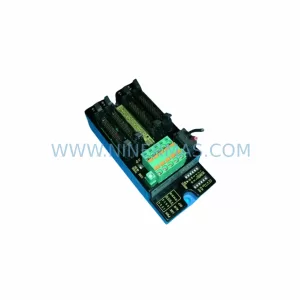
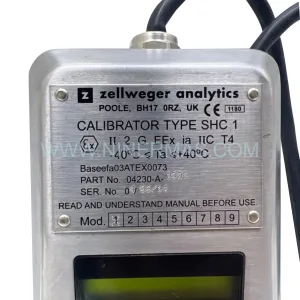
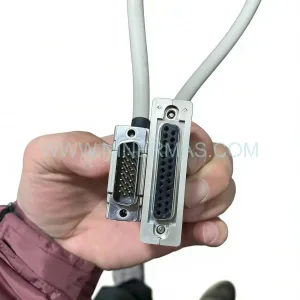
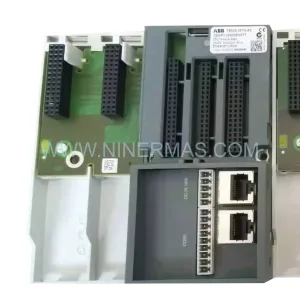
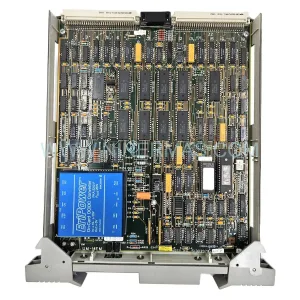
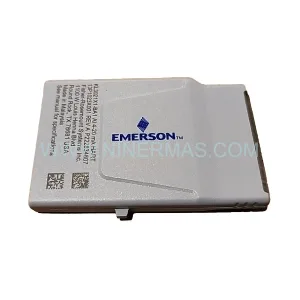
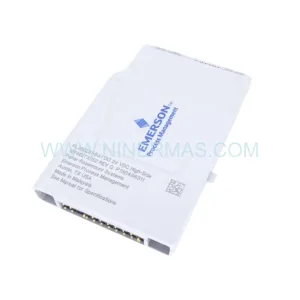
Emerson SP5402 Retrofit-Compatible I/O Module for Legacy Systems
Verify the part, confirm the platform family, and move straight into quotation with the right commercial details.
RFQ Ready
- SKUSP5402
- CategoryDCS Distributed Control Systems
- BrandEMERSON
- SupportAvailability, lead time, condition, and shipping coordination
How Buyers Usually Use This Page
- Confirm the exact part number and platform family before sending the quote request.
- Use direct email when quantity, condition, and destination are already defined internally.
- Switch to the broader brand or category archive when you need alternates nearby.
Series Navigation
Move through the most common platform families behind this part.
Product RFQ
Send this part directly for quotation.
Include quantity, required condition, destination country, and target delivery timing. Current reference: Emerson SP5402 Retrofit-Compatible I/O Module for Legacy Systems with SKU SP5402.
Emerson SP5402 Retrofit-Compatible I/O Module for Legacy Systems
The Emerson SP5402 is a proven I/O module designed for the Ovation Distributed Control System (DCS) platform — one of the most widely deployed process automation architectures in power generation, refining, and chemical processing facilities worldwide. As original Emerson Ovation hardware enters end-of-life and spare parts availability tightens, the SP5402 has become a critical component in retrofit programs aimed at extending the operational life of existing control infrastructure without requiring a full platform migration.
NINERMAS supplies the SP5402 as a retrofit-compatible replacement module, fully tested prior to shipment and backed by a 12-month warranty. Whether you are replacing a failed module in an emergency shutdown scenario, building a strategic spare parts inventory, or executing a phased control system modernization, the SP5402 provides a reliable, cost-effective path forward for facilities that need to maintain continuity on their existing Ovation DCS backbone.
The SP5402 interfaces directly with the Ovation controller backplane, maintaining compatibility with existing field wiring terminations, I/O channel assignments, and module addressing schemes. This means that in most retrofit scenarios, no changes to the control logic, HMI graphics, or historian tag configurations are required — significantly reducing the engineering effort and downtime risk associated with the replacement.
Upgrade Compatibility Table
| Parameter | SP5402 Specification | Retrofit Notes |
|---|---|---|
| Platform Compatibility | Emerson Ovation DCS | Compatible with Ovation 3.x and select 2.x controller generations |
| Backplane Interface | Ovation I/O backplane connector | Direct slot replacement; verify backplane revision before installation |
| Module Addressing | Hardware DIP switch / software-assigned | Retain original address settings from replaced module to avoid tag remapping |
| Field Wiring Termination | Compatible with existing Ovation terminal blocks | No rewiring required in standard replacement scenarios |
| Power Supply Requirement | 24 VDC via backplane | Confirm Ovation power supply module (e.g. SP5001 series) capacity before adding modules |
| Communication Protocol | Ovation proprietary I/O bus | No protocol conversion required; native Ovation controller communication |
| HMI / Historian Impact | Tag-transparent replacement | Existing Ovation Operator Station graphics and OSI PI historian tags remain valid |
| Installation Space | Standard Ovation I/O chassis slot | Confirm chassis slot availability; compatible with standard 19″ rack enclosures |
| Pre-Shipment Testing | Full functional test performed | Each unit tested against Ovation I/O specification before dispatch |
| Warranty | 12 Months | Covers manufacturing defects and functional failure under normal operating conditions |
Retrofit Planning for Existing Automation Systems
Successful integration of the SP5402 into an aging Ovation DCS environment requires careful pre-engineering to avoid unexpected complications during the maintenance window. The following considerations are drawn from common retrofit scenarios encountered across power plant distributed control upgrades, refinery safety system modernizations, and chemical plant I/O expansion projects.
Power Budget Verification: Before installing the SP5402, engineers should audit the total current draw on the affected Ovation I/O chassis. The Ovation power supply module — typically an SP5001 or SP5002 series unit — has a defined maximum output capacity. Adding or replacing I/O modules without verifying the power budget can result in intermittent faults or controller resets. If the existing power supply is operating near its rated limit, a parallel power supply module may need to be added to the chassis before the SP5402 is commissioned.
Backplane and Chassis Compatibility: The SP5402 is designed for the Ovation I/O chassis backplane. Facilities running older Ovation 2.x generation hardware should confirm backplane revision compatibility with their site documentation or Emerson service records. In some cases, an Ovation I/O chassis upgrade — replacing the backplane assembly while retaining the existing rack enclosure — may be required before the SP5402 can be installed. The Ovation controller module (OCR400 or OCR1100 series) firmware version should also be verified to ensure it supports the SP5402 module type.
Field Wiring and Terminal Block Inspection: In legacy installations, the Ovation marshalling cabinet wiring and terminal blocks may have aged insulation, corroded terminations, or undocumented field modifications. Prior to installing the SP5402, a point-to-point wiring check against the original I/O list is recommended. Where Ovation IOIC (I/O Interface Cable) assemblies are used between the marshalling panel and the I/O chassis, inspect for continuity and insulation integrity. Signal isolators may be required on certain analog input channels where field device grounding is inconsistent.
Module Address and Tag Mapping: The SP5402 must be assigned the same module address as the unit it replaces. In Ovation, I/O module addresses are defined in the Ovation Developer Studio database. If the replacement module is assigned a different address — even temporarily — the Ovation controller will generate I/O fault alarms and the associated control loops will fall to their configured fallback states. Confirm the address configuration in the Ovation Developer Studio before powering the new module, and have the control room operator monitor the affected loops during the hot-swap or cold-swap procedure.
HMI and Historian Continuity: One of the key advantages of a like-for-like SP5402 replacement is that the Ovation Operator Station HMI graphics, alarm setpoints, and OSI PI or Ovation Historian tag configurations do not require modification. This eliminates the need for HMI re-engineering, which can be a significant cost and schedule driver in broader control system upgrade projects. However, if the SP5402 is being installed as part of a broader Ovation software version upgrade — for example, migrating from Ovation 3.3 to Ovation 3.5 — the Ovation Developer Studio project should be backed up and the upgrade procedure validated in a staging environment before field implementation.
Communication Link Integrity: The SP5402 communicates with the Ovation controller over the Ovation I/O bus. In multi-drop I/O configurations, a fault on one module can affect the communication scan rate for other modules on the same bus segment. After installing the SP5402, verify that the Ovation controller diagnostic display shows normal I/O scan times and that no other modules on the chassis are reporting communication errors. If the facility uses Ovation Remote I/O (RIO) nodes connected via fiber optic links, confirm that the RIO node firmware is compatible with the SP5402 module type.
Downtime Control During System Migration
Minimizing unplanned downtime is the primary operational constraint in any Ovation DCS retrofit project. The SP5402 replacement procedure can typically be executed within a planned maintenance window of two to four hours, provided that pre-engineering is complete and all replacement components — including the SP5402 module, any required terminal block adapters, and updated Ovation Developer Studio configuration files — are staged and verified before the maintenance window begins.
For facilities that cannot tolerate a full controller shutdown, the Ovation platform supports hot-standby controller configurations using redundant OCR400 or OCR1100 controller pairs. In redundant configurations, I/O module replacement can sometimes be performed with the standby controller maintaining process control, reducing the effective control interruption to the switchover time rather than the full replacement duration. This approach requires careful coordination with the control room team and should be validated against the site-specific Ovation redundancy configuration before execution.
To protect the existing control program logic during the replacement, the Ovation Developer Studio project database should be exported and archived before any hardware changes are made. This ensures that if an unexpected issue arises during the replacement — such as a controller firmware incompatibility or a backplane fault — the original configuration can be restored without data loss. The archived project should include the full I/O database, control logic sheets, HMI graphics, and alarm configuration.
Field commissioning of the SP5402 should include a channel-by-channel I/O verification against the original I/O list, confirmation that all associated control loops are responding correctly to field signals, and a review of the Ovation controller diagnostic log for any new fault codes. Where the SP5402 is replacing a module that failed in service, the root cause of the failure should be investigated — common causes include power supply voltage transients, excessive ambient temperature in the control cabinet, and moisture ingress — and corrective actions implemented before the replacement module is placed in service.
Retrofit Support FAQ
Q1: Is the SP5402 a direct drop-in replacement for the existing module in my Ovation DCS chassis?
In the majority of Ovation DCS installations, the SP5402 is a direct slot replacement. The module uses the standard Ovation I/O backplane connector and is compatible with existing field wiring terminations. However, customers should confirm the Ovation controller firmware version and backplane revision against the SP5402 compatibility matrix before installation. NINERMAS can provide technical support to assist with compatibility verification prior to order placement.
Q2: What pre-shipment testing is performed on the SP5402 before dispatch?
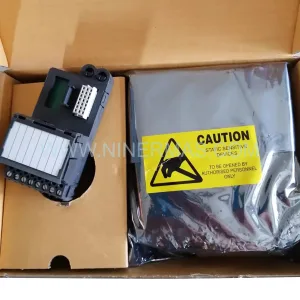
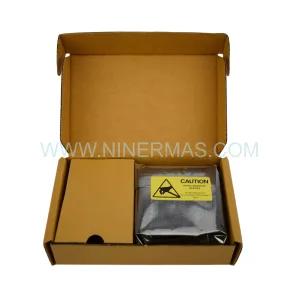
Every SP5402 unit supplied by NINERMAS undergoes a full functional test prior to shipment. Testing includes power-on verification, I/O channel functional checks, and communication bus integrity testing. A test report is available upon request. All units are shipped with ESD-protective packaging to prevent damage during transit.
Q3: Can the SP5402 be used in an Ovation system that is being upgraded to a newer software version?
The SP5402 is compatible with Ovation 3.x software versions. If your facility is executing an Ovation software upgrade concurrent with the hardware replacement, NINERMAS recommends completing the software upgrade validation in a staging environment before installing the SP5402 in the live system. Our technical team can advise on known compatibility considerations for specific Ovation software versions.
Q4: What warranty coverage is provided, and what does it include?
NINERMAS provides a 12-month warranty on all SP5402 units from the date of shipment. The warranty covers manufacturing defects and functional failure under normal operating conditions. In the event of a warranty claim, NINERMAS will arrange for a replacement unit to be dispatched with priority shipping to minimize site downtime. Warranty claims should be submitted to sale@ninermas.com with the original order reference and a description of the fault observed.
| Product Series | Ovation |
|---|---|
| Country of Origin | US |
Catalog Continuation
More EMERSON modules in the catalog.
Use the brand lane to compare nearby part numbers, platform-adjacent modules, and other inquiry-ready listings before sending your final RFQ.
Catalog Continuation
Alternative parts within DCS Distributed Control Systems.
Stay inside the same system family when you need substitutes, adjacent modules, or a broader shortlist for procurement review.