Original Industrial Spare Part
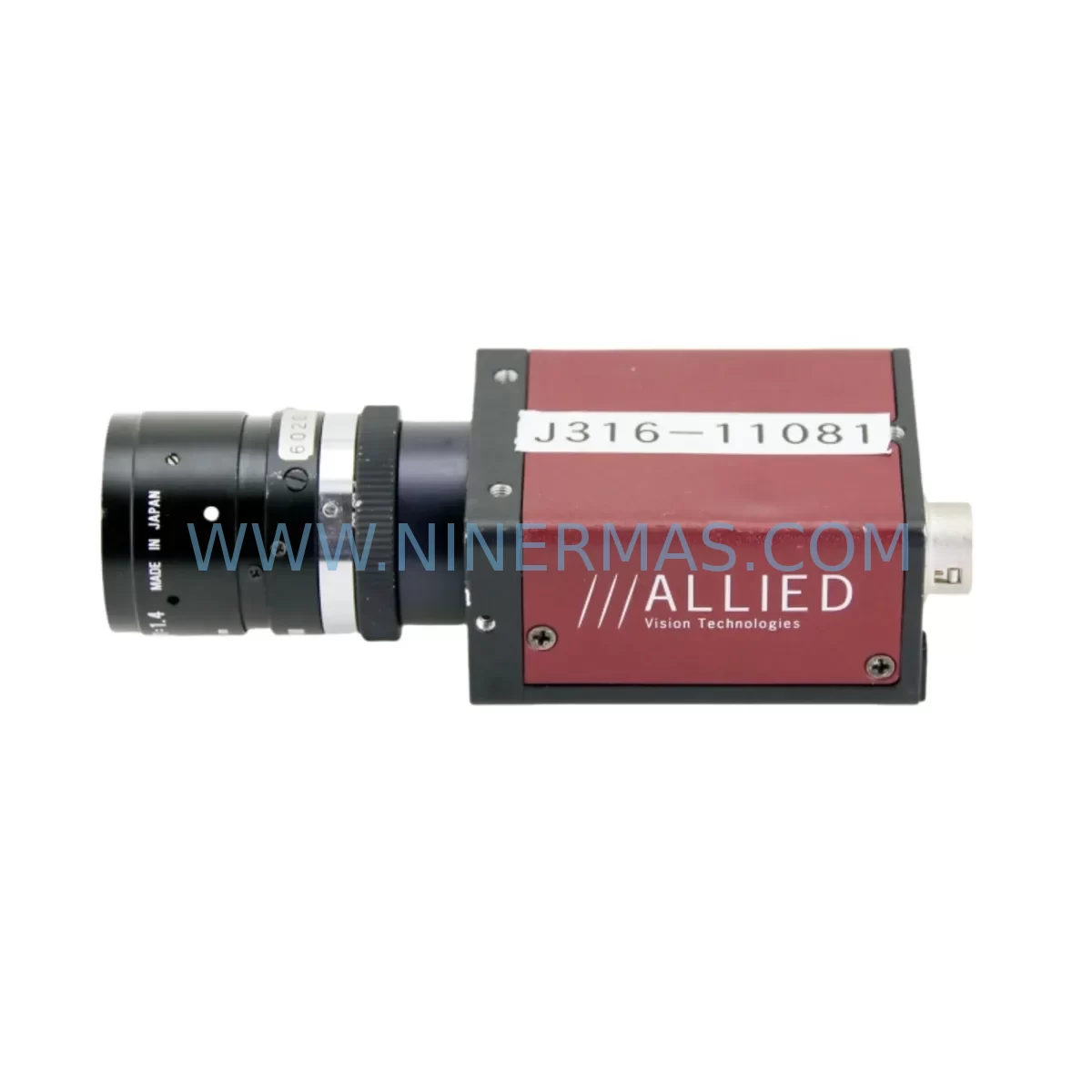
Allied C2514-M-F146B-LF-5SWC Retrofit Camera for Legacy Systems
Verify the part, confirm the platform family, and move straight into quotation with the right commercial details.
RFQ Ready
- SKUC2514-M F146B 36-0442 54-0442 7520572050, 0920-01014 LF-5SWC
- CategoryPLC & Industrial Automation Modules
- BrandAllied Vision
- SupportAvailability, lead time, condition, and shipping coordination
How Buyers Usually Use This Page
- Confirm the exact part number and platform family before sending the quote request.
- Use direct email when quantity, condition, and destination are already defined internally.
- Switch to the broader brand or category archive when you need alternates nearby.
Series Navigation
Move through the most common platform families behind this part.
Product RFQ
Send this part directly for quotation.
Include quantity, required condition, destination country, and target delivery timing. Current reference: Allied C2514-M-F146B-LF-5SWC Retrofit Camera for Legacy Systems with SKU C2514-M F146B 36-0442 54-0442 7520572050, 0920-01014 LF-5SWC.
Allied C2514-M-F146B-LF-5SWC Retrofit Camera for Legacy Systems
The Allied Vision C2514-M-F146B-LF-5SWC is a ruggedized monochrome GigE Vision camera engineered for demanding industrial environments where legacy imaging systems are reaching end-of-life. As production lines built around discontinued Allied Vision Mako or Prosilica-series cameras face obsolescence, the C2514-M-F146B-LF-5SWC provides a validated retrofit path that preserves existing GigE infrastructure, frame grabber wiring, and machine vision software logic without requiring a full platform overhaul. NINERMAS maintains verified stock of this model with pre-shipment functional testing and a 12-month warranty on every unit shipped.
For maintenance engineers managing aging vision inspection stations, the C2514-M-F146B-LF-5SWC addresses the most critical retrofit challenge: minimizing downtime while maintaining image quality, trigger timing, and communication protocol continuity. Its C-mount lens interface ensures compatibility with existing Computar, Kowa, and Fujinon optics already installed on the line, eliminating the need to re-qualify lenses during the camera swap. The camera’s GigE Vision / GenICam compliance means it integrates directly with existing Cognex VisionPro, Halcon, or NI Vision Builder environments with minimal reconfiguration of acquisition parameters.
Upgrade Compatibility Table
| Parameter | Legacy Reference | C2514-M-F146B-LF-5SWC | Retrofit Note |
|---|---|---|---|
| Interface | GigE Vision (RJ-45) | GigE Vision (RJ-45) | Direct cable reuse; verify Cat5e/Cat6 shielding |
| Lens Mount | C-Mount | C-Mount | Existing optics retained; re-check back-focal distance |
| Trigger I/O | Opto-isolated, 12-24 VDC | Opto-isolated, 12-24 VDC | Confirm PLC output current matches trigger input spec |
| Power Supply | PoE (802.3af) or 12 VDC aux | PoE (802.3af) or 12 VDC aux | Verify PoE switch port budget; aux connector pinout |
| Communication Protocol | GigE Vision / GenICam | GigE Vision / GenICam | No driver change required in most vision software stacks |
| Mounting | M42 or custom bracket | M42 thread pattern | Confirm bracket hole pattern; adapter plates available |
| Operating Temperature | 0–50 °C | 0–50 °C (extended range with F146B housing) | F146B ruggedized housing rated for vibration/IP protection |
| Warranty | OEM (expired/discontinued) | 12 Months — NINERMAS | Covers functional defects; pre-shipment tested |
Retrofit Planning for Existing Automation Systems
A successful retrofit of the C2514-M-F146B-LF-5SWC into an existing machine vision station begins well before the camera arrives on site. The first step is a full audit of the control cabinet: confirm that the managed GigE switch — often a Moxa EDS-308 or similar industrial Ethernet switch — has a free PoE-capable port with sufficient power budget, or that a dedicated 12 VDC DIN-rail power supply (typically 24W minimum) is available for the auxiliary power connector. Verify that the existing Cat6 shielded cable run from the switch to the camera mounting position does not exceed 100 m, and inspect connectors for corrosion or mechanical damage that could cause intermittent packet loss during high-speed image acquisition.
On the PLC side, the trigger signal wiring must be reviewed carefully. Many legacy installations use a Siemens S7-300 or S7-400 digital output module to generate the hardware trigger pulse. Confirm that the output module’s source current (typically 0.5–2 mA at 24 VDC) meets the camera’s opto-isolator input threshold. If the existing wiring runs through a Phoenix Contact or Weidmüller terminal block rail, label and photograph each terminal before disconnection to ensure accurate re-termination. Where signal isolation is required between the PLC output and the camera trigger input, a DIN-rail signal isolator such as a Pepperl+Fuchs KFD2-series module can be inserted without modifying the existing cable harness.
For installations where the C2514-M-F146B-LF-5SWC replaces a camera previously connected to a frame grabber via Camera Link, a protocol migration step is required. The GigE Vision interface eliminates the need for the frame grabber card entirely, freeing a PCIe slot in the vision PC. However, the vision application software must be reconfigured to use a GigE Vision acquisition driver (such as Allied Vision Vimba SDK or a GenICam-compliant wrapper) in place of the Camera Link driver. This reconfiguration typically takes 2–4 hours for an experienced vision engineer and does not require changes to the image processing algorithm or inspection logic downstream.
Where multiple cameras are installed in a single inspection cell — for example, a top-view camera paired with a side-view camera on the same GigE switch — confirm that each camera is assigned a unique static IP address within the subnet and that the switch’s IGMP snooping settings are correctly configured to prevent multicast flooding. An Allied Vision Manta G-235 or similar companion camera on the same network segment should be verified for IP address conflicts before the C2514-M-F146B-LF-5SWC is brought online. If the installation includes a Cognex In-Sight vision sensor on the same Ethernet segment, ensure VLAN segmentation is in place to isolate vision traffic from general plant network traffic.
Lighting controller compatibility is another area that requires pre-installation verification. Many legacy inspection stations use a Gardasoft RT200 or CCS LDC series strobe controller synchronized to the camera’s flash output signal. Confirm that the C2514-M-F146B-LF-5SWC’s GPIO flash output voltage and pulse width are compatible with the strobe controller’s input specifications. If the existing lighting uses a high-power LED ring light with a separate 48 VDC power supply, verify that the strobe controller’s output current rating matches the LED driver requirements before energizing the system.
Downtime Control During System Migration
Minimizing production downtime during a camera retrofit requires a structured pre-commissioning approach. Before the scheduled maintenance window, prepare a complete backup of the vision application project file, including all inspection tools, calibration data, region-of-interest definitions, and pass/fail thresholds. Store this backup on a network share independent of the vision PC to protect against data loss during hardware changes.
During the maintenance window, follow a sequential swap procedure: power down the camera using the PoE switch port disable command (or disconnect the 12 VDC aux supply), remove the legacy camera from the mounting bracket, install the C2514-M-F146B-LF-5SWC using the existing M42 adapter, reconnect the GigE cable and trigger wiring, and restore power. Use Allied Vision’s Vimba Viewer or a GenICam browser tool to confirm that the camera is detected on the network and that live image acquisition is functional before launching the vision application. This pre-launch check typically takes 10–15 minutes and prevents the more costly scenario of discovering a wiring fault only after the production line has been restarted.
For critical production lines where even a 2-hour maintenance window is difficult to schedule, NINERMAS recommends requesting a pre-configured spare unit with IP address and acquisition parameters pre-loaded, so that the on-site swap is reduced to a physical exchange and a single network connectivity test. This approach has been validated in automotive body shop and semiconductor wafer inspection environments where continuous operation requirements are stringent.
After the camera swap, perform a full inspection cycle with known-good reference parts before releasing the line to production. Document the before-and-after image quality metrics (contrast, sharpness, exposure time) and retain this record as part of the equipment change control log required under ISO 9001 or IATF 16949 quality management systems.
Retrofit Support FAQ
Q1: Is the C2514-M-F146B-LF-5SWC a direct drop-in replacement for my existing Allied Vision GigE camera?
In most cases, yes — provided your existing camera uses a GigE Vision / GenICam interface and a C-mount lens. The trigger wiring, PoE power, and GigE cable can typically be reused without modification. Minor reconfiguration of acquisition parameters (exposure, gain, packet size) in your vision software is expected and is documented in the Allied Vision Vimba SDK migration guide.
Q2: What pre-shipment testing does NINERMAS perform on the C2514-M-F146B-LF-5SWC?
Every unit undergoes functional power-on testing, GigE connectivity verification, live image acquisition confirmation, and trigger I/O response testing before shipment. A test report is available upon request. All units are covered by a 12-month warranty against functional defects from the date of shipment.
Q3: Can I use this camera with my existing Cognex or Halcon vision software?
Yes. The C2514-M-F146B-LF-5SWC is GenICam-compliant and can be accessed via any GigE Vision-compatible acquisition interface, including Cognex VisionPro GigE Vision acquisition, MVTec Halcon’s GigE Vision interface, and National Instruments Vision Acquisition Software. No proprietary driver is required beyond a standard GigE Vision transport layer.
Q4: What is the lead time and stock availability?
NINERMAS maintains in-stock inventory of the C2514-M-F146B-LF-5SWC to support urgent retrofit and breakdown replacement requirements. Standard lead time for in-stock units is 3–5 business days for international shipment. For large-quantity or reserved-stock requirements, contact our team to discuss long-term supply agreements with guaranteed inventory allocation.
| Product Series | Legacy |
|---|
Catalog Continuation
Alternative parts within PLC & Industrial Automation Modules.
Stay inside the same system family when you need substitutes, adjacent modules, or a broader shortlist for procurement review.


SKU: 6FC5357-0BB12-0AE0
Siemens 6FC5357-0BB12-0AE0 Service-Ready Industrial Spare Part

SKU: 3BSE011790R1(PXHK401)
ABB 3BSE011790R1 PXHK401 Retrofit-Ready Communication Module