
Original Industrial Spare Part
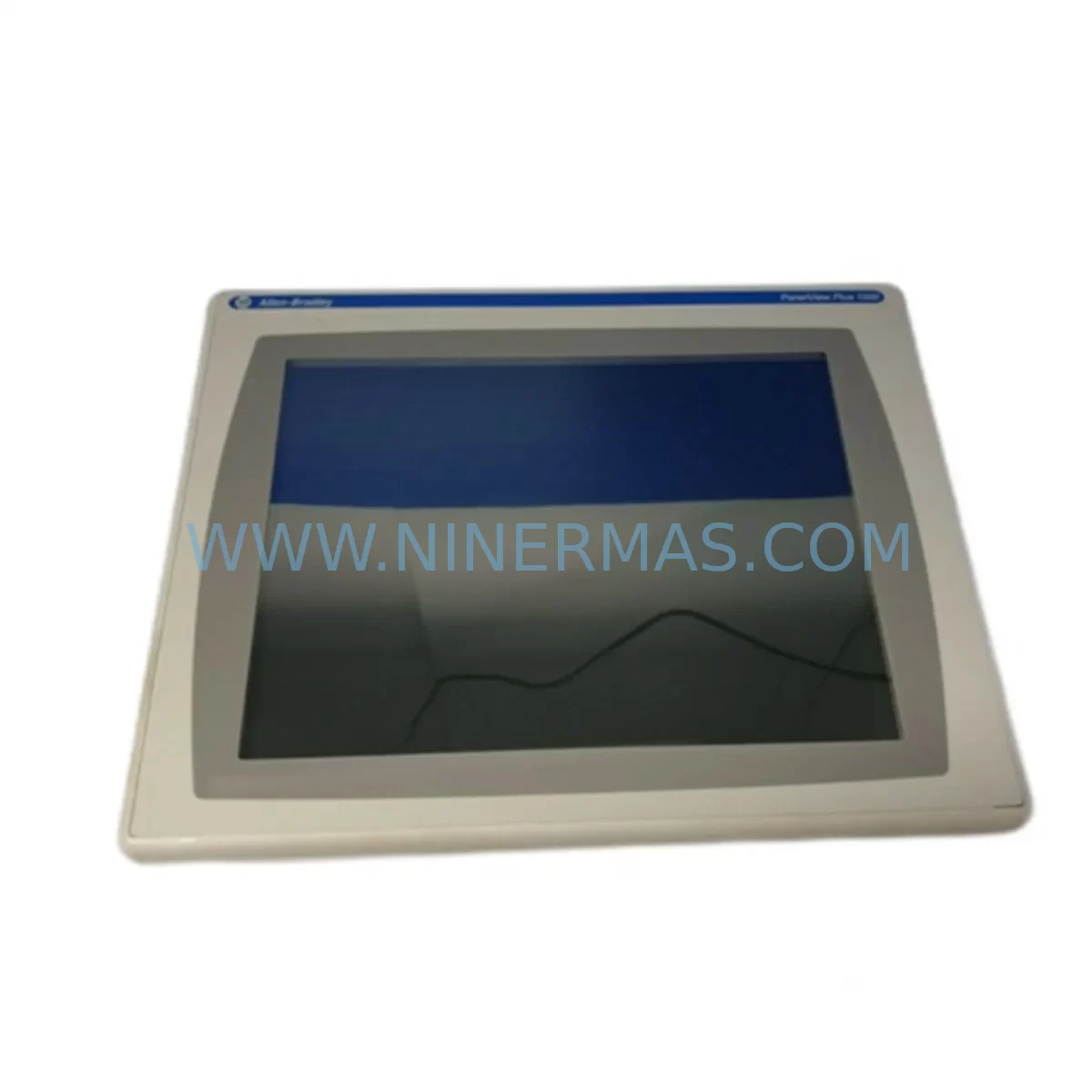
Allen-Bradley 2711P-T15C4D1 Service-Ready Spare Part for Industrial Maintenance
Verify the part, confirm the platform family, and move straight into quotation with the right commercial details.
RFQ Ready
- SKU2711P-T15C4D1
- CategoryPLC & Industrial Automation Modules
- BrandAllen-Bradley
- SupportAvailability, lead time, condition, and shipping coordination
How Buyers Usually Use This Page
- Confirm the exact part number and platform family before sending the quote request.
- Use direct email when quantity, condition, and destination are already defined internally.
- Switch to the broader brand or category archive when you need alternates nearby.
Series Navigation
Move through the most common platform families behind this part.
Product RFQ
Send this part directly for quotation.
Include quantity, required condition, destination country, and target delivery timing. Current reference: Allen-Bradley 2711P-T15C4D1 Service-Ready Spare Part for Industrial Maintenance with SKU 2711P-T15C4D1.
Allen-Bradley 2711P-T15C4D1 Service-Ready Spare Part for Industrial Maintenance
The Allen-Bradley 2711P-T15C4D1 is a 15-inch color touch panel terminal from the PanelView Plus 1500 series, engineered for demanding industrial HMI applications across manufacturing, process control, and critical infrastructure environments. As a service-ready spare part sourced and verified by NINERMAS, this unit is prepared for immediate deployment to minimize unplanned downtime and restore production continuity. Whether you are managing a scheduled annual overhaul, responding to an emergency panel failure, or building a strategic spare parts inventory for aging control systems, the 2711P-T15C4D1 represents a reliable, original-specification replacement that maintains full compatibility with your existing Rockwell Automation architecture.
Maintenance engineers and procurement teams operating PanelView Plus 1500 installations understand the operational risk of HMI failure. A failed operator interface can halt an entire production line, disrupt batch processes, or compromise safety interlocks. Stocking a verified 2711P-T15C4D1 spare eliminates the lead-time risk associated with last-minute sourcing and ensures that your maintenance team can execute a rapid swap-out during the next available maintenance window — or immediately in the event of an unplanned outage.
Spare Maintenance Table
| Parameter | Specification |
|---|---|
| Part Number / SKU | 2711P-T15C4D1 |
| Brand | Allen-Bradley (Rockwell Automation) |
| Series | PanelView Plus 1500 |
| Display Size | 15-inch Color TFT LCD |
| Input Voltage | 24V DC (nominal) |
| Communication Ports | Ethernet (DH-485 / DF1 / EtherNet/IP) |
| Operating Temperature | 0°C to 55°C (32°F to 131°F) |
| Protection Rating | NEMA 4/4X, 12, 13 (front face) |
| Compatibility | FactoryTalk View ME, RSView ME, PanelView Plus 1500 enclosures |
| Installation | Panel cutout mount, standard PanelView Plus 1500 footprint |
| Maintenance Recommendation | Inspect backlight, touch calibration, and communication integrity annually |
| Warranty | 12 Months — Tested and verified before shipment |
| Origin | United States (Rockwell Automation OEM) |
Maintenance Planning for Continuous Operation
When replacing the 2711P-T15C4D1 in a live control cabinet or during a planned shutdown, a thorough maintenance review of the surrounding electrical and control infrastructure is strongly recommended. The HMI terminal does not operate in isolation — it is the operator interface layer of a broader control system, and its replacement is an ideal opportunity to inspect and validate adjacent components that share the same power rail, communication bus, or I/O network.
Begin with the 24V DC power supply feeding the panel. Units such as the Allen-Bradley 1606-XLP or equivalent industrial DIN-rail power supplies should be checked for output voltage stability, ripple, and thermal performance. A degraded power supply is a common root cause of intermittent HMI faults and should be replaced proactively if it shows signs of aging. Next, inspect the Ethernet communication cabling and any managed switches or unmanaged hubs in the EtherNet/IP segment — cable integrity, connector seating, and switch port status all affect HMI-to-PLC communication reliability.
If the control system includes a CompactLogix or ControlLogix PLC (such as the 1769-L33ER or 1756-L71), verify that the processor firmware is compatible with the replacement HMI’s FactoryTalk View ME runtime version. Firmware mismatches can cause communication failures that are easily mistaken for hardware faults. While the cabinet is open, inspect the 1492-series terminal blocks and wiring for signs of heat damage, loose terminations, or corrosion — particularly on analog signal circuits and 24V DC distribution rails.
For systems using remote I/O or distributed I/O over DeviceNet or EtherNet/IP, check the 1734-AENT or 1738-AENT Point I/O adapter modules for fault indicators and verify that all I/O modules are seated correctly in their backplanes. Signal isolators on thermocouple or 4–20mA analog inputs should also be inspected, as these components are often overlooked during HMI-focused maintenance events but can cause erratic process readings that operators may incorrectly attribute to the HMI display.
Relay output modules and safety relay units (such as the 440R-series) in the same cabinet should be tested for contact integrity, especially if the system has been in service for more than five years. Contactor coil voltage, auxiliary contact condition, and overload relay settings are all worth verifying during the same maintenance window. Finally, if the installation includes a 1783-series Stratix managed switch for the EtherNet/IP network, confirm that port configurations, VLANs, and QoS settings are correctly applied to support the HMI communication requirements.
Site Replacement Workflow
Replacing the 2711P-T15C4D1 on-site is a straightforward process when the correct spare is on hand and the replacement unit has been pre-tested. Begin by backing up the existing HMI application from the current terminal using FactoryTalk View ME Studio or a USB transfer, if the panel is still partially functional. If the panel has failed completely, the application backup should be retrieved from your site’s configuration management archive or from the PLC program backup, which may contain the last-known HMI project revision.
Power down the control cabinet following your site’s lockout/tagout (LOTO) procedure. Remove the failed 2711P-T15C4D1 by releasing the panel mounting clamps from the rear, disconnecting the 24V DC power connector, and unplugging the Ethernet communication cable. Install the replacement unit into the same panel cutout — the PanelView Plus 1500 series uses a standardized mounting footprint, so no mechanical modification is required. Reconnect power and communication cables, restore power, and load the HMI application via USB or network download. Perform a full touch calibration and communication test before returning the system to production.
This direct form-fit-function replacement approach eliminates the need for any PLC program modification, panel rewiring, or enclosure rework, making the 2711P-T15C4D1 an ideal long-term spare for sites operating legacy PanelView Plus 1500 installations. For older systems approaching end-of-life, maintaining one or two verified spare units in your local inventory is a cost-effective strategy for extending system service life without committing to a full control system upgrade.
Spare Parts Support FAQ
Q1: Is the 2711P-T15C4D1 a direct replacement for other PanelView Plus 1500 variants?
The 2711P-T15C4D1 is compatible with standard PanelView Plus 1500 panel cutouts and uses the same 24V DC power and EtherNet/IP communication interface as other terminals in the PanelView Plus 1500 family. Compatibility with specific application software versions should be verified against your FactoryTalk View ME project requirements before installation.
Q2: What testing is performed before shipment?
Each 2711P-T15C4D1 unit supplied by NINERMAS undergoes functional power-on testing, display verification, touch input calibration check, and communication port inspection prior to packaging. Units are shipped with a 12-month warranty covering manufacturing defects and functional failures under normal operating conditions.
Q3: Can NINERMAS support long-term or repeat procurement of this part?
Yes. NINERMAS maintains ongoing sourcing relationships for Allen-Bradley PanelView Plus series components and can support scheduled procurement programs, blanket orders, and emergency same-day quotation requests. Contact our team to discuss volume pricing and lead-time commitments for your maintenance inventory plan.
Q4: What should I do if the replacement HMI does not communicate with the PLC after installation?
First, verify that the Ethernet cable is correctly seated and that the network switch port is active. Confirm that the IP address configured on the replacement HMI matches the address expected by the PLC program. Check that the FactoryTalk View ME runtime version on the replacement unit is compatible with the HMI application project. If communication issues persist, inspect the 1783-series Stratix switch configuration and verify that no firewall or VLAN policy is blocking EtherNet/IP traffic on port 44818.
| Product Series | 2711 |
|---|---|
| Country of Origin | US |
Catalog Continuation
More Allen-Bradley modules in the catalog.
Use the brand lane to compare nearby part numbers, platform-adjacent modules, and other inquiry-ready listings before sending your final RFQ.




Catalog Continuation
Alternative parts within PLC & Industrial Automation Modules.
Stay inside the same system family when you need substitutes, adjacent modules, or a broader shortlist for procurement review.



SKU: HDD02.2-W040N-HS12-01-FW FWA-DIAX04-ELS-05VRS-MS
Rexroth HDD02.2-W040N-HS12-01-FW Service-Ready Spare Part

SKU: I5DAE375F10010000S
Lenze I5DAE375F10010000S Service-Ready Spare Part for Industrial Maintenance



