Original Industrial Spare Part
Allen-Bradley 2711-B6C9 Service-Ready Spare Part for Industrial Maintenance
Verify the part, confirm the platform family, and move straight into quotation with the right commercial details.
RFQ Ready
- SKU2711-B6C9
- CategoryPLC & Industrial Automation Modules
- BrandAllen-Bradley
- SupportAvailability, lead time, condition, and shipping coordination
How Buyers Usually Use This Page
- Confirm the exact part number and platform family before sending the quote request.
- Use direct email when quantity, condition, and destination are already defined internally.
- Switch to the broader brand or category archive when you need alternates nearby.
Series Navigation
Move through the most common platform families behind this part.
Product RFQ
Send this part directly for quotation.
Include quantity, required condition, destination country, and target delivery timing. Current reference: Allen-Bradley 2711-B6C9 Service-Ready Spare Part for Industrial Maintenance with SKU 2711-B6C9.
Allen-Bradley 2711-B6C9 Service-Ready Spare Part for Industrial Maintenance
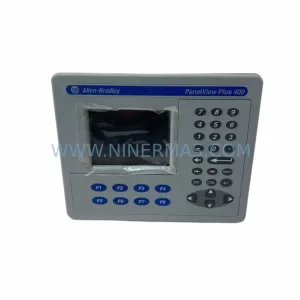
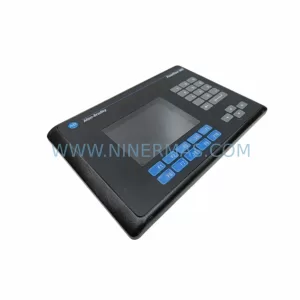
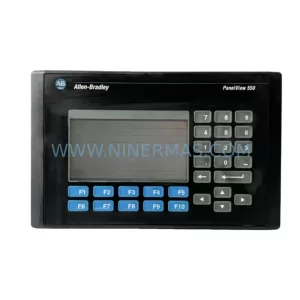
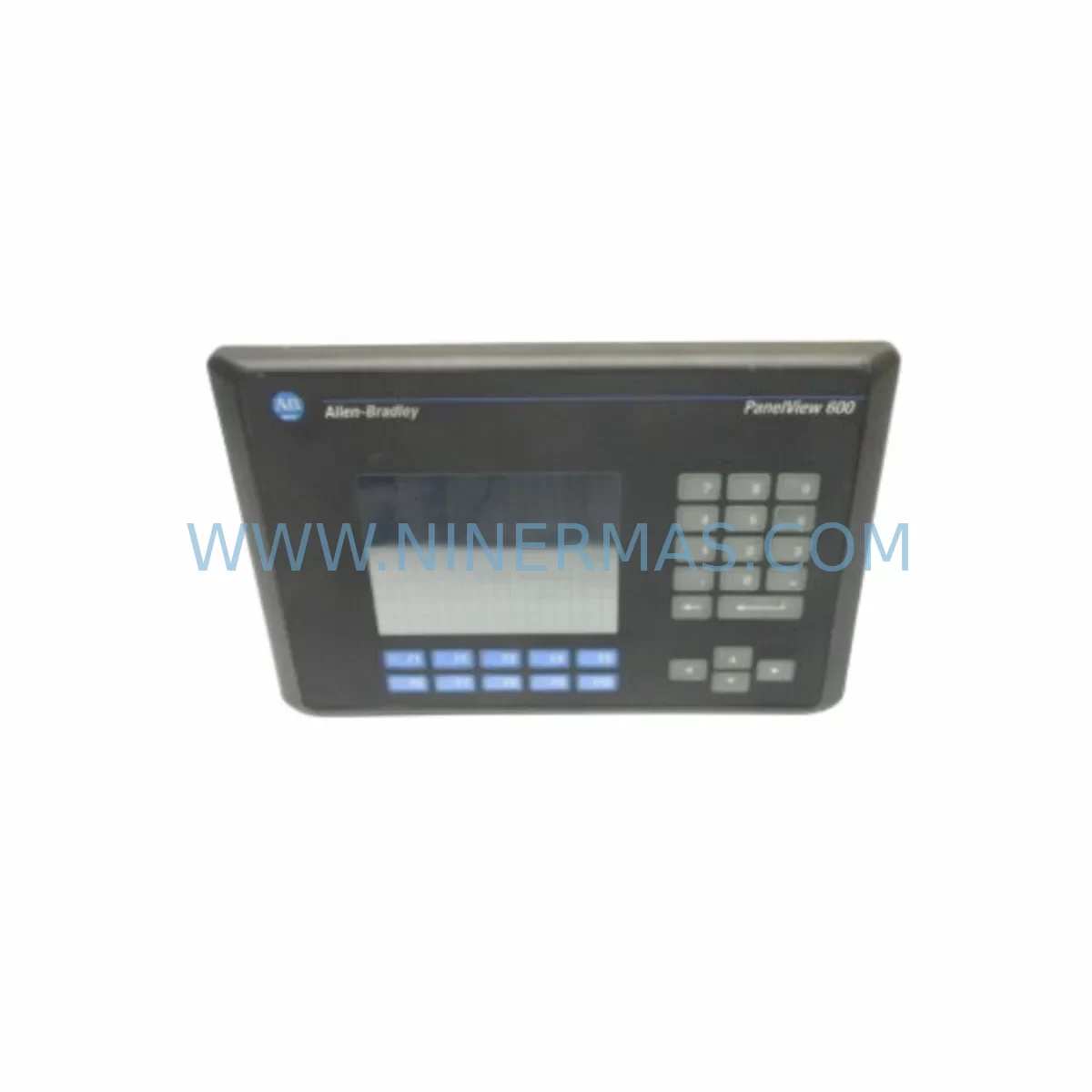
The Allen-Bradley 2711-B6C9 is a PanelView 600 series operator interface terminal widely deployed across discrete manufacturing, process control, and material handling environments. As a critical human-machine interface (HMI) component in Rockwell Automation control architectures, the 2711-B6C9 serves as the primary operator touchpoint for monitoring system status, acknowledging alarms, and executing manual control sequences. When this unit fails or reaches end-of-service life, production lines face immediate downtime risk — making a verified, service-ready spare part an essential element of any industrial maintenance strategy.
At NINERMAS, we supply the 2711-B6C9 as a tested, service-ready spare part backed by a 12-month warranty. Each unit undergoes pre-shipment functional verification to confirm display integrity, keypad response, communication port operation, and power input stability before dispatch. Our inventory is maintained to support both emergency breakdown replacement and planned annual maintenance cycles, ensuring your procurement team can source this component with confidence regardless of lead time pressures.
Spare Maintenance Table
| SKU / Part Number | 2711-B6C9 |
| Brand | Allen-Bradley (Rockwell Automation) |
| Series | PanelView 600 |
| Product Type | HMI Operator Interface Terminal |
| Display Size | 6-inch monochrome / color (model-dependent) |
| Input Voltage | 24V DC (nominal) |
| Communication Interface | DH-485 / RS-232 (serial) |
| Compatible PLC Platforms | SLC 500, MicroLogix, PLC-5 series |
| Mounting | Panel cutout, front-mount |
| Operating Temperature | 0°C to 55°C |
| Protection Rating | NEMA 4 / IP65 (front face) |
| Application Environment | Discrete manufacturing, process control, material handling, utilities |
| Maintenance Recommendation | Inspect display backlight, keypad membrane, and communication cable annually. Replace unit proactively at first sign of display degradation or communication fault. |
| Warranty | 12 Months from date of shipment |
| Pre-Shipment Testing | Power-on, display, keypad, and communication port verified |
| Origin | United States |
Maintenance Planning for Continuous Operation
Replacing the 2711-B6C9 in a live control cabinet is rarely an isolated task. Maintenance engineers working on PanelView 600 installations should treat the HMI replacement as an opportunity to audit the surrounding electrical environment and reduce the risk of repeat failures. A structured inspection of the control cabinet at the time of HMI replacement significantly improves mean time between failures (MTBF) and reduces unplanned downtime.
Begin with the 24V DC power supply feeding the 2711-B6C9. Units such as the Allen-Bradley 1606-XLP or equivalent industrial DIN-rail power supplies should be checked for output voltage stability, ripple, and thermal performance. A degraded power supply is a common root cause of HMI display corruption and communication faults. Inspect the DH-485 communication cable and termination resistors — damaged shielding or loose connectors on the serial link between the HMI and the SLC 500 or MicroLogix processor (such as the 1747-L553 or 1763-L16BWA) can cause intermittent communication loss that mimics HMI hardware failure.
While the cabinet is open, inspect the 1746-IB16 or 1746-OB16 I/O modules in the SLC 500 rack for blown fuses, indicator LED anomalies, or loose field wiring. These modules are frequently overlooked during HMI-focused maintenance visits but are critical to the overall control loop integrity. Check the 1746-A13 or 1746-A7 backplane for secure module seating and any signs of corrosion or heat damage at the backplane connectors.
For installations using relay output modules, inspect the 1746-OW16 relay output module contacts for wear, particularly on high-cycle outputs controlling solenoids or motor starters. Relay contact degradation often produces erratic output behavior that operators may incorrectly attribute to HMI programming errors. Similarly, review any signal isolators or loop-powered transmitters connected to analog input modules such as the 1746-NI4 — signal drift from aging isolators can produce false alarm conditions displayed on the PanelView terminal.
If the installation includes a 1747-KE or 1747-PIC communication adapter for programming or SCADA connectivity, verify cable integrity and adapter firmware compatibility with the replacement HMI configuration. For sites running older DH+ networks, inspect the 1784-KTX or 1784-PCMK network interface cards and associated trunk cables for continuity. Finally, check all terminal blocks and DIN-rail mounted fuse holders in the 24V DC distribution circuit — loose terminations are a leading cause of intermittent power faults that shorten HMI service life.
Site Replacement Workflow
Replacing the Allen-Bradley 2711-B6C9 on-site follows a structured sequence designed to minimize downtime and eliminate configuration errors. Before removing the failed unit, document the existing HMI application file using RSView or PanelBuilder 32 software if a backup is not already on file. Confirm the replacement unit’s firmware revision is compatible with the existing application — mismatched firmware between the 2711-B6C9 hardware revision and the PanelBuilder project file is a common source of post-replacement communication faults.
Power down the control cabinet following your site’s lockout/tagout (LOTO) procedure. Disconnect the DH-485 or RS-232 communication cable and the 24V DC power connector from the rear of the HMI. Remove the panel cutout mounting hardware and extract the unit from the front of the panel. Install the replacement 2711-B6C9, reconnect power and communication cables, and restore power. Upload the application file to the new unit using a direct serial connection before returning the system to automatic operation.
For sites migrating away from the PanelView 600 platform due to obsolescence, the 2711-B6C9 can serve as a direct like-for-like replacement to extend system life while a longer-term migration to PanelView Plus 7 or PanelView 800 is planned. This approach avoids the cost and risk of a full control system upgrade during an unplanned breakdown event, preserving production continuity while the engineering team prepares a structured modernization project.
Spare Parts Support FAQ
Q1: Is the 2711-B6C9 still available as a new or service-ready spare part?
Yes. While Allen-Bradley has transitioned newer HMI lines to the PanelView Plus and PanelView 800 families, the 2711-B6C9 remains available as a service-ready spare part through specialist industrial suppliers. NINERMAS maintains stock of tested units to support both emergency replacement and planned maintenance procurement. Each unit is verified before shipment and covered by a 12-month warranty.
Q2: How do I confirm compatibility between the 2711-B6C9 and my existing PLC and application file?
Compatibility depends on three factors: the communication protocol (DH-485 or RS-232), the PanelBuilder 32 application file revision, and the hardware revision of the replacement unit. Provide your existing unit’s catalog number suffix and firmware version to our technical team, and we will confirm compatibility before shipment. We recommend testing the replacement unit with your application file in a bench environment before installation if production schedule permits.
Q3: What is your lead time and shipping process for the 2711-B6C9?
In-stock units are typically dispatched within 1-3 business days. Each unit undergoes pre-shipment power-on and communication testing. We provide tracking information and can support express freight for emergency breakdown situations. Contact sale@ninermas.com or +0086 187 5021 5667 for urgent requirements.
Q4: What does the 12-month warranty cover for this spare part?
The 12-month warranty covers hardware defects and functional failures under normal operating conditions from the date of shipment. It does not cover damage resulting from incorrect installation, overvoltage events, or physical impact. In the event of a warranty claim, NINERMAS will arrange replacement or repair. We recommend retaining the original packaging and shipment documentation for warranty reference.
| Product Series | 2711 |
|---|---|
| Country of Origin | US |
Catalog Continuation
More Allen-Bradley modules in the catalog.
Use the brand lane to compare nearby part numbers, platform-adjacent modules, and other inquiry-ready listings before sending your final RFQ.




Catalog Continuation
Alternative parts within PLC & Industrial Automation Modules.
Stay inside the same system family when you need substitutes, adjacent modules, or a broader shortlist for procurement review.



SKU: HDD02.2-W040N-HS12-01-FW FWA-DIAX04-ELS-05VRS-MS
Rexroth HDD02.2-W040N-HS12-01-FW Service-Ready Spare Part

SKU: I5DAE375F10010000S
Lenze I5DAE375F10010000S Service-Ready Spare Part for Industrial Maintenance