Original Industrial Spare Part
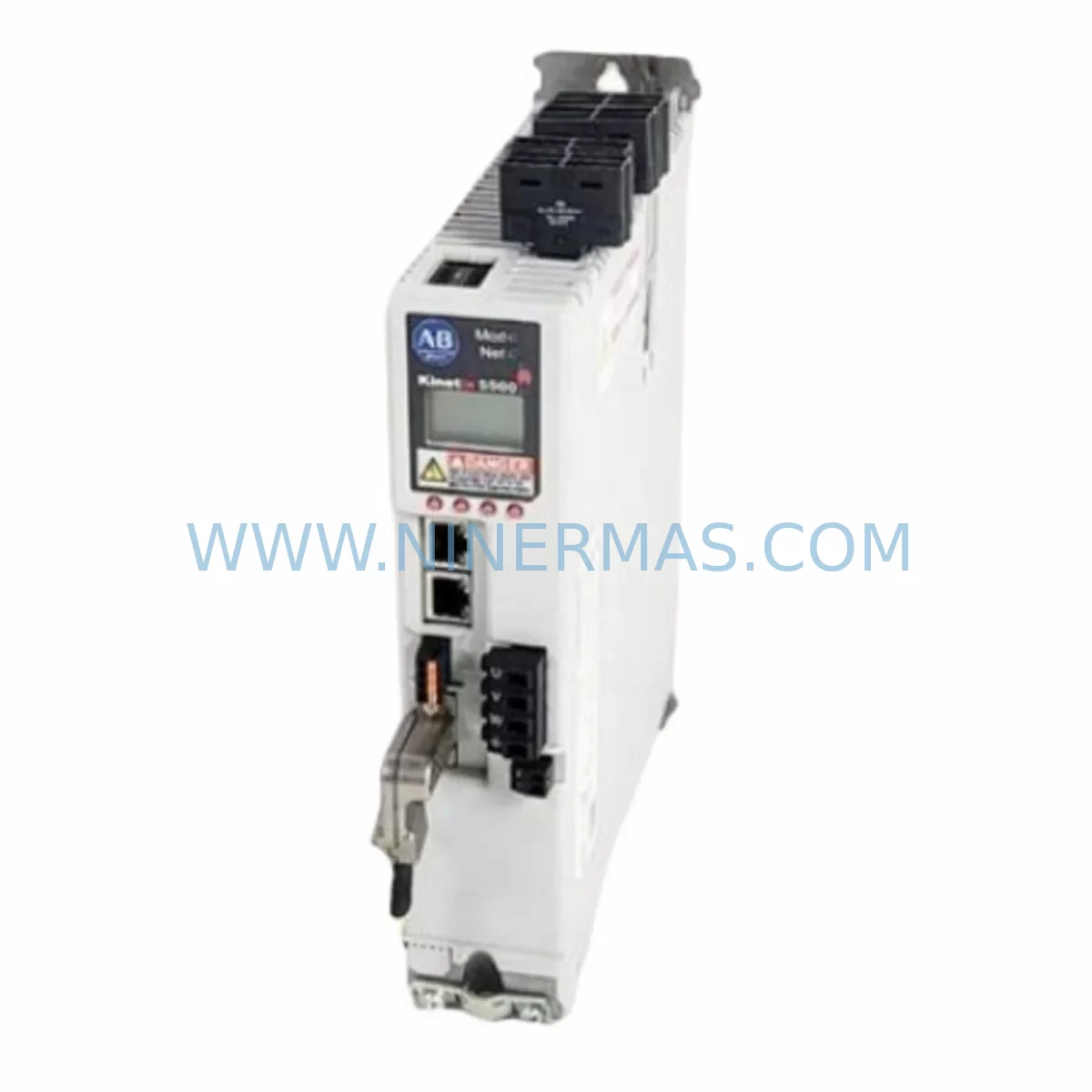
Allen-Bradley 2198-D057-ERS3 Service-Ready Spare Part
Verify the part, confirm the platform family, and move straight into quotation with the right commercial details.
RFQ Ready
- SKU2198-D057-ERS3
- CategoryPLC & Industrial Automation Modules
- BrandAllen-Bradley
- SupportAvailability, lead time, condition, and shipping coordination
How Buyers Usually Use This Page
- Confirm the exact part number and platform family before sending the quote request.
- Use direct email when quantity, condition, and destination are already defined internally.
- Switch to the broader brand or category archive when you need alternates nearby.
Series Navigation
Move through the most common platform families behind this part.
Product RFQ
Send this part directly for quotation.
Include quantity, required condition, destination country, and target delivery timing. Current reference: Allen-Bradley 2198-D057-ERS3 Service-Ready Spare Part with SKU 2198-D057-ERS3.
Allen-Bradley 2198-D057-ERS3 Service-Ready Spare Part: Spare Replacement & Downtime Risk Control
The Allen-Bradley 2198-D057-ERS3 is a dual-axis servo drive module within the Kinetix 5700 series, designed for high-performance motion control in demanding industrial automation environments. As a service-ready spare part sourced and tested by NINERMAS, this unit supports rapid field replacement, minimizing unplanned downtime and protecting production continuity across manufacturing lines, packaging systems, and process automation installations.
Whether you are managing a scheduled annual overhaul, responding to an emergency drive fault, or building a proactive spare parts inventory for a multi-axis Kinetix 5700 system, the 2198-D057-ERS3 is a critical component to have on hand. Its dual-axis architecture means a single module failure can simultaneously affect two servo axes — making fast, verified replacement essential to restoring full system operation.
Spare Maintenance Table
| Parameter | Specification |
|---|---|
| Part Number / SKU | 2198-D057-ERS3 |
| Series | Kinetix 5700 |
| Manufacturer | Allen-Bradley (Rockwell Automation) |
| Drive Type | Dual-Axis Servo Drive Module |
| Continuous Output Current | 5.7 A (per axis) |
| DC Bus Input Voltage | Supplied via 2198-Pxxx DC Bus Power Supply |
| Communication Interface | EtherNet/IP (ERS3 firmware) |
| Motion Tasking | Integrated Motion on EtherNet/IP (iTRAK, CIP Motion) |
| Compatibility | Kinetix 5700 multi-axis system; ControlLogix / CompactLogix controllers |
| Mounting | Shared DC Bus rail, DIN-rail compatible enclosure |
| Operating Temperature | 0°C to 50°C (ambient) |
| Protection Rating | IP20 |
| Firmware | ERS3 (Enhanced Redundancy Series 3) |
| Warranty | 12 Months — Tested before shipment |
| Condition | Original spare / service-ready replacement |
| Origin | United States |
Maintenance Planning for Continuous Operation
When replacing the 2198-D057-ERS3 in a Kinetix 5700 system, a thorough site inspection of the surrounding electrical infrastructure is essential to prevent repeat failures and ensure full system restoration. Maintenance engineers should treat this replacement as an opportunity to audit the entire servo power and control chain.
Begin with the 2198-P031 or 2198-P070 DC Bus Power Supply — the shared DC bus backbone that feeds all drive modules in the system. A degraded or undersized power supply is a common root cause of drive module faults and should be load-tested before the new 2198-D057-ERS3 is commissioned. Inspect the 2198-CAPMOD-2240 capacitor module for any signs of swelling or reduced capacitance, as this directly affects bus ride-through performance during power interruptions.
Check all 2090-series servo motor feedback cables and power cables connecting to the axes served by this drive. Damaged cable shielding or loose connector pins are a frequent source of encoder faults that can be misdiagnosed as drive failures. Similarly, inspect the 2198-ABCB-xxx axis bookend and bus bar connectors for corrosion or mechanical damage, as poor bus connections can cause intermittent DC bus faults.
For the control side, verify the ControlLogix or CompactLogix controller (e.g., 1756-L8x or 5069-L3x series) firmware version is compatible with ERS3 drive firmware. Mismatched firmware between the controller and drive is a common commissioning issue after spare part replacement. Review the EtherNet/IP network switch port configuration — the Kinetix 5700 requires a managed switch with proper QoS settings for deterministic motion control communication.
Inspect the 2198-DCHF-x DC bus fuse and any associated branch circuit protection. A blown fuse upstream of the drive is often overlooked during emergency replacements and will prevent the new module from powering up. Also check the safety relay or safety controller (e.g., 440C-CR30 or GuardLogix safety controller) wiring to the STO (Safe Torque Off) inputs on the drive — incorrect STO wiring will prevent the drive from enabling axes even after a successful hardware replacement.
For facilities running legacy motion programs, confirm that the Studio 5000 Logix Designer project file has the correct drive catalog number and axis configuration parameters saved. Uploading an outdated project after drive replacement can overwrite tuning parameters and cause unexpected axis behavior on restart. Procurement engineers building annual spare parts kits for Kinetix 5700 systems should also consider stocking the 2198-D032-ERS3 (single-axis, lower current variant) and 2198-D085-ERS3 (higher current dual-axis) to cover adjacent axis configurations within the same control cabinet.
Site Replacement Workflow
Step 1 — Isolate and de-energize: Follow LOTO (Lockout/Tagout) procedures. Disconnect AC input to the 2198-Pxxx power supply and wait for DC bus voltage to discharge below 50 VDC before handling any drive module. Use a calibrated multimeter to verify bus discharge at the bus bar connectors.
Step 2 — Document axis configuration: Before removing the faulty 2198-D057-ERS3, upload the current controller project from the ControlLogix/CompactLogix PLC to preserve axis tuning, scaling, and safety parameters. Note the physical slot position on the shared DC bus rail.
Step 3 — Remove and inspect: Disconnect the motor power and feedback connectors from both axes. Remove the drive module from the bus rail. Inspect the bus bar connector pins and the slot contacts for damage or contamination. Clean if necessary before installing the replacement unit.
Step 4 — Install the 2198-D057-ERS3 spare: Seat the new module firmly onto the DC bus rail. Reconnect motor power cables (2090-XXNPMF-xxSxx) and feedback cables (2090-XXNFMF-Sxx) to the correct axis connectors. Verify cable routing and strain relief.
Step 5 — Firmware and configuration verification: Power up the system and use Studio 5000 Logix Designer to verify the drive is recognized at the correct EtherNet/IP node address. Confirm firmware version matches the project requirements. Download the saved project to restore axis parameters.
Step 6 — Functional test before production restart: Run each axis through a low-speed jog cycle to verify encoder feedback, torque limits, and safety function (STO) operation. Log the test results and update the maintenance record before returning the line to production.
This structured workflow reduces mean time to repair (MTTR), ensures system compatibility, and prevents secondary failures caused by rushed or incomplete replacements — a critical discipline for facilities with high-availability production targets.
Spare Parts Support FAQ
Q1: Is the 2198-D057-ERS3 supplied by NINERMAS an original Allen-Bradley component?
Yes. NINERMAS supplies original Allen-Bradley 2198-D057-ERS3 units sourced through authorized industrial distribution channels. Each unit undergoes functional testing and inspection before shipment. A 12-month warranty is provided from the date of delivery, covering manufacturing defects and operational failures under normal industrial use conditions.
Q2: How do I verify compatibility with my existing Kinetix 5700 system before ordering?
Compatibility depends on three factors: DC bus power supply capacity (the 2198-D057-ERS3 draws up to 5.7 A continuous per axis), controller firmware version (Studio 5000 v30 or later recommended for ERS3 firmware), and EtherNet/IP network topology. Share your system catalog numbers and Studio 5000 project version with our technical team at sale@ninermas.com and we will confirm compatibility before order placement.
Q3: What is the typical lead time and how are units tested before shipment?
In-stock units are dispatched within 1–3 business days. Each 2198-D057-ERS3 is powered up and tested for DC bus communication, axis enable response, and EtherNet/IP node recognition prior to packaging. Units are shipped with anti-static protection and appropriate cushioning for international freight. Expedited shipping options are available for emergency downtime situations.
Q4: Can NINERMAS support long-term supply agreements for Kinetix 5700 spare parts?
Yes. NINERMAS offers long-term supply commitments for critical Kinetix 5700 components including the 2198-D057-ERS3 and related modules. For facilities managing aging automation systems or planning multi-year maintenance contracts, we can reserve dedicated stock, provide scheduled delivery programs, and issue blanket purchase order arrangements. Contact our procurement team to discuss volume pricing and supply continuity agreements tailored to your maintenance planning cycle.
| Product Series | Kinetix |
|---|---|
| Country of Origin | US |
Catalog Continuation
More Allen-Bradley modules in the catalog.
Use the brand lane to compare nearby part numbers, platform-adjacent modules, and other inquiry-ready listings before sending your final RFQ.




Catalog Continuation
Alternative parts within PLC & Industrial Automation Modules.
Stay inside the same system family when you need substitutes, adjacent modules, or a broader shortlist for procurement review.


SKU: 00-176-037 00-176-037 00-262-652 00-262-652 00-178-888 00-178-888
KUKA 00-176-037 Retrofit Reducer Module for Legacy Systems

SKU: 6SE7027-2TD84-6HF3
SIEMENS 6SE7027-2TD84-6HF3 Service-Ready Spare Part