Original Industrial Spare Part
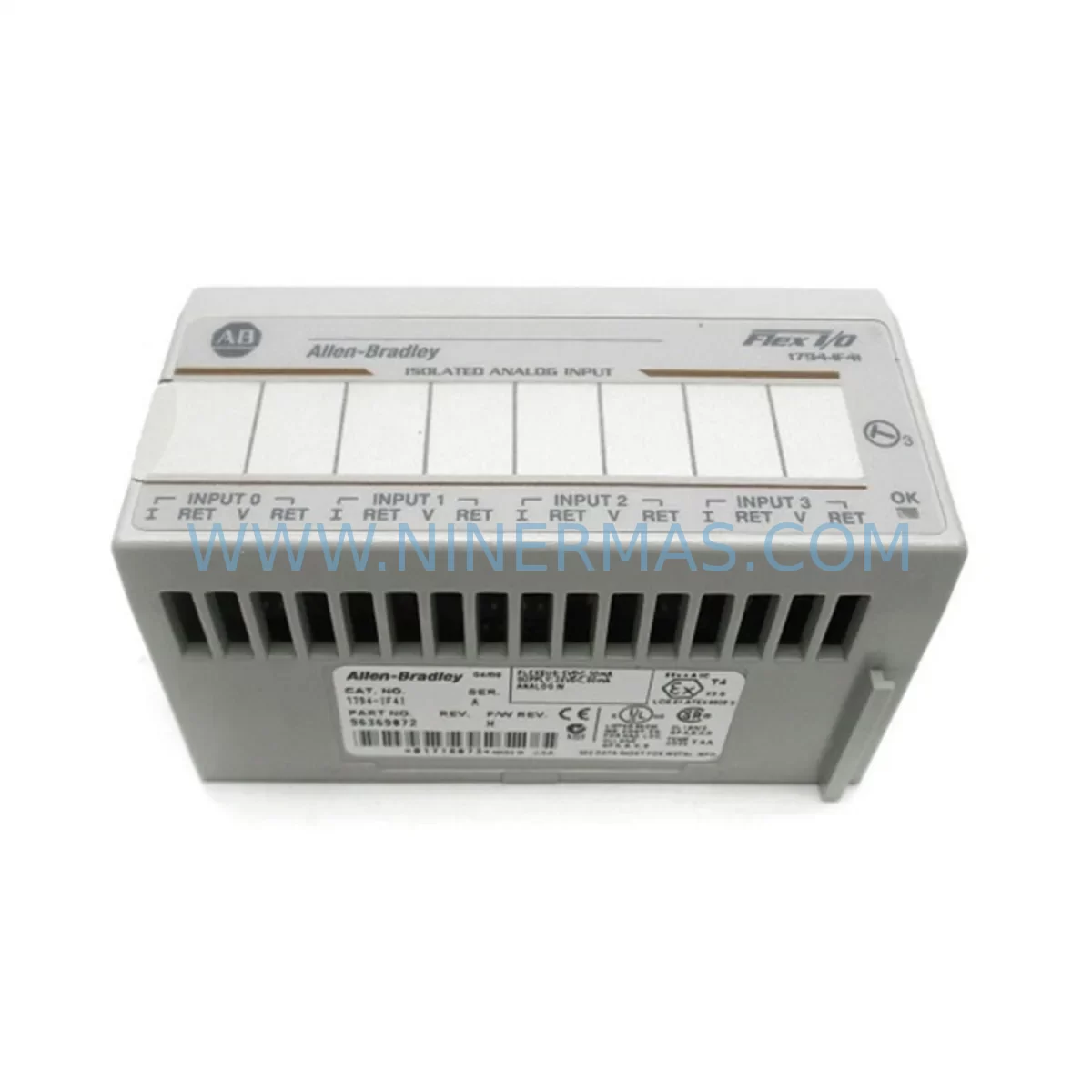
Allen-Bradley 1794-IF4I Retrofit Analog Input for Legacy Systems
Verify the part, confirm the platform family, and move straight into quotation with the right commercial details.
RFQ Ready
- SKU1794-IF4I
- CategoryPLC & Industrial Automation Modules
- BrandAllen-Bradley
- SupportAvailability, lead time, condition, and shipping coordination
How Buyers Usually Use This Page
- Confirm the exact part number and platform family before sending the quote request.
- Use direct email when quantity, condition, and destination are already defined internally.
- Switch to the broader brand or category archive when you need alternates nearby.
Series Navigation
Move through the most common platform families behind this part.
Product RFQ
Send this part directly for quotation.
Include quantity, required condition, destination country, and target delivery timing. Current reference: Allen-Bradley 1794-IF4I Retrofit Analog Input for Legacy Systems with SKU 1794-IF4I.
Allen-Bradley 1794-IF4I Retrofit-Compatible Analog Input Module for Legacy Flex I/O Systems
The Allen-Bradley 1794-IF4I is a 4-channel isolated analog input module designed for the Flex I/O platform — one of Rockwell Automation’s most widely deployed distributed I/O architectures in process and discrete manufacturing environments. As production lines age and original equipment reaches end-of-life, the 1794-IF4I has become a critical retrofit component for engineers tasked with modernizing legacy control systems without full panel replacement. NINERMAS maintains verified stock of the 1794-IF4I to support planned upgrades, emergency replacements, and long-term spare parts programs across global industrial facilities.
Whether you are migrating from an older SLC 500-based architecture, extending the life of a legacy PLC-5 system, or integrating distributed I/O into a current ControlLogix or CompactLogix platform, the 1794-IF4I provides the analog signal acquisition capability needed to maintain process continuity. Its isolated channel design supports 4–20 mA and 0–10 VDC input ranges, making it suitable for pressure transmitters, flow meters, temperature sensors, and level transducers commonly found in legacy control cabinets.
Upgrade Compatibility Table
| Parameter | 1794-IF4I Specification | Retrofit Notes |
|---|---|---|
| Platform | Flex I/O (1794 Series) | Compatible with all 1794 adapter types including 1794-AENT, 1794-ADN, 1794-APB |
| Input Channels | 4 isolated analog inputs | Direct replacement for earlier 1794-IF4 (non-isolated); verify wiring polarity |
| Input Range | 4–20 mA / 0–10 VDC / ±10 VDC | Confirm field device signal type before installation; jumper or software-selectable |
| Communication | Via Flex I/O adapter (EtherNet/IP, DeviceNet, PROFIBUS, ControlNet) | Adapter module (e.g. 1794-AENT) must match existing network protocol |
| Backplane Interface | 1794 Flex I/O backplane | Slot-compatible with all standard 1794 terminal bases; verify 1794-TB3 or 1794-TB3S base |
| Power Requirement | 24 VDC (supplied via terminal base) | Confirm power supply capacity — each module draws approx. 65 mA from backplane |
| Module Addressing | Slot-based, auto-configured via adapter | Update RSLogix 5000 / Studio 5000 I/O tree after physical swap |
| Installation Space | Standard 1794 module footprint | No panel modification required for like-for-like replacement |
| Replacement Path | Replaces 1794-IF4, legacy SLC analog I/O | Program tag remapping may be required in legacy SLC 500 migrations |
| Warranty | 12-Month Warranty | Covered by NINERMAS 12-month quality warranty from shipment date |
Retrofit Planning for Existing Automation Systems
Successful integration of the 1794-IF4I into an existing control system requires careful pre-installation planning. Engineers should begin by auditing the current Flex I/O rack configuration — identifying the adapter module in use (such as the 1794-AENT for EtherNet/IP networks or the 1794-ADN for DeviceNet topologies) and confirming that the backplane has sufficient available slots. Each 1794 terminal base, whether a 1794-TB3 or 1794-TB3S, must be inspected for terminal condition and wiring integrity before the new module is seated.
Power budget verification is a frequently overlooked step. The 1794 Flex I/O power supply — often a 1794-PS13 or equivalent — must be confirmed to have adequate capacity to support the 1794-IF4I alongside existing modules such as the 1794-OB16 digital output module, 1794-IB16 digital input module, or any co-installed 1794-OF4I analog output module. Overloading the backplane power rail is a common cause of intermittent faults during retrofit commissioning.
For facilities migrating from SLC 500 platforms, the analog data format differences between the legacy 1746-NI4 and the 1794-IF4I must be addressed in the application program. Tag structures, scaling routines, and alarm setpoints will require review in RSLogix 500 or Studio 5000 Logix Designer depending on the target controller — whether a MicroLogix 1100, CompactLogix L3x, or ControlLogix L7x series processor. HMI screens built on PanelView Plus terminals referencing legacy analog tags will also need to be updated to reflect the new data addresses.
Communication link integrity should be validated end-to-end before returning the system to production. If the Flex I/O node is connected via EtherNet/IP, use RSLinx Classic or FactoryTalk Linx to verify the adapter’s IP address, confirm module status in the I/O tree, and check for any inhibited connections. For DeviceNet installations, a 1784-PCD or equivalent DeviceNet scanner card may be required to re-commission the node after module replacement. Signal isolation on the 1794-IF4I also helps eliminate ground loop interference that is common in older panel wiring schemes — a significant advantage over non-isolated predecessors.
Where field wiring uses legacy shielded cable terminated to older-style terminal blocks, consider upgrading to a 1794-TB3S terminal base with shield clamp to improve noise immunity. This is particularly important in environments with variable frequency drives, servo amplifiers, or high-current motor starters installed in the same control cabinet.
Downtime Control During System Migration
Minimizing production downtime during a Flex I/O module replacement is achievable with structured pre-work. Before the maintenance window begins, export and archive the current controller program from Studio 5000 or RSLogix 5000, including all force tables and I/O configuration. Take a full screenshot or export of the HMI tag database from the PanelView Plus or FactoryTalk View SE project to document current analog scaling and display values.
During the swap, the 1794-IF4I can be hot-swapped in systems where the adapter supports it — confirm this capability in the 1794-AENT or 1794-ACN15 adapter documentation before proceeding. If hot-swap is not supported, coordinate a planned shutdown during a low-production period. Label all field wiring before disconnection using the existing terminal base markings, and photograph the wiring layout for reference during reconnection.
After physical installation, perform a controlled power-up sequence: energize the 24 VDC supply, confirm the module status LED shows a solid green, and verify the adapter reports the module as present in the I/O tree. Run a loop check on each of the four analog input channels using a calibrated 4–20 mA signal source before releasing the system to operators. Document the as-found and as-left readings for each channel as part of the commissioning record. This structured approach typically allows a single-module replacement to be completed within a two-hour maintenance window, preserving process continuity and reducing the risk of extended unplanned downtime.
Retrofit Support FAQ
Q1: Is the 1794-IF4I a direct drop-in replacement for the 1794-IF4?
The 1794-IF4I is functionally compatible with the same terminal base and backplane slot as the 1794-IF4, but it adds channel-to-channel isolation not present in the original module. Wiring connections are largely identical, though you should verify input range jumper settings and update the module definition in your Logix project to reflect the IF4I firmware revision. No mechanical panel modification is required.
Q2: What commissioning steps are required after installation?
After seating the module, power up the rack and confirm the module status LED is solid green. In Studio 5000 or RSLogix 5000, go online with the controller and verify the module appears in the I/O tree without fault codes. Perform a channel-by-channel loop check using a calibrated signal source. Verify analog scaling in the program matches the field device output range, and confirm HMI display values are within expected process limits before returning to automatic control.
Q3: Can the 1794-IF4I be used with both EtherNet/IP and DeviceNet adapters?
Yes. The 1794-IF4I is a backplane-connected module and is protocol-agnostic — it communicates through whichever 1794 adapter is installed in the rack, whether that is a 1794-AENT (EtherNet/IP), 1794-ADN (DeviceNet), 1794-APB (PROFIBUS-DP), or 1794-ACN15 (ControlNet). Ensure the adapter firmware is current and that the network scanner has been updated to include the new module’s I/O data size.
Q4: What warranty and supply assurance does NINERMAS provide?
All 1794-IF4I units supplied by NINERMAS carry a 12-month warranty from the date of shipment, covering manufacturing defects and functional failures under normal operating conditions. Each unit undergoes pre-shipment functional testing. NINERMAS maintains ongoing inventory of the 1794-IF4I and related Flex I/O components to support both emergency replacement orders and planned maintenance programs. For lead time confirmation, volume pricing, or technical pre-sales support, contact our team directly.
| Product Series | ControlLogix |
|---|---|
| Country of Origin | US |
Catalog Continuation
More Allen-Bradley modules in the catalog.
Use the brand lane to compare nearby part numbers, platform-adjacent modules, and other inquiry-ready listings before sending your final RFQ.




Catalog Continuation
Alternative parts within PLC & Industrial Automation Modules.
Stay inside the same system family when you need substitutes, adjacent modules, or a broader shortlist for procurement review.



SKU: HDD02.2-W040N-HS12-01-FW FWA-DIAX04-ELS-05VRS-MS
Rexroth HDD02.2-W040N-HS12-01-FW Service-Ready Spare Part

SKU: I5DAE375F10010000S
Lenze I5DAE375F10010000S Service-Ready Spare Part for Industrial Maintenance