
Original Industrial Spare Part
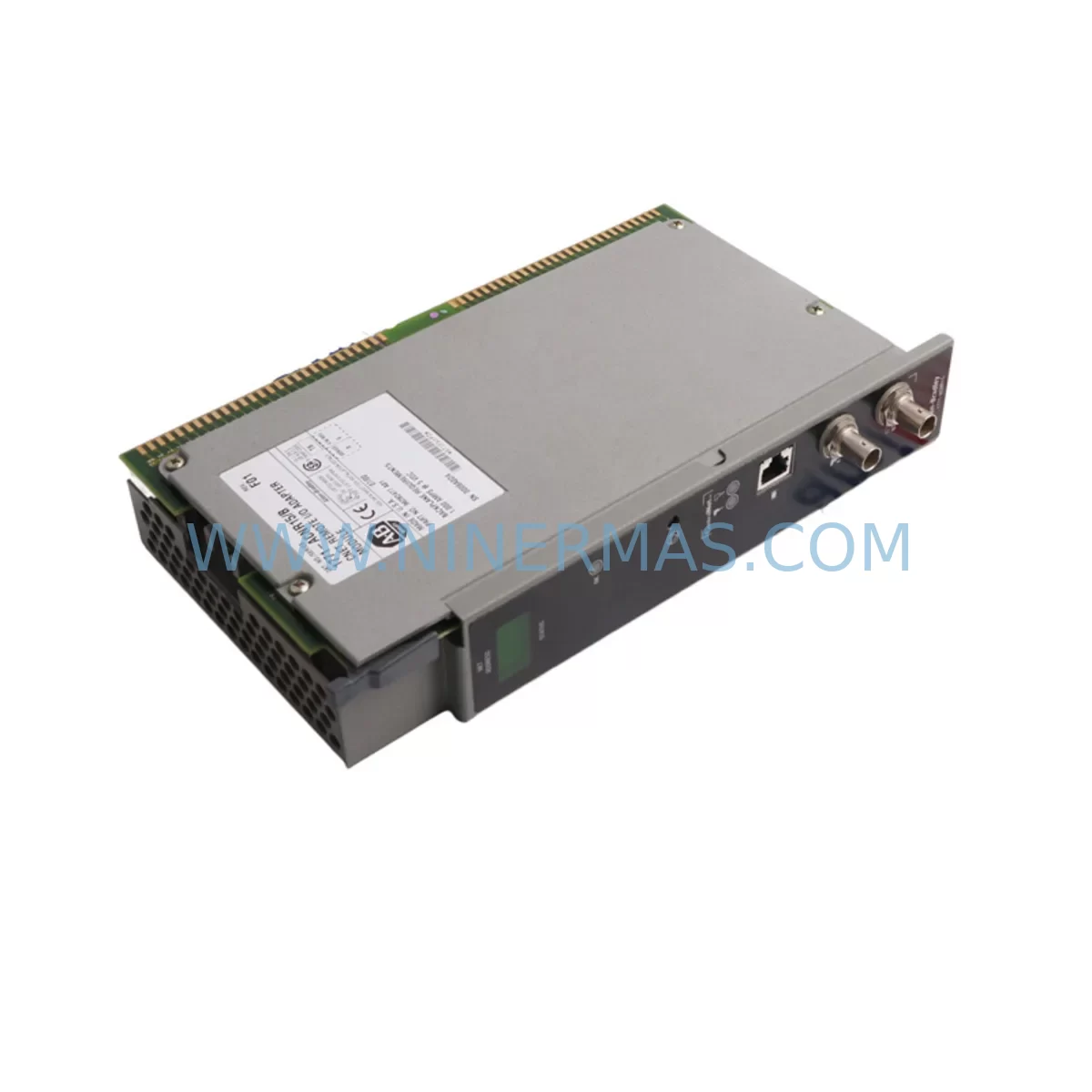
Allen-Bradley 1771-ACNR15 Service-Ready Spare Part
Verify the part, confirm the platform family, and move straight into quotation with the right commercial details.
RFQ Ready
- SKU1771-ACNR15
- CategoryPLC & Industrial Automation Modules
- BrandAllen-Bradley
- SupportAvailability, lead time, condition, and shipping coordination
How Buyers Usually Use This Page
- Confirm the exact part number and platform family before sending the quote request.
- Use direct email when quantity, condition, and destination are already defined internally.
- Switch to the broader brand or category archive when you need alternates nearby.
Series Navigation
Move through the most common platform families behind this part.
Product RFQ
Send this part directly for quotation.
Include quantity, required condition, destination country, and target delivery timing. Current reference: Allen-Bradley 1771-ACNR15 Service-Ready Spare Part with SKU 1771-ACNR15.
Allen-Bradley 1771-ACNR15 Service-Ready Spare Part for Industrial Maintenance
The Allen-Bradley 1771-ACNR15 ControlNet Adapter Module is a critical spare part for facilities running Rockwell Automation PLC-5 control systems on ControlNet networks. Whether you are managing a scheduled annual overhaul, responding to an unplanned line stoppage, or building a proactive spare parts inventory, the 1771-ACNR15 represents one of the highest-priority components to stock in any plant that relies on legacy PLC-5 I/O chassis infrastructure. Downtime caused by a failed ControlNet adapter can cascade across an entire production segment within minutes — having a verified, service-ready replacement on the shelf is the single most effective way to contain that risk.
At NINERMAS, every 1771-ACNR15 unit is sourced, inspected, and dispatched with full traceability. Our quality control process includes functional verification, visual inspection for connector integrity, and packaging that meets industrial transit standards. Each unit ships with a 12-month warranty covering manufacturing defects and functional failure under normal operating conditions.
Spare Maintenance Table
| Parameter | Specification |
|---|---|
| SKU / Part Number | 1771-ACNR15 |
| Brand | Allen-Bradley (Rockwell Automation) |
| Series | PLC-5 / 1771 I/O Chassis |
| Module Type | ControlNet Adapter Module |
| Network Protocol | ControlNet (IEEE 802.4 / CTDMA) |
| Compatible Chassis | 1771 Series I/O Chassis (PLC-5 platform) |
| Backplane Compatibility | 1771 Universal I/O Chassis Backplane |
| Operating Voltage | Backplane-powered via 1771 chassis |
| Operating Temperature | 0°C to 60°C (32°F to 140°F) |
| Relative Humidity | 5% to 95% non-condensing |
| Mounting | Single-slot 1771 I/O chassis installation |
| Condition | Original / Refurbished-to-spec (tested) |
| Warranty | 12 Months — functional defect coverage |
| Lead Time | In-stock: ships within 1–3 business days |
| Application Environment | Industrial automation, process control, discrete manufacturing |
Maintenance Planning for Continuous Operation
When a 1771-ACNR15 adapter fails or is flagged during a routine control cabinet inspection, the fault rarely exists in isolation. Maintenance engineers familiar with PLC-5 ControlNet architectures know that the adapter module interfaces directly with the 1771 I/O chassis backplane, and any degradation in the ControlNet signal path can affect every I/O module seated in that chassis. Before returning the system to service after replacing the 1771-ACNR15, a thorough inspection of the surrounding components is strongly recommended.
Start with the 1771 chassis power supply — typically a 1771-P4S or 1771-P7 — since an under-voltage or ripple condition on the backplane bus is a common root cause of adapter communication faults that are misdiagnosed as module failures. Verify output voltage under load before re-seating the replacement adapter. Next, inspect the ControlNet coaxial cable and BNC connectors at both the module tap and the trunk line; a damaged or corroded connector can cause intermittent network dropouts that will recur even after a module swap.
If the 1771-ACNR15 is installed in a chassis alongside 1771-series analog input modules (such as the 1771-IFE or 1771-OFE) or digital I/O modules (1771-IA, 1771-OA, 1771-OW), confirm that each module’s status LED is normal after the adapter is replaced and the chassis is powered. A failed adapter can sometimes mask I/O faults that were present before the outage. Similarly, check the 1771-ASB remote I/O adapter if the chassis is also connected to a legacy DH+ or Remote I/O network — dual-network chassis configurations require both adapters to be healthy before the PLC-5 processor will resume normal scan.
At the processor level, verify the PLC-5 processor module (such as the 1785-L40C15 or 1785-L80C15) has re-established its ControlNet node connection and that the scheduled connection table shows no faulted nodes. If the system uses a 1784-KTCX15 ControlNet communication card in the programming workstation, confirm that RSNetWorx for ControlNet can browse the network and see the repaired chassis node. For facilities using a 1756 ControlLogix gateway to bridge ControlNet segments, verify the bridge configuration has not been disrupted by the fault event.
Procurement engineers building a spare parts list around the 1771-ACNR15 should also consider stocking the 1771 chassis fuse kit, a spare ControlNet media tap, and at minimum one spare 1771 I/O chassis power supply. These components share the same failure modes and maintenance windows, and sourcing them together reduces per-unit freight costs and ensures a single-vendor quality standard across the repair kit.
Site Replacement Workflow
Replacing the 1771-ACNR15 on a live production site requires a structured approach to minimize exposure time and avoid secondary faults. Begin by placing the PLC-5 processor in Program mode from the RSLogix 5 programming terminal to inhibit output scanning before any chassis work begins. Document the current ControlNet node address configured on the outgoing adapter — this is typically set via DIP switches on the module face — and confirm the replacement unit is set to the identical node address before installation.
Power down the 1771 chassis using the chassis power supply switch rather than pulling the backplane power connector under load. Remove the faulted 1771-ACNR15 by releasing the module locking tab and sliding it clear of the backplane. Inspect the backplane connector pins for damage or contamination before inserting the replacement. Seat the new module firmly, restore chassis power, and observe the adapter’s status LEDs: a solid green NET LED indicates a healthy ControlNet connection, while a flashing or red LED indicates a node address conflict or network fault that must be resolved before returning to Run mode.
Once the adapter is online, switch the PLC-5 processor back to Run mode and monitor the first two to three scan cycles for any I/O fault bits in the processor’s fault table. Clear any latched faults, verify analog and digital I/O values are within expected ranges, and confirm with the process operator that the production line is responding normally. Log the replacement event, the outgoing module’s serial number, and the fault symptom in the site maintenance management system (CMMS) to support future failure trend analysis.
For older installations where the 1771-ACNR15 has been in service for more than seven years, this replacement event is also an appropriate trigger to evaluate whether a broader PLC-5 to ControlLogix migration is warranted. NINERMAS can supply both legacy spare parts to extend the life of existing systems and assist with sourcing 1756-series components for phased modernization projects.
Spare Parts Support FAQ
Q1: Is the 1771-ACNR15 still available as a new original part, and what is the lead time?
The 1771-ACNR15 has been discontinued by Rockwell Automation as part of the broader PLC-5 platform end-of-life. NINERMAS supplies verified original and refurbished-to-specification units from managed inventory. In-stock units ship within 1–3 business days. For volume orders or long-term supply agreements, contact our sales team for a dedicated allocation plan.
Q2: How is compatibility with my specific 1771 chassis confirmed before shipment?
The 1771-ACNR15 is compatible with all standard 1771 I/O chassis variants that support ControlNet adapter slots, including 4-slot, 8-slot, 12-slot, and 16-slot configurations. If your chassis uses a non-standard backplane revision or a specialized power supply configuration, provide your chassis catalog number when ordering and our technical team will confirm compatibility before dispatch.
Q3: What does the 12-month warranty cover, and how is a warranty claim processed?
The 12-month warranty covers functional failure and manufacturing defects under normal industrial operating conditions. It does not cover damage resulting from incorrect installation, overvoltage events, or physical impact. To initiate a warranty claim, contact sale@ninermas.com with the order number, fault description, and site photos if available. Replacement units are dispatched upon fault confirmation, with the defective unit returned for analysis.
Q4: Can NINERMAS support long-term spare parts supply for our PLC-5 maintenance program?
Yes. NINERMAS specializes in long-term supply of discontinued and hard-to-source industrial automation spare parts. We offer blanket order arrangements, reserved stock programs, and multi-SKU procurement packages for facilities managing legacy PLC-5, SLC-500, and ControlLogix systems. Reach out to our team to discuss a customized supply agreement aligned with your annual maintenance schedule.
| Product Series | PLC-5 |
|---|---|
| Country of Origin | US |
Catalog Continuation
More Allen-Bradley modules in the catalog.
Use the brand lane to compare nearby part numbers, platform-adjacent modules, and other inquiry-ready listings before sending your final RFQ.




Catalog Continuation
Alternative parts within PLC & Industrial Automation Modules.
Stay inside the same system family when you need substitutes, adjacent modules, or a broader shortlist for procurement review.



SKU: HDD02.2-W040N-HS12-01-FW FWA-DIAX04-ELS-05VRS-MS
Rexroth HDD02.2-W040N-HS12-01-FW Service-Ready Spare Part

SKU: I5DAE375F10010000S
Lenze I5DAE375F10010000S Service-Ready Spare Part for Industrial Maintenance



