Original Industrial Spare Part
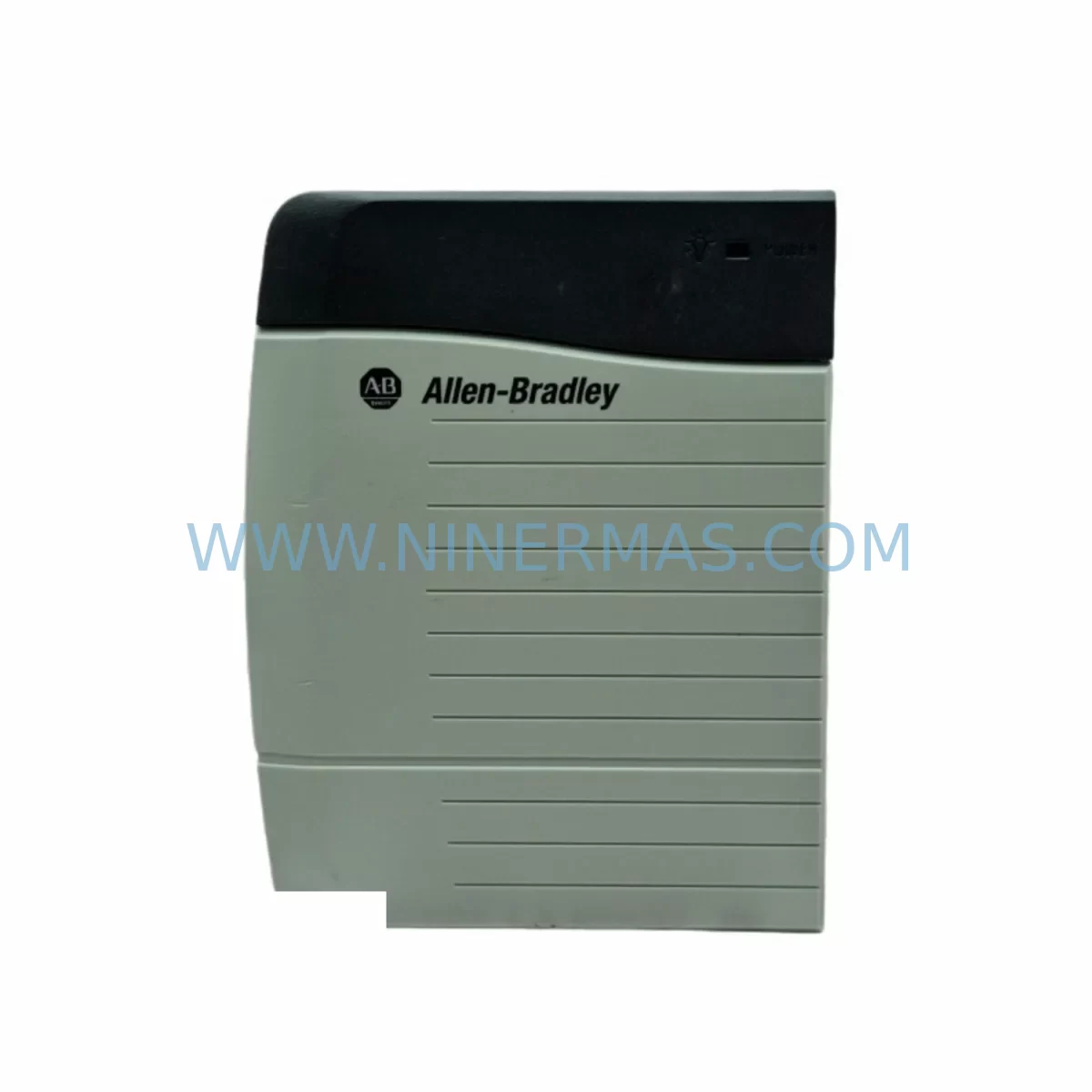
Allen-Bradley 1756-PA72 Retrofit-Compatible AC Power Supply
Verify the part, confirm the platform family, and move straight into quotation with the right commercial details.
RFQ Ready
- SKU1756-PA72
- CategoryPLC & Industrial Automation Modules
- BrandAllen-Bradley
- SupportAvailability, lead time, condition, and shipping coordination
How Buyers Usually Use This Page
- Confirm the exact part number and platform family before sending the quote request.
- Use direct email when quantity, condition, and destination are already defined internally.
- Switch to the broader brand or category archive when you need alternates nearby.
Series Navigation
Move through the most common platform families behind this part.
Product RFQ
Send this part directly for quotation.
Include quantity, required condition, destination country, and target delivery timing. Current reference: Allen-Bradley 1756-PA72 Retrofit-Compatible AC Power Supply with SKU 1756-PA72.
Allen-Bradley 1756-PA72 Retrofit-Compatible AC Power Supply for Legacy ControlLogix Systems
The Allen-Bradley 1756-PA72 is a high-capacity AC power supply designed for the ControlLogix 1756 chassis platform. Rated at 10A output on the backplane bus, it is one of the most widely deployed power supply modules across North American and Asia-Pacific industrial installations. As legacy ControlLogix systems age and original spare parts become increasingly scarce, the 1756-PA72 has become a critical retrofit component for engineers tasked with sustaining aging automation infrastructure without full system replacement.
NINERMAS maintains verified stock of the 1756-PA72 to support customers engaged in control panel upgrades, production line modernization, and emergency spare part replenishment. Each unit is subject to pre-shipment functional testing and ships with a 12-month warranty covering defects in materials and workmanship.
Upgrade Compatibility Table
| Parameter | 1756-PA72 Specification | Retrofit Notes |
|---|---|---|
| Input Voltage | 85–265V AC, 47–63 Hz | Verify site supply voltage before installation; wide-range input supports most global installations |
| Backplane Output Current | 10A @ 1.2V DC (backplane bus) | Confirm total chassis load does not exceed 10A; calculate I/O, communication, and controller draw |
| Chassis Compatibility | 1756 ControlLogix chassis (4, 7, 10, 13, 17-slot) | Physically compatible with all standard 1756 chassis sizes; verify slot position per chassis manual |
| Replacing 1756-PA72/B or earlier | Direct form-fit-function replacement | No firmware change required; module address is chassis-slot-based, not firmware-dependent |
| Communication Impact | None (power supply is passive to network) | EtherNet/IP, ControlNet, and DeviceNet links remain unaffected during hot-swap if chassis supports it |
| Installation Space | Single slot, left-most position | Confirm no adjacent module encroaches on power supply slot; check DIN rail or panel depth ≥ 145mm |
| Commissioning Requirement | No software configuration required | RSLogix 5000 / Studio 5000 project does not require modification for power supply replacement |
| Warranty | 12 Months | Covers manufacturing defects; includes pre-shipment functional test report on request |
Retrofit Planning for Existing Automation Systems
When planning a retrofit involving the 1756-PA72, engineers must evaluate the complete power budget of the target 1756 chassis. A fully populated 17-slot chassis running a 1756-L75 or 1756-L85E controller alongside multiple 1756-IB16 digital input modules, 1756-OB16E digital output modules, and 1756-IF8 analog input modules can approach the 10A backplane limit. Before swapping the power supply, document the current draw of every installed module using the chassis power consumption worksheet available in Rockwell Automation’s product documentation.
In systems where the original 1756-PA72 has failed due to capacitor aging or input rectifier degradation — common failure modes after 10–15 years of continuous operation — the replacement process is straightforward but requires attention to several field details. First, confirm that the 1756 chassis backplane itself is undamaged; a shorted backplane can cause repeated power supply failures. Second, verify that the AC input wiring to the power supply terminal block meets the conductor gauge and torque specifications in the installation manual. Loose terminal connections are a frequent cause of intermittent power faults in aging control cabinets.
For sites migrating from older SLC 500 or PLC-5 platforms to ControlLogix, the 1756-PA72 is typically introduced as part of a broader migration that also involves installing a new 1756 chassis, selecting an appropriate 1756-Lxx controller, and mapping legacy I/O points to new 1756-series I/O modules. During this migration, communication modules such as the 1756-EN2T for EtherNet/IP or the 1756-CN2 for ControlNet are added to the chassis, increasing the total backplane load and making accurate power budgeting essential.
In distributed control architectures where remote I/O racks are connected via 1756-DHRIO or 1756-DNB DeviceNet bridge modules, the 1756-PA72 in the local chassis must supply power not only to the local modules but also to the communication bridge itself. Engineers should account for this when sizing the power supply for retrofit projects involving legacy remote I/O networks.
Panel space is another critical consideration. The 1756-PA72 occupies the leftmost slot of the 1756 chassis and requires adequate clearance for the AC input wiring conduit. In tight control cabinets originally designed for SLC 500 or MicroLogix hardware, the deeper profile of the 1756 chassis may require panel modifications or the use of a smaller chassis configuration. In some cases, a 1756-PA75R redundant power supply configuration may be considered for high-availability applications, though this requires a compatible 1756 chassis with redundant power supply slots.
HMI integration should also be reviewed during the retrofit. If the existing HMI — whether a PanelView 550, PanelView Plus 6, or a SCADA system communicating via RSLinx Classic — is connected to the ControlLogix controller via a 1756-ENBT or 1756-EN2T module, the HMI screens and tag database will remain valid after a power supply replacement, as the controller program and I/O configuration are unaffected. However, if the retrofit involves replacing the controller module itself (e.g., upgrading from a 1756-L55 to a 1756-L83E), the program must be converted and verified in Studio 5000 before going live.
Downtime Control During System Migration
Minimizing unplanned downtime is the primary concern for any maintenance team replacing a 1756-PA72 in a live production environment. The recommended approach is to pre-stage the replacement unit, verify its physical condition and firmware compatibility, and schedule the swap during a planned maintenance window. Before powering down the chassis, use RSLogix 5000 or Studio 5000 to upload and save the current controller program to a secure backup location. This ensures that if the controller loses its program during the power interruption — which can occur if the controller battery (1756-BA1) is depleted — the program can be restored immediately.
For systems where continuous operation is critical, consider whether the process can be placed in a safe hold state using the controller’s program-controlled output forcing or a coordinated shutdown sequence with the DCS or SCADA layer. Document the current state of all analog outputs and PID loop setpoints before shutdown so that the process can be returned to normal operation quickly after the power supply is replaced and the chassis is powered back up.
After installing the 1756-PA72, verify that all modules in the chassis return to their expected states in the I/O tree within RSLogix 5000 or Studio 5000. Check the controller diagnostics for any faulted modules, and confirm that all communication links — including EtherNet/IP connections to remote I/O adapters such as the 1734-AENT POINT I/O adapter or the 1756-EN2T — are re-established within the expected timeout period. If any modules remain faulted after power-up, inspect the backplane connectors and re-seat the affected modules before concluding the commissioning process.
Total downtime for a straightforward 1756-PA72 replacement in a well-prepared environment is typically 30–90 minutes, including program backup, physical swap, power-up, and functional verification. Having a pre-tested replacement unit on hand — rather than waiting for emergency procurement — is the single most effective way to reduce mean time to repair in ControlLogix-based systems.
Retrofit Support FAQ
Q: Is the 1756-PA72 a direct replacement for the 1756-PA72/B revision?
A: Yes. The 1756-PA72 is form-fit-function compatible across all revisions. No changes to the chassis, wiring, or controller program are required when replacing an earlier revision with a current-stock unit.
Q: Does replacing the power supply affect the EtherNet/IP or ControlNet communication configuration?
A: No. The 1756-PA72 is a passive power module with no network address or communication function. All network connections managed by modules such as the 1756-EN2T or 1756-CN2 are determined by the controller program and module configuration, which are unaffected by a power supply replacement.
Q: What pre-shipment testing does NINERMAS perform on the 1756-PA72?
A: Each unit undergoes functional power-on testing to verify output voltage stability and input range compliance before shipment. A test report is available on request. All units ship with a 12-month warranty covering manufacturing defects.
Q: How quickly can NINERMAS supply the 1756-PA72 for an emergency breakdown situation?
A: NINERMAS maintains in-stock inventory of the 1756-PA72 to support urgent requirements. Contact our sales team at sale@ninermas.com or +0086 187 5021 5667 to confirm current availability and arrange expedited shipment.
| Product Series | ControlLogix |
|---|---|
| Country of Origin | US |
Catalog Continuation
More Allen-Bradley modules in the catalog.
Use the brand lane to compare nearby part numbers, platform-adjacent modules, and other inquiry-ready listings before sending your final RFQ.




Catalog Continuation
Alternative parts within PLC & Industrial Automation Modules.
Stay inside the same system family when you need substitutes, adjacent modules, or a broader shortlist for procurement review.



SKU: HDD02.2-W040N-HS12-01-FW FWA-DIAX04-ELS-05VRS-MS
Rexroth HDD02.2-W040N-HS12-01-FW Service-Ready Spare Part

SKU: I5DAE375F10010000S
Lenze I5DAE375F10010000S Service-Ready Spare Part for Industrial Maintenance