
Original Industrial Spare Part
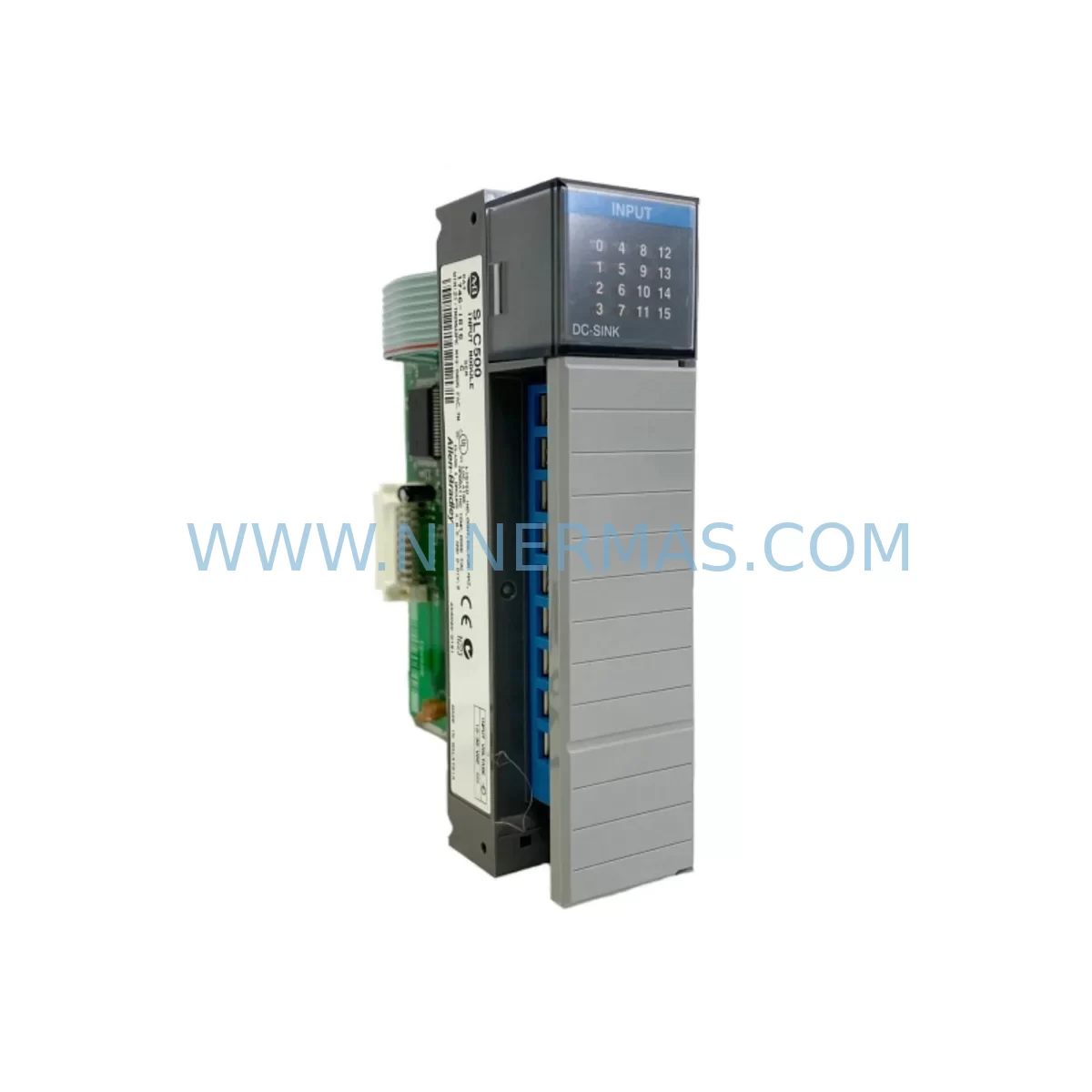
Allen-Bradley 1746-IB16/C Service-Ready Spare Part
Verify the part, confirm the platform family, and move straight into quotation with the right commercial details.
RFQ Ready
- SKU1746-IB16/C
- CategoryPLC & Industrial Automation Modules
- BrandAllen-Bradley
- SupportAvailability, lead time, condition, and shipping coordination
How Buyers Usually Use This Page
- Confirm the exact part number and platform family before sending the quote request.
- Use direct email when quantity, condition, and destination are already defined internally.
- Switch to the broader brand or category archive when you need alternates nearby.
Series Navigation
Move through the most common platform families behind this part.
Product RFQ
Send this part directly for quotation.
Include quantity, required condition, destination country, and target delivery timing. Current reference: Allen-Bradley 1746-IB16/C Service-Ready Spare Part with SKU 1746-IB16/C.
Allen-Bradley 1746-IB16/C Service-Ready Spare Part: Minimizing Downtime with Reliable SLC 500 Input Module Replacement
The Allen-Bradley 1746-IB16/C is a 16-point, 24VDC DC input module designed for the SLC 500 modular I/O system. As a direct-fit replacement for aging or failed input modules in SLC 500 control cabinets, the 1746-IB16/C is a critical spare part for maintenance engineers managing discrete manufacturing lines, process automation panels, and legacy PLC-based control systems. Whether you are responding to an unplanned fault, executing a scheduled annual overhaul, or building a proactive spare parts inventory, sourcing a verified, pre-tested 1746-IB16/C from a reliable supplier is the fastest path to restoring full system operation.
At NINERMAS, every 1746-IB16/C unit is individually inspected and functionally tested prior to shipment. Our quality assurance process covers input channel verification, terminal block integrity, backplane connector condition, and LED indicator response. Each unit ships with a 12-month warranty and full documentation, giving procurement engineers the confidence to commit to long-term spare parts programs without exposure to counterfeit or untested stock.
Spare Maintenance Table
| Parameter | Specification |
|---|---|
| Part Number | 1746-IB16/C |
| Brand / Manufacturer | Allen-Bradley (Rockwell Automation) |
| Series | SLC 500 |
| Module Type | DC Input Module |
| Number of Input Points | 16 |
| Input Voltage | 24VDC |
| Input Current (per point) | Approx. 8 mA at 24VDC |
| ON-State Voltage Range | 15–30VDC |
| OFF-State Voltage Max | 5VDC |
| Isolation | Optical isolation between field and backplane |
| Backplane Compatibility | SLC 500 modular chassis (1746-A4, 1746-A7, 1746-A10, 1746-A13) |
| Connector Type | Removable terminal block (RTB) |
| Operating Temperature | 0°C to 60°C (32°F to 140°F) |
| Storage Temperature | -40°C to 85°C |
| Relative Humidity | 5–95% non-condensing |
| Enclosure Requirement | IP20 (panel-mount, control cabinet installation) |
| Revision / Series | Series C |
| Replacement Compatibility | Direct replacement for 1746-IB16 Series A, B, C |
| Pre-Shipment Testing | Yes — all 16 input channels verified |
| Warranty | 12 Months from date of shipment |
| Origin | USA |
| Condition | Original / Surplus / Tested |
Maintenance Planning for Continuous Operation
When a 1746-IB16/C input module fails or is flagged during a routine control cabinet inspection, experienced maintenance engineers know that the fault rarely exists in isolation. The SLC 500 system architecture means that a single failed input module can mask upstream wiring faults, sensor degradation, or power supply instability that will cause repeat failures if not addressed during the same maintenance window.
Before reinstalling a replacement 1746-IB16/C, verify the condition of the 1746-P2 or 1746-P4 power supply module supplying the chassis. Voltage sag or ripple on the 24VDC bus is a leading cause of premature input module failure and intermittent channel faults. Alongside the power supply, inspect the 1746-A7 or 1746-A10 chassis backplane for bent connector pins, corrosion, or mechanical damage that could cause unreliable module seating.
For the field wiring side, check the 1492-IFM series interface modules or terminal blocks connected to the input channels. Loose terminations, corroded wire ends, or undersized conductors on the 24VDC input circuits are common contributors to false input states and nuisance faults. If the control cabinet includes a 1746-OB16 or 1746-OW16 output module in the same chassis, inspect its terminal block and output fusing simultaneously — output-side faults can generate feedback voltages that stress input channel circuitry.
For systems using the 1747-SN Remote I/O Scanner or 1747-SDN DeviceNet Scanner, confirm that the scanner configuration still matches the updated I/O map after module replacement. A Series C revision module may require a minor configuration update in RSLogix 500 if the original module was an earlier revision. Always verify the I/O configuration file and force a controlled download after replacement to prevent unexpected output states during restart.
In cabinets where the SLC 500 communicates upstream via a 1747-KE or 1747-KFC15 communication module, confirm that the communication link is re-established and that the processor (typically a 1747-L532 or 1747-L543 SLC 5/03 or 5/04 CPU) is not holding a major fault code related to the I/O configuration. Clear any latched faults before returning the system to automatic mode.
For facilities maintaining annual inspection schedules, the 1746-IB16/C replacement is best paired with a broader SLC 500 cabinet audit that includes checking 1746-NI4 or 1746-NI8 analog input modules for calibration drift, inspecting 1492-CABLE series pre-wired cables for insulation wear, and verifying that all fuse holders and 24VDC branch circuit protection devices are within rated capacity. This comprehensive approach reduces the probability of a secondary fault within the same maintenance cycle and supports a longer mean time between failures (MTBF) for the overall control system.
Site Replacement Workflow
Step 1 — Fault Isolation: Identify the faulted module using the SLC 500 processor fault code or RSLogix 500 online diagnostics. Confirm the fault is isolated to the 1746-IB16/C and not caused by a field wiring short or sensor failure on the input circuit.
Step 2 — Safe Isolation: Place the SLC 500 processor in Program mode. De-energize the 24VDC field power supply feeding the input module’s terminal block. Follow your site’s lockout/tagout (LOTO) procedure before removing the module from the chassis.
Step 3 — Module Removal: Disconnect the removable terminal block (RTB) from the 1746-IB16/C. Label all field wires before removal if not already documented. Slide the module out of the chassis slot.
Step 4 — Replacement Installation: Insert the replacement 1746-IB16/C (Series C) into the same chassis slot. Reconnect the RTB. Verify that the module is fully seated on the backplane connector and that the locking tab is engaged.
Step 5 — Configuration Verification: Power up the chassis. In RSLogix 500, go online with the processor and verify that the I/O configuration matches the installed module. If a configuration mismatch is detected, update the I/O configuration and download to the processor.
Step 6 — Functional Test: Energize the field power supply. Activate each input channel individually using the connected field devices or a test signal source. Confirm that all 16 input channels respond correctly in the RSLogix 500 data monitor before returning the system to Run mode.
Step 7 — Documentation: Record the replacement in the equipment maintenance log. Note the module serial number, revision, date of installation, and technician name. Update the spare parts inventory to trigger a replenishment order for the next 1746-IB16/C unit.
Spare Parts Support FAQ
Q1: Is the 1746-IB16/C Series C a direct drop-in replacement for earlier Series A or B revisions?
Yes. The 1746-IB16/C Series C is backward compatible with Series A and B installations in SLC 500 modular chassis. The electrical specifications and backplane interface are identical across series revisions. In most cases, no RSLogix 500 configuration change is required. However, if your processor firmware is older than Series C support, a minor I/O configuration update may be needed — verify using RSLogix 500 online diagnostics after installation.
Q2: What pre-shipment testing does NINERMAS perform on the 1746-IB16/C before delivery?
Every 1746-IB16/C unit supplied by NINERMAS undergoes a full functional test covering all 16 input channels, backplane connector integrity, terminal block condition, and LED indicator response. Units that do not pass all test criteria are quarantined and not shipped. A test record is available upon request. All units ship with a 12-month warranty from the date of shipment.
Q3: Can NINERMAS support long-term or blanket purchase orders for the 1746-IB16/C?
Yes. NINERMAS offers long-term supply agreements and blanket PO programs for the 1746-IB16/C and other SLC 500 series components. This is particularly valuable for facilities managing aging SLC 500 systems where Rockwell Automation has discontinued active production. Our inventory commitment programs allow procurement engineers to reserve stock at agreed pricing for 12–24 month periods, reducing exposure to market shortages and price volatility.
Q4: How should the 1746-IB16/C be stored as a spare part in a maintenance inventory?
Store the 1746-IB16/C in its original anti-static packaging in a dry, temperature-controlled environment between -40°C and 85°C with relative humidity below 95% non-condensing. Avoid storing near strong electromagnetic fields or in environments with airborne contaminants. Inspect the module annually for any signs of corrosion on the backplane connector or terminal block. Modules stored correctly under these conditions maintain full functionality for extended periods and are covered by NINERMAS’s 12-month warranty from the date of shipment, not the date of storage.
| Product Series | SLC 500 |
|---|---|
| Country of Origin | US |
Catalog Continuation
More Allen-Bradley modules in the catalog.
Use the brand lane to compare nearby part numbers, platform-adjacent modules, and other inquiry-ready listings before sending your final RFQ.

Catalog Continuation
Alternative parts within PLC & Industrial Automation Modules.
Stay inside the same system family when you need substitutes, adjacent modules, or a broader shortlist for procurement review.
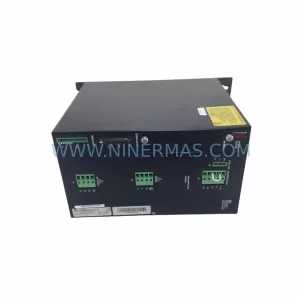
SKU: SCE906A2-002-01 SCE906A200201
Pacific Scientific SCE906A2-002-01 Retrofit Servo Amplifier
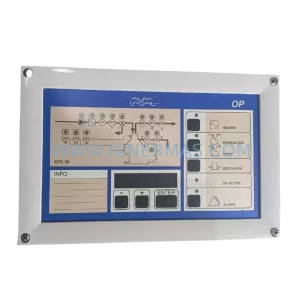
SKU: EPC500 3183062451
Alfa Laval EPC500 3183062451 Service-Ready Spare Part



