
Original Industrial Spare Part
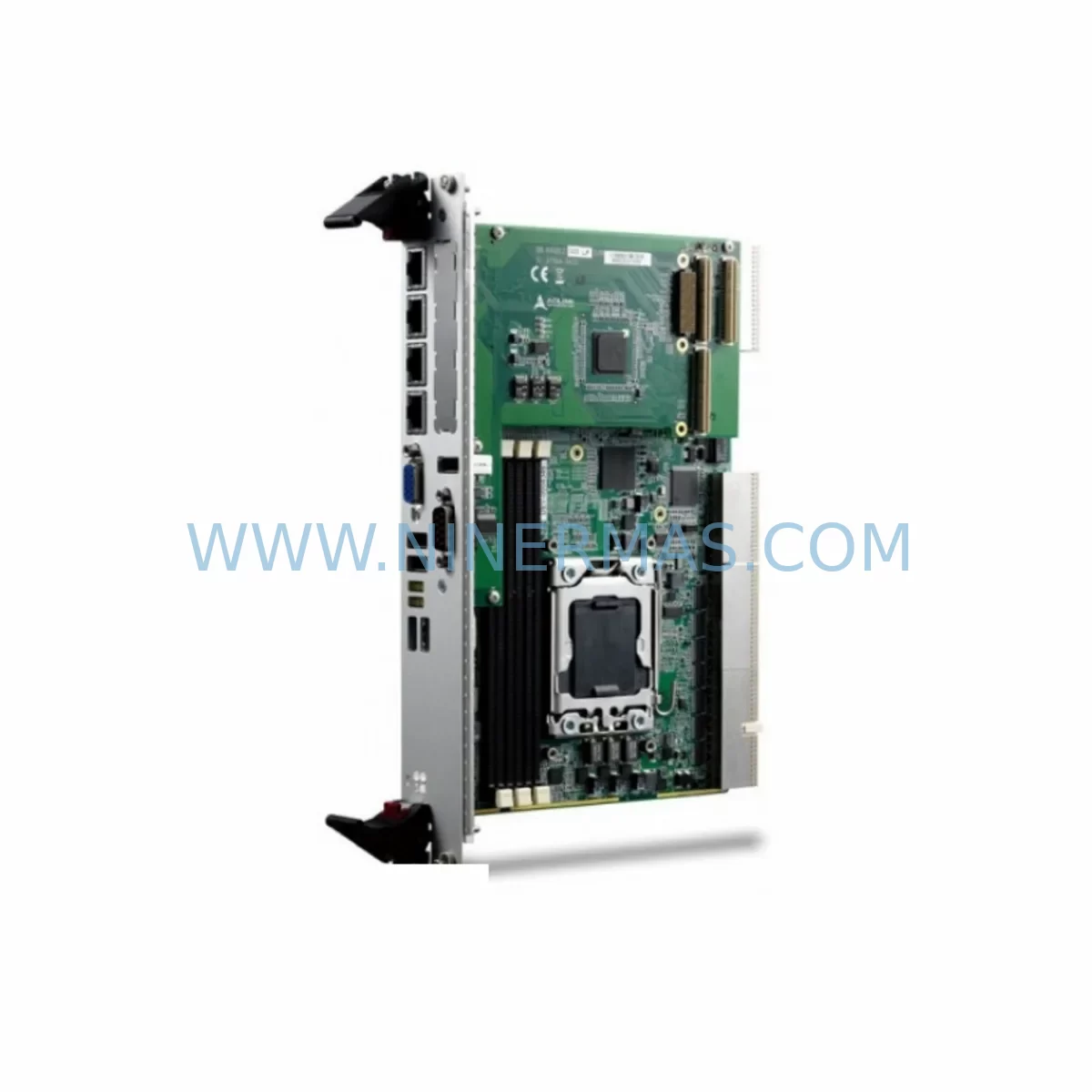
ADLink cPCI-6930D/2418/M6G Retrofit-Compatible CPU for Legacy Systems
Verify the part, confirm the platform family, and move straight into quotation with the right commercial details.
RFQ Ready
- SKUcPCI-6930D cPCI-6930D/2418/M6G
- CategoryPLC & Industrial Automation Modules
- BrandAdlink
- SupportAvailability, lead time, condition, and shipping coordination
How Buyers Usually Use This Page
- Confirm the exact part number and platform family before sending the quote request.
- Use direct email when quantity, condition, and destination are already defined internally.
- Switch to the broader brand or category archive when you need alternates nearby.
Series Navigation
Move through the most common platform families behind this part.
Product RFQ
Send this part directly for quotation.
Include quantity, required condition, destination country, and target delivery timing. Current reference: ADLink cPCI-6930D/2418/M6G Retrofit-Compatible CPU for Legacy Systems with SKU cPCI-6930D cPCI-6930D/2418/M6G.
ADLink cPCI-6930D/2418/M6G Retrofit-Compatible CPU for Legacy Systems
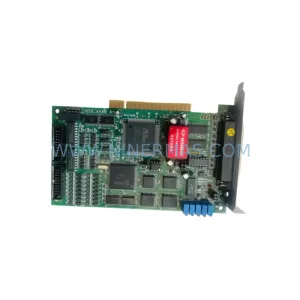
The ADLink cPCI-6930D/2418/M6G is a high-performance CompactPCI (cPCI) single-board computer engineered for demanding industrial automation environments. As legacy control platforms age out of vendor support cycles, plant engineers and system integrators face mounting pressure to sustain operational continuity without committing to full-scale control system replacements. The cPCI-6930D/2418/M6G addresses this challenge directly — offering a retrofit-compatible upgrade path that preserves existing rack infrastructure, backplane wiring, and I/O architecture while delivering a significant leap in processing capability and long-term parts availability.
Built around a dual-core Intel processor with up to 2.4 GHz clock speed and 6 GB of DDR2 ECC memory, this module slots into standard 6U CompactPCI chassis without mechanical modification. Its compatibility with the cPCI-6930 series makes it a preferred replacement candidate for facilities running end-of-life ADLink cPCI-6930, cPCI-6920, or cPCI-6910 boards in process control, power generation, railway signalling, and semiconductor manufacturing applications. The onboard M6G graphics controller supports legacy HMI display configurations, reducing the need to redevelop operator interface screens during migration.
NINERMAS maintains verified stock of the cPCI-6930D/2418/M6G with a 12-month warranty covering manufacturing defects and functional performance. Each unit undergoes pre-shipment functional testing to confirm POST completion, memory integrity, and I/O port operation before dispatch.
Upgrade Compatibility Table
| Parameter | Legacy: cPCI-6930 | Replacement: cPCI-6930D/2418/M6G | Retrofit Notes |
|---|---|---|---|
| Form Factor | 6U CompactPCI | 6U CompactPCI | Direct mechanical fit; no chassis modification required |
| Processor | Intel Pentium M / Celeron M | Intel Core 2 Duo 2.4 GHz (Dual-Core) | Verify OS and BIOS compatibility before swap |
| Memory | Up to 2 GB DDR | Up to 6 GB DDR2 ECC | ECC support improves reliability in high-vibration environments |
| Graphics | Integrated (varies) | Intel GMA X3100 (M6G) | Confirm HMI display resolution and driver compatibility |
| Backplane Interface | cPCI J1/J2 (32-bit / 64-bit PCI) | cPCI J1/J2 (32-bit / 64-bit PCI) | Backplane pinout compatible; verify slot addressing |
| Communication Ports | 2× RS-232/422/485, 2× GbE | 2× RS-232/422/485, 2× GbE | COM port assignments may shift; update device manager mappings |
| Storage Interface | IDE / CompactFlash | SATA + CompactFlash | SATA image cloning recommended; legacy IDE adapters may be needed |
| OS Support | Windows XP / VxWorks / QNX | Windows XP / 7 / WES7 / Linux | Retain original OS image where possible to preserve PLC/SCADA drivers |
| Installation Space | Single 6U cPCI slot | Single 6U cPCI slot | No additional slot consumption; confirm airflow clearance |
| Warranty | End-of-life / No support | 12 Months (NINERMAS) | Covers manufacturing defects and functional performance |
Retrofit Planning for Existing Automation Systems
Successful integration of the cPCI-6930D/2418/M6G into an existing control cabinet begins well before the physical swap. Engineers should start by auditing the current rack configuration — identifying the chassis model (commonly an ADLink cPCI-6U chassis or equivalent), the backplane slot count, and the position of peripheral modules such as the ADLink cPCI-7200 digital I/O module, cPCI-7300A high-speed DIO card, or third-party analog input modules occupying adjacent slots. Slot addressing must be documented, as the new CPU board may enumerate PCI devices in a different order, affecting driver binding in Windows XP or WES7 environments.
Power supply capacity is a critical pre-migration checkpoint. The cPCI-6930D/2418/M6G draws higher peak current on the 3.3 V and 5 V rails compared to older single-core predecessors. If the existing system uses a cPCI-6800 series power supply or a third-party 200 W cPCI PSU, verify that combined rail loading — including the CPU board, I/O modules, and any installed cPCI-7841 CAN bus interface or cPCI-7853 motion control module — remains within the PSU’s continuous output rating. Undersized power supplies are a leading cause of intermittent faults post-retrofit.
Communication protocol continuity is equally important. Many legacy systems rely on RS-485 Modbus RTU links between the CPU board and field devices such as variable frequency drives, temperature controllers, and remote I/O stations. The cPCI-6930D/2418/M6G retains dual RS-232/422/485 COM ports, but port numbering may change after OS reinstallation. Update COM port assignments in the SCADA configuration or PLC communication driver before going live. For systems using PROFIBUS DP, confirm that the existing PROFIBUS master card in the cPCI rack remains compatible with the new CPU’s PCI bus timing.
HMI screen continuity is another area requiring pre-migration validation. If the control room uses a panel PC or industrial monitor connected via VGA to the legacy CPU board, the cPCI-6930D/2418/M6G’s Intel GMA X3100 graphics output is electrically compatible. However, display driver installation under WES7 or Windows XP SP3 must be completed before reconnecting the HMI. Operators should retain a backup of the original HMI project files — particularly for systems running Wonderware InTouch, iFIX, or WinCC — to allow rapid screen restoration if display mapping changes after the CPU swap.
For systems incorporating a cPCI-6841 Ethernet communication module or an onboard GbE NIC used for EtherNet/IP or PROFINET communication, MAC address changes after board replacement may require updates to managed switch port security policies or PLC I/O scanner configurations. Document all MAC-to-IP bindings before the swap and coordinate with the network administrator to update DHCP reservations or static ARP entries as needed.
Downtime Control During System Migration
Minimising production downtime during a CPU board replacement requires a structured migration sequence. The recommended approach is to perform a full system image backup of the existing CompactFlash or hard drive before any hardware is disturbed. Tools such as Acronis True Image or Ghost can capture a sector-level clone of the original OS volume, preserving all installed drivers, PLC runtime environments, and SCADA historian configurations. This image serves as the primary recovery asset if the new board encounters compatibility issues during initial boot.
Where possible, schedule the physical swap during a planned maintenance window rather than responding to a board failure under production pressure. A pre-staged cPCI-6930D/2418/M6G — already configured with the correct OS image, COM port assignments, and network settings — can reduce the active changeover window to under two hours for experienced technicians. Label all terminal wiring on the front panel I/O transition module before disconnection, and photograph the backplane slot layout to ensure correct module reinsertion sequence.
After physical installation, perform a controlled power-on sequence: apply chassis power first, confirm backplane voltage rails are within specification using the PSU’s status LEDs or a multimeter, then boot the CPU board. Monitor POST output via the VGA port before reconnecting field I/O. Validate communication links — Modbus, PROFIBUS, or EtherNet/IP — in loopback or simulation mode before transferring control back to the live process. This staged validation approach protects original program logic and maintains field control continuity throughout the migration, reducing the risk of unplanned process trips.
Retrofit Support FAQ
Q1: Is the cPCI-6930D/2418/M6G a direct drop-in replacement for the cPCI-6930?
The cPCI-6930D/2418/M6G shares the same 6U CompactPCI form factor and J1/J2 backplane connector pinout as the cPCI-6930, making it mechanically compatible with the same chassis and backplane. However, the processor architecture, memory type (DDR2 vs DDR), and storage interface (SATA added) differ. A full OS image migration and driver validation are required before declaring the replacement operational. NINERMAS recommends bench-testing the replacement board with a cloned OS image prior to installation in the live rack.
Q2: What commissioning steps are required after installation?
After physical installation, verify POST completion via VGA output, confirm all PCI peripheral modules are enumerated correctly in Device Manager, reassign COM port numbers in the SCADA or PLC communication configuration, validate Ethernet MAC address updates in network infrastructure, and perform a full I/O scan to confirm digital and analog channel integrity. For motion control applications involving a cPCI-7853 or equivalent axis controller, re-run the axis homing sequence before enabling automatic operation.
Q3: Does NINERMAS provide pre-shipment testing for this module?
Yes. Every cPCI-6930D/2418/M6G unit shipped by NINERMAS undergoes pre-shipment functional testing covering POST completion, memory integrity check (ECC error-free), COM port loopback, GbE link negotiation, and SATA/CompactFlash detection. A test report is available upon request. Units are shipped in anti-static packaging with foam protection to prevent transit damage.
Q4: What warranty coverage applies and what does it include?
NINERMAS provides a 12-month warranty on the cPCI-6930D/2418/M6G from the date of shipment. The warranty covers manufacturing defects, component failures under normal operating conditions, and functional non-conformance identified during incoming inspection. It does not cover damage resulting from incorrect installation, overvoltage, ESD mishandling, or unauthorised modification. Warranty claims are processed via RMA with a target turnaround of 10 business days.
| Product Series | Legacy |
|---|---|
| Country of Origin | TW |
Catalog Continuation
More Adlink modules in the catalog.
Use the brand lane to compare nearby part numbers, platform-adjacent modules, and other inquiry-ready listings before sending your final RFQ.
SKU: cPCI-6210/510E/M4G/TEL cPCI-6210
ADLINK cPCI-6210/510E/M4G/TEL Safety-Reliable SBC
SKU: CPCI-6920/S408/M4G(G)-1270
Adlink CPCI-6920/S408/M4G(G)-1270 Service-Ready Spare Part
SKU: PC RK-610 SERIES HPC1-14S7U COMPLEX FG 73727 9800035476 RH-14D-2702-E050AL-SP(N)
ADLINK PC-RK-610-HPC1-14S7U Retrofit Module for Legacy Systems
Catalog Continuation
Alternative parts within PLC & Industrial Automation Modules.
Stay inside the same system family when you need substitutes, adjacent modules, or a broader shortlist for procurement review.
SKU: KETOP T50 R01 VX/69908/14
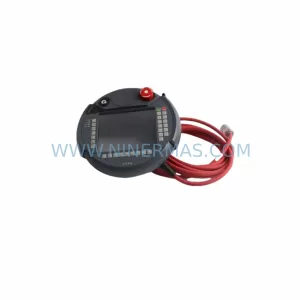
KEBA KETOP T50 R01 VX/69908/14 Service-Ready Spare Part
SKU: HMS01.1N-W0020-A-07-NNNN
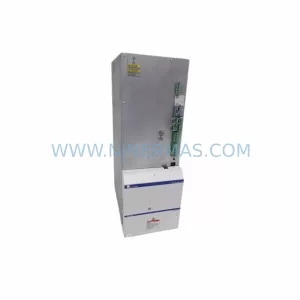
Rexroth HMS01.1N-W0020-A-07-NNNN Retrofit Single-Axis Servo Drive
SKU: SRZ-041 HB-R54VD-01 0050-90653 0100-09131
Heidenhain SRZ 041 HB R54VD 01 Retrofit Encoder Legacy Systems



