
Original Industrial Spare Part
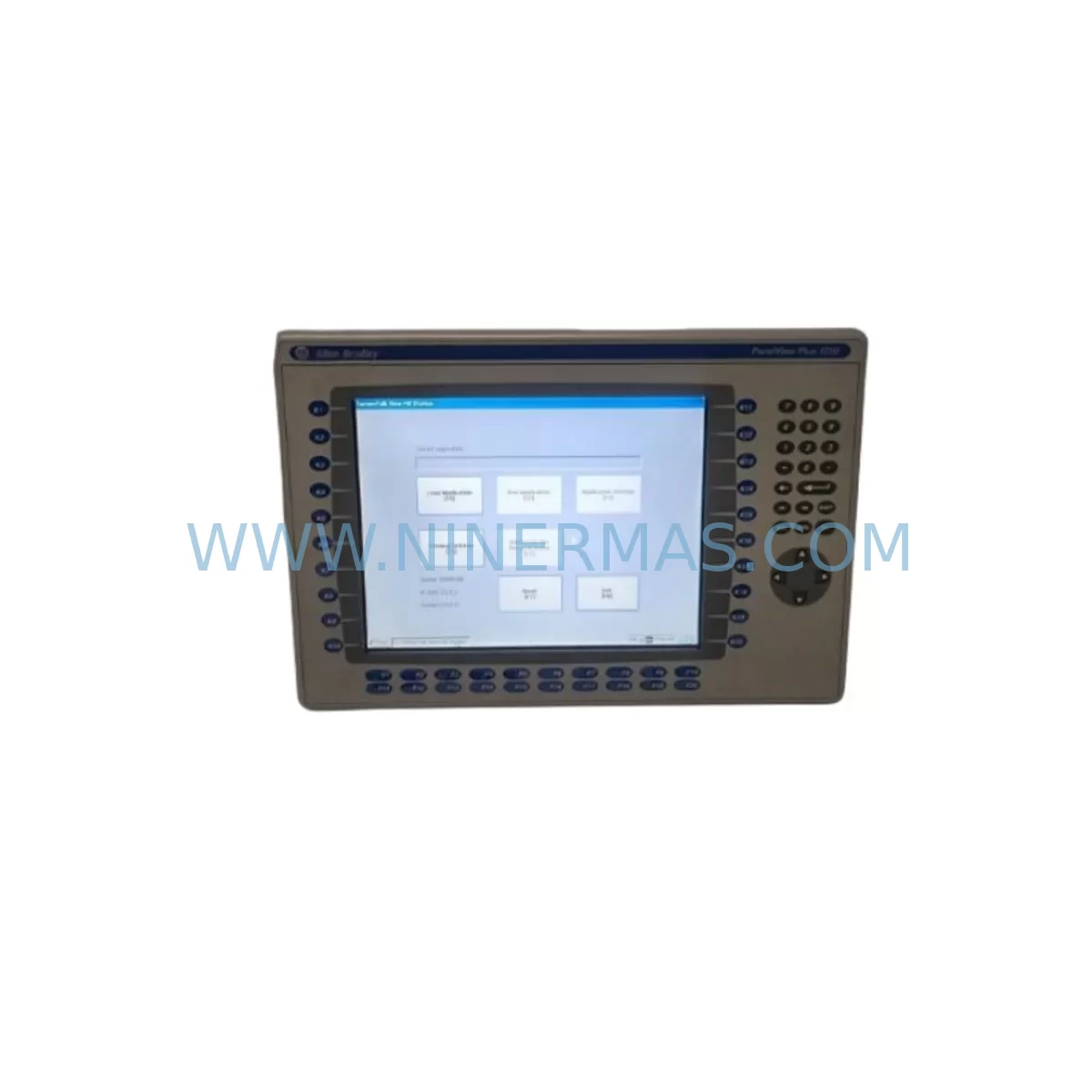
AB 2711P-RN15S Retrofit-Compatible ControlNet Module for Legacy Systems
Verify the part, confirm the platform family, and move straight into quotation with the right commercial details.
RFQ Ready
- SKU2711P-RN15S
- CategoryPLC & Industrial Automation Modules
- BrandAllen-Bradley
- SupportAvailability, lead time, condition, and shipping coordination
How Buyers Usually Use This Page
- Confirm the exact part number and platform family before sending the quote request.
- Use direct email when quantity, condition, and destination are already defined internally.
- Switch to the broader brand or category archive when you need alternates nearby.
Series Navigation
Move through the most common platform families behind this part.
Product RFQ
Send this part directly for quotation.
Include quantity, required condition, destination country, and target delivery timing. Current reference: AB 2711P-RN15S Retrofit-Compatible ControlNet Module for Legacy Systems with SKU 2711P-RN15S.
AB 2711P-RN15S Retrofit-Compatible ControlNet Module for Legacy Systems
The Allen-Bradley 2711P-RN15S is a ControlNet communication module designed for the PanelView Plus terminal family. As legacy automation systems face end-of-life pressures, the 2711P-RN15S remains a critical component for facilities that need to maintain, extend, or migrate their existing ControlNet-based HMI infrastructure without a full platform overhaul. Whether you are replacing a failed module in a running production line or planning a phased upgrade of your control cabinet, this module provides a proven, drop-in compatible solution backed by a 12-month warranty and verified pre-shipment testing.
Upgrade Compatibility Table
| Parameter | Details |
|---|---|
| Compatible Terminal | PanelView Plus 6, PanelView Plus 7 (ControlNet variant) |
| Communication Protocol | ControlNet (IEEE 802.4 / ANSI/EIA-709) |
| Replaces / Supersedes | 2711P-RN15, 2711P-RN10S (verify firmware revision before substitution) |
| Installation Interface | Rear-slot plug-in module; no additional backplane wiring required |
| Power Requirement | Supplied by host PanelView Plus terminal; no external power feed |
| Network Topology | Trunk-and-drop coaxial or fiber; BNC or fiber connector depending on variant |
| Commissioning Tool | RSNetWorx for ControlNet; FactoryTalk View Studio ME |
| Firmware Compatibility | PanelView Plus firmware v5.10 and above recommended |
| Installation Space | Rear-mount slot; confirm terminal model suffix matches RN15S slot type |
| Warranty | 12 months from date of shipment |
Retrofit Planning for Existing Automation Systems
Replacing or upgrading a ControlNet communication module in an active production environment requires careful pre-work to avoid unplanned downtime and configuration loss. Before removing the existing module, engineers should document the current ControlNet node address assigned to the PanelView Plus terminal, as this address is referenced by the 1756-CNB or 1756-CNBR ControlNet bridge module installed in the ControlLogix or CompactLogix chassis. Mismatched node addresses after module swap will cause the HMI to drop off the network and trigger faults in the controller’s I/O tree.
On the controller side, verify that the 1756-L7x or 1756-L8x processor retains the scheduled connection parameters for the PanelView Plus node. If the system uses a 1756-ENBT or 1756-EN2T EtherNet/IP bridge in parallel for remote access or data logging, confirm that the ControlNet segment remains isolated from the Ethernet segment to prevent broadcast storms during the swap window.
For facilities running older SLC 500 or PLC-5 platforms with a 1784-KTC or 1784-KTCX ControlNet interface card, the 2711P-RN15S can still serve as the HMI front-end provided the ControlNet scheduler is reconfigured to include the new module’s MAC ID. Use RSNetWorx for ControlNet to run a network optimization pass after installation to re-establish scheduled and unscheduled bandwidth allocations.
Inside the control cabinet, check that the 1606-XLP power supply or equivalent 24 VDC rail supplying the PanelView Plus terminal is within its rated load capacity after adding or replacing the communication module. Although the 2711P-RN15S draws power from the terminal’s internal bus, the terminal itself must remain within its total power budget. If the cabinet also houses a 1734 POINT I/O adapter or 1769 CompactLogix local I/O on the same power rail, a load audit is recommended before the retrofit window.
For applications where the PanelView Plus terminal is mounted in a remote panel connected via a ControlNet repeater or fiber media converter, confirm that the fiber connector type on the 2711P-RN15S matches the existing trunk infrastructure. Coaxial-to-fiber transitions require a compatible tap and repeater; substituting a coaxial-variant module on a fiber trunk will result in no communication. Additionally, if the site uses a 2711P-RW1 or 2711P-RW3 runtime license stored on a CompactFlash card, back up the card image before the module swap to protect the FactoryTalk View ME application and alarm history.
Downtime Control During System Migration
Minimizing production interruption during a ControlNet module replacement starts with a structured pre-outage checklist. First, export the current FactoryTalk View ME project from the PanelView Plus terminal using FactoryTalk View Studio ME and store the .MER file on a secure network share. This preserves all HMI screen logic, tag bindings, alarm setpoints, and trend configurations so that a full restore is possible if the replacement module requires a firmware update that resets terminal memory.
Second, use RSNetWorx for ControlNet to save the current network schedule file (.XC) before taking the terminal offline. This file contains the scheduled connection table for all ControlNet nodes on the segment, and restoring it after the swap is significantly faster than rebuilding the schedule from scratch — reducing the commissioning window from hours to minutes.
Third, coordinate the swap with the control system operator to place the affected controller in a safe state. For ControlLogix systems, this typically means inhibiting the scheduled connection to the PanelView Plus node in the I/O configuration tree rather than placing the entire controller in Program mode, which would halt all outputs. Inhibiting only the HMI connection allows the process to continue running under automatic control while the module is replaced.
After installing the 2711P-RN15S, power up the terminal and confirm that the ControlNet status LED on the module cycles from flashing red to solid green before re-enabling the scheduled connection in the controller. Run a short functional test of all critical HMI screens, verify alarm acknowledgment paths, and confirm that trend data is logging correctly before returning the system to full production. Total planned outage for a prepared team is typically under 30 minutes.
Retrofit Support FAQ
Q1: Is the 2711P-RN15S a direct drop-in replacement for the 2711P-RN15?
The 2711P-RN15S is the current shipping revision of the 2711P-RN15 and is mechanically and electrically compatible with the same rear slot. However, always verify the firmware revision of the host PanelView Plus terminal before installation. Terminals running firmware below v5.10 may require a firmware update to recognize the S-revision module correctly. Pre-shipment testing on every unit confirms hardware functionality before dispatch.
Q2: What wiring or termination changes are needed during installation?
The 2711P-RN15S plugs directly into the rear communication slot of the PanelView Plus terminal with no field wiring to the module itself. ControlNet network connections (coaxial BNC or fiber, depending on your infrastructure) attach to the module’s network port. Ensure the ControlNet trunk termination resistors (75 Ω) remain correctly placed at both ends of the segment after the swap, as an improperly terminated segment will cause intermittent communication faults.
Q3: Can this module be used in a mixed ControlNet and EtherNet/IP environment?
Yes. Many modern installations run ControlNet for deterministic I/O and EtherNet/IP for supervisory data access in parallel. The 2711P-RN15S handles the ControlNet connection exclusively; if your PanelView Plus terminal also has an Ethernet port (e.g., 2711P-RN6 or built-in Ethernet on Plus 7 models), both networks can operate simultaneously without conflict. Confirm your terminal model supports dual-network operation before ordering.
Q4: What does the 12-month warranty cover, and what is the lead time?
Every 2711P-RN15S unit shipped by NINERMAS undergoes a pre-shipment functional test covering communication link establishment, module recognition by the host terminal, and LED status verification. The 12-month warranty covers manufacturing defects and functional failures under normal operating conditions from the date of shipment. Units are held in stock and typically ship within 1–3 business days. For urgent retrofit requirements, contact our team directly to confirm availability and expedited dispatch options.
| Product Series | 2711 |
|---|---|
| Country of Origin | US |
Catalog Continuation
More Allen-Bradley modules in the catalog.
Use the brand lane to compare nearby part numbers, platform-adjacent modules, and other inquiry-ready listings before sending your final RFQ.




Catalog Continuation
Alternative parts within PLC & Industrial Automation Modules.
Stay inside the same system family when you need substitutes, adjacent modules, or a broader shortlist for procurement review.



SKU: HDD02.2-W040N-HS12-01-FW FWA-DIAX04-ELS-05VRS-MS
Rexroth HDD02.2-W040N-HS12-01-FW Service-Ready Spare Part

SKU: I5DAE375F10010000S
Lenze I5DAE375F10010000S Service-Ready Spare Part for Industrial Maintenance



