Original Industrial Spare Part
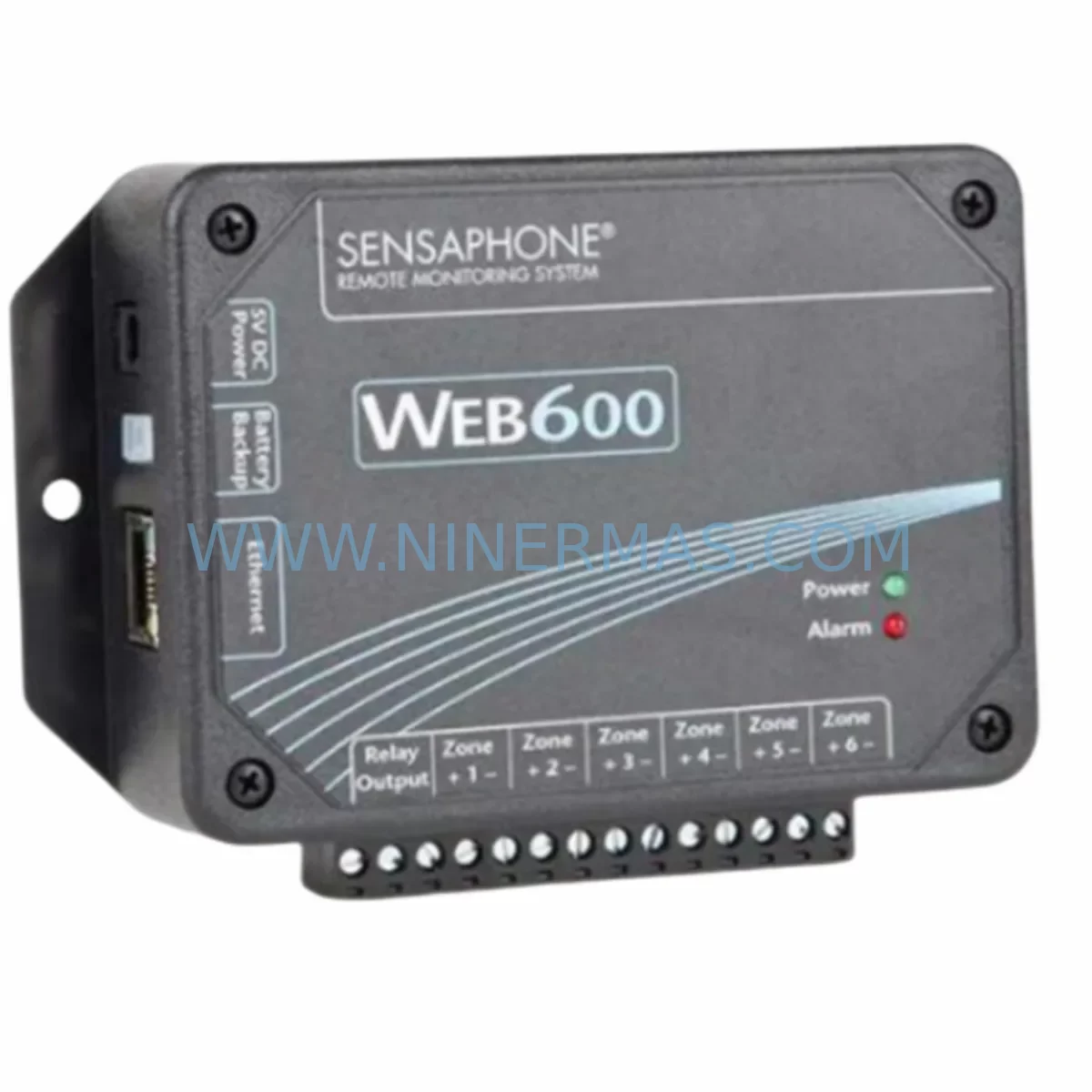
Sensaphone WEB600 FGD-W600 Retrofit-Compatible Remote Monitor
Verify the part, confirm the platform family, and move straight into quotation with the right commercial details.
RFQ Ready
- SKUWEB600 FGD-W600
- CategoryTSI & Rotating Machinery Monitoring
- BrandSensaphone
- SupportAvailability, lead time, condition, and shipping coordination
How Buyers Usually Use This Page
- Confirm the exact part number and platform family before sending the quote request.
- Use direct email when quantity, condition, and destination are already defined internally.
- Switch to the broader brand or category archive when you need alternates nearby.
Series Navigation
Move through the most common platform families behind this part.
Product RFQ
Send this part directly for quotation.
Include quantity, required condition, destination country, and target delivery timing. Current reference: Sensaphone WEB600 FGD-W600 Retrofit-Compatible Remote Monitor with SKU WEB600 FGD-W600.
Sensaphone WEB600 FGD-W600 Retrofit-Compatible Remote Monitor for Legacy Systems
The Sensaphone WEB600 FGD-W600 is a web-based remote monitoring unit engineered for facilities that rely on legacy environmental and process monitoring infrastructure. As a retrofit-compatible replacement for the original Web600 series platform, the FGD-W600 addresses the growing challenge of maintaining operational continuity when original equipment manufacturers discontinue support for aging monitoring hardware. Whether you are managing a telecommunications shelter, a remote pump station, a server room, or an unmanned industrial enclosure, the WEB600 FGD-W600 provides a reliable, field-proven upgrade path that minimises downtime and preserves existing wiring infrastructure.
Facilities running the original Sensaphone Web600 platform frequently encounter end-of-life supply constraints, firmware incompatibilities, and the inability to source certified replacement boards. The FGD-W600 resolves these issues by offering a functionally equivalent monitoring architecture with updated web interface capabilities, allowing engineering teams to retire obsolete units without redesigning the entire monitoring loop. The unit supports up to eight analogue and digital input channels, enabling direct reuse of existing field wiring for temperature sensors, humidity probes, door contacts, flood detectors, and power-fail inputs — all critical signals in legacy control cabinet environments.
During a retrofit project, one of the first tasks is confirming power supply compatibility. The FGD-W600 operates on a standard 12 VDC input, which aligns with the power rails commonly found in legacy Sensaphone enclosures and third-party DIN-rail power supplies already installed in the control cabinet. If the existing power supply is marginal or aged, it is advisable to replace it concurrently with a new 12 VDC / 1 A DIN-rail PSU to ensure stable operation. Terminal block wiring from the original unit maps directly to the FGD-W600’s screw-terminal input block, reducing re-termination labour significantly.
Upgrade Compatibility Table
| Parameter | Legacy Web600 (Original) | FGD-W600 (Retrofit Unit) | Retrofit Notes |
|---|---|---|---|
| Input Channels | 8 analogue/digital | 8 analogue/digital | Direct wiring reuse; no re-termination required |
| Power Supply | 12 VDC | 12 VDC | Existing PSU compatible; verify output capacity ≥ 500 mA |
| Communication Interface | Ethernet (RJ-45) | Ethernet (RJ-45) | Same IP configuration; update DNS/hostname if required |
| Mounting | Panel / DIN-rail | Panel / DIN-rail | Confirm enclosure depth; FGD-W600 footprint is equivalent |
| Web Interface | Legacy HTTP | Updated HTTP/HTTPS | Re-configure alert contacts and threshold values post-swap |
| Notification Methods | Email, voice dial-out | Email, SMS, voice | Update SMTP server settings; re-enter contact list |
| Installation Space | Standard panel cutout | Equivalent footprint | No panel modification required in most enclosures |
| Commissioning | Browser-based setup | Browser-based setup | Use laptop on same subnet; default IP 192.168.1.100 |
| Warranty | Expired / EOL | 12-Month Warranty | Covered from date of shipment; pre-shipment tested |
Retrofit Planning for Existing Automation Systems
A successful FGD-W600 retrofit begins with a thorough site survey of the existing monitoring panel. Engineers should document all active input channels, noting sensor types, signal ranges, and wiring colours before disconnecting the legacy unit. In many legacy installations, the Web600 shares a control cabinet with other monitoring and control components — including DIN-rail terminal blocks, surge protection modules, and Ethernet switches — all of which can typically be retained during the swap.
For sites where the FGD-W600 is being integrated into a broader SCADA or BMS upgrade, the unit’s Ethernet port connects directly to the facility LAN or a dedicated monitoring VLAN. If the existing network infrastructure uses managed switches with VLAN tagging, confirm that the monitoring port is configured for untagged access on the correct VLAN before powering up the replacement unit. In facilities that previously used a Sensaphone 400 or Sensaphone 1400 alongside the Web600, the FGD-W600 can serve as a centralised replacement, consolidating multiple legacy monitoring nodes into a single web-accessible platform.
Input wiring for temperature sensors — typically 10K NTC thermistors or 4–20 mA transmitters — connects to the FGD-W600’s universal input terminals without modification in most cases. Humidity sensors, flood detection cables, and dry-contact door switches all terminate on the same screw-terminal block as the original unit. If the legacy installation used a Sensaphone external temperature probe (such as the FGD-0027 or FGD-0028 probe accessories), these probes are compatible with the FGD-W600 input channels and do not need to be replaced.
For facilities upgrading from older Sensaphone IMS-4000 or Sensaphone 2800 platforms to the FGD-W600, the migration involves re-mapping input channels and reconfiguring alert thresholds through the new web interface. The FGD-W600’s browser-based configuration panel allows engineers to define high/low alarm setpoints, deadband values, and notification escalation sequences — all parameters that should be documented from the legacy system before decommissioning. Where the original system used a Sensaphone host unit with remote node modules, the FGD-W600 consolidates this architecture into a single standalone device, eliminating the RS-485 node communication wiring that was required in older multi-node deployments.
In control cabinet environments where space is constrained, the FGD-W600’s compact panel-mount form factor is a significant advantage. The unit occupies the same footprint as the original Web600, meaning no panel cutout modifications are required. Power, Ethernet, and sensor wiring all route through the same cable entry points, and the unit can be secured using the original mounting hardware in most enclosures. For outdoor or harsh-environment installations, confirm that the enclosure’s IP rating is maintained after the swap and that any cable glands or conduit fittings are re-sealed correctly.
Downtime Control During System Migration
Minimising production downtime during a monitoring system swap requires careful pre-staging and a structured cutover procedure. Before removing the legacy Web600 unit, the engineering team should capture a full screenshot or printed record of all configured alarm thresholds, contact lists, SMTP settings, and input channel labels. This documentation serves as the configuration baseline for the FGD-W600 and eliminates the risk of missing a critical alarm setpoint during recommissioning.
The physical swap itself — disconnecting the legacy unit, mounting the FGD-W600, and re-terminating the input wiring — typically takes 30 to 60 minutes for a trained technician. The most time-sensitive step is the network reconfiguration: the FGD-W600 ships with a default IP address, which must be updated to match the facility’s monitoring network scheme before the unit can communicate with the SCADA host or send email/SMS alerts. Using a laptop connected directly to the unit via a crossover cable or a dedicated commissioning switch port allows the technician to complete the IP configuration without disrupting the production network.
Once the IP address, subnet mask, and gateway are configured, the technician should verify connectivity by pinging the unit from the monitoring workstation and then logging into the web interface to confirm that all input channels are reading correctly. Sensor values should be compared against a calibrated reference instrument before the unit is declared operational. For facilities with 24/7 monitoring requirements, it is advisable to schedule the cutover during a planned maintenance window and to have a temporary Sensaphone 400 or equivalent standalone alarm dialler available as a backup during the transition period.
All FGD-W600 units supplied by NINERMAS are pre-shipment tested against factory specifications before dispatch. Each unit is powered up, input channels are verified, and network communication is confirmed prior to packaging. This pre-shipment testing protocol reduces the risk of commissioning failures on site and supports the 12-month warranty coverage that applies from the date of shipment.
Retrofit Support FAQ
Q1: Is the FGD-W600 a direct drop-in replacement for the original Sensaphone Web600?
Yes. The FGD-W600 is functionally equivalent to the original Web600 platform and is designed as a retrofit replacement. Input channel count, power supply voltage, mounting footprint, and Ethernet interface are all compatible with the original installation. After physical installation, the technician must reconfigure alarm thresholds, contact lists, and network settings through the updated web interface, as configuration data is not transferable from the legacy unit.
Q2: What commissioning steps are required after installing the FGD-W600?
After mounting and wiring, connect a laptop to the same network subnet as the FGD-W600 and navigate to the default IP address (192.168.1.100) using a standard web browser. Update the IP address to match the facility network, then re-enter all alarm thresholds, sensor labels, SMTP server details, and notification contact information. Verify each input channel by comparing live readings against a reference instrument. Confirm that test alerts are received at all designated contact addresses before closing out the commissioning record.
Q3: Does NINERMAS provide pre-shipment testing and warranty coverage for the FGD-W600?
Yes. Every FGD-W600 unit is powered up and functionally tested before dispatch. Network communication, input channel response, and alarm output functions are all verified as part of the pre-shipment test protocol. A 12-month warranty applies from the date of shipment, covering manufacturing defects and functional failures under normal operating conditions. Warranty claims are supported directly through NINERMAS.
Q4: Can the FGD-W600 be used to replace other Sensaphone legacy models beyond the Web600?
The FGD-W600 is optimised as a replacement for the Web600 series. For facilities running older Sensaphone 400, Sensaphone 1400, or Sensaphone 2800 platforms, the FGD-W600 can serve as a functional upgrade, though input channel mapping and wiring adaptation will be required. Contact NINERMAS with your existing model number and site wiring diagram for a compatibility assessment before ordering.
| Product Series | Other series |
|---|
Catalog Continuation
Alternative parts within TSI & Rotating Machinery Monitoring.
Stay inside the same system family when you need substitutes, adjacent modules, or a broader shortlist for procurement review.
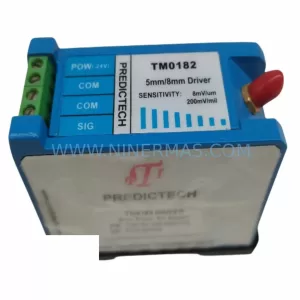
SKU: TM0181-A40-B01
PROVIBTECH TM0181-A40-B01 Safety-Reliable Vibration Monitor
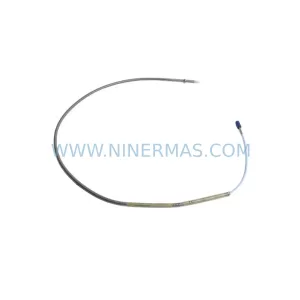
SKU: 330904-00-08-10-01-00
Bently Nevada 330904-00-08-10-01-00 Safety-Reliable Proximity Transducer
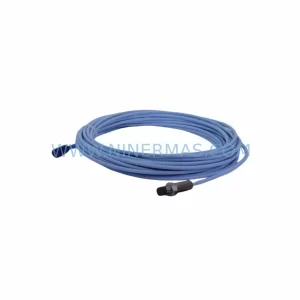
SKU: 330881-16-00-200-06-02
Bently Nevada 330881-16-00-200-06-02 Service-Ready Spare Part