Original Industrial Spare Part
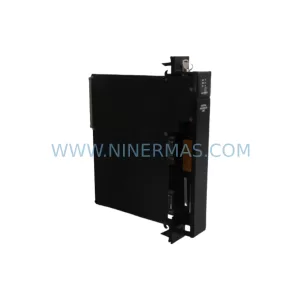
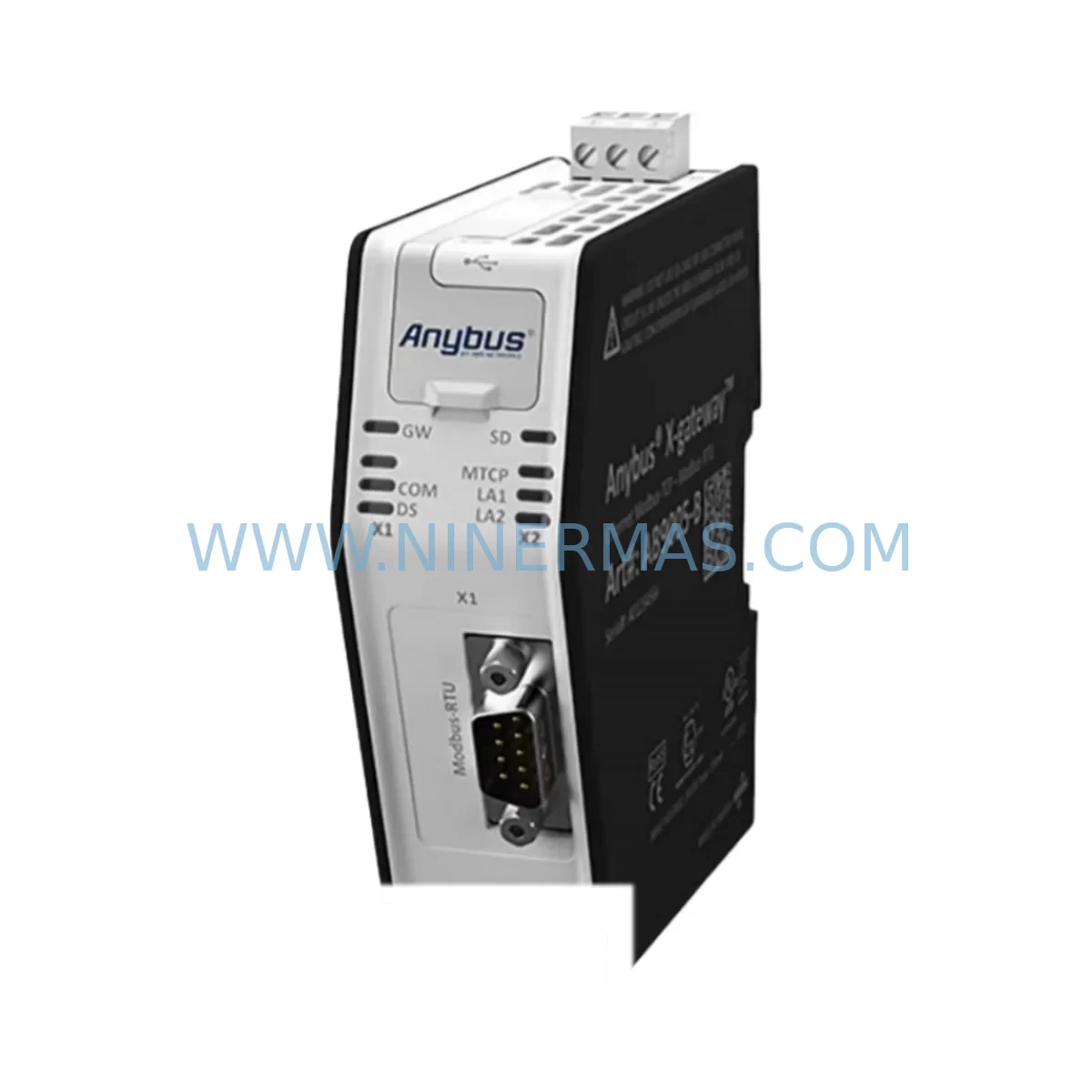
HMS Networks AB9005-B Retrofit-Compatible Communication Gateway
Verify the part, confirm the platform family, and move straight into quotation with the right commercial details.
RFQ Ready
- SKUAB9005-B
- CategoryPLC & Industrial Automation Modules
- BrandHMS Networks
- SupportAvailability, lead time, condition, and shipping coordination
How Buyers Usually Use This Page
- Confirm the exact part number and platform family before sending the quote request.
- Use direct email when quantity, condition, and destination are already defined internally.
- Switch to the broader brand or category archive when you need alternates nearby.
Series Navigation
Move through the most common platform families behind this part.
Product RFQ
Send this part directly for quotation.
Include quantity, required condition, destination country, and target delivery timing. Current reference: HMS Networks AB9005-B Retrofit-Compatible Communication Gateway with SKU AB9005-B.
HMS Networks AB9005-B Retrofit-Compatible Communication Gateway for Legacy Automation Systems
The HMS Networks AB9005-B is a robust industrial communication gateway engineered to bridge legacy fieldbus architectures with modern automation networks. Designed as a retrofit-compatible replacement for aging or discontinued communication interface modules, the AB9005-B enables plant engineers and system integrators to extend the operational life of existing control infrastructure without requiring a full platform migration. Whether you are replacing a failed gateway in a Profibus DP segment, migrating from a proprietary serial protocol to Modbus RTU or EtherNet/IP, or expanding I/O capacity across a distributed control cabinet, the AB9005-B delivers the protocol translation performance and physical compatibility required for seamless integration into your existing system architecture.
At NINERMAS, every AB9005-B unit is sourced from verified supply channels, subjected to pre-shipment functional testing, and backed by a 12-month warranty. We maintain ready stock to support urgent maintenance windows, unplanned shutdowns, and long-term spare parts programs for processing, utilities, and discrete manufacturing facilities worldwide.
Upgrade Compatibility Table
| Parameter | Details |
|---|---|
| SKU / Part Number | AB9005-B |
| Brand | HMS Networks (Anybus) |
| Product Series | Anybus Communicator |
| Primary Function | Serial-to-fieldbus / fieldbus-to-Ethernet protocol gateway |
| Typical Legacy Replacement | Discontinued serial gateway modules, proprietary RS-232/RS-485 bridges |
| Communication Interfaces | RS-232 / RS-485 serial (sub-network); Profibus DP, Modbus RTU/TCP, EtherNet/IP, DeviceNet (network side — confirm variant) |
| Power Supply | 24 VDC nominal (verify existing cabinet power rail capacity before installation) |
| Mounting | DIN rail — confirm available rail space and clearance in existing control cabinet |
| Installation Space | Compact form factor; measure existing cutout or rail segment before ordering |
| Configuration Tool | Anybus Configuration Manager (ACM) — verify software version compatibility with existing PLC programming environment |
| Protocol Migration Support | Serial Modbus RTU → EtherNet/IP, Profibus DP, DeviceNet; confirm node address and baud rate settings |
| Program Compatibility | Transparent data mapping preserves existing PLC logic; verify I/O data length and byte order |
| HMI Screen Impact | Tag addresses may require remapping in SCADA/HMI if network-side protocol changes |
| Pre-Shipment Testing | Yes — functional communication test performed before dispatch |
| Warranty | 12 months from date of shipment |
| Stock Status | Available — contact NINERMAS for lead time confirmation |
Retrofit Planning for Existing Automation Systems
Integrating the HMS Networks AB9005-B into an existing control system requires a structured pre-installation assessment to avoid unplanned downtime and configuration errors. The first step is to audit the existing communication architecture: identify the legacy gateway or serial bridge being replaced, document the sub-network protocol (typically RS-232 or RS-485 Modbus RTU), and confirm the network-side fieldbus or Ethernet protocol in use — whether Profibus DP, EtherNet/IP, or DeviceNet.
Power supply verification is critical. The AB9005-B operates on 24 VDC; confirm that the existing cabinet power rail — often shared with other modules such as a Phoenix Contact or Weidmüller power supply unit — has sufficient residual capacity to support the additional load. If the cabinet also houses a Siemens ET 200S distributed I/O station or a Beckhoff EtherCAT terminal block assembly, account for their combined draw before adding the gateway.
Terminal wiring must be carefully mapped. The serial sub-network side requires correct RS-485 A/B polarity and termination resistor placement, particularly in longer cable runs or multi-drop configurations. If the legacy installation used a Moxa NPort serial device server or a similar RS-485 hub, retain the existing cable topology where possible and only replace the gateway head-end. On the network side, confirm that the Profibus DP connector pinout or EtherNet/IP RJ45 patch cable routing matches the new module’s port orientation within the cabinet.
Backplane and rack considerations apply when the AB9005-B is installed adjacent to a Rockwell Automation 1756 ControlLogix chassis or a Schneider Electric Modicon M340 rack. Ensure that the DIN rail segment is mechanically secure and that adjacent modules — such as analog input cards, digital output modules, or a dedicated communication processor — are not displaced during installation. Module address assignment must be confirmed in the PLC configuration software before the gateway goes live; a node address conflict on a Profibus DP segment will prevent the master from establishing communication with any downstream slave device.
For systems that include a GE Fanuc Series 90-30 PLC or an older Allen-Bradley SLC 500 controller communicating via a legacy serial link, the AB9005-B provides a transparent data bridge that preserves the existing ladder logic without requiring program recompilation. However, verify the I/O data table length and byte-swap settings in the Anybus Configuration Manager to ensure that register values are correctly interpreted by the upstream controller. If the control system also relies on a Mitsubishi MELSEC Q-series communication module for inter-PLC data exchange, confirm that the EtherNet/IP adapter configuration does not conflict with existing network node assignments.
Signal isolation requirements should be assessed if the serial sub-network spans multiple electrical panels or crosses areas with high electromagnetic interference. In such cases, a DIN rail-mounted signal isolator or RS-485 repeater may be required upstream of the AB9005-B to maintain signal integrity. Programming cables and USB-to-serial adapters used during commissioning should be confirmed compatible with the Anybus Configuration Manager software running on the engineering workstation.
Downtime Control During System Migration
Minimizing production downtime during a communication gateway replacement is a primary concern for maintenance teams operating continuous process lines or time-sensitive discrete manufacturing cells. The AB9005-B retrofit process is designed to support a controlled, step-by-step cutover that protects existing program logic and maintains field device availability throughout the migration window.
Begin by exporting and archiving the current PLC program and HMI project files before any hardware is disturbed. If the existing gateway is still partially functional, use this window to capture live data table snapshots and document all active communication parameters — baud rate, parity, stop bits, node addresses, and data block lengths. This baseline documentation becomes the reference for configuring the AB9005-B and verifying correct operation after cutover.
Where possible, pre-configure the AB9005-B offline using the Anybus Configuration Manager before the maintenance window opens. Load the serial sub-network parameters and network-side protocol settings, simulate the data exchange, and validate the I/O mapping against the PLC data table. This offline preparation reduces the live configuration time to a minimum and allows the engineering team to identify any byte-order or data-length discrepancies before the system is taken offline.
During the physical cutover, label and photograph all existing terminal connections before removal. Reconnect the serial wiring to the AB9005-B sub-network port, verify RS-485 termination, and connect the network-side interface. Power up the gateway and confirm that the status LEDs indicate successful network participation before releasing control back to the PLC. Perform a structured I/O verification scan — checking each field device response in sequence — before resuming automatic control. This approach limits the exposure window and ensures that any residual configuration issues are identified and resolved before production restart.
For systems where a cold cutover is not acceptable, consider a parallel run strategy: install the AB9005-B alongside the existing gateway, configure it to mirror the live data exchange, and validate its output against the reference system before switching the PLC communication path. This approach is particularly effective in safety-instrumented environments or where the downstream field devices include variable frequency drives, motor control centers, or pressure transmitters that cannot tolerate a communication interruption.
Retrofit Support FAQ
Q1: Is the AB9005-B a direct drop-in replacement for my existing serial gateway?
The AB9005-B is designed as a retrofit-compatible replacement for a wide range of legacy serial-to-fieldbus and serial-to-Ethernet gateway modules. Physical mounting (DIN rail), power supply (24 VDC), and serial interface (RS-232/RS-485) are consistent with most legacy installations. Network-side protocol compatibility must be confirmed against your specific variant. Contact NINERMAS with your existing gateway part number and we will confirm the replacement path before you order.
Q2: What commissioning steps are required after installation?
After physical installation and wiring, connect the AB9005-B to a PC running the Anybus Configuration Manager. Load or recreate the serial sub-network configuration (baud rate, parity, data length, node addresses) and the network-side protocol settings. Download the configuration to the gateway, power cycle, and verify status LED indications. In the PLC, confirm that the communication module recognizes the gateway and that I/O data values match expected field device outputs. A structured I/O scan across all connected devices should be completed before returning the system to automatic control.
Q3: Will my existing PLC program need to be modified?
In most retrofit scenarios, the AB9005-B’s transparent data mapping preserves the existing PLC data table structure, and no program recompilation is required. However, if the network-side protocol changes (for example, from Profibus DP to EtherNet/IP), the PLC communication module configuration and potentially the HMI tag database will need to be updated to reflect the new network addressing. NINERMAS recommends a full I/O verification test after any protocol migration before resuming production.
Q4: What does the 12-month warranty cover, and is pre-shipment testing included?
Every AB9005-B unit supplied by NINERMAS undergoes functional pre-shipment testing to verify communication interface operation before dispatch. The 12-month warranty covers manufacturing defects and functional failures under normal operating conditions from the date of shipment. Warranty claims are supported by NINERMAS directly — contact sale@ninermas.com with your order reference and a description of the fault. Replacement or repair will be coordinated to minimize your system downtime.
| Product Series | Other series |
|---|
Catalog Continuation
Alternative parts within PLC & Industrial Automation Modules.
Stay inside the same system family when you need substitutes, adjacent modules, or a broader shortlist for procurement review.
SKU: DX100DX200 jZRCR-YPP01-1 JZRCR-YPP21-1 SRDA-SDB95A01A-E 10Y-06A DC-24V
Yaskawa JZRCR-YPP01-1 Retrofit-Compatible Pendant for Legacy Systems