Original Industrial Spare Part
TOSHIBA V2CBA H2184411 S10CB Retrofit-Compatible Module for Legacy Systems
Verify the part, confirm the platform family, and move straight into quotation with the right commercial details.
RFQ Ready
- SKUV2CBA H2184411 S10CB
- CategoryPLC & Industrial Automation Modules
- BrandToshiba
- SupportAvailability, lead time, condition, and shipping coordination
How Buyers Usually Use This Page
- Confirm the exact part number and platform family before sending the quote request.
- Use direct email when quantity, condition, and destination are already defined internally.
- Switch to the broader brand or category archive when you need alternates nearby.
Series Navigation
Move through the most common platform families behind this part.
Product RFQ
Send this part directly for quotation.
Include quantity, required condition, destination country, and target delivery timing. Current reference: TOSHIBA V2CBA H2184411 S10CB Retrofit-Compatible Module for Legacy Systems with SKU V2CBA H2184411 S10CB.
TOSHIBA V2CBA H2184411 S10CB Retrofit-Compatible Module for Legacy Systems
The TOSHIBA V2CBA H2184411 S10CB is a precision industrial control module engineered for seamless integration into legacy automation environments. As production lines age and original equipment manufacturers discontinue support for older control platforms, the V2CBA H2184411 S10CB provides a reliable, retrofit-ready solution that preserves existing wiring infrastructure, backplane compatibility, and program logic without requiring a full system overhaul. Whether you are managing a brownfield upgrade, replacing a failed spare in a critical production cell, or extending the operational life of a TOSHIBA S10 series control cabinet, this module delivers the performance and compatibility your facility demands.
Sourced from verified industrial supply channels and pre-shipment tested prior to dispatch, each unit undergoes functional verification to confirm signal integrity, communication link stability, and module addressing before leaving our facility. A 12-month warranty is included with every shipment, providing documented assurance for maintenance planners and procurement teams operating under strict uptime requirements.
Upgrade Compatibility Table
| Parameter | Details |
|---|---|
| Part Number | V2CBA H2184411 S10CB |
| Brand | TOSHIBA |
| Series | TOSHIBA S10 / V2CBA Series |
| Module Type | Industrial Control / I/O Module |
| Backplane Interface | Compatible with TOSHIBA S10 series rack and backplane bus |
| Communication Compatibility | Supports legacy TOSHIBA S10 communication protocols; verify against host CPU module (e.g. S10V CPU unit) |
| Installation Requirement | Standard DIN rail or rack-mount; confirm slot pitch and module width before installation |
| Power Supply Compatibility | Verify cabinet power supply capacity (typically 24 VDC or 5 VDC backplane); confirm with TOSHIBA PS unit specifications |
| Replacement Recommendation | Direct replacement for failed or end-of-life V2CBA H2184411 S10CB units; confirm firmware revision if applicable |
| Commissioning Notes | Re-address module slot assignment in CPU configuration; verify I/O mapping in ladder program before live restart |
| Pre-Shipment Testing | Functional verification completed prior to dispatch |
| Warranty | 12 Months |
Retrofit Planning for Existing Automation Systems
Integrating the TOSHIBA V2CBA H2184411 S10CB into an existing control cabinet requires a structured approach to avoid unplanned downtime and configuration errors. Before beginning the swap, maintenance engineers should document the current terminal wiring layout and photograph the existing module’s connector positions. The S10CB module occupies a defined slot within the TOSHIBA S10 series rack; confirm that the replacement unit’s physical dimensions match the available installation space, particularly in compact control cabinets where adjacent modules such as the TOSHIBA S10 analog input module or digital output module may restrict lateral clearance.
Power budget verification is a critical pre-installation step. The TOSHIBA S10 series power supply unit — commonly a dedicated PS module within the same rack — must have sufficient residual capacity to support the V2CBA H2184411 S10CB alongside co-installed modules including communication interface cards, high-density I/O expansion modules, and any signal isolation units mounted in the same cabinet section. Overloading the backplane power rail is a common cause of intermittent faults following module replacement and must be ruled out before commissioning.
Terminal block wiring should be transferred systematically, referencing the original wiring diagram rather than relying on visual inspection alone. In installations where the TOSHIBA S10 series is interfaced with third-party field devices — such as pressure transmitters, flow meters, or motor drive units — confirm that signal ranges and impedance characteristics remain within the replacement module’s specified input tolerances. Where signal conditioning is required, inline signal isolators or barriers may need to be retained or replaced in parallel with the V2CBA H2184411 S10CB swap.
For systems where the TOSHIBA S10 CPU communicates with an HMI panel — such as a legacy TOSHIBA or third-party operator terminal — verify that the HMI screen data tags referencing I/O addresses mapped through the V2CBA H2184411 S10CB remain valid after module re-insertion. In some configurations, the CPU module (e.g., TOSHIBA S10V or equivalent S10 series controller) requires a cold restart and re-scan of the rack configuration to recognize the replacement module at its assigned slot address. Confirm this procedure with the site’s PLC program backup before proceeding.
Communication link continuity is equally important in networked installations. If the control cabinet includes a TOSHIBA S10 network communication module — such as an Ethernet or serial link card — verify that the module’s network parameters and station addresses are unaffected by the rack reconfiguration. In multi-rack or distributed I/O architectures, the replacement of the V2CBA H2184411 S10CB should be followed by a full I/O force-check sequence to confirm that all field signals are correctly received and transmitted before returning the system to automatic operation.
Downtime Control During System Migration
Minimizing production interruption during a module replacement or control system migration is a primary concern for plant engineers and maintenance managers. When replacing the TOSHIBA V2CBA H2184411 S10CB in a live production environment, the recommended approach is to prepare a complete backup of the existing PLC program — including all data registers, timer presets, counter values, and communication parameters — before initiating any hardware change. This backup should be stored on a programming device (such as a TOSHIBA-compatible programming cable and laptop running the appropriate ladder logic software) and verified against the last known good configuration.
Where possible, schedule the module swap during a planned maintenance window or shift changeover to reduce the impact on production throughput. If the system supports hot-standby or redundant CPU configurations, coordinate the replacement sequence to maintain at least one active control path throughout the procedure. For single-CPU installations, communicate the expected outage window to production supervisors and confirm that all upstream and downstream processes can be safely held or bypassed during the replacement interval.
After physical installation of the replacement V2CBA H2184411 S10CB, perform a controlled power-up sequence: energize the rack power supply, allow the CPU to complete its self-diagnostic cycle, and confirm that the module status indicators reflect normal operation before enabling field outputs. Conduct a point-by-point I/O verification using the programming terminal to confirm that all input signals are correctly read and all output commands are correctly executed. Only after this verification is complete should the system be returned to automatic or remote control mode. This disciplined commissioning sequence protects the original program logic, maintains field control continuity, and reduces the risk of process upsets caused by incorrect module addressing or wiring errors.
Retrofit Support FAQ
Q1: Is the TOSHIBA V2CBA H2184411 S10CB a direct drop-in replacement for the original unit?
In most S10 series installations, yes. The V2CBA H2184411 S10CB is designed to occupy the same rack slot and use the same backplane interface as the original module. However, we recommend confirming the firmware revision and hardware variant of your existing installation before ordering, particularly in systems that have undergone prior upgrades or where mixed-revision modules are present in the same rack.
Q2: What commissioning steps are required after installing the replacement module?
After physical installation, the TOSHIBA S10 CPU should be restarted to re-scan the rack configuration and recognize the new module at its assigned slot address. Verify I/O address mapping in the ladder program, confirm HMI data tag integrity, and perform a full I/O force-check before returning the system to automatic operation. A programming cable compatible with the TOSHIBA S10 series is required for this procedure.
Q3: Has this unit been tested before shipment, and what warranty is provided?
Yes. Every TOSHIBA V2CBA H2184411 S10CB unit dispatched from our facility undergoes pre-shipment functional testing to verify signal integrity, communication link stability, and module addressing. A 12-month warranty is included with each unit, covering manufacturing defects and functional failures under normal operating conditions. Warranty documentation is provided with shipment.
Q4: What is the typical lead time and stock availability?
We maintain inventory of the TOSHIBA V2CBA H2184411 S10CB to support urgent replacement requirements. Standard orders are processed and dispatched promptly. For large-quantity procurement or scheduled maintenance programs requiring multiple units, please contact our sales team to confirm current stock levels and arrange priority allocation.
| Product Series | Legacy |
|---|
Catalog Continuation
More Toshiba modules in the catalog.
Use the brand lane to compare nearby part numbers, platform-adjacent modules, and other inquiry-ready listings before sending your final RFQ.
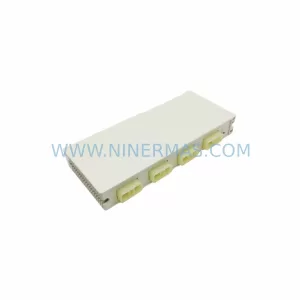
Catalog Continuation
Alternative parts within PLC & Industrial Automation Modules.
Stay inside the same system family when you need substitutes, adjacent modules, or a broader shortlist for procurement review.
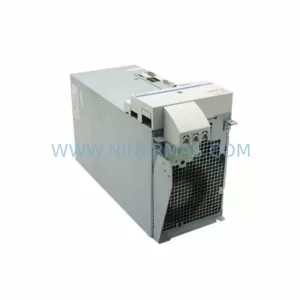
SKU: HMS01.1N-W0054-A-07-NNNN HMS01.1N-W0054
Rexroth HMS01.1N-W0054-A-07-NNNN Service-Ready Spare Part
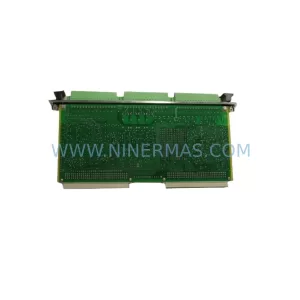
SKU: VIBRO METER VM600 IOC4T 200-560-000-019 I/O MODULE
Vibro-Meter VM600 IOC4T 200-560-000-019 Spare Part
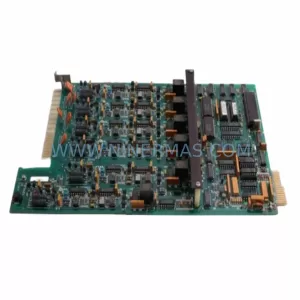
SKU: KPC400-357-986 00-271-601 KPC400-271-601 00-271-601KPC4 00271601
KUKA KPC400-271-601 Retrofit Controller for Legacy Systems