
Original Industrial Spare Part
ALSTOM UMT162A Retrofit-Compatible Power Module for Legacy Systems
Verify the part, confirm the platform family, and move straight into quotation with the right commercial details.
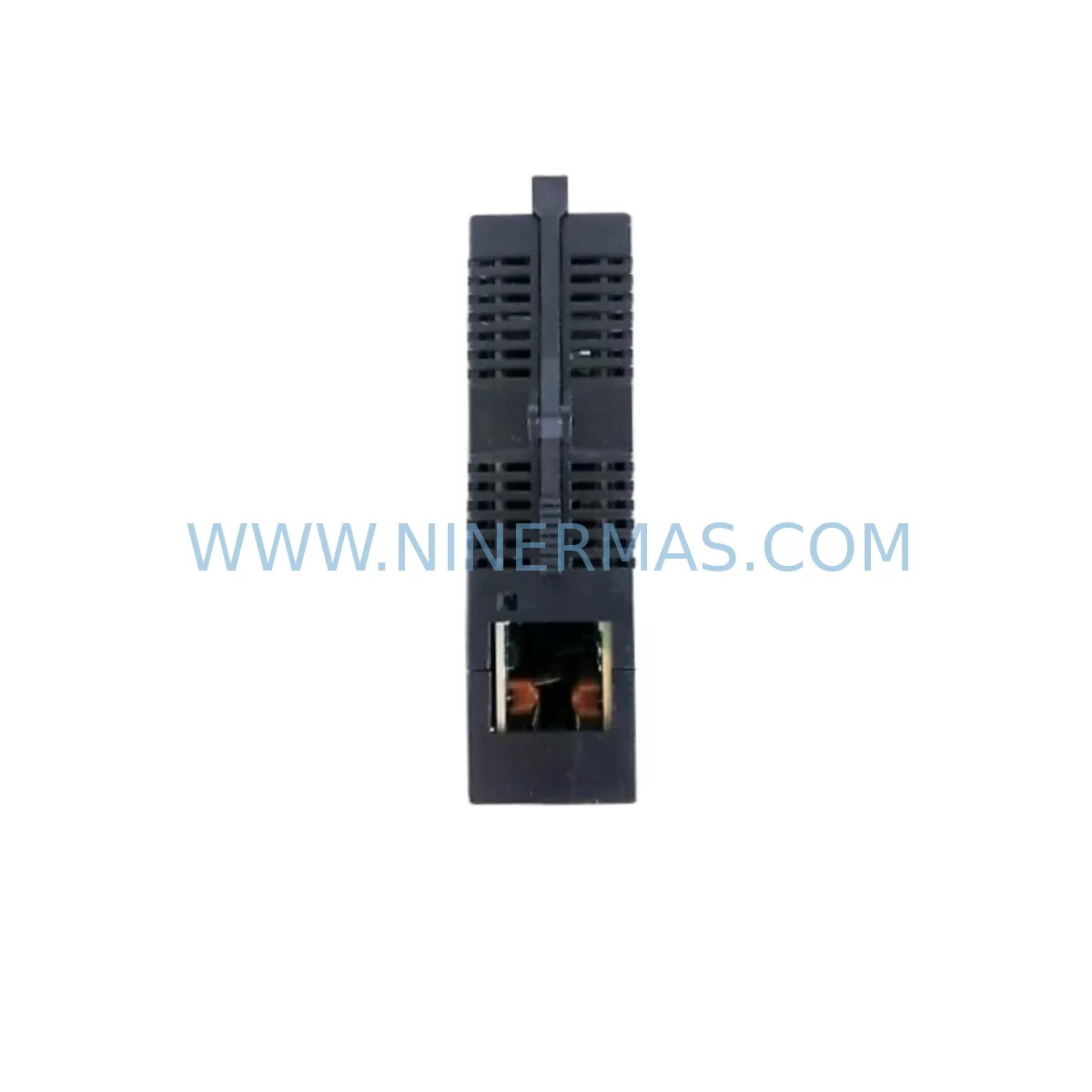
RFQ Ready
- SKUUMT162A
- CategoryPLC & Industrial Automation Modules
- BrandALSTOM
- SupportAvailability, lead time, condition, and shipping coordination
How Buyers Usually Use This Page
- Confirm the exact part number and platform family before sending the quote request.
- Use direct email when quantity, condition, and destination are already defined internally.
- Switch to the broader brand or category archive when you need alternates nearby.
Series Navigation
Move through the most common platform families behind this part.
Product RFQ
Send this part directly for quotation.
Include quantity, required condition, destination country, and target delivery timing. Current reference: ALSTOM UMT162A Retrofit-Compatible Power Module for Legacy Systems with SKU UMT162A.
ALSTOM UMT162A Retrofit-Compatible Power Module for Legacy Systems
The ALSTOM UMT162A is a universal power module engineered for seamless integration into legacy automation and control systems. As industrial facilities face increasing pressure to extend the operational life of aging infrastructure, the UMT162A provides a reliable, retrofit-compatible solution that eliminates the need for full system overhauls. Whether you are replacing a discontinued power supply in a legacy control cabinet, upgrading a deteriorating power rail in an older DCS platform, or restoring a critical production line after an unexpected failure, the UMT162A delivers the electrical performance and mechanical compatibility required for a smooth, low-risk transition.
Maintenance engineers and procurement teams working with legacy ALSTOM control systems — including older Alspa, Contronic, and Maxie series platforms — frequently encounter the challenge of sourcing power modules that are no longer available through standard distribution channels. The UMT162A addresses this gap directly. With verified compatibility across multiple generations of ALSTOM control hardware, this module can be installed without requiring changes to the existing backplane wiring, terminal block layout, or rack mounting configuration. This significantly reduces commissioning time and minimizes the risk of introducing new faults during the replacement process.
Before installing the UMT162A, engineers should conduct a thorough pre-replacement audit of the control cabinet. This includes verifying the incoming AC supply voltage and frequency, checking the condition of the input fuse block and circuit breaker, and confirming that the DC output bus voltage matches the requirements of downstream I/O modules, communication cards, and relay output assemblies. In many legacy ALSTOM installations, the power module feeds not only the CPU rack but also auxiliary terminal modules, signal isolators, and HMI power rails — all of which must be verified for compatibility before the new module is energized.
Upgrade Compatibility Table
| Parameter | Details |
|---|---|
| Part Number | UMT162A |
| Brand | ALSTOM |
| Series | Universal Power Module (UMT Series) |
| Module Function | Universal Power Supply / Power Distribution Module |
| Interface Compatibility | Compatible with legacy ALSTOM backplane connectors and rack mounting standards |
| Installation Requirements | Verify rack slot dimensions, backplane pin alignment, and DC output bus rating before installation |
| Communication Compatibility | Passive power module; no protocol configuration required. Verify downstream module power requirements. |
| Replacement Recommendation | Direct replacement for discontinued UMT-series power modules in legacy ALSTOM control cabinets |
| Commissioning Focus | Output voltage verification, load current measurement, thermal performance check under full load |
| Origin | France (ALSTOM) |
| Condition | Service-ready; pre-shipment tested |
| Warranty | 12-Month Warranty |
Retrofit Planning for Existing Automation Systems
A successful UMT162A retrofit begins well before the module arrives on site. The first step is a detailed review of the existing control cabinet drawings, including the power distribution schematic, terminal block assignments, and rack layout diagram. In many legacy ALSTOM installations, the UMT162A shares a rack with CPU modules, digital I/O cards, and analog input modules — all of which depend on stable, regulated DC power. Any interruption or voltage deviation during the changeover can corrupt program memory or trigger spurious output signals, so careful sequencing of the shutdown and restart procedure is essential.
During the retrofit planning phase, engineers should also assess the condition of adjacent components. The power module’s output feeds directly into the backplane bus, which distributes power to every module in the rack. If the backplane connectors show signs of oxidation or mechanical wear, they should be cleaned or replaced before the new UMT162A is installed. Similarly, the terminal blocks on the AC input side should be inspected for loose connections, discoloration, or insulation degradation — issues that are common in cabinets that have been in service for more than ten years.
In systems where the UMT162A powers communication modules — such as PROFIBUS DP interface cards, Modbus RTU adapters, or legacy serial communication boards — the retrofit plan must include a communication link verification step. After the new module is installed and powered up, each communication channel should be tested to confirm that the network topology is intact and that all remote I/O stations, field devices, and HMI panels are responding correctly. In some installations, the HMI display units are powered from a separate 24 VDC rail derived from the main power module output, so HMI screen integrity should also be confirmed as part of the post-installation checklist.
Procurement engineers sourcing the UMT162A as part of a broader cabinet upgrade should also consider the availability of related components that are commonly replaced at the same time. These include the rack power bus fuse assembly, the DC output filter capacitor bank, the module extraction/insertion tool for the specific rack type, and any signal isolator modules that condition analog inputs before they reach the I/O cards. In some legacy ALSTOM platforms, the power module also interfaces with a redundancy switching unit — if such a unit is present, its condition should be evaluated as part of the same maintenance window to avoid a repeat outage shortly after the UMT162A replacement is complete.
Downtime Control During System Migration
Minimizing downtime during a UMT162A replacement requires a structured, pre-planned approach. The most effective strategy is to prepare a complete replacement kit before the maintenance window begins — including the new UMT162A module, all required tools, a copy of the current PLC or DCS program backup, and a checklist of post-installation verification steps. This eliminates the risk of discovering a missing component or an incompatible interface after the system has already been taken offline.
Where the control architecture permits, engineers should consider implementing a temporary bypass or redundant power feed to maintain partial system operation during the module swap. In ALSTOM systems with redundant power module slots, the changeover can often be performed with minimal disruption to the control logic, provided that the redundancy switching mechanism is functioning correctly. For single-module configurations, the shutdown sequence should be carefully coordinated with the production team to select a maintenance window that minimizes the impact on output targets.
After the UMT162A is installed, the restart sequence should follow the original system commissioning procedure as closely as possible. This means powering up the rack in the correct order, verifying that all module status indicators show normal operation, and confirming that the PLC or DCS program has resumed execution from the correct state. Any deviations from expected behavior — such as unexpected fault codes, communication timeouts, or analog signal offsets — should be investigated and resolved before the system is returned to automatic control mode. A post-installation load test, running the system at full production capacity for a defined period, is recommended to confirm that the UMT162A is performing within specification under real operating conditions.
Retrofit Support FAQ
Q1: Is the UMT162A a direct drop-in replacement for other UMT-series power modules in legacy ALSTOM systems?
The UMT162A is designed as a retrofit-compatible replacement within the ALSTOM UMT series. Before installation, verify the rack slot dimensions, backplane connector pinout, and DC output voltage rating to confirm compatibility with your specific system configuration. Our technical team can assist with compatibility verification based on your cabinet drawings or existing module part numbers.
Q2: What pre-shipment testing is performed on the UMT162A before delivery?
Each UMT162A unit undergoes functional testing prior to shipment, including output voltage verification under load, insulation resistance testing, and visual inspection for mechanical integrity. A test report is available upon request. All units are covered by a 12-month warranty from the date of shipment.
Q3: How long does it typically take to complete a UMT162A replacement in a legacy control cabinet?
For a prepared maintenance team with the correct tools and a pre-verified replacement unit, the physical module swap typically takes less than one hour. Total downtime, including system shutdown, module replacement, restart, and post-installation verification, is generally between two and four hours depending on the complexity of the control architecture and the number of downstream systems that need to be confirmed after restart.
Q4: Can NINERMAS provide long-term supply assurance for the UMT162A?
Yes. NINERMAS maintains dedicated inventory for legacy ALSTOM power modules, including the UMT162A, to support customers with long-term maintenance contracts and multi-year spare parts programs. We can provide supply commitment agreements, reserved stock arrangements, and scheduled delivery programs to ensure that critical spare parts are available when needed, without requiring customers to carry excessive on-site inventory.
| Product Series | Legacy |
|---|
Catalog Continuation
More ALSTOM modules in the catalog.
Use the brand lane to compare nearby part numbers, platform-adjacent modules, and other inquiry-ready listings before sending your final RFQ.

Catalog Continuation
Alternative parts within PLC & Industrial Automation Modules.
Stay inside the same system family when you need substitutes, adjacent modules, or a broader shortlist for procurement review.
SKU: IS200AEPCH1ABC
GE IS200AEPCH1ABC Energy Board | Mark VIe Safety & Performance

SKU: 00-176-037 00-176-037 00-262-652 00-262-652 00-178-888 00-178-888
KUKA 00-176-037 Retrofit Reducer Module for Legacy Systems



