Original Industrial Spare Part
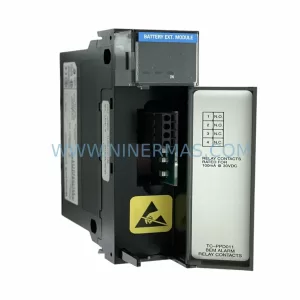
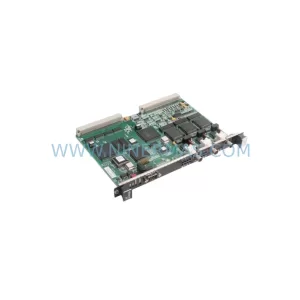
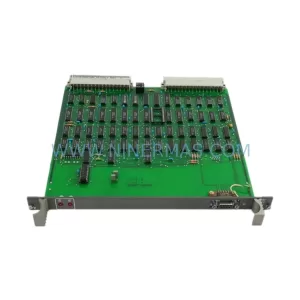
ABB DO610 3BHT300006R1 Service-Ready Spare Part for Industrial Maintenance
Verify the part, confirm the platform family, and move straight into quotation with the right commercial details.
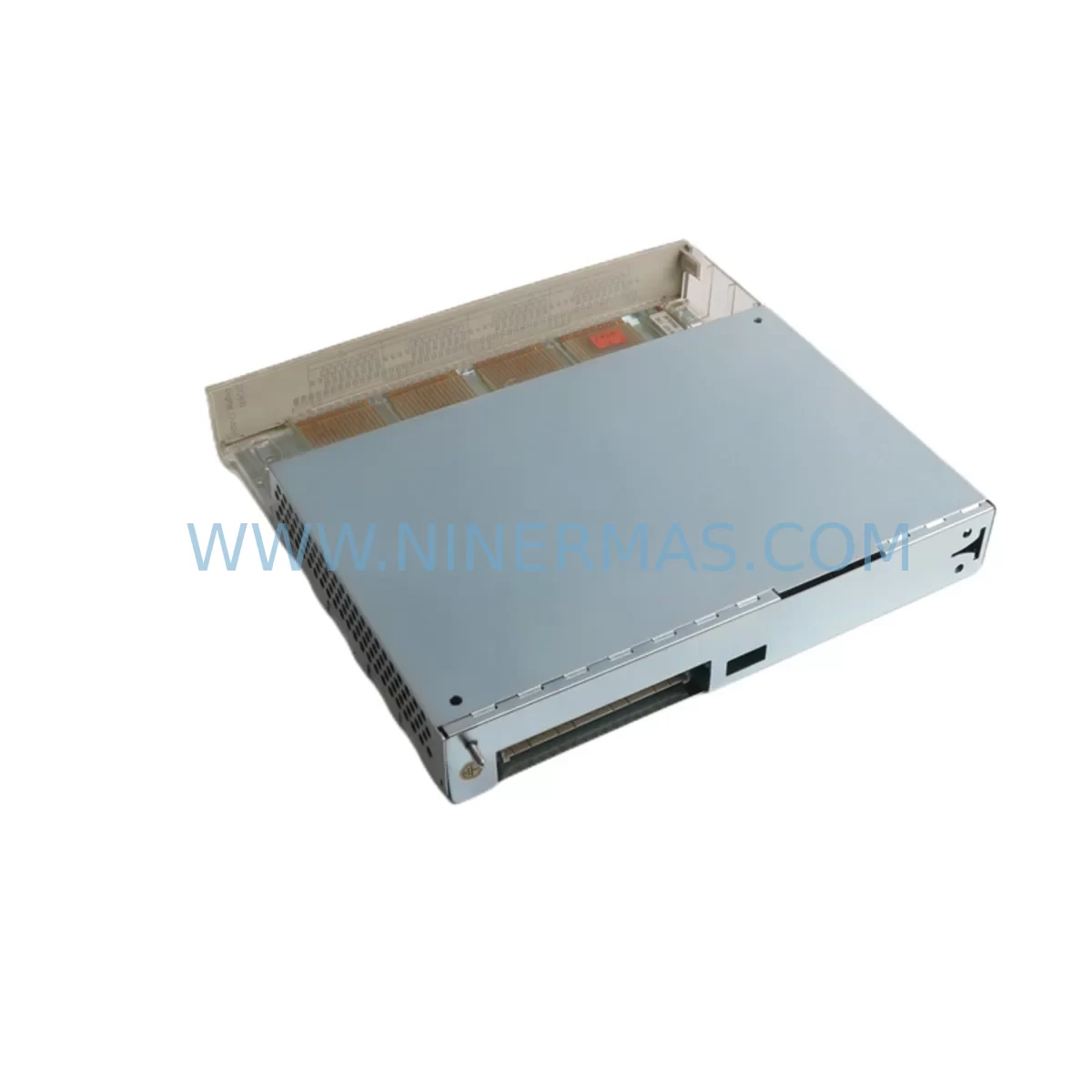
RFQ Ready
- SKUDO610 3BHT300006R1
- CategoryDCS Distributed Control Systems
- BrandABB
- SupportAvailability, lead time, condition, and shipping coordination
How Buyers Usually Use This Page
- Confirm the exact part number and platform family before sending the quote request.
- Use direct email when quantity, condition, and destination are already defined internally.
- Switch to the broader brand or category archive when you need alternates nearby.
Series Navigation
Move through the most common platform families behind this part.
Product RFQ
Send this part directly for quotation.
Include quantity, required condition, destination country, and target delivery timing. Current reference: ABB DO610 3BHT300006R1 Service-Ready Spare Part for Industrial Maintenance with SKU DO610 3BHT300006R1.
ABB DO610 3BHT300006R1 Service-Ready Spare Part for Industrial Maintenance
The ABB DO610 3BHT300006R1 is an original digital output module designed for ABB’s AC500 PLC platform — one of the most widely deployed programmable logic controller series in process automation, power distribution, and discrete manufacturing environments. As industrial facilities age and OEM support windows narrow, maintaining a verified stock of service-ready spare parts like the DO610 becomes a critical pillar of any maintenance strategy. Whether you are managing a continuous production line, a water treatment facility, or a complex power substation, unplanned downtime caused by a failed digital output module can cascade into significant operational and financial losses.
At NINERMAS, every ABB DO610 3BHT300006R1 unit is sourced as an original spare, inspected prior to dispatch, and shipped with a 12-month warranty. Our inventory is maintained to support both emergency replacement orders and planned annual maintenance procurement cycles, giving maintenance engineers and purchasing teams the confidence of long-term supply continuity.
Spare Maintenance Table
| Parameter | Specification |
|---|---|
| Part Number | DO610 / 3BHT300006R1 |
| Manufacturer | ABB |
| Series | AC500 |
| Module Type | Digital Output Module |
| Output Channels | 16 Digital Outputs (transistor, sourcing) |
| Output Voltage | 24 VDC nominal |
| Output Current | 0.5 A per channel (typical) |
| Backplane Interface | AC500 S500 I/O bus compatible |
| Protection | Short-circuit and overload protection per channel |
| Operating Temperature | 0°C to +60°C |
| Mounting | DIN rail via AC500 terminal base |
| Compatibility | AC500 PM5xx / PM5xx-ETH CPU modules |
| Origin | Germany (ABB Automation Products) |
| Condition | Original, New / Service-Ready |
| Warranty | 12 Months — NINERMAS Quality Guarantee |
| Shipping | Tested before dispatch; DHL / FedEx express available |
| Application | Process automation, power distribution, discrete manufacturing, water treatment |
Maintenance Planning for Continuous Operation
When a digital output module such as the ABB DO610 3BHT300006R1 is flagged during a routine control cabinet inspection or fails during a production shift, the replacement process rarely ends with the module itself. Experienced maintenance engineers understand that a failed DO610 is often a symptom of broader electrical stress within the I/O rack or control cabinet. A thorough site assessment should accompany every module swap.
Begin by verifying the 24 VDC power supply rail feeding the AC500 I/O bus. Voltage fluctuations or ripple exceeding specification can accelerate output transistor degradation across multiple DO modules simultaneously. If the DO610 has failed prematurely, inspect the associated AC500 power supply module (PS501 or PS502 series) for signs of overload or thermal stress. A compromised power supply will continue to damage replacement modules if left unaddressed.
Next, audit the terminal base and wiring harness connected to the DO610. Loose terminal connections, corroded contacts, or undersized field wiring are common contributors to output channel failures. Replace any suspect terminal blocks or ferrules before installing the new module. In high-vibration environments, consider applying thread-locking compound to terminal screws and verifying cable strain relief.
For systems where the DO610 drives inductive loads — solenoid valves, relay coils, or motor contactors — confirm that flyback diodes or surge suppressors are correctly installed across each load. Missing or failed suppression components are a leading cause of output transistor burnout and should be part of every preventive maintenance checklist.
Review the AC500 CPU module (PM564, PM573, or PM591 series) diagnostic logs for any recorded output fault events prior to the failure. These logs can reveal whether the DO610 experienced repeated overcurrent trips — a pattern that points to field wiring or load issues rather than a defective module. While the CPU is accessible, verify the SD memory card and firmware version to ensure compatibility with the replacement DO610 hardware revision.
In multi-rack AC500 configurations, inspect the TB511 or TB521 terminal bases adjacent to the failed module. Backplane connector pins can suffer mechanical wear or oxidation over years of service, leading to intermittent communication faults that are often misdiagnosed as module failures. Clean and reseat all adjacent modules during the maintenance window.
For facilities operating mixed I/O configurations, this is also an appropriate time to inspect any installed AI610 analog input modules, DI610 digital input modules, or AO610 analog output modules sharing the same I/O bus segment. A single ground fault or wiring error in the field can affect multiple modules across the rack. Signal isolation barriers or galvanic isolators between field devices and the AC500 I/O bus are strongly recommended in environments with long cable runs or high electrical noise.
Finally, if the control cabinet houses an ABB CP600 or CP400 series HMI panel, verify that the communication link between the HMI and the AC500 CPU remains stable after the module replacement. Configuration changes or firmware updates applied during the maintenance window can occasionally affect HMI tag mapping for digital output status displays.
Maintaining a minimum stock of two DO610 3BHT300006R1 units — alongside critical spares such as the CPU module, power supply, and at least one DI610 digital input module — is a widely adopted best practice for facilities where AC500-based control systems are mission-critical. NINERMAS supports both single-unit emergency orders and bulk procurement contracts to accommodate annual maintenance budgets and multi-site spare parts standardization programs.
Site Replacement Workflow
Step 1 — Safety Isolation: De-energize the control cabinet and lock out / tag out (LOTO) all relevant energy sources. Confirm zero voltage on the 24 VDC bus before proceeding.
Step 2 — Document Current Configuration: Record the existing DO610 slot position, terminal base type, and any DIP switch or jumper settings. Photograph the wiring layout before disconnecting any field cables.
Step 3 — Remove the Failed Module: Disengage the module locking lever on the terminal base and slide the DO610 out of the backplane connector. Inspect the connector pins for damage or contamination.
Step 4 — Inspect and Prepare the Terminal Base: Clean the backplane connector with isopropyl alcohol and a lint-free swab. Verify that all field wiring terminals are tight and correctly labeled. Replace any damaged terminal blocks before installing the new module.
Step 5 — Install the Replacement DO610 3BHT300006R1: Align the new module with the terminal base guide rails and press firmly until the locking lever engages. Do not force the module — misalignment can damage backplane connector pins.
Step 6 — Re-energize and Verify: Restore power to the cabinet and observe the DO610 status LEDs. A solid green RUN indicator confirms successful backplane communication. Use the AC500 CPU diagnostic interface or connected HMI to verify that all 16 output channels respond correctly to commanded states.
Step 7 — Functional Test: Cycle each output channel through its full operating range under actual field load conditions. Confirm that all connected actuators, solenoids, or relay coils respond within expected timing parameters.
Step 8 — Update Maintenance Records: Log the replacement date, new module serial number, and any observations from the inspection. Update the spare parts inventory to trigger a replenishment order for the consumed DO610 unit.
Spare Parts Support FAQ
Q1: Is the ABB DO610 3BHT300006R1 compatible with all AC500 CPU generations?
The DO610 is designed for the AC500 S500 I/O platform and is compatible with PM5xx series CPU modules, including the PM564, PM573, PM581, and PM591. Compatibility with earlier PM5xx-ETH variants should be verified against the installed firmware version. NINERMAS technical support can assist with compatibility confirmation prior to order placement.
Q2: What quality checks are performed before the DO610 is shipped?
Every DO610 3BHT300006R1 unit dispatched by NINERMAS undergoes a pre-shipment inspection covering physical condition, connector integrity, and label verification. Units are packaged in anti-static protective packaging with desiccant to prevent moisture ingress during international transit. A 12-month warranty is included with every unit, covering manufacturing defects and functional failures under normal operating conditions.
Q3: Can NINERMAS support long-term or blanket purchase orders for the DO610?
Yes. NINERMAS maintains ongoing inventory of the ABB DO610 3BHT300006R1 and can accommodate blanket purchase orders, annual maintenance contracts, and multi-site procurement programs. For facilities operating multiple AC500 systems, we recommend establishing a standing order to ensure supply continuity, particularly as ABB transitions older AC500 hardware to end-of-life status. Contact our sales team at sale@ninermas.com to discuss volume pricing and lead time commitments.
Q4: What is the recommended spare parts holding strategy for AC500-based control systems?
Industry best practice for mission-critical AC500 installations is to maintain a minimum of one spare unit for each module type installed, with two units recommended for high-cycle or high-criticality output modules such as the DO610. A complete critical spares kit for an AC500 cabinet typically includes the CPU module, power supply, at least one digital input and one digital output module, and the relevant terminal bases. NINERMAS can assist in building a customized spare parts list based on your installed system configuration.
| Product Series | AC500 |
|---|---|
| Country of Origin | SE |
Catalog Continuation
More ABB modules in the catalog.
Use the brand lane to compare nearby part numbers, platform-adjacent modules, and other inquiry-ready listings before sending your final RFQ.
SKU: IODSQC653 3HAC025918-001
ABB IODSQC653 Safety-Reliable Digital I/O for Critical Control
SKU: GJR2363900R1000 88VT02A-E
ABB GJR2363900R1000 88VT02A-E Service-Ready Spare Part
Catalog Continuation
Alternative parts within DCS Distributed Control Systems.
Stay inside the same system family when you need substitutes, adjacent modules, or a broader shortlist for procurement review.