Original Industrial Spare Part
SIEMENS 6DS1220-8AA Service-Ready Spare Part for Industrial Maintenance
Verify the part, confirm the platform family, and move straight into quotation with the right commercial details.
RFQ Ready
- SKU6DS1220-8AA
- CategoryDCS Distributed Control Systems
- BrandSiemens
- SupportAvailability, lead time, condition, and shipping coordination
How Buyers Usually Use This Page
- Confirm the exact part number and platform family before sending the quote request.
- Use direct email when quantity, condition, and destination are already defined internally.
- Switch to the broader brand or category archive when you need alternates nearby.
Series Navigation
Move through the most common platform families behind this part.
Product RFQ
Send this part directly for quotation.
Include quantity, required condition, destination country, and target delivery timing. Current reference: SIEMENS 6DS1220-8AA Service-Ready Spare Part for Industrial Maintenance with SKU 6DS1220-8AA.
SIEMENS 6DS1220-8AA Service-Ready Spare Part for Industrial Maintenance
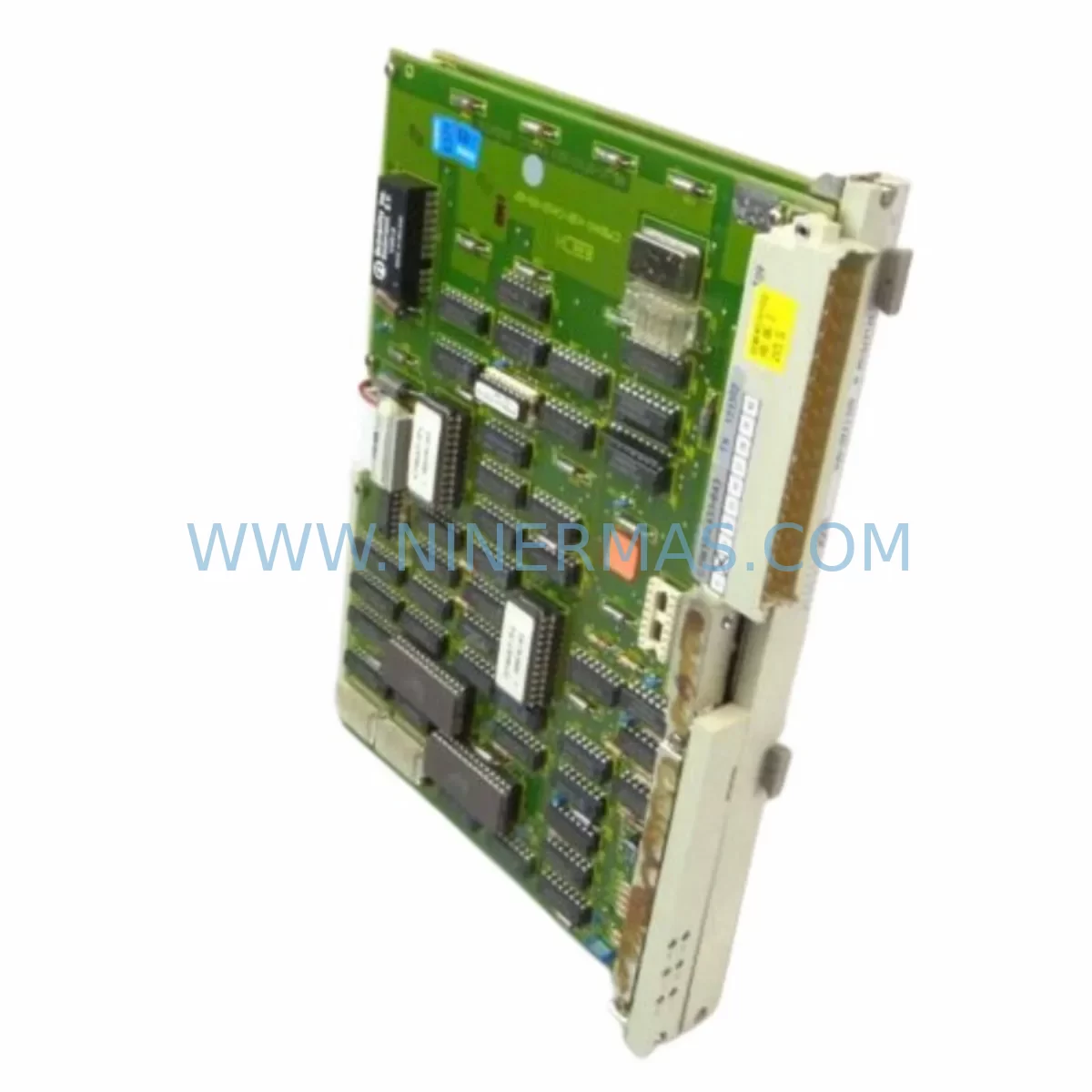
The SIEMENS 6DS1220-8AA is an original local bus interface module designed for the TELEPERM M distributed control system (DCS) platform. As a critical communication bridge between the central processing unit and field I/O stations, this module plays an indispensable role in maintaining uninterrupted process control across chemical, petrochemical, power generation, and heavy manufacturing environments. When this component fails or degrades, the consequences extend far beyond a single loop — entire control segments can go offline, triggering costly unplanned shutdowns. Sourcing a verified, service-ready 6DS1220-8AA replacement is the fastest path to restoring system integrity and resuming safe production.
At NINERMAS, every 6DS1220-8AA unit is inspected, function-tested, and shipped with a 12-month warranty, giving maintenance engineers and procurement teams the confidence to act quickly without compromising quality assurance standards.
Spare Maintenance Table
| Parameter | Specification |
|---|---|
| SKU / Part Number | 6DS1220-8AA |
| Brand | SIEMENS |
| Series | TELEPERM M (DCS) |
| Module Type | Local Bus Interface Module |
| Function | Communication interface between CPU and local I/O bus |
| Compatible Systems | SIEMENS TELEPERM M, AS 230, AS 235, AS 488 |
| Bus Standard | TELEPERM M Local Bus (proprietary) |
| Operating Voltage | 24 V DC (via backplane) |
| Operating Temperature | 0 °C to +60 °C |
| Mounting | Rack/backplane slot installation |
| Form Factor | Single-width Eurocard module |
| Origin | Germany |
| Condition | Original, service-ready (tested before shipment) |
| Warranty | 12 Months |
| Lead Time | In stock — ships within 2 business days |
Maintenance Planning for Continuous Operation
For maintenance engineers managing aging TELEPERM M installations, the 6DS1220-8AA local bus interface module is rarely a standalone concern. Its failure typically signals broader stress across the control cabinet, and a thorough replacement procedure should encompass a systematic inspection of all interconnected components to prevent repeat failures and reduce future downtime risk.
Begin with the SIEMENS 6DS1220-8AB or 6DS1220-8AC variants if your rack configuration requires an alternate bus interface revision — these modules share the same mechanical footprint and are commonly stocked alongside the 8AA in multi-cabinet DCS installations. Inspect the AS 235 or AS 488 automation station backplane for signs of corrosion, bent connector pins, or cracked PCB traces that could cause intermittent bus faults even after a module swap.
The 24 V DC power supply module feeding the rack — often a 6DS9200-series unit — should be load-tested and its output ripple measured. A degraded power supply is a leading cause of premature interface module failure and is frequently overlooked during emergency replacements. Similarly, inspect the 6DS1600-series I/O modules connected downstream on the local bus; a shorted analog input card can place excessive load on the bus and damage a newly installed interface module within hours.
Communication integrity should be verified at the SINEC H1 or TELEPERM M plant bus level. Check the coaxial or twisted-pair bus cable terminations, and confirm that the 6DS1700-series communication processor or gateway module is operating within normal parameters. If the plant uses a SIMATIC S5-115U or S5-135U PLC in a hybrid architecture alongside the TELEPERM M DCS, verify that the inter-system coupling modules and their associated signal cables are intact.
For cabinet-level inspection, examine the terminal blocks and wiring harnesses connecting field instruments to the I/O modules. Loose or oxidized terminations on WAGO 280-series or Phoenix Contact MKDS-series terminal strips are a common source of signal noise that can be misdiagnosed as a bus interface fault. Fuse holders and miniature circuit breakers (MCBs) protecting individual I/O circuits should also be tested for continuity and proper trip characteristics.
If the installation includes an OP 25 or OP 35 HMI operator panel communicating with the TELEPERM M system, verify that the panel’s communication parameters and baud rate settings remain synchronized after the module replacement. Finally, document the replacement in your CMMS and schedule a follow-up inspection at 30 days to confirm stable bus communication and absence of diagnostic alarms.
Site Replacement Workflow
Step 1 — Pre-Replacement Verification: Before removing the faulty 6DS1220-8AA, record all active diagnostic codes from the automation station and capture the current process values for all loops served by the affected bus segment. This baseline data is essential for post-replacement validation.
Step 2 — Safe Isolation: Follow your site’s lockout/tagout (LOTO) procedure. De-energize the rack via the upstream MCB or power distribution module. Do not rely solely on the module’s front-panel LED status — verify zero voltage at the backplane connector with a calibrated multimeter.
Step 3 — Module Extraction: Release the front-panel locking levers and slide the 6DS1220-8AA straight out of the rack slot. Avoid lateral force that could damage the backplane connector. Place the removed module in an ESD-protective bag immediately.
Step 4 — Visual Inspection of Slot: Inspect the vacated backplane slot for debris, bent pins, or burn marks. Clean with dry compressed air if necessary. Do not proceed if physical damage to the backplane is observed — the backplane itself may require replacement.
Step 5 — Install Replacement Module: Align the new 6DS1220-8AA with the slot guides and slide it firmly into position until both locking levers engage. Confirm the module is fully seated by checking that the front panel is flush with adjacent modules.
Step 6 — Re-energize and Validate: Restore power and observe the module’s diagnostic LEDs during the boot sequence. A steady green RUN indicator confirms successful initialization. Verify bus communication by checking that all downstream I/O modules report normal status in the automation station diagnostics. Confirm process values match pre-replacement baseline within acceptable tolerances.
Step 7 — Documentation: Record the replacement in your maintenance log, including the date, technician name, old module serial number, and new module serial number. Update your spare parts inventory accordingly.
Spare Parts Support FAQ
Q1: Is the 6DS1220-8AA still available as a new original part, or only as refurbished stock?
The SIEMENS 6DS1220-8AA is a legacy TELEPERM M component that has been discontinued from Siemens’ active production line. NINERMAS supplies original, service-ready units sourced from certified industrial surplus channels. Each unit undergoes functional testing prior to shipment. For long-term planning, we recommend procuring 2–3 units as buffer stock given the limited global availability of this part.
Q2: How do I confirm compatibility before ordering?
Compatibility is determined by your automation station model (AS 230, AS 235, or AS 488), rack revision, and firmware version. Provide your full system configuration — including the automation station type and existing module revision suffix — when placing your order, and our technical team will confirm compatibility before shipment. We also recommend cross-referencing the module’s order number against your original TELEPERM M system documentation or cabinet wiring diagram.
Q3: What does the 12-month warranty cover, and what is the claims process?
The 12-month warranty covers manufacturing defects and functional failures under normal operating conditions. It does not cover damage resulting from incorrect installation, overvoltage events, or physical mishandling. To initiate a warranty claim, contact sale@ninermas.com with your order number, a description of the fault, and any available diagnostic data. NINERMAS will arrange return shipping and provide a replacement or repair within an agreed timeframe.
Q4: Can NINERMAS support long-term supply agreements for TELEPERM M spare parts?
Yes. NINERMAS offers long-term supply agreements for customers managing extended TELEPERM M system lifecycles. This includes scheduled stock reservations, priority allocation during high-demand periods, and consolidated shipments to reduce logistics costs. Contact our sales team to discuss a customized spare parts support contract tailored to your annual maintenance budget and system criticality.
| Product Series | SIMATIC S5 |
|---|---|
| Country of Origin | DE |
Catalog Continuation
More Siemens modules in the catalog.
Use the brand lane to compare nearby part numbers, platform-adjacent modules, and other inquiry-ready listings before sending your final RFQ.
Catalog Continuation
Alternative parts within DCS Distributed Control Systems.
Stay inside the same system family when you need substitutes, adjacent modules, or a broader shortlist for procurement review.