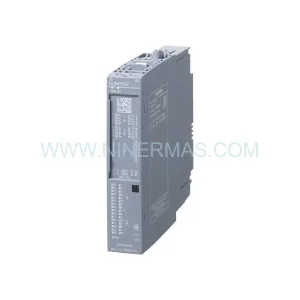
Original Industrial Spare Part
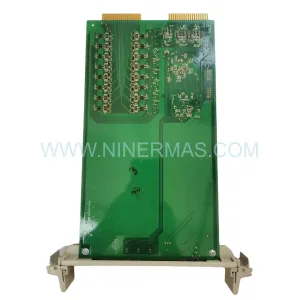
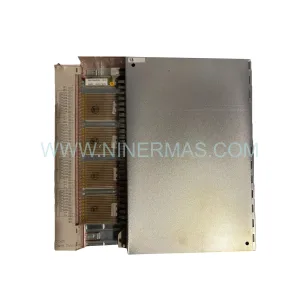
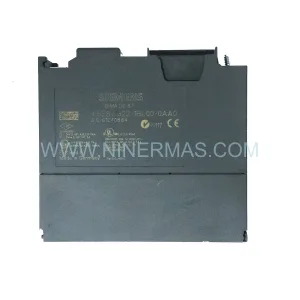
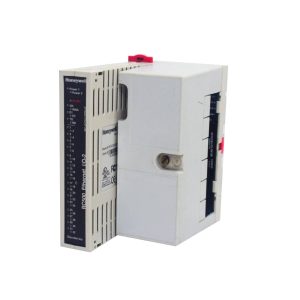
Siemens 6ES5440-8MA12 Retrofit-Compatible DO Module S5
Verify the part, confirm the platform family, and move straight into quotation with the right commercial details.
RFQ Ready
- SKU6ES5440-8MA12
- CategoryPLC & Industrial Automation Modules
- BrandSiemens
- SupportAvailability, lead time, condition, and shipping coordination
How Buyers Usually Use This Page
- Confirm the exact part number and platform family before sending the quote request.
- Use direct email when quantity, condition, and destination are already defined internally.
- Switch to the broader brand or category archive when you need alternates nearby.
Series Navigation
Move through the most common platform families behind this part.
Product RFQ
Send this part directly for quotation.
Include quantity, required condition, destination country, and target delivery timing. Current reference: Siemens 6ES5440-8MA12 Retrofit-Compatible DO Module S5 with SKU 6ES5440-8MA12.
Siemens 6ES5440-8MA12 Retrofit-Compatible Digital Output Module for Legacy S5 Systems
The Siemens 6ES5440-8MA12 is a 16-channel digital output module designed for the SIMATIC S5 programmable controller family. As production lines built around the S5-115U, S5-135U, and S5-155U platforms approach end-of-life, the 6ES5440-8MA12 remains one of the most sought-after spare parts for engineers tasked with maintaining operational continuity without committing to a full PLC migration. NINERMAS maintains verified stock of this module with a 12-month warranty, supporting customers across manufacturing, utilities, chemical processing, and discrete automation sectors.
Each unit is tested prior to shipment to confirm output channel integrity, backplane communication, and correct addressing behavior. Whether you are replacing a failed module in an emergency shutdown scenario or building a strategic spare-parts buffer for a multi-year maintenance contract, the 6ES5440-8MA12 is available for immediate dispatch.
Upgrade Compatibility Table
| Parameter | 6ES5440-8MA12 (This Module) | Retrofit Notes |
|---|---|---|
| Output Channels | 16 × Digital Output (24 VDC / 0.5 A) | Verify load current per channel before wiring |
| Backplane Interface | S5 Bus (parallel, 6ES5 rack) | Compatible with S5-115U, S5-135U, S5-155U racks |
| Module Slot | Any I/O slot in S5 central or expansion rack | Confirm slot address matches existing CPU configuration |
| Communication Protocol | S5 parallel backplane bus | Not directly compatible with PROFIBUS or PROFINET without gateway |
| Replacement Path | Direct drop-in for failed 6ES5440-8MA12 units | For S7 migration, consider ET 200M with IM 153-2 interface module |
| Wiring Terminals | 20-pin front connector (6ES5490-8MA11 compatible) | Reuse existing front connector if undamaged |
| Installation Space | Standard S5 single-width slot | No mechanical modification required |
| Commissioning | Address set via DIP switch on module face | Match address to STEP 5 program DB/OB configuration |
| Warranty | 12 months from date of shipment — NINERMAS standard warranty | |
Retrofit Planning for Existing Automation Systems
When a 6ES5440-8MA12 fails in a running production environment, the immediate priority is minimizing unplanned downtime while preserving the integrity of the existing STEP 5 program logic. Before installing a replacement module, engineers should verify the front connector wiring against the original terminal assignment drawing. The 20-pin front connector — typically a 6ES5490-8MA11 — can be transferred directly to the new module if the connector body and terminal screws are in good condition, eliminating the need to re-terminate field cables under time pressure.
The module slot address must be confirmed against the STEP 5 source code. In S5 systems, the I/O address is determined by the physical slot position in the rack, not by a software parameter. If the replacement module is installed in a different slot — even temporarily — the CPU will read incorrect I/O addresses, potentially causing unsafe output states. Always restore the module to its original slot or update the STEP 5 program accordingly before restarting the CPU.
For sites running the S5-115U with a 6ES5095-8MA02 or 6ES5095-8MA05 central processing unit, the 6ES5440-8MA12 integrates without firmware changes. The CPU’s I/O scan cycle will automatically include the restored module once the rack power is cycled. However, if the system uses a 6ES5316-8MA12 communications processor for SINEC L1 or L2 network connectivity, verify that the network configuration file stored on the CP module still reflects the correct rack and slot topology after any hardware change.
Sites planning a longer-term migration from S5 to S7-300 or S7-400 should consider a phased approach. During the transition period, the existing S5 racks — including the 6ES5183-3UA11 expansion rack and its associated 6ES5700-8MA11 rack power supply — can remain in service while new S7 hardware is installed in parallel. The ET 200M distributed I/O station with an IM 153-2 interface module provides a recognized migration path, allowing existing S5 I/O modules to be reused within a PROFIBUS DP network controlled by a new S7-300 CPU. This approach preserves field wiring investments and reduces the scope of re-engineering required at the cabinet level.
For control cabinets where space is constrained, confirm that the replacement 6ES5440-8MA12 and its front connector do not conflict with adjacent cable ducts or terminal blocks. S5 racks installed in older cabinets sometimes have reduced clearance due to retrofitted components such as 6ES5980-0MA11 EPROM memory submodules or additional 6ES5375-1LA15 memory cards installed in the CPU slot. A physical measurement of the available slot depth and connector clearance should be completed before ordering if the cabinet layout has been modified from its original design.
Communication link integrity is another critical checkpoint. If the S5 system communicates with an HMI — such as a SIMATIC OP7 or OP17 operator panel — via the MPI or AS511 programming port, verify that the HMI screen tags referencing the output addresses controlled by the 6ES5440-8MA12 are correctly mapped. A module replacement that inadvertently shifts the I/O address map will cause HMI display anomalies that may not be immediately obvious during a brief functional test but will surface during normal production operation.
Downtime Control During System Migration
Reducing unplanned downtime during a module replacement or system migration requires preparation before the maintenance window opens. For the 6ES5440-8MA12, the recommended procedure is to obtain the replacement module, verify its DIP switch address setting against the STEP 5 program documentation, and pre-fit the front connector with the correct terminal assignments before entering the production area. This preparation reduces the in-cabinet work time to a simple module swap and connector transfer, typically achievable within 15 to 30 minutes for an experienced technician.
Where a hot-standby or redundant S5 configuration is in place — for example, using a 6ES5948-8MA11 standby module — the switchover procedure should be tested in advance to confirm that the standby CPU assumes control cleanly before the primary rack is de-energized for the module replacement. Failure to validate the standby switchover before a live maintenance event is one of the most common causes of extended unplanned outages in legacy S5 installations.
For sites without redundancy, a structured pre-shutdown checklist should include: saving the current STEP 5 program from the CPU to a programming device using a PG 702 or compatible STEP 5 programming cable; documenting the current output states of all 16 channels on the 6ES5440-8MA12; and confirming with the process control team that all field devices connected to those outputs are in a safe de-energized state before power is removed from the rack. After the replacement module is installed and the rack is powered, a channel-by-channel output test using the STEP 5 variable status function should be performed before returning the system to automatic mode.
Retrofit Support FAQ
Q: Is the 6ES5440-8MA12 a direct replacement for all variants of the 6ES5440 series?
A: The 6ES5440-8MA12 is a specific variant within the 6ES5440 digital output module family. While it shares the same physical form factor and backplane interface as other 6ES5440 variants, the output voltage range, current rating, and channel count may differ between sub-variants. Always verify the full part number — including the suffix — against your existing module label and STEP 5 hardware configuration before ordering.
Q: Can I reuse the existing front connector from the failed module?
A: Yes, in most cases the existing 6ES5490-8MA11 front connector can be transferred directly to the replacement module. Inspect the connector body for cracked housing, corroded terminals, or loose screws before reuse. If the connector shows signs of heat damage or terminal deformation, replace it with a new unit to ensure reliable contact.
Q: What commissioning steps are required after installing the replacement module?
A: After physical installation, confirm the DIP switch address matches the slot address defined in the STEP 5 program. Power cycle the rack and observe the module’s LED indicators — the green RUN LED should illuminate within a few seconds of the CPU entering RUN mode. Use the STEP 5 variable status or force function to verify that each output channel responds correctly to program commands before releasing the system to production.
Q: Does NINERMAS provide a warranty and what does it cover?
A: All 6ES5440-8MA12 units supplied by NINERMAS carry a 12-month warranty from the date of shipment. The warranty covers manufacturing defects and functional failures under normal operating conditions. Each module undergoes pre-shipment functional testing. For warranty claims or technical support, contact our team at sale@ninermas.com or +0086 187 5021 5667.
| Product Series | SIMATIC S5 |
|---|---|
| Country of Origin | DE |
Catalog Continuation
More Siemens modules in the catalog.
Use the brand lane to compare nearby part numbers, platform-adjacent modules, and other inquiry-ready listings before sending your final RFQ.
SKU: 6ES7511-1CK01-0AB0
Siemens 6ES7511-1CK01-0AB0 Service-Ready Spare Part
SKU: 828D PPU281.1 6FC5370-7AA00-0AA0
Siemens 6FC5370-7AA00-0AA0 Retrofit Panel Processing Unit
Catalog Continuation
Alternative parts within PLC & Industrial Automation Modules.
Stay inside the same system family when you need substitutes, adjacent modules, or a broader shortlist for procurement review.
SKU: QINT-781 3AXD5000019758
ABB QINT-781 3AXD5000019758 Service-Ready Spare Part
SKU: 5AP980.1505-K15
B&R 5AP980.1505-K15 Retrofit-Compatible Panel PC for Legacy Systems