Original Industrial Spare Part
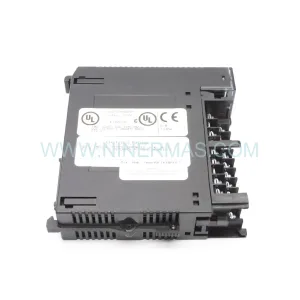
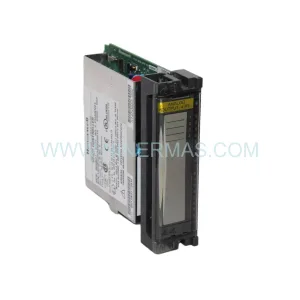
Eurotherm 2500M/AO2UNIV Service-Ready Spare Part for Industrial Maintenance
Verify the part, confirm the platform family, and move straight into quotation with the right commercial details.
RFQ Ready
- SKU2500M/AO2UNIV
- CategoryPLC & Industrial Automation Modules
- BrandEurotherm
- SupportAvailability, lead time, condition, and shipping coordination
How Buyers Usually Use This Page
- Confirm the exact part number and platform family before sending the quote request.
- Use direct email when quantity, condition, and destination are already defined internally.
- Switch to the broader brand or category archive when you need alternates nearby.
Series Navigation
Move through the most common platform families behind this part.
Product RFQ
Send this part directly for quotation.
Include quantity, required condition, destination country, and target delivery timing. Current reference: Eurotherm 2500M/AO2UNIV Service-Ready Spare Part for Industrial Maintenance with SKU 2500M/AO2UNIV.
Eurotherm 2500M/AO2UNIV Service-Ready Spare Part for Industrial Maintenance
The Eurotherm 2500M/AO2UNIV is a universal analog output module designed for the Eurotherm 2500M Series modular process controller platform. In industrial automation environments — from plastics extrusion and heat treatment furnaces to pharmaceutical batch processing and food production lines — the 2500M/AO2UNIV serves as a critical signal output component, converting controller decisions into precise 0–10 V or 4–20 mA process signals that drive final control elements such as SCR power controllers, motorized valves, and variable-speed drives. When this module fails or degrades, the entire control loop is compromised, leading to unplanned downtime, product quality loss, and potential safety incidents. Holding a verified service-ready spare in your maintenance inventory is the most effective strategy for rapid loop restoration and production continuity.
Spare Maintenance Table
| SKU / Part Number | 2500M/AO2UNIV |
| Brand | Eurotherm (Schneider Electric) |
| Series | 2500M Modular Process Controller |
| Module Type | Dual-Channel Universal Analog Output |
| Output Signals | 0–10 V / 0–20 mA / 4–20 mA (configurable per channel) |
| Number of Channels | 2 (AO2 = 2 Analog Outputs) |
| Resolution | 16-bit DAC |
| Load Impedance (Voltage) | ≥ 1 kΩ |
| Load Impedance (Current) | ≤ 600 Ω |
| Supply Voltage | Supplied via 2500M backplane (24 V DC bus) |
| Operating Temperature | 0 °C to +55 °C |
| Storage Temperature | –25 °C to +70 °C |
| Humidity | 5–95% RH, non-condensing |
| Mounting | Plug-in module onto 2500M backplane / rack |
| Compatibility | Eurotherm 2500M Series backplanes and controller racks |
| Origin | United Kingdom |
| Application Environment | Industrial process control, heat treatment, extrusion, batch processing |
| Maintenance Recommendation | Inspect signal wiring and terminal connections every 12 months; verify output calibration during annual shutdown |
| Warranty | 12 Months — Tested before shipment, full functional verification |
Maintenance Planning for Continuous Operation
Replacing the 2500M/AO2UNIV in a live control cabinet is rarely an isolated task. Maintenance engineers working on 2500M Series systems understand that the analog output module sits at the intersection of the controller’s decision logic and the field device layer. Before or during replacement, a thorough site inspection should cover the following associated components to prevent repeat failures and ensure full loop integrity.
Start with the 2500M backplane itself — the passive rack that hosts all plug-in modules. Inspect the backplane connector pins for oxidation, mechanical damage, or contamination, as a degraded backplane can cause intermittent output faults that are easily misdiagnosed as module failure. Next, verify the 2500M/PS power supply module: the 24 V DC bus that feeds all modules must be within specification, and any ripple or voltage sag will directly affect analog output accuracy. A failing power supply is a common root cause of analog output drift.
On the signal side, inspect the field wiring terminals and terminal blocks connected to the AO channels. Loose terminations, corroded ferrules, or undersized cable cross-sections introduce resistance that shifts the 4–20 mA loop current and causes calibration errors at the receiving device. If the output is driving an SCR power controller or a thyristor firing board, verify that the input impedance of the downstream device is within the module’s rated load range.
For systems using the 2500M’s communication capabilities, check the 2500M/CM communications module — whether Modbus RTU, Profibus DP, or DeviceNet — to confirm that the controller’s setpoint and output data are being correctly transmitted to the SCADA or DCS layer. A communications fault can mask analog output issues or cause the controller to revert to a default output state. Similarly, inspect any 2500M/DI digital input modules used for interlock or mode-switching signals, as incorrect interlock states can suppress analog output entirely.
If the 2500M system is integrated with a Eurotherm HMI or operator panel, confirm that the display is correctly reflecting the output value after module replacement — this validates both the module’s operation and the backplane communication. For systems with signal isolators or loop-powered isolators in the 4–20 mA circuit, test the isolator’s output after replacement, as isolators can fail silently and introduce offset errors. Finally, check any fuses or circuit protection devices in the analog output wiring — a blown fuse on an output channel is a common finding after a module fault event and must be replaced before commissioning the new module.
Maintaining a coordinated spare parts kit that includes the 2500M/AO2UNIV alongside the power supply module, a spare backplane connector set, and key field wiring components ensures that your maintenance team can restore full loop operation within a single planned maintenance window rather than requiring multiple return visits.
Site Replacement Workflow
Step 1 — Preparation and Safety Isolation: Before removing the 2500M/AO2UNIV, place the control loop in manual mode at the SCADA or DCS level to prevent uncontrolled process excursions. Isolate the 24 V DC supply to the 2500M rack using the appropriate isolation switch, and verify isolation with a calibrated multimeter. Document the current output configuration — channel mode (voltage or current), output range, and any scaling parameters — from the controller’s configuration software or the existing module’s label.
Step 2 — Module Removal: Release the module retention latch on the 2500M backplane and carefully extract the 2500M/AO2UNIV by pulling it straight out from the backplane connector. Avoid lateral force to prevent pin damage. Inspect the backplane connector for bent pins or contamination before inserting the replacement module.
Step 3 — Replacement Module Verification: Confirm that the replacement 2500M/AO2UNIV matches the original part number exactly. Verify the firmware revision if your system has specific firmware compatibility requirements — consult the Eurotherm 2500M Series engineering manual for revision compatibility matrices. Inspect the replacement module’s connector for physical damage before installation.
Step 4 — Installation and Configuration: Insert the replacement module firmly into the backplane slot until the retention latch engages. Restore 24 V DC power to the rack. Using Eurotherm’s iTools configuration software or the controller’s front-panel interface, configure the output channels to match the original settings — output type, range, and any retransmission or trim parameters. Verify that the controller recognizes the new module without fault codes.
Step 5 — Loop Commissioning and Handover: With the loop still in manual mode, apply a known output signal (e.g., 50% = 12 mA for a 4–20 mA channel) and verify the correct signal at the field device input terminals using a calibrated loop calibrator. Gradually return the loop to automatic mode and monitor the process variable for stable, expected response. Document the replacement in the site maintenance log, including the date, replaced part number, and post-replacement test results.
Spare Parts Support FAQ
Q1: Is the 2500M/AO2UNIV compatible with all 2500M Series backplanes and rack configurations?
The 2500M/AO2UNIV is designed for the Eurotherm 2500M modular platform and is compatible with standard 2500M backplanes. However, compatibility depends on the specific rack size and slot assignment in your system configuration. Always verify the slot type and backplane revision against the Eurotherm 2500M Series hardware manual before ordering. Our team can assist with compatibility verification based on your existing system documentation.
Q2: How is the 2500M/AO2UNIV tested before shipment?
Every unit undergoes functional testing prior to dispatch, including power-on verification, output signal accuracy testing across both channels (voltage and current modes), and connector integrity inspection. Units that do not meet specification are not shipped. A 12-month warranty covers all units against manufacturing defects and functional failures under normal operating conditions.
Q3: What is the recommended spare parts inventory strategy for 2500M Series systems?
For critical process lines, we recommend holding at minimum one spare 2500M/AO2UNIV per control cabinet, alongside a spare power supply module and a set of backplane connector covers. For facilities with multiple 2500M racks, a centralized spare parts store with one of each module type — including analog input modules, digital I/O modules, and communications modules — reduces mean time to repair (MTTR) significantly. Annual inventory audits aligned with planned shutdowns help ensure spare parts remain within their storage life and are ready for immediate deployment.
Q4: Can you support long-term supply of the 2500M/AO2UNIV for aging system maintenance?
Yes. We specialize in supporting legacy and end-of-life industrial control system components. The 2500M/AO2UNIV is available from our inventory for immediate dispatch, and we maintain sourcing relationships to support long-term supply requirements. For facilities committed to extending the operational life of existing 2500M installations rather than undertaking full system upgrades, we can discuss scheduled supply agreements to ensure continuity of spare parts availability over multi-year maintenance horizons.
| Product Series | Other series |
|---|
Catalog Continuation
More Eurotherm modules in the catalog.
Use the brand lane to compare nearby part numbers, platform-adjacent modules, and other inquiry-ready listings before sending your final RFQ.
Catalog Continuation
Alternative parts within PLC & Industrial Automation Modules.
Stay inside the same system family when you need substitutes, adjacent modules, or a broader shortlist for procurement review.
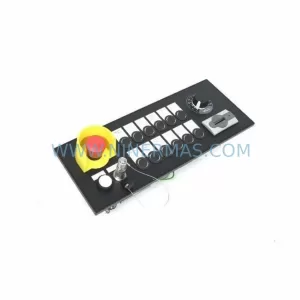
SKU: MPP1500D 6FC5303-1AF30-0AA0
Siemens MPP1500D 6FC5303-1AF30-0AA0 Retrofit Operator Panel
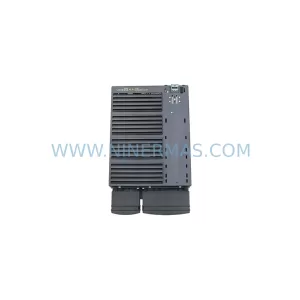
SKU: 6SL3224-0BE31-5UA0
Siemens 6SL3224-0BE31-5UA0 Service-Ready Spare Part