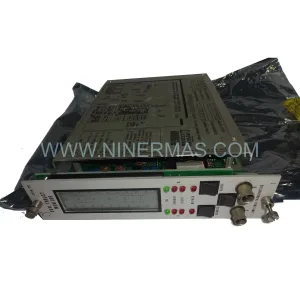
Original Industrial Spare Part
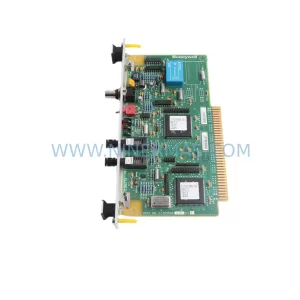
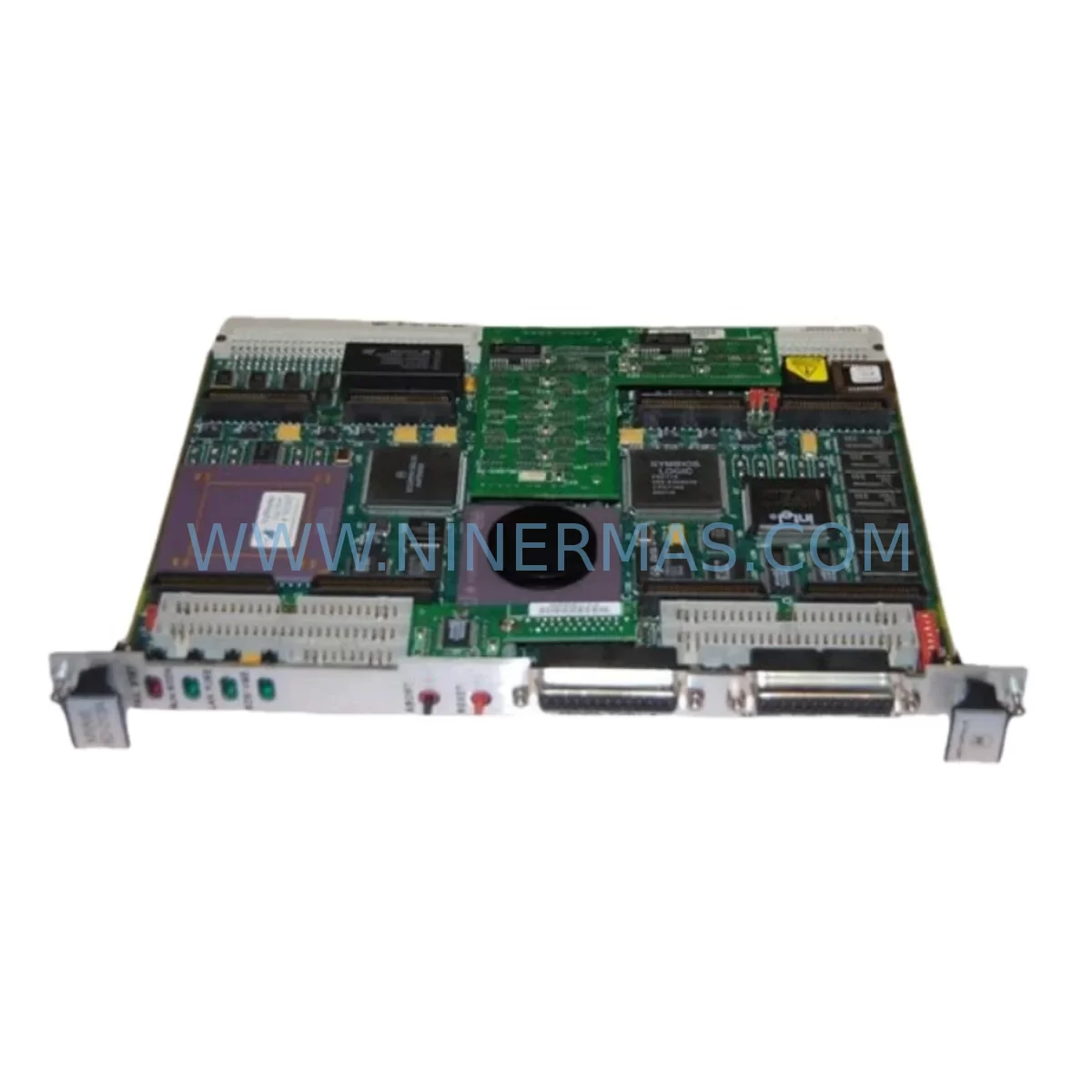
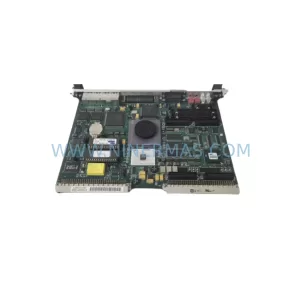
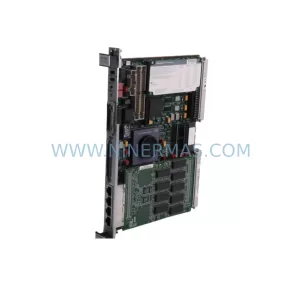
Motorola MVME162-010A Service-Ready Spare Part for Industrial Maintenance
Verify the part, confirm the platform family, and move straight into quotation with the right commercial details.
RFQ Ready
- SKUMVME162-010A
- CategoryDCS Distributed Control Systems
- BrandMotorola
- SupportAvailability, lead time, condition, and shipping coordination
How Buyers Usually Use This Page
- Confirm the exact part number and platform family before sending the quote request.
- Use direct email when quantity, condition, and destination are already defined internally.
- Switch to the broader brand or category archive when you need alternates nearby.
Series Navigation
Move through the most common platform families behind this part.
Product RFQ
Send this part directly for quotation.
Include quantity, required condition, destination country, and target delivery timing. Current reference: Motorola MVME162-010A Service-Ready Spare Part for Industrial Maintenance with SKU MVME162-010A.
Motorola MVME162-010A Service-Ready Spare Part for Industrial Maintenance
The Motorola MVME162-010A is a high-performance VMEbus embedded CPU module widely deployed across industrial automation, process control, and mission-critical manufacturing environments. As production lines age and OEM support windows close, maintaining a reliable inventory of the MVME162-010A becomes a cornerstone of any proactive maintenance strategy. NINERMAS supplies this module as a service-ready spare part, fully tested prior to shipment, backed by a 12-month warranty, and available for long-term procurement partnerships.
For maintenance engineers managing legacy VMEbus-based control systems, unplanned downtime caused by CPU module failure can cascade into hours or days of lost production. The MVME162-010A addresses this risk directly — its drop-in compatibility with the MVME162 series means replacement can be executed without system redesign, firmware migration, or extensive re-commissioning. Procurement engineers benefit from a single, verified source with documented lead times, reducing the uncertainty that comes with spot-market purchasing of discontinued industrial components.
Spare Maintenance Table
| Parameter | Specification / Detail |
|---|---|
| Part Number | MVME162-010A |
| Brand | Motorola |
| Series | MVME162 |
| Module Type | VMEbus Embedded CPU Module |
| Processor | Motorola 68040 (or compatible embedded CPU per revision) |
| Bus Standard | VMEbus (IEEE 1014) |
| Form Factor | 6U VME Single-Board Computer |
| Operating Voltage | +5 VDC (via VMEbus backplane) |
| Operating Temperature | 0°C to +55°C (industrial grade) |
| Compatibility | MVME162 series VMEbus systems; compatible backplanes and chassis |
| I/O Interfaces | Serial ports, SCSI, Ethernet (model-dependent), VMEbus P1/P2 connectors |
| Memory | DRAM and Flash onboard (configuration per sub-revision) |
| Application Environment | Industrial automation, process control, SCADA, DCS, robotics |
| Installation | Direct VMEbus slot insertion; no hardware modification required for same-series replacement |
| Pre-Shipment Testing | Full functional test performed before dispatch |
| Warranty | 12 Months — covers manufacturing defects and functional failure under normal operating conditions |
| Supply Availability | Long-term stock maintained by NINERMAS for ongoing procurement |
Maintenance Planning for Continuous Operation
Replacing the MVME162-010A in a live industrial environment is rarely an isolated task. Experienced maintenance engineers understand that a CPU module failure is often a symptom of broader stress within the control cabinet. When scheduling a replacement, a thorough inspection of the surrounding system is essential to prevent repeat failures and ensure stable operation after the module is restored.
Begin with the VMEbus backplane itself — inspect connector pins for oxidation, mechanical damage, or intermittent contact, as a degraded backplane can cause erratic CPU behavior even after a module swap. The VME power supply module supplying +5 VDC and ±12 VDC rails should be load-tested; voltage ripple or marginal regulation is a common root cause of CPU module stress in aging systems. If the system includes a MVME712M transition module or similar I/O transition card, verify that serial and SCSI interface connections remain intact and correctly terminated.
For systems running real-time operating environments, the MVME162-010A often operates alongside memory expansion modules such as the MVME1604 or compatible DRAM mezzanine boards — confirm these are seated correctly and free of corrosion. Communication integrity should be validated at the serial port level (RS-232/RS-422 interfaces) and, where applicable, at the Ethernet transceiver or AUI adapter connected to the module’s network interface.
In DCS and SCADA architectures, the CPU module frequently interfaces with analog and digital I/O boards mounted in adjacent VME slots. During a planned replacement window, inspect these I/O modules for blown fuses, failed optocouplers, or degraded signal isolation — components that silently compromise process data integrity. Signal isolators on 4–20 mA loops connected to the I/O subsystem should be checked for drift, particularly in high-temperature or high-humidity environments.
Relay output modules and solid-state relay (SSR) driver boards in the same control cabinet are worth inspecting during any CPU replacement event, as load-side faults can generate transients that stress the CPU’s I/O logic. Terminal blocks and field wiring connections should be re-torqued and inspected for insulation degradation. Where HMI panels communicate with the MVME162-010A via serial or network links, verify communication parameters and cable integrity before returning the system to service.
Finally, if the system includes a watchdog timer module or hardware reset circuit, confirm its configuration is compatible with the replacement MVME162-010A’s boot sequence timing. Documenting the full cabinet inspection as part of the replacement record supports future audits and reduces diagnostic time during the next maintenance cycle.
Site Replacement Workflow
Executing a successful MVME162-010A field replacement requires a structured approach that minimizes downtime and eliminates re-commissioning risk. The following workflow is recommended for maintenance teams operating in industrial environments where system availability is critical.
Step 1 — Pre-Replacement Verification: Confirm the incoming spare part number matches MVME162-010A exactly, including sub-revision if your system is revision-sensitive. Cross-reference the module’s firmware or boot ROM version against your system documentation. NINERMAS provides part verification support prior to shipment upon request.
Step 2 — System State Documentation: Before powering down, capture the current system configuration — DIP switch settings, jumper positions, NVRAM parameters, and any onboard configuration data. Photograph the installed module’s switch and jumper layout as a reference for the replacement unit.
Step 3 — Safe Removal: Follow lockout/tagout (LOTO) procedures. Power down the VMEbus chassis, discharge any residual energy, and use proper ESD precautions when handling the module. Carefully extract the MVME162-010A from its slot using the ejector levers to avoid backplane connector damage.
Step 4 — Replacement Installation: Configure the replacement MVME162-010A to match the documented switch and jumper settings. Insert the module firmly into the VMEbus slot, ensuring full connector engagement. Restore power and observe the boot sequence for normal initialization indicators.
Step 5 — Functional Validation: Verify communication with connected I/O modules, HMI, and network devices. Confirm process data is being read and written correctly. Run a short operational cycle before returning the system to full production.
Step 6 — Documentation and Spare Stock Review: Record the replacement event, including the failed module’s serial number, failure mode, and replacement date. Review your spare parts inventory — maintaining at least one additional MVME162-010A in stock is recommended for systems where this module is a single point of failure.
Spare Parts Support FAQ
Q1: Is the MVME162-010A still available as a new or service-ready spare part?
The MVME162-010A has been discontinued by Motorola, but NINERMAS maintains verified stock of service-ready units. Each module undergoes functional testing before shipment. Long-term supply agreements are available for customers with ongoing maintenance requirements across multiple sites.
Q2: What is covered under the 12-month warranty?
NINERMAS provides a 12-month warranty covering manufacturing defects and functional failure under normal industrial operating conditions. The warranty period begins from the date of shipment. Modules that fail within the warranty period are replaced or repaired at no additional cost, subject to inspection confirming the failure is not caused by mishandling, incorrect installation, or electrical overstress.
Q3: How do I confirm compatibility before purchasing?
Provide your system’s chassis model, backplane configuration, and current CPU module part number (including any suffix or revision code) to NINERMAS via email or phone. Our technical team will verify compatibility and advise on any configuration differences between your installed unit and the available replacement stock.
Q4: Can NINERMAS support bulk or scheduled procurement for annual maintenance programs?
Yes. NINERMAS supports scheduled procurement programs for maintenance teams managing large installed bases of VMEbus systems. Blanket orders, reserved stock arrangements, and priority dispatch agreements are available. Contact our sales team to discuss volume pricing and delivery scheduling aligned with your annual maintenance calendar.
| Product Series | Other series |
|---|
Catalog Continuation
More Motorola modules in the catalog.
Use the brand lane to compare nearby part numbers, platform-adjacent modules, and other inquiry-ready listings before sending your final RFQ.
Catalog Continuation
Alternative parts within DCS Distributed Control Systems.
Stay inside the same system family when you need substitutes, adjacent modules, or a broader shortlist for procurement review.