Original Industrial Spare Part
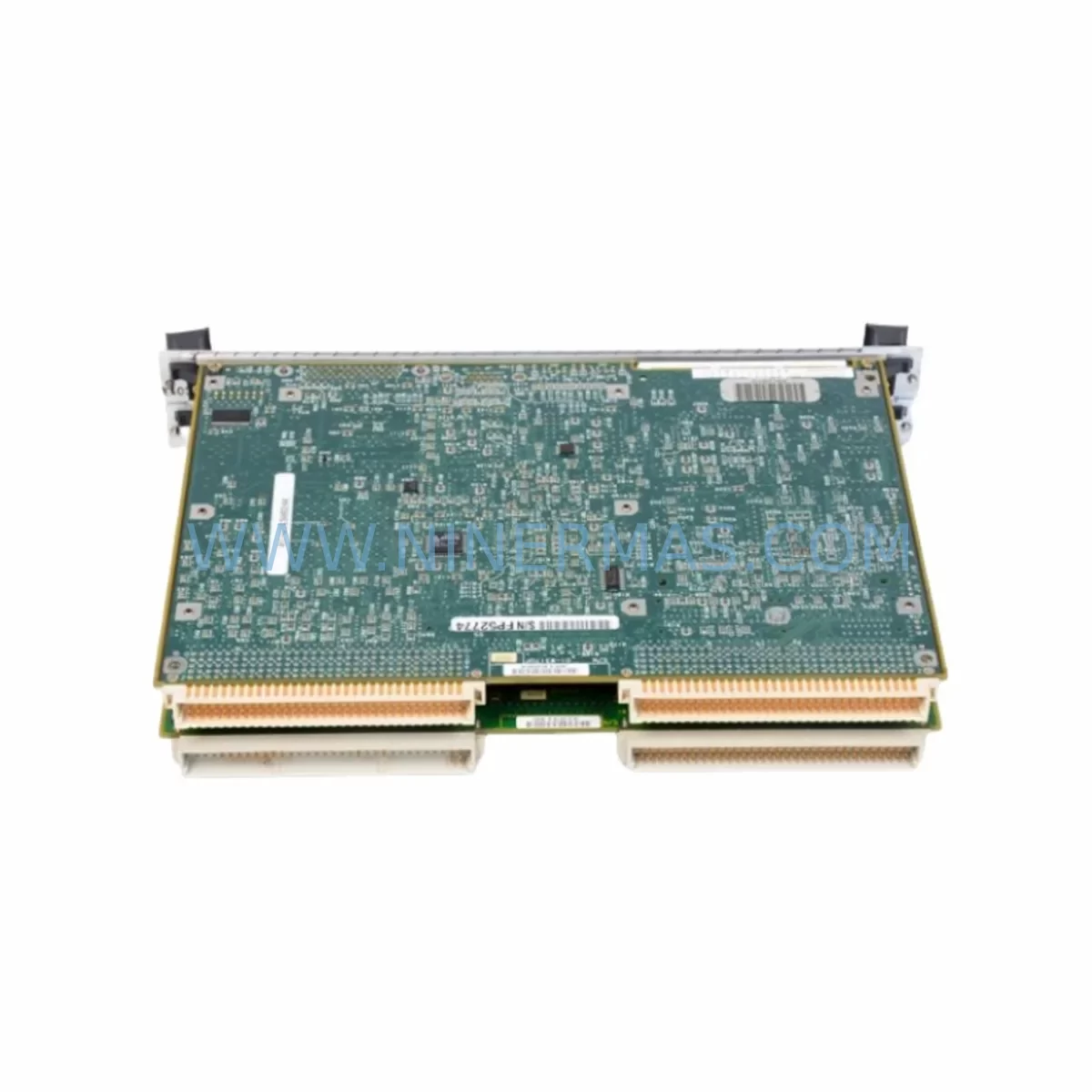
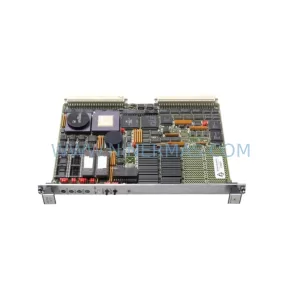
Motorola MVME3600-1 Service-Ready Spare Part for Industrial
Verify the part, confirm the platform family, and move straight into quotation with the right commercial details.
RFQ Ready
- SKUMVME3600-1
- CategoryPLC & Industrial Automation Modules
- BrandMotorola
- SupportAvailability, lead time, condition, and shipping coordination
How Buyers Usually Use This Page
- Confirm the exact part number and platform family before sending the quote request.
- Use direct email when quantity, condition, and destination are already defined internally.
- Switch to the broader brand or category archive when you need alternates nearby.
Series Navigation
Move through the most common platform families behind this part.
Product RFQ
Send this part directly for quotation.
Include quantity, required condition, destination country, and target delivery timing. Current reference: Motorola MVME3600-1 Service-Ready Spare Part for Industrial with SKU MVME3600-1.
Motorola MVME3600-1 Service-Ready Spare Part for Industrial
The Motorola MVME3600-1 is a high-performance VMEbus single-board computer (SBC) designed for demanding industrial automation, process control, and real-time embedded applications. As a critical controller node in MVME3600-series VME chassis, this board manages CPU execution, memory arbitration, and backplane communication in legacy DCS, SCADA, and motion control architectures. When an MVME3600-1 fails or reaches end-of-service life, unplanned downtime can cascade across an entire production line or control cabinet. Sourcing a verified, service-ready replacement is the fastest path to restoring system integrity without redesigning the control architecture.
At NINERMAS, every MVME3600-1 unit is subject to pre-shipment functional testing and inspection before dispatch. Each unit ships with a 12-month warranty, giving maintenance engineers and procurement teams confidence in long-term spare parts planning. Whether you are managing a scheduled annual overhaul, responding to an emergency board failure, or building a strategic spare parts inventory for aging VME-based systems, the MVME3600-1 is available for immediate quotation and rapid fulfillment.
Spare Maintenance Table
| Parameter | Specification / Detail |
|---|---|
| Part Number / SKU | MVME3600-1 |
| Brand | Motorola (Emerson / Artesyn VME Legacy) |
| Series | MVME3600 |
| Board Type | VMEbus Single-Board Computer (SBC) |
| Bus Standard | VMEbus (IEEE 1014 / IEC 821) |
| Processor Architecture | PowerPC / Motorola 68K (series-dependent) |
| Form Factor | 6U VME |
| Operating Voltage | +5 VDC, ±12 VDC (VME backplane supplied) |
| Operating Temperature | 0°C to +55°C (industrial grade) |
| Compatibility | MVME3600 series VME chassis; compatible with MVME761, MVME712, MVME374 transition modules |
| Typical Applications | DCS controller nodes, SCADA front-end processors, motion control, real-time embedded systems |
| Installation | 6U VME slot insertion; observe ESD precautions; confirm backplane J1/J2 pinout |
| Maintenance Interval | Inspect annually; replace capacitors and battery-backed SRAM as needed |
| Origin | USA |
| Warranty | 12 Months — Pre-shipment tested and verified |
Maintenance Planning for Continuous Operation
Replacing an MVME3600-1 in a live VME control cabinet is rarely an isolated task. Experienced maintenance engineers know that a board-level failure often signals stress across adjacent components sharing the same backplane power rails, communication buses, and I/O signal paths. A disciplined replacement workflow should include inspection of the following associated components to prevent repeat failures and reduce the risk of secondary downtime.
Begin with the VME backplane itself — inspect connector pins on J1 and J2 for oxidation, bent contacts, or intermittent continuity. A degraded backplane can cause the replacement MVME3600-1 to exhibit erratic behavior that mimics a faulty board. Next, verify the VME chassis power supply (such as the MVME374 or equivalent industrial VME PSU): measure +5 VDC and ±12 VDC rails under load and confirm ripple is within specification. Undervoltage on the +5 V rail is a leading cause of SBC instability and premature failure.
Check the MVME761 Transition Module or equivalent I/O transition card connected to the MVME3600-1 rear I/O. Transition module connectors are subject to mechanical wear and corrosion, particularly in high-humidity or high-vibration environments. Inspect the MVME712 Multi-Module or serial/Ethernet mezzanine cards if fitted — these daughter cards share the SBC’s local bus and can cause boot failures if their firmware is incompatible with a replacement board revision.
For systems using the MVME3600-1 as a DCS front-end processor, audit the field I/O modules connected downstream: analog input cards, digital output relay modules, and signal isolators should be checked for correct loop power and signal integrity. Terminal blocks and field wiring on the I/O marshalling panel should be inspected for loose terminations, which can introduce noise that the new SBC’s ADC channels may interpret differently from the aged board it replaces.
If the MVME3600-1 communicates over serial RS-232/RS-422 or Ethernet, verify that the communication module (such as an MVME712M or equivalent) is correctly configured and that network switches or serial converters in the control cabinet are functioning. Communication timeouts after a board swap are frequently caused by IP address conflicts or baud rate mismatches rather than hardware faults. Also inspect fuse holders and circuit breakers on the 24 VDC field power distribution rail — a blown fuse protecting the I/O loop power can cause the new SBC to report field device faults immediately after startup.
For systems with HMI panels (such as Motorola or third-party operator terminals) connected to the MVME3600-1 via serial or Ethernet, confirm that the HMI driver version is compatible with the replacement board’s firmware. Finally, if the control system includes battery-backed SRAM or real-time clock modules on the SBC, replace the onboard lithium battery as a matter of course during any board swap — a dead RTC battery can cause configuration loss on first power cycle.
Site Replacement Workflow
A structured on-site replacement procedure minimizes downtime and ensures the MVME3600-1 is correctly commissioned into the existing control architecture:
1. Pre-Replacement Preparation: Back up all application software, configuration files, and NVRAM parameters from the existing board using the system’s programming terminal or maintenance laptop. Document the current board revision, firmware version, and any jumper or DIP switch settings. Photograph the rear I/O transition module wiring before disconnection.
2. Safe Isolation: Follow your site’s lockout/tagout (LOTO) procedure. Power down the VME chassis using the controlled shutdown sequence defined in the system’s maintenance manual. Do not hot-swap VMEbus SBCs unless the chassis and board explicitly support live insertion — most MVME3600-series installations do not.
3. Board Extraction and Inspection: Use the board’s front-panel ejector levers to disengage the VME connectors. Inspect the extracted MVME3600-1 for visible damage: burnt components, swollen capacitors, corrosion on the J1/J2 edge connectors, or damaged mezzanine card sockets. This information is valuable for root-cause analysis and future maintenance planning.
4. Replacement Board Configuration: Before inserting the new MVME3600-1, match all jumper and DIP switch settings to the extracted board’s documented configuration. If the replacement board carries a different hardware revision, consult the MVME3600 Series Programmer’s Reference Manual for any revision-specific configuration differences.
5. Insertion and Power-Up: Insert the replacement board into the correct VME slot, engage the ejector levers firmly, and reconnect the rear transition module. Power up the chassis and monitor the board’s front-panel LEDs and system console for boot messages. Confirm that the operating system or firmware loads correctly and that all I/O channels report expected status.
6. Functional Verification: Run the system’s built-in self-test (BIST) or diagnostic routine. Verify communication with all downstream field devices, HMI panels, and supervisory systems. Restore the backed-up application software and configuration, then perform a controlled process restart under supervision before returning the system to full automatic operation.
Spare Parts Support FAQ
Q1: Is the MVME3600-1 still available as a new or refurbished spare part?
The MVME3600-1 has reached end-of-production status from the original manufacturer. However, NINERMAS maintains stock of tested, service-ready units sourced from controlled supply channels. Each unit undergoes pre-shipment functional verification and ships with a 12-month warranty. We recommend procuring at least one spare unit per installed system to protect against extended lead times as global VME-era inventory continues to decline.
Q2: How do I verify compatibility between a replacement MVME3600-1 and my existing VME chassis?
Compatibility depends on the chassis backplane revision, the transition module fitted to the rear I/O slot, and the firmware version required by your application software. Before ordering, provide your existing board’s part number suffix (e.g., MVME3600-1 vs. MVME3600-2), hardware revision label, and the chassis model. Our technical team will confirm compatibility and advise on any firmware or configuration adjustments required before installation.
Q3: What does the 12-month warranty cover, and what pre-shipment testing is performed?
Every MVME3600-1 unit shipped by NINERMAS is tested for power-on boot integrity, VMEbus arbitration, memory read/write cycles, and front-panel I/O continuity prior to dispatch. The 12-month warranty covers hardware defects identified under normal operating conditions. It does not cover damage resulting from incorrect installation, overvoltage events, or ESD mishandling. Warranty claims are processed with priority turnaround to minimize your system downtime.
Q4: Can NINERMAS support long-term supply agreements for MVME3600-1 and related VME spare parts?
Yes. For customers managing fleets of VME-based control systems, NINERMAS offers long-term supply agreements that reserve stock allocation, lock pricing for defined periods, and provide priority fulfillment for emergency orders. This is particularly valuable for industries such as power generation, oil and gas, water treatment, and discrete manufacturing where VME-era DCS and SCADA systems remain in service well beyond their original design life. Contact our team to discuss a tailored spare parts support program.
| Product Series | Other series |
|---|
Catalog Continuation
More Motorola modules in the catalog.
Use the brand lane to compare nearby part numbers, platform-adjacent modules, and other inquiry-ready listings before sending your final RFQ.
SKU: MVME2604 761I/O MVME260476
Motorola MVME2604-761I/O Safety-Reliable VME Controller
SKU: MVME2304 64-W5206C01B
Motorola MVME2304 64-W5206C01B Retrofit-Compatible Processor
SKU: FRCE CPCI-745 PMK050608E02
Motorola FRCE CPCI-745 PMK050608E02 Safety-Reliable CPCI Module
Catalog Continuation
Alternative parts within PLC & Industrial Automation Modules.
Stay inside the same system family when you need substitutes, adjacent modules, or a broader shortlist for procurement review.