
Original Industrial Spare Part
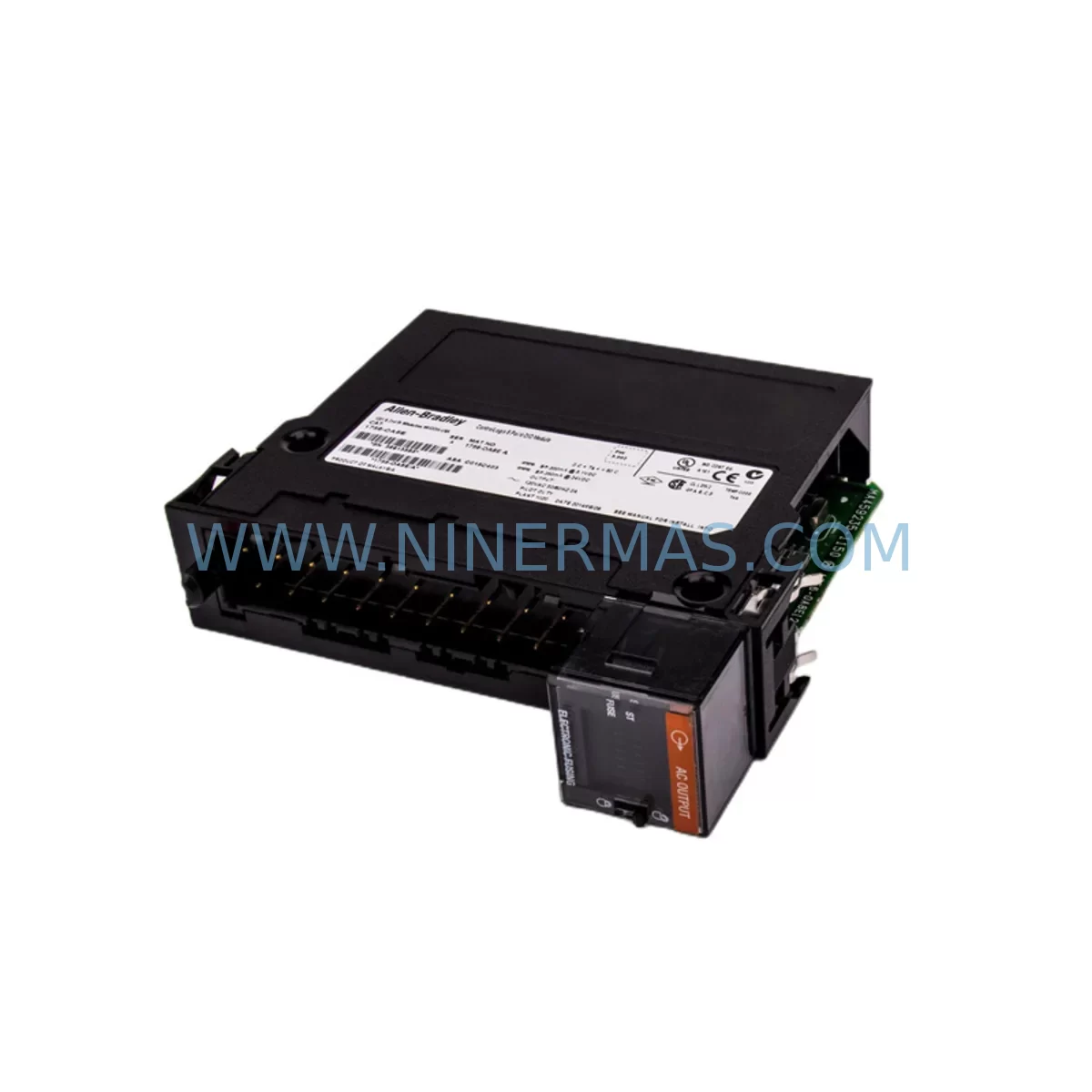
AB 1756-OA8E Retrofit-Compatible AC Output for Legacy Systems
Verify the part, confirm the platform family, and move straight into quotation with the right commercial details.
RFQ Ready
- SKU1756-OA8E
- CategoryPLC & Industrial Automation Modules
- BrandAllen-Bradley
- SupportAvailability, lead time, condition, and shipping coordination
How Buyers Usually Use This Page
- Confirm the exact part number and platform family before sending the quote request.
- Use direct email when quantity, condition, and destination are already defined internally.
- Switch to the broader brand or category archive when you need alternates nearby.
Series Navigation
Move through the most common platform families behind this part.
Product RFQ
Send this part directly for quotation.
Include quantity, required condition, destination country, and target delivery timing. Current reference: AB 1756-OA8E Retrofit-Compatible AC Output for Legacy Systems with SKU 1756-OA8E.
AB 1756-OA8E Retrofit-Compatible AC Output for Legacy Systems
The Allen-Bradley 1756-OA8E is an 8-point 120/240V AC output module designed for the ControlLogix 1756 platform. As industrial facilities continue to modernize aging automation infrastructure, the 1756-OA8E has become a critical component in retrofit projects where legacy output modules have reached end-of-life or are no longer available through standard distribution channels. Whether you are replacing a failed 1756-OA8 in an existing rack or upgrading a SLC 500 or PLC-5 controlled line to a ControlLogix architecture, the 1756-OA8E provides a reliable, field-proven solution with full compatibility across the 1756 backplane ecosystem.
Each unit supplied by NINERMAS is sourced from verified channels, undergoes pre-shipment functional testing, and is backed by a 12-month warranty. Our inventory is maintained to support urgent replacement needs, minimizing unplanned downtime on your production floor.
Upgrade Compatibility Table
| Parameter | Details |
|---|---|
| SKU / Part Number | 1756-OA8E |
| Series | ControlLogix 1756 |
| Output Type | AC Output (120/240V AC, 8 Points) |
| Backplane Interface | 1756 ControlLogix Backplane (compatible with 1756-A4, 1756-A7, 1756-A10, 1756-A13, 1756-A17) |
| Common Replacements | 1756-OA8, 1756-OA16, 1756-OA16I (verify point count and isolation requirements) |
| Communication Compatibility | EtherNet/IP via 1756-EN2T, 1756-EN3TR; ControlNet via 1756-CN2; DeviceNet via 1756-DNB |
| Controller Compatibility | 1756-L61, 1756-L62, 1756-L63, 1756-L71, 1756-L72, 1756-L73, 1756-L83E |
| Installation Requirement | Hot-swap capable; module keying must be verified before insertion |
| Wiring Terminal | Removable terminal block (RTB); verify RTB model matches field wiring gauge |
| Commissioning Notes | Module address auto-assigned by chassis slot; verify I/O tree in Studio 5000 / RSLogix 5000 |
| Warranty | 12 Months from shipment date |
Retrofit Planning for Existing Automation Systems
Integrating the 1756-OA8E into an existing control cabinet requires a structured approach to avoid configuration errors and unplanned downtime. Before removing the legacy module, engineers should document the current I/O tree configuration in Studio 5000 or RSLogix 5000, noting the slot address, tag assignments, and any force conditions active on the output points. The 1756-OA8E occupies a single slot in any standard 1756 chassis — whether a 1756-A4, 1756-A7, or larger 1756-A17 rack — and communicates directly over the ControlLogix backplane without requiring additional adapters.
Power budget verification is essential. The 1756-PA72 or 1756-PB72 power supply feeding the chassis must have sufficient remaining capacity to support the 1756-OA8E’s backplane current draw. In high-density racks where multiple analog and digital modules such as the 1756-IF8 or 1756-OF8 are already installed, a power budget recalculation is strongly recommended before adding or swapping modules.
Field wiring connects to the removable terminal block (RTB). Confirm that the RTB model on hand matches the wire gauge used in the existing installation. In many legacy retrofits, the original RTB from the failed 1756-OA8 can be reused directly on the 1756-OA8E, preserving field wiring and reducing reconnection time significantly. If the installation involves isolated output groups, compare the isolation architecture of the 1756-OA8E against the original module to ensure load circuit separation requirements are maintained.
For facilities migrating from older SLC 500 or MicroLogix platforms, the transition typically involves installing a new 1756 chassis alongside the existing panel, mapping legacy I/O addresses to new ControlLogix tags, and using a 1756-DHRIO or 1756-DNB bridge module to maintain communication with legacy field devices during the cutover period. HMI screens built on PanelView or FactoryTalk View SE referencing old tag structures will require remapping to the new ControlLogix tag database — this step is often underestimated in retrofit schedules and should be allocated dedicated commissioning time.
Signal isolation requirements should also be reviewed. In mixed-voltage panels where 24VDC control signals and 120V AC output circuits coexist, signal isolators or interposing relays may be required between the 1756-OA8E output terminals and field loads to protect the module and comply with local electrical codes. Programming cable access via a 1756-CP3 or USB-to-serial adapter connected to the 1756-L7x controller should be confirmed before beginning the cutover to allow rapid program edits if unexpected logic issues arise during commissioning.
Downtime Control During System Migration
Minimizing production downtime during a ControlLogix output module replacement begins with pre-staging. The replacement 1756-OA8E should be bench-tested and confirmed functional before the maintenance window opens. Where possible, the module’s configuration should be pre-loaded using the existing program backup so that insertion into the live chassis results in immediate recognition without requiring online edits.
The 1756-OA8E supports hot-swap replacement when the chassis power remains on, provided the controller is placed in Program mode and all output forces are cleared beforehand. This capability is particularly valuable in multi-zone production environments where only a portion of the system can be taken offline. After insertion, the module will appear in the I/O tree and can be brought online incrementally, allowing operators to verify each output point against the physical load before returning the system to Run mode.
Original program logic does not need to be rewritten when replacing a like-for-like 1756-OA8E. Tag names, rung logic, and HMI bindings remain intact. If the replacement involves a different point count or isolation variant, a controlled program revision should be prepared in advance, reviewed offline in Studio 5000, and downloaded during the maintenance window to minimize live editing risk. Keeping a verified program backup on a local engineering workstation — not solely on the controller — is a standard precaution that protects against data loss during unexpected power interruptions mid-swap.
Post-installation, a structured commissioning checklist covering output point verification, communication link status on the 1756-EN2T or 1756-EN3TR Ethernet module, HMI screen validation, and alarm acknowledgment will confirm system integrity before production resumes. NINERMAS provides pre-shipment test documentation for each 1756-OA8E unit, supporting your internal commissioning records and quality audit requirements.
Retrofit Support FAQ
Q: Is the 1756-OA8E a direct drop-in replacement for the 1756-OA8?
A: In most installations, yes. Both modules occupy a single 1756 chassis slot and use the same backplane interface. The 1756-OA8E adds electronic fusing per output group compared to the standard 1756-OA8. Verify your RTB compatibility and confirm the output point count meets your application requirements before installation.
Q: What commissioning steps are required after installing the 1756-OA8E?
A: After insertion, go online with the controller in Studio 5000 or RSLogix 5000, confirm the module appears in the I/O tree at the correct slot address, verify no inhibit or fault conditions are active, and perform a point-by-point output verification against the field load list. Clear any forced outputs before returning to Run mode.
Q: Can the existing field wiring RTB be reused from the old module?
A: In most cases, yes. The removable terminal block from a 1756-OA8 is compatible with the 1756-OA8E, allowing field wiring to be transferred without re-termination. Always verify the RTB catalog number and wire gauge rating before reuse.
Q: What warranty and stock availability does NINERMAS offer for the 1756-OA8E?
A: NINERMAS maintains ready stock of the 1756-OA8E to support urgent replacement needs. Each unit is pre-shipment tested and covered by a 12-month warranty from the date of shipment. For volume orders or expedited delivery requirements, contact our team directly.
| Product Series | ControlLogix |
|---|---|
| Country of Origin | US |
Catalog Continuation
More Allen-Bradley modules in the catalog.
Use the brand lane to compare nearby part numbers, platform-adjacent modules, and other inquiry-ready listings before sending your final RFQ.

Catalog Continuation
Alternative parts within PLC & Industrial Automation Modules.
Stay inside the same system family when you need substitutes, adjacent modules, or a broader shortlist for procurement review.
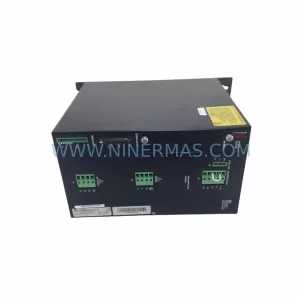
SKU: SCE906A2-002-01 SCE906A200201
Pacific Scientific SCE906A2-002-01 Retrofit Servo Amplifier
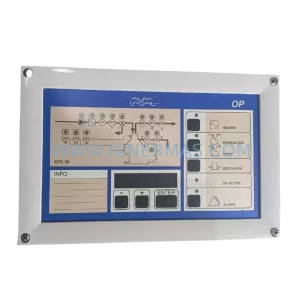
SKU: EPC500 3183062451
Alfa Laval EPC500 3183062451 Service-Ready Spare Part



