
Original Industrial Spare Part
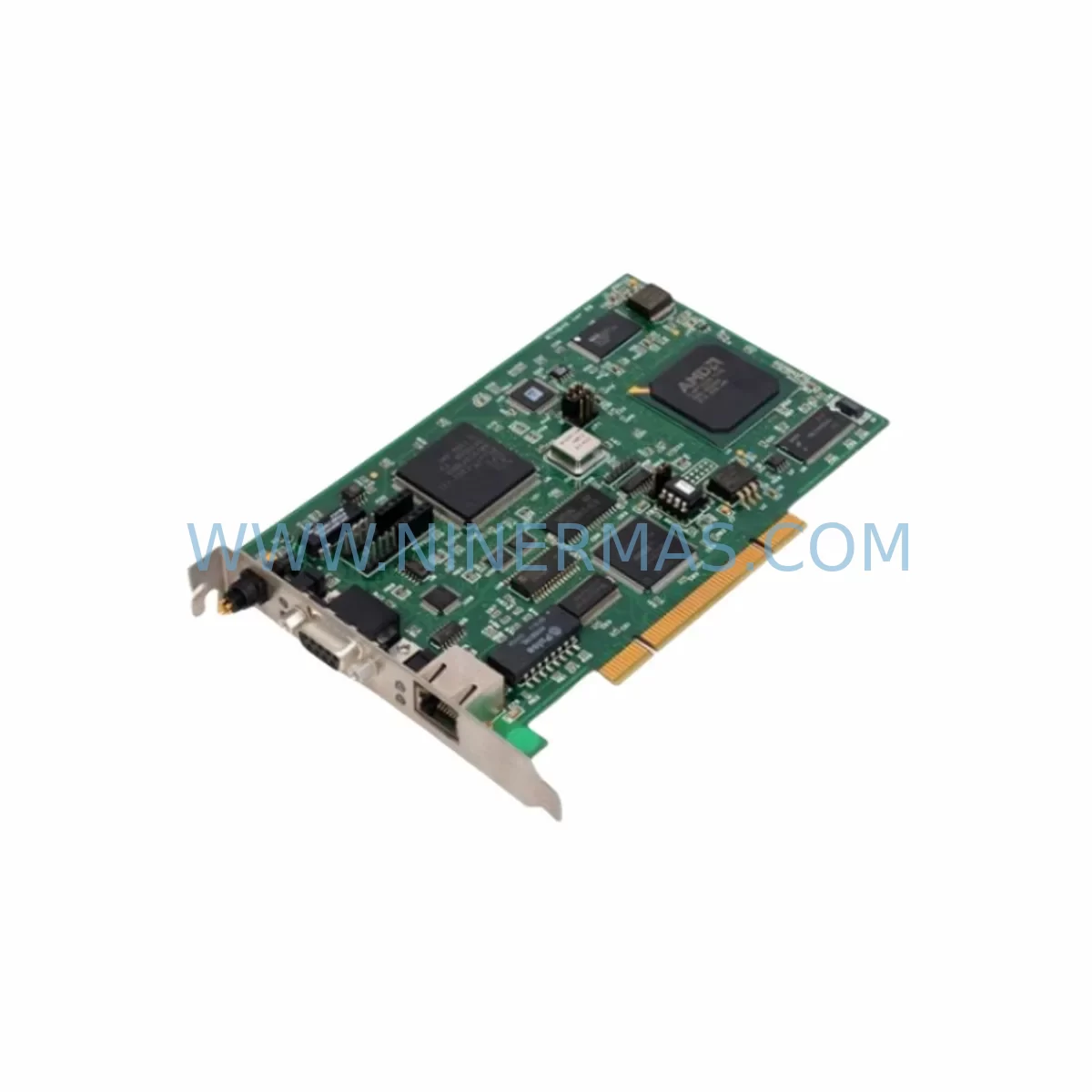
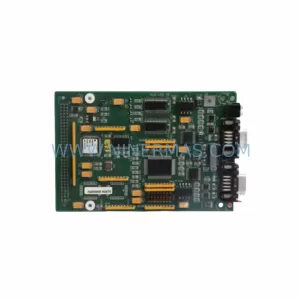
Woodhead PCU2000ETH Service-Ready Spare Part for Industrial Maintenance
Verify the part, confirm the platform family, and move straight into quotation with the right commercial details.
RFQ Ready
- SKUPCU2000ETH
- CategoryPLC & Industrial Automation Modules
- BrandWoodhead
- SupportAvailability, lead time, condition, and shipping coordination
How Buyers Usually Use This Page
- Confirm the exact part number and platform family before sending the quote request.
- Use direct email when quantity, condition, and destination are already defined internally.
- Switch to the broader brand or category archive when you need alternates nearby.
Series Navigation
Move through the most common platform families behind this part.
Product RFQ
Send this part directly for quotation.
Include quantity, required condition, destination country, and target delivery timing. Current reference: Woodhead PCU2000ETH Service-Ready Spare Part for Industrial Maintenance with SKU PCU2000ETH.
Woodhead PCU2000ETH Service-Ready Spare Part for Industrial Maintenance
The Woodhead PCU2000ETH is a ruggedized industrial Ethernet communication module engineered for demanding factory-floor environments. As a direct original spare part for the PCU2000 series platform, the PCU2000ETH delivers reliable Ethernet connectivity between programmable logic controllers, distributed I/O nodes, and supervisory control networks. When a communication fault or hardware failure brings a production line to a halt, having a pre-tested, service-ready PCU2000ETH in your spare parts inventory is the fastest path to restoring normal operation and minimizing unplanned downtime costs.
Maintenance engineers and procurement teams working with legacy Woodhead DeviceNet and industrial Ethernet architectures recognize the PCU2000ETH as a critical link in the control cabinet. Its ruggedized housing tolerates vibration, wide temperature swings, and the electrical noise typical of motor-drive environments, making it a dependable long-term replacement for aging or failed communication modules in both greenfield upgrades and brownfield system extensions.
Spare Maintenance Table
| Parameter | Specification / Value |
|---|---|
| Part Number / SKU | PCU2000ETH |
| Brand | Woodhead (Molex / Brad Harrison) |
| Series | PCU2000 |
| Product Type | Ruggedized Industrial Ethernet Communication Module |
| Protocol | Industrial Ethernet (EtherNet/IP compatible) |
| Compatibility | PCU2000 series controllers; DeviceNet-based control architectures; standard 10/100 Mbps Ethernet infrastructure |
| Supply Voltage | 24 V DC (nominal, from backplane or external rail) |
| Operating Temperature | 0 °C to +55 °C (storage: –25 °C to +85 °C) |
| Protection Rating | IP20 (panel-mount / DIN-rail installation) |
| Connector Interface | RJ45 Ethernet port; backplane bus connector |
| Installation | DIN-rail or direct panel mount; plug-in backplane replacement |
| Application Environment | Automotive assembly, food & beverage, material handling, discrete manufacturing, process control panels |
| Maintenance Recommendation | Inspect connector pins and cable seating every 6 months; replace on first sign of intermittent link loss or CRC error escalation |
| Origin | USA (Woodhead / Molex industrial division) |
| Warranty | 12 Months – Pre-shipment tested and verified |
Maintenance Planning for Continuous Operation
A structured spare parts strategy around the PCU2000ETH must account for the full communication chain within the control cabinet. When a maintenance engineer isolates a network fault to the PCU2000ETH, the replacement workflow should simultaneously trigger inspection of adjacent components to prevent repeat failures and ensure the restored system is fully stable.
Begin with the 24 V DC power supply rail feeding the PCU2000 backplane. Voltage ripple or transient spikes are a leading cause of premature Ethernet module failure; verify output with a calibrated meter and replace the power supply module if ripple exceeds 200 mV peak-to-peak. Next, inspect the PCU2000 backplane assembly itself — connector pins corrode in humid environments, and a damaged backplane slot will destroy a replacement module within weeks. Check the DeviceNet trunk cable and drop connectors (Woodhead Brad Harrison M12 or Mini-Change connectors are common in this architecture) for insulation damage, moisture ingress, and proper termination resistance at both ends of the trunk.
On the I/O side, audit the Woodhead SST-DN3-PCI or equivalent DeviceNet scanner card in the host PLC rack. A scanner that is logging excessive bus-off events may be contributing to the communication module stress. Review the 24 V DC I/O power distribution fuses and terminal blocks — a blown fuse on the field-side power bus can cause the Ethernet module to report spurious node failures. If the cabinet includes a Woodhead or third-party signal isolator between the PLC analog outputs and field instruments, verify isolation integrity, as ground loops can inject noise into the communication bus.
For cabinets running mixed Ethernet and serial communications, inspect the RS-232/RS-485 communication converter or gateway module that bridges legacy devices to the Ethernet backbone. A failing gateway can generate broadcast storms that overwhelm the PCU2000ETH’s buffer. Also check the managed industrial Ethernet switch port to which the PCU2000ETH connects — verify port speed/duplex settings are fixed (not auto-negotiated) to prevent link instability. If an HMI panel (such as a Woodhead or third-party operator terminal) is connected to the same Ethernet segment, confirm its IP address and subnet mask do not conflict with the replacement module’s configured address.
Finally, review the UPS or surge protection device on the control panel incoming power. Inadequate surge suppression is a systemic risk factor for all communication hardware in the cabinet. Procurement engineers should consider stocking one PCU2000ETH alongside a set of M12 field-bus connector inserts, a spare 24 V DC DIN-rail power supply of matching amperage, and a set of replacement terminal block bridges to support a complete first-response kit for this control architecture.
Site Replacement Workflow
Step 1 – Isolate and document. Before removing the failed PCU2000ETH, capture the current network configuration: IP address, subnet mask, gateway, and any EtherNet/IP instance parameters stored in the module. Use the host PLC programming software to export the I/O configuration file as a backup.
Step 2 – Power down safely. De-energize the PCU2000 backplane following your site’s lockout/tagout procedure. Confirm absence of voltage on the backplane power connector before handling the module.
Step 3 – Remove and inspect. Extract the failed PCU2000ETH from the backplane slot. Inspect the backplane connector for bent pins, corrosion, or debris. Clean with isopropyl alcohol and a non-conductive brush if contamination is present.
Step 4 – Install the replacement. Seat the new PCU2000ETH firmly into the backplane slot until the locking tab engages. Connect the RJ45 Ethernet cable — use a shielded Cat5e or Cat6 cable with a ferrite clamp at the module end to suppress EMI in motor-drive environments.
Step 5 – Restore configuration. Re-enter or download the saved network parameters. If the replacement module ships with factory-default settings, use the host PLC software or a laptop connected directly to the RJ45 port to configure the IP address before reconnecting to the plant network.
Step 6 – Verify and commission. Re-energize the backplane, confirm the Ethernet link LED is solid, and verify all DeviceNet nodes are online in the scanner status display. Run a 15-minute observation period monitoring CRC error counters before returning the line to production.
This workflow is compatible with direct replacement of older PCU2000 series Ethernet modules and supports system continuity without requiring PLC program changes, making it an efficient solution for brownfield maintenance teams managing aging control infrastructure.
Spare Parts Support FAQ
Q1: Is the PCU2000ETH a direct drop-in replacement for older PCU2000 series Ethernet modules?
Yes. The PCU2000ETH is designed as a plug-compatible replacement within the PCU2000 backplane architecture. No PLC program modifications are required provided the replacement module is configured with the same IP address and EtherNet/IP parameters as the original. Always verify firmware compatibility with your host controller software version before installation.
Q2: What pre-shipment testing is performed on each PCU2000ETH unit?
Every PCU2000ETH unit supplied by Ninermas undergoes bench-level power-on verification, Ethernet link establishment testing, and visual inspection of the backplane connector and RJ45 port prior to packaging. Units are shipped with a 12-month warranty covering manufacturing defects and functional failures under normal operating conditions.
Q3: How should procurement engineers manage long-term supply risk for the PCU2000ETH?
The PCU2000 platform is a mature product line. Procurement teams are advised to conduct an installed-base audit to determine the total number of PCU2000ETH modules in service across all facilities, then maintain a minimum buffer stock of 10–15% of the installed quantity. Ninermas supports long-term supply agreements and can provide lead-time commitments for scheduled annual maintenance programs, reducing the risk of emergency procurement at premium cost.
Q4: Can the PCU2000ETH be used in high-vibration or high-humidity environments?
The PCU2000ETH’s ruggedized design is rated for industrial panel environments with moderate vibration and humidity within the IP20 enclosure rating. For installations in high-vibration machinery or wash-down areas, ensure the control cabinet itself provides the required IP54 or higher environmental protection. Inspect the RJ45 cable strain relief and backplane locking tab condition during every scheduled preventive maintenance visit.
| Product Series | Other series |
|---|
Catalog Continuation
More Woodhead modules in the catalog.
Use the brand lane to compare nearby part numbers, platform-adjacent modules, and other inquiry-ready listings before sending your final RFQ.
SKU: SST-DN4-104-2
Woodhead SST-DN4-104-2 Safety-Reliable DeviceNet Interface
Catalog Continuation
Alternative parts within PLC & Industrial Automation Modules.
Stay inside the same system family when you need substitutes, adjacent modules, or a broader shortlist for procurement review.
SKU: SCE906A2-002-01 SCE906A200201
Pacific Scientific SCE906A2-002-01 Retrofit Servo Amplifier
SKU: EPC500 3183062451
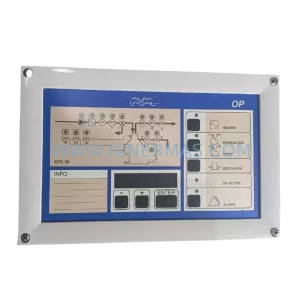
Alfa Laval EPC500 3183062451 Service-Ready Spare Part



