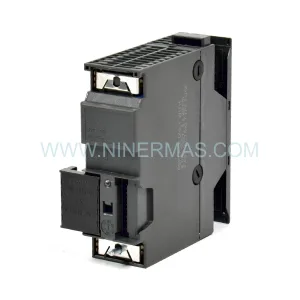
Original Industrial Spare Part
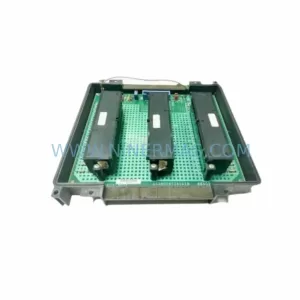
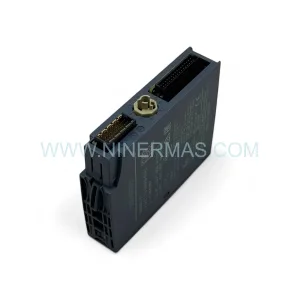
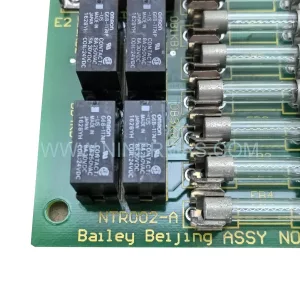
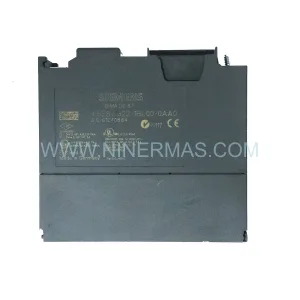
Siemens 6ES5451-8MR12 Retrofit-Compatible Digital Output Module
Verify the part, confirm the platform family, and move straight into quotation with the right commercial details.
RFQ Ready
- SKU6ES5451-8MR12
- CategoryPLC & Industrial Automation Modules
- BrandSiemens
- SupportAvailability, lead time, condition, and shipping coordination
How Buyers Usually Use This Page
- Confirm the exact part number and platform family before sending the quote request.
- Use direct email when quantity, condition, and destination are already defined internally.
- Switch to the broader brand or category archive when you need alternates nearby.
Series Navigation
Move through the most common platform families behind this part.
Product RFQ
Send this part directly for quotation.
Include quantity, required condition, destination country, and target delivery timing. Current reference: Siemens 6ES5451-8MR12 Retrofit-Compatible Digital Output Module with SKU 6ES5451-8MR12.
Siemens 6ES5451-8MR12 Retrofit-Compatible Digital Output Module for Legacy SIMATIC S5 Systems
The Siemens 6ES5451-8MR12 is a 32-channel relay digital output module designed for the SIMATIC S5 programmable controller platform. As production lines built around the S5-115U, S5-135U, and S5-155U controller families approach end-of-life, the 6ES5451-8MR12 remains one of the most sought-after spare parts for engineers managing legacy automation infrastructure. NINERMAS maintains verified stock of this module with a 12-month warranty, supporting customers across manufacturing, utilities, chemical processing, and discrete automation sectors who require a reliable, drop-in replacement without committing to a full platform migration.
Whether your facility is executing a phased retrofit, responding to an unplanned module failure, or building a strategic spare-parts buffer for a long-running production line, the 6ES5451-8MR12 provides the output capacity and relay isolation characteristics that the original system design depends on. Each unit shipped by NINERMAS undergoes outgoing inspection and functional verification prior to dispatch, ensuring that the module arrives ready for installation and commissioning.
Upgrade Compatibility Table
| Parameter | 6ES5451-8MR12 Specification | Retrofit / Migration Notes |
|---|---|---|
| Output Channels | 32 relay outputs | Verify field wiring terminal assignments match existing I/O list before swap |
| Compatible Racks | SIMATIC S5 ER (EU183, EU185, EU186, EU187) | Confirm rack slot availability and backplane bus connector condition |
| Controller Compatibility | S5-115U, S5-135U, S5-155U | No program changes required for direct slot replacement; verify module address assignment in STEP 5 |
| Communication Interface | S5 parallel backplane bus | Not compatible with S7 PROFIBUS or PROFINET racks; protocol migration requires gateway or controller upgrade |
| Power Supply Requirement | 24 V DC load voltage (field side) | Confirm 6ES5955-3LF41 or equivalent S5 power supply capacity before installation |
| Installation Footprint | Standard S5 single-slot module | No cabinet modification required; check DIN rail and cabinet depth clearance |
| Replacement Path (S7 Migration) | S7-300: SM 322 DO series; S7-1500: DQ modules | Requires rack change, wiring adaptation, and program conversion via STEP 7 or TIA Portal |
| Warranty | 12-Month Warranty — all units tested prior to shipment by NINERMAS | |
Retrofit Planning for Existing Automation Systems
A successful retrofit using the 6ES5451-8MR12 begins well before the module arrives on site. Engineers should start by auditing the existing S5 rack configuration, confirming which slots are occupied by output modules, and cross-referencing the I/O list against the current STEP 5 program. The 6ES5451-8MR12 occupies a single slot in the S5 expansion rack and communicates via the parallel S5 backplane bus, so no additional interface hardware is required for a like-for-like replacement.
Power budget verification is a critical pre-installation step. The S5 power supply module — commonly the 6ES5955-3LF41 or 6ES5955-3NA12 — must have sufficient headroom to support the relay coil current draw of the replacement module alongside all other installed modules. If the existing power supply is already operating near capacity, this is an opportunity to evaluate whether a higher-rated S5 power supply or a supplementary 24 V DC rail is warranted before the retrofit proceeds.
Terminal wiring on the 6ES5451-8MR12 uses the standard S5 front connector, which mates with the 6ES5490-8YA11 or compatible 40-pin front connector assemblies. Before removing the failed module, photograph or document the existing wiring layout. Label each conductor against the I/O list to ensure accurate reconnection. Pay particular attention to common terminals and relay group assignments, as incorrect wiring can result in unintended output activation during commissioning.
Module address assignment in STEP 5 is handled through the physical slot position in the rack, not through software configuration switches. Confirm that the replacement module is installed in the same slot as the original to preserve the existing program logic without modification. If the slot has changed — for example, due to rack reconfiguration or the addition of a 6ES5700-8MA11 interface module for a distributed I/O expansion — the STEP 5 program will require an address update and a full functional test of all affected output channels.
For facilities that are simultaneously managing a partial migration toward the S7-300 or S7-1500 platform, the 6ES5451-8MR12 can serve as a bridge solution, keeping legacy S5 sections operational while newer sections of the line are transitioned. In mixed-platform environments, the 6ES5318-8MA12 CPU or a 6ES5095-8MA02 expansion unit may be used to maintain S5 rack integrity while S7 racks handle newer process segments. Communication between S5 and S7 islands in such architectures typically relies on a 6ES5734-1BD20 serial link module or a third-party protocol converter, and these integration points should be mapped and tested before the retrofit is declared complete.
HMI screens tied to the output channels of the 6ES5451-8MR12 — whether driven by a legacy OP series operator panel or a modern SIMATIC HMI connected via MPI — should be reviewed to confirm that status tags and alarm mappings remain valid after the module swap. If the HMI communicates directly with the S5 CPU via the 6ES5734-1BD20 or a CP 5431 communications processor, verify that the communication link is re-established and that all output status displays reflect actual field conditions before returning the line to production.
Downtime Control During System Migration
Minimizing unplanned downtime is the primary operational concern when replacing a digital output module in a running production environment. For the 6ES5451-8MR12, the fastest path to restoration is a verified spare module that has been pre-tested and is ready for immediate installation. NINERMAS ships each unit with a functional test report, reducing the risk of receiving a module that requires additional bench testing before it can be installed.
Before initiating the swap, place the S5 CPU in STOP mode using the mode selector on the CPU front panel — typically the 6ES5928-3UB21 or 6ES5948-3UA23 depending on the controller variant. This prevents spurious output activation during the module change. Do not rely solely on software STOP commands if the CPU is in a degraded state; use the physical mode switch to guarantee a safe stop condition.
Once the replacement 6ES5451-8MR12 is installed and the front connector is re-attached with all field wiring verified, restart the CPU and monitor the diagnostic LEDs on the module. The SF (system fault) LED should extinguish within the first scan cycle if the module is correctly addressed and the program is intact. If the SF LED remains active, use the STEP 5 programming software connected via a 6ES5734-1BD20 or PG cable to read the system status list (SZL) and identify the fault source before proceeding.
For planned maintenance windows, a cold-standby spare strategy — maintaining one or two 6ES5451-8MR12 units in the control room — is the most effective way to reduce mean time to repair (MTTR) for S5-based lines. NINERMAS supports long-term spare-parts programs with committed stock allocation, allowing procurement teams to secure inventory for 12 to 36 months ahead, aligned with planned maintenance schedules and production shutdown windows.
Retrofit Support FAQ
Q1: Is the 6ES5451-8MR12 a direct drop-in replacement for a failed output module in my S5-135U rack?
Yes, provided the replacement module is installed in the same rack slot as the original. The S5 system assigns I/O addresses based on slot position, so no program changes are required for a same-slot swap. Verify the front connector wiring against your I/O documentation before powering up.
Q2: What commissioning steps are required after installing the replacement module?
After installation, restart the S5 CPU and confirm that the SF LED on the 6ES5451-8MR12 is off. Use STEP 5 to force individual output channels and verify field device response. Check HMI status displays and alarm logs to confirm that all output signals are correctly reflected in the supervisory system. Document the commissioning results before returning the line to automatic mode.
Q3: Can the 6ES5451-8MR12 be used in a mixed S5/S7 retrofit environment?
Yes. The module operates independently within the S5 rack and is not affected by the presence of S7 hardware elsewhere in the control cabinet. In mixed-platform architectures, ensure that the S5 power supply is sized for the full S5 rack load and that communication links between S5 and S7 sections — such as serial or PROFIBUS gateway connections — are verified separately.
Q4: What warranty and stock availability does NINERMAS provide for the 6ES5451-8MR12?
NINERMAS provides a 12-month warranty on all 6ES5451-8MR12 units. Each module is functionally tested prior to shipment. For customers requiring long-term supply assurance, NINERMAS offers committed stock programs with scheduled delivery windows. Contact our team at sale@ninermas.com or +0086 187 5021 5667 to discuss inventory reservation and lead-time planning.
| Product Series | SIMATIC S5 |
|---|---|
| Country of Origin | DE |
Catalog Continuation
More Siemens modules in the catalog.
Use the brand lane to compare nearby part numbers, platform-adjacent modules, and other inquiry-ready listings before sending your final RFQ.
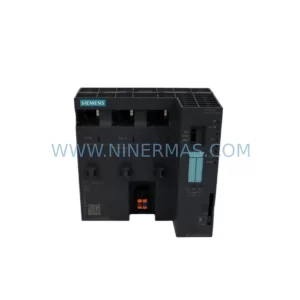
SKU: 6ES7151-8AB01-0AB0
Siemens 6ES7151-8AB01-0AB0 Safety-Reliable CPU for Critical Control
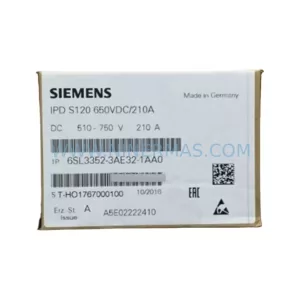
SKU: 6SL3352-3AE32-1AA0
Siemens 6SL3352-3AE32-1AA0 Safety-Reliable Control Unit for Critical Sites
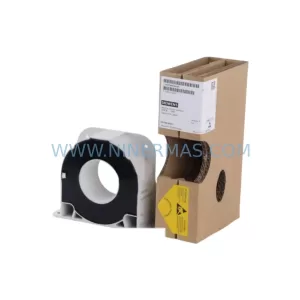
SKU: 6SY7000-0AC07 ES2000-9725
Siemens 6SY7000-0AC07 ES2000-9725 Drive Control Board
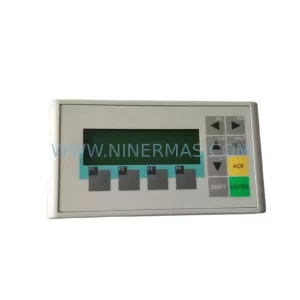
SKU: 6AV6641-0AA11-0AX0
Siemens 6AV6641-0AA11-0AX0 Safety-Reliable HMI for Critical Control
Catalog Continuation
Alternative parts within PLC & Industrial Automation Modules.
Stay inside the same system family when you need substitutes, adjacent modules, or a broader shortlist for procurement review.
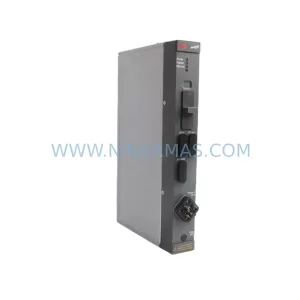
SKU: DLM01 P37421-4-0369652
ABB DLM01 P37421-4-0369652 Retrofit-Compatible Link Module
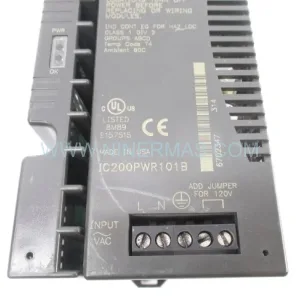
SKU: 3HAC023195-006
ABB 3HAC023195-006 Retrofit Touch Panel for Legacy Systems