Original Industrial Spare Part
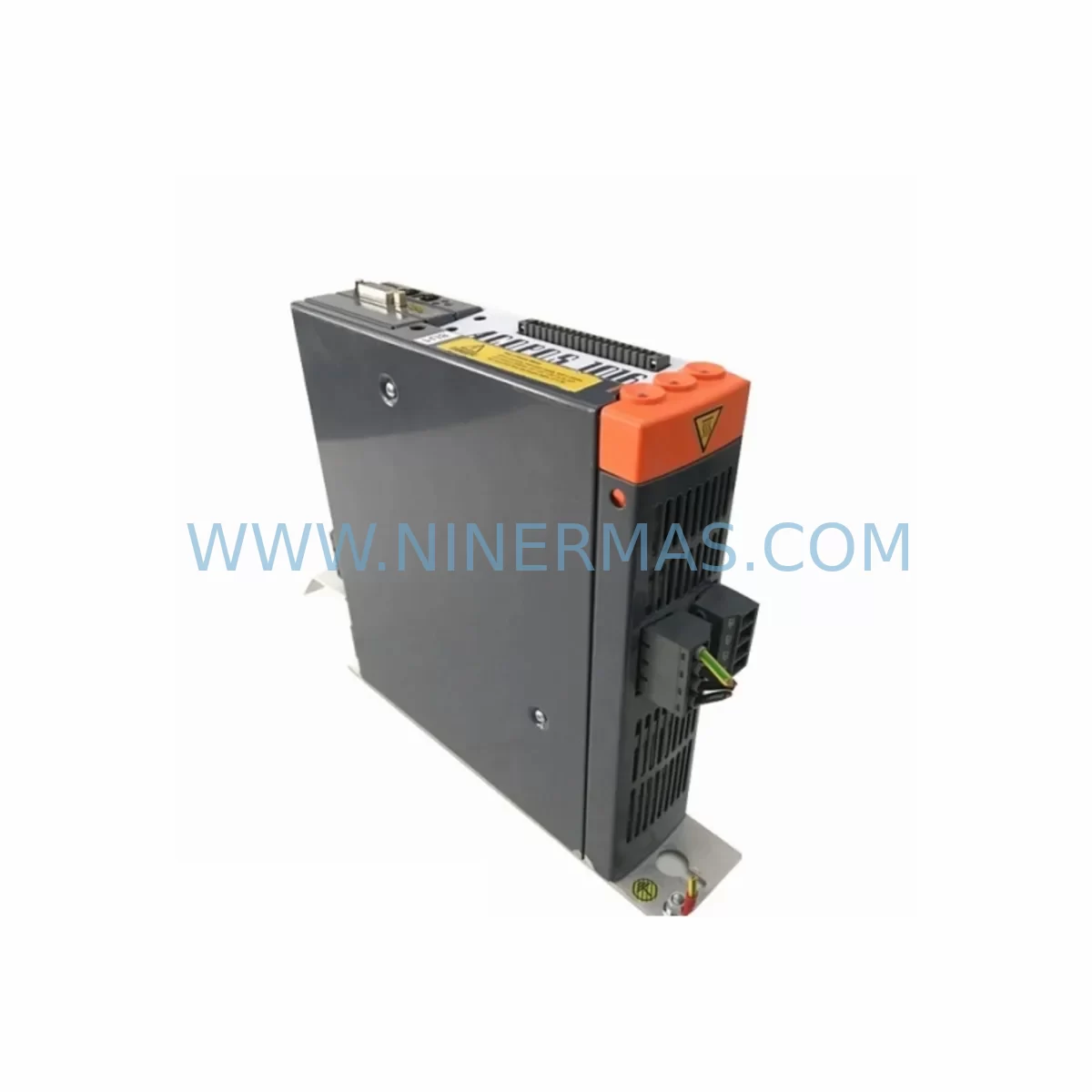
B&R 8V1010.00-2 Retrofit Servo Drive for Legacy Systems
Verify the part, confirm the platform family, and move straight into quotation with the right commercial details.
RFQ Ready
- SKU8V1010.00-2
- CategoryPLC & Industrial Automation Modules
- BrandB&R
- SupportAvailability, lead time, condition, and shipping coordination
How Buyers Usually Use This Page
- Confirm the exact part number and platform family before sending the quote request.
- Use direct email when quantity, condition, and destination are already defined internally.
- Switch to the broader brand or category archive when you need alternates nearby.
Series Navigation
Move through the most common platform families behind this part.
Product RFQ
Send this part directly for quotation.
Include quantity, required condition, destination country, and target delivery timing. Current reference: B&R 8V1010.00-2 Retrofit Servo Drive for Legacy Systems with SKU 8V1010.00-2.
B&R 8V1010.00-2 Retrofit Servo Drive for Legacy Systems: Seamless Compatibility for Aging Automation Infrastructure
The B&R 8V1010.00-2 is a single-axis ACOPOS servo drive rated at 1.0 kVA continuous output power, designed for precision motion control in demanding industrial environments. As legacy automation lines age and original spare parts become increasingly scarce, the 8V1010.00-2 has emerged as a critical retrofit component for plant engineers tasked with sustaining production continuity without committing to a full system overhaul. Whether you are replacing a failed unit on an existing ACOPOS rack or modernizing a control cabinet that still runs on an older B&R Automation Runtime version, this drive offers a direct-fit solution that minimizes engineering rework and reduces unplanned downtime.
NINERMAS maintains verified stock of the B&R 8V1010.00-2, sourced from authorized supply channels and subject to full functional testing prior to shipment. Each unit is covered by a 12-month warranty and ships with documentation to support your commissioning team.
Upgrade Compatibility Table
| Parameter | B&R 8V1010.00-2 Specification | Retrofit / Replacement Notes |
|---|---|---|
| Continuous Output Power | 1.0 kVA | Verify motor nameplate rating matches drive capacity before swap |
| Supply Voltage | 3 × 200–480 V AC, 50/60 Hz | Confirm cabinet supply rail voltage and phase sequence prior to installation |
| Backplane Interface | ACOPOS plug-in module slot (X1 connector) | Compatible with standard ACOPOS rack; verify slot addressing in Automation Studio |
| Communication Protocol | POWERLINK (via plug-in module 8AC114.60-2 or 8AC122.60-2) | Retain existing POWERLINK node address; update network scan in Automation Studio if required |
| Encoder Interface | EnDat 2.1 / 2.2, resolver, incremental TTL | Confirm encoder cable pinout against motor feedback connector; re-parameterize encoder type in drive configuration |
| Mounting Footprint | Single-slot ACOPOS module | Direct mechanical replacement for same-slot predecessors; no panel drilling required |
| Firmware Compatibility | Automation Runtime B4.x and above | Upgrade AR version on X20CP1586 or X20CP3586 controller if running legacy AR B3.x |
| Commissioning Tool | Automation Studio 4.x | Re-download drive parameters from existing project; perform auto-tuning if motor has changed |
| Warranty | 12 Months (NINERMAS) | Covers functional defects under normal operating conditions; excludes physical damage |
Retrofit Planning for Existing Automation Systems
Integrating the B&R 8V1010.00-2 into an existing production line requires a structured pre-installation review to avoid configuration mismatches that could extend your maintenance window. The following guidance covers the most common engineering checkpoints encountered during ACOPOS-based retrofit projects.
Power Supply Capacity Verification: Before inserting the replacement drive, audit the DC bus capacity of the ACOPOS power supply module installed in your rack. If your cabinet uses an 8V1090.00-2 or 8V1045.00-2 as the primary axis drive alongside a shared DC bus supply, confirm that the aggregate continuous current draw — including the 8V1010.00-2 — does not exceed the rated output of the supply module. Undersized supply modules are a common root cause of nuisance overcurrent trips after a drive replacement.
Backplane Slot and Module Addressing: The ACOPOS rack assigns logical axis numbers based on physical slot position. When replacing the 8V1010.00-2, ensure the new unit occupies the identical slot as the failed module. If the slot order has been altered during previous maintenance, re-map axis addresses in Automation Studio before downloading the motion application. Drives such as the 8V1016.00-2 and 8V1022.00-2 share the same backplane connector standard, so cross-referencing slot assignments across the rack is straightforward.
Communication Link Integrity: The 8V1010.00-2 communicates over POWERLINK using a plug-in communication module. If the existing plug-in card — typically an 8AC114.60-2 for standard POWERLINK or an 8AC122.60-2 for POWERLINK with additional I/O — shows signs of wear or firmware incompatibility, replace it simultaneously with the drive to avoid intermittent network faults. After installation, perform a POWERLINK network scan from the X20CP1586 or X20CP3586 controller to confirm all nodes are recognized before releasing the line.
I/O Module and Signal Wiring Adaptation: Many legacy ACOPOS installations rely on X20 I/O modules — such as the X20DI9371 digital input module and X20AO4622 analog output module — for machine-level interlocking and reference signal distribution. During the retrofit, verify that terminal wiring to these modules has not been disturbed and that signal ground references remain intact. If the control cabinet also houses an X20PS9400 power supply module for the X20 backplane, confirm its output voltage is stable before powering up the new drive.
HMI Screen and Program Logic Compatibility: If the machine HMI references axis-specific status variables tied to the 8V1010.00-2 drive object, review the HMI project for any hard-coded axis indices. In most B&R Automation Studio projects, drive objects are referenced symbolically, so a direct slot replacement will not require HMI screen modifications. However, if the site runs a legacy visualization built on an older runtime, validate that all motion status displays update correctly after the drive is commissioned.
Installation Space and Thermal Management: The 8V1010.00-2 is a compact single-slot module, but confirm that the control cabinet maintains adequate airflow clearance above and below the ACOPOS rack. Restricted airflow in densely populated cabinets is a leading cause of premature drive failure, particularly in environments with elevated ambient temperatures.
Downtime Control During System Migration
Minimizing production interruption during a servo drive replacement requires advance preparation that begins well before the maintenance window opens. The following practices have proven effective across ACOPOS retrofit projects in automotive, packaging, and material handling applications.
Pre-Stage the Replacement Unit: Receive and inspect the B&R 8V1010.00-2 at least 48 hours before the planned outage. Verify the firmware version matches your Automation Studio project requirements and confirm the plug-in communication module is correctly seated. Pre-staging eliminates the risk of discovering a configuration mismatch during the maintenance window itself.
Back Up the Existing Drive Configuration: Use Automation Studio to export the current drive parameter set from the failed or aging unit if it is still partially functional. Store the backup on a local engineering workstation and on a removable USB drive kept in the control cabinet. This backup serves as the reference for re-parameterizing the replacement 8V1010.00-2 and restores motor tuning data without requiring a full auto-tune cycle.
Preserve Program Logic and Safety Interlocks: Do not modify the PLC application on the X20CP1586 controller during the drive swap unless a firmware upgrade is simultaneously required. Keeping the application layer unchanged reduces the risk of introducing unintended behavioral changes to the machine sequence. If a firmware upgrade is necessary, schedule it as a separate, validated change with its own test protocol.
Staged Power-Up and Functional Verification: After installing the 8V1010.00-2, power up the ACOPOS rack in stages: first verify the DC bus voltage is within specification, then enable the drive in open-loop mode before engaging the motion application. Run a low-speed jog cycle to confirm encoder feedback, direction of rotation, and torque response before returning the axis to automatic mode. This staged approach catches wiring errors before they can cause mechanical damage or safety incidents.
Document the Completed Retrofit: Update the cabinet wiring diagram, the spare parts register, and the maintenance log to reflect the installed 8V1010.00-2 unit, including its serial number and installation date. Accurate documentation accelerates future troubleshooting and supports warranty claims if a defect is identified within the 12-month coverage period.
Retrofit Support FAQ
Q1: Is the B&R 8V1010.00-2 a direct replacement for earlier ACOPOS single-axis drives in the same power class?
A: Yes. The 8V1010.00-2 is mechanically and electrically compatible with same-slot ACOPOS predecessors in the 1.0 kVA class. The backplane connector, mounting dimensions, and plug-in module interface are consistent across the ACOPOS product generation. Verify the firmware version in your Automation Studio project is supported by the replacement unit before commissioning.
Q2: What pre-shipment testing does NINERMAS perform on the 8V1010.00-2?
A: Each unit undergoes a functional power-on test to verify DC bus charging, gate driver operation, and communication interface response. Units that fail any test stage are quarantined and not shipped. A test report is available upon request for quality-critical applications.
Q3: Can the 8V1010.00-2 operate with a resolver-based motor if the existing installation uses an EnDat encoder?
A: The 8V1010.00-2 supports multiple encoder types including EnDat 2.1/2.2, resolver, and incremental TTL interfaces. The encoder type is configured in the drive parameter set within Automation Studio. If you are changing the motor type as part of the retrofit, update the encoder configuration and perform a motor identification run before returning the axis to production.
Q4: What is the warranty coverage and what does it include?
A: NINERMAS provides a 12-month warranty on the B&R 8V1010.00-2 from the date of shipment. The warranty covers functional defects arising under normal operating conditions and includes free replacement or repair at NINERMAS’s discretion. The warranty does not cover damage resulting from incorrect installation, overvoltage events, or operation outside the rated environmental specifications. Contact sale@ninermas.com to initiate a warranty claim.
| Product Series | Legacy |
|---|---|
| Country of Origin | AT |
Catalog Continuation
More B&R modules in the catalog.
Use the brand lane to compare nearby part numbers, platform-adjacent modules, and other inquiry-ready listings before sending your final RFQ.
Catalog Continuation
Alternative parts within PLC & Industrial Automation Modules.
Stay inside the same system family when you need substitutes, adjacent modules, or a broader shortlist for procurement review.
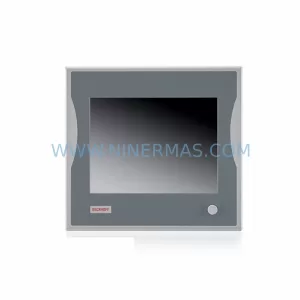
SKU: CP6902-1009-0000
Beckhoff CP6902-1009-0000 Spare Part for Industrial Maintenance
SKU: HW0380219-A HP-25A-11-F0-SP
YASKAWA HW0380219-A Retrofit Servo Board for Legacy Systems