Original Industrial Spare Part
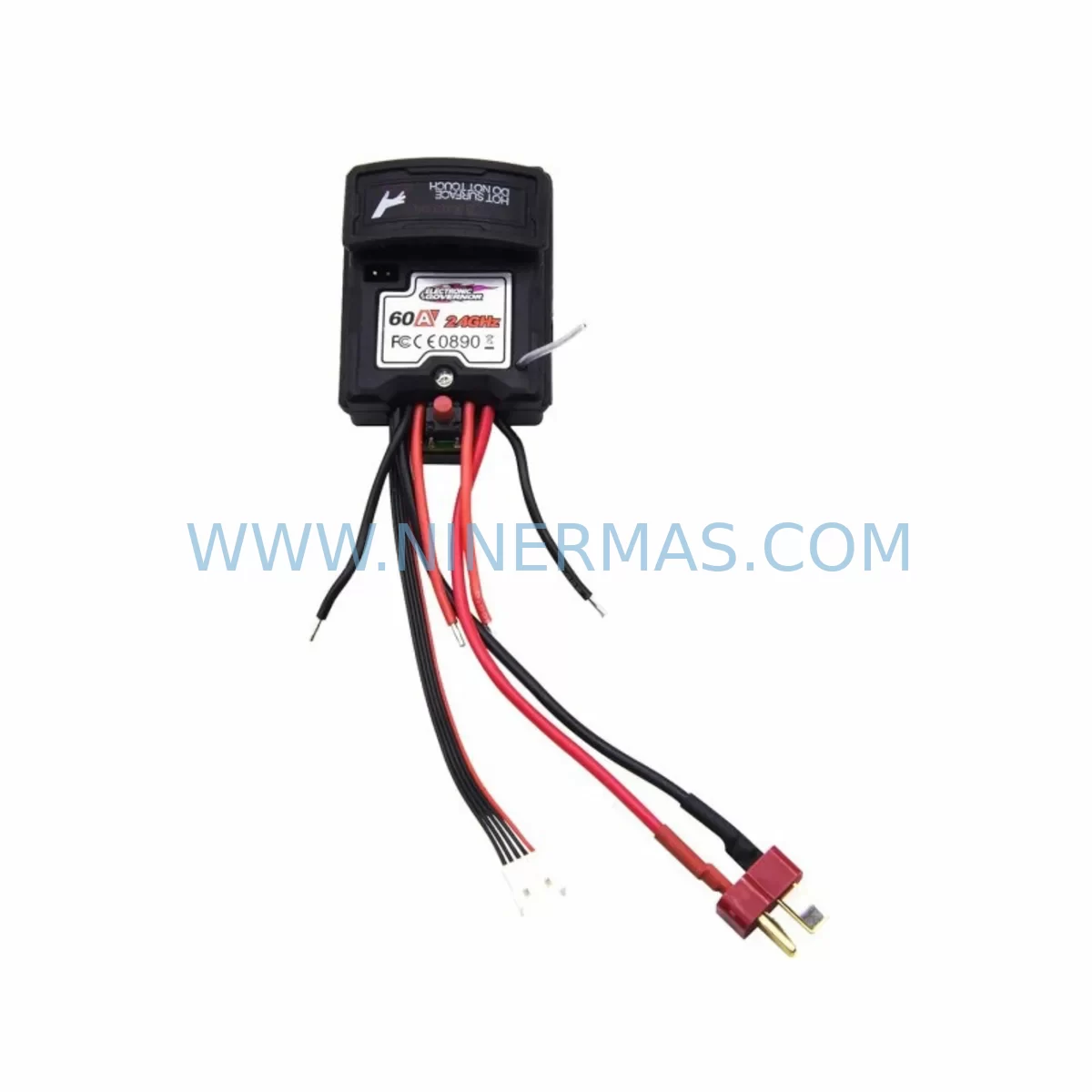
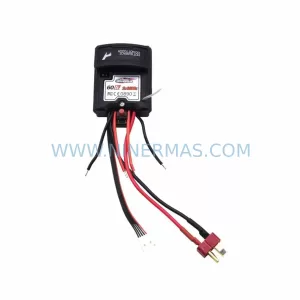
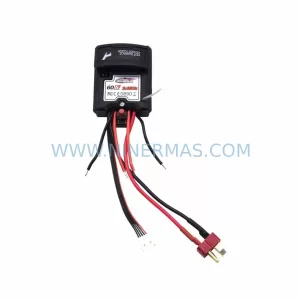
Blomiky ZJBX-25-464 Service-Ready Spare Part for Industrial Maintenance
Verify the part, confirm the platform family, and move straight into quotation with the right commercial details.
RFQ Ready
- SKUZJBX-25-464
- CategoryPLC & Industrial Automation Modules
- BrandBlomiky
- SupportAvailability, lead time, condition, and shipping coordination
How Buyers Usually Use This Page
- Confirm the exact part number and platform family before sending the quote request.
- Use direct email when quantity, condition, and destination are already defined internally.
- Switch to the broader brand or category archive when you need alternates nearby.
Series Navigation
Move through the most common platform families behind this part.
Product RFQ
Send this part directly for quotation.
Include quantity, required condition, destination country, and target delivery timing. Current reference: Blomiky ZJBX-25-464 Service-Ready Spare Part for Industrial Maintenance with SKU ZJBX-25-464.
Blomiky ZJBX-25-464 Service-Ready Spare Part for Industrial Maintenance
The Blomiky ZJBX-25-464 is an original, service-ready spare part designed for the Blomiky ESC Series electronic speed controller platform. For maintenance engineers and procurement teams managing aging automation systems, sourcing a verified replacement for the ZJBX-25-464 is a critical step in minimising unplanned downtime, protecting production continuity, and extending the operational life of legacy control cabinets. NINERMAS supplies this component with full traceability, pre-shipment functional testing, and a 12-month warranty — ensuring that every unit dispatched meets the original manufacturer’s specification.
The ESC Series platform is widely deployed across variable-speed drive applications, conveyor control systems, pump and fan regulation circuits, and multi-axis motion control panels. When the ZJBX-25-464 reaches end-of-life or sustains damage from electrical transients, thermal stress, or mechanical vibration, a like-for-like replacement is the fastest path to restoring system operation without re-engineering the control architecture. Procurement engineers should confirm firmware revision compatibility and bus voltage rating before installation to avoid commissioning delays.
Spare Maintenance Table
| Parameter | Specification / Guidance |
|---|---|
| Part Number | ZJBX-25-464 |
| Brand | Blomiky |
| Series | ESC Series |
| Product Type | Electronic Speed Controller Spare Part |
| Origin | China (CN) |
| Compatibility | Blomiky ESC Series control platforms; verify bus voltage and firmware revision before installation |
| Application Environment | Industrial control cabinets, variable-speed drive panels, conveyor and pump control circuits |
| Installation Notes | De-energise cabinet, discharge bus capacitors, follow OEM torque specifications for connector seating |
| Maintenance Interval | Inspect at each scheduled annual overhaul; replace proactively if thermal discolouration or parameter drift is observed |
| Condition | Original spare — new, unused, factory-tested |
| Pre-Shipment Testing | Functional verification performed before dispatch |
| Warranty | 12 months from date of shipment |
Maintenance Planning for Continuous Operation
Replacing the ZJBX-25-464 in isolation rarely resolves the root cause of an ESC Series fault. A disciplined maintenance engineer will use the replacement event as an opportunity to audit the entire electrical circuit. Begin with the 24 VDC control power supply feeding the ESC rack — voltage ripple or sag under load is a leading cause of premature component failure. Check the DC bus fuses and fast-acting semiconductor fuses protecting the drive output stage; a single blown fuse can mask a deeper insulation fault on the motor cable.
Inspect the I/O expansion modules connected to the same backplane. Blomiky ESC Series systems typically share a common backplane bus, meaning a failing I/O card can corrupt communication to the speed controller and trigger spurious fault codes that are misdiagnosed as a ZJBX-25-464 hardware failure. Similarly, review the communication module — whether PROFIBUS-DP, Modbus RTU, or EtherNet/IP — for loose connectors, damaged shielding, or address conflicts introduced during previous maintenance.
The terminal blocks and wiring ferrules on the analogue speed reference input deserve close attention. Oxidised or loose terminations on the 0–10 V or 4–20 mA signal circuit introduce noise that degrades speed regulation accuracy and can cause nuisance trips. Replace any discoloured or heat-damaged terminal blocks at the same time as the ZJBX-25-464 to avoid a repeat callout within weeks.
For sites running the ESC Series alongside a PLC or DCS controller, verify that the digital output relay module driving the drive’s enable and fault-reset inputs is functioning correctly. A welded relay contact can hold the drive in a permanent fault state even after the ZJBX-25-464 has been replaced. Check the signal isolator on any long-run analogue cable between the control room and the drive panel — ground loops introduced by missing isolation are a common source of intermittent faults in older installations.
Finally, confirm that the HMI operator panel or parameter backup device holds a current copy of the drive’s parameter set. Restoring a replacement ZJBX-25-464 to the correct motor data, ramp times, and protection thresholds from a verified backup eliminates commissioning errors and reduces restart time from hours to minutes. Maintaining a stocked spare of the ZJBX-25-464 alongside complementary components — including the relevant power supply module, a spare encoder feedback card, and a set of gate driver boards — is the foundation of a robust spare-parts strategy for any ESC Series installation.
Site Replacement Workflow
Step 1 — Isolation and lockout: Isolate the drive panel from the mains supply and apply lockout/tagout. Wait for the DC bus voltage to discharge below 50 V before opening the cabinet door — verify with a calibrated multimeter, not the drive’s own display.
Step 2 — Document current configuration: Upload the existing parameter set to the HMI or a laptop running the OEM commissioning tool. Photograph wiring and connector positions before disconnection.
Step 3 — Remove the faulty ZJBX-25-464: Release the backplane locking lever, disconnect the signal and power connectors in the sequence specified in the ESC Series hardware manual, and slide the module clear of the rack.
Step 4 — Inspect the slot and backplane: Check the backplane connector pins for damage, corrosion, or debris. Clean with dry compressed air. Inspect the adjacent modules for signs of thermal stress or moisture ingress.
Step 5 — Install the replacement: Seat the new ZJBX-25-464 firmly until the locking lever engages. Reconnect all signal and power connectors, verifying correct orientation against the documented photographs.
Step 6 — Restore parameters and recommission: Download the saved parameter set to the replacement module. Perform a no-load test run, verify speed reference tracking, and confirm fault-free operation before returning the drive to production service.
This workflow minimises cabinet exposure time, reduces the risk of secondary damage, and ensures the replacement component is commissioned to the same specification as the original — maintaining full system compatibility and protecting the 12-month warranty.
Spare Parts Support FAQ
Q1: Is the ZJBX-25-464 supplied as a new original spare or a refurbished unit?
All ZJBX-25-464 units supplied by NINERMAS are new, original spare parts sourced directly from authorised channels. Each unit undergoes pre-shipment functional testing before dispatch. Refurbished or remanufactured units are not offered under this listing.
Q2: How do I confirm compatibility with my existing ESC Series installation before ordering?
Provide your existing module’s full part number, hardware revision, and firmware version when enquiring. Our technical team will cross-reference against the Blomiky ESC Series compatibility matrix and confirm suitability before the order is processed, eliminating the risk of receiving an incompatible revision.
Q3: What is the lead time and how is long-term supply managed for end-of-life components?
Standard in-stock units ship within 3–5 business days. For end-of-life or low-availability SKUs, NINERMAS maintains strategic buffer stock and can arrange scheduled blanket orders to protect your maintenance programme against supply interruptions. Contact our team to discuss a long-term supply agreement tailored to your annual consumption.
Q4: What does the 12-month warranty cover and how are warranty claims handled?
The 12-month warranty covers manufacturing defects and functional failure under normal operating conditions from the date of shipment. It does not cover damage caused by incorrect installation, overvoltage events, or operation outside the rated environmental envelope. Warranty claims are handled directly by NINERMAS — contact sale@ninermas.com with your order reference and a fault description to initiate the process.
| Product Series | Other series |
|---|
Catalog Continuation
More Blomiky modules in the catalog.
Use the brand lane to compare nearby part numbers, platform-adjacent modules, and other inquiry-ready listings before sending your final RFQ.
Catalog Continuation
Alternative parts within PLC & Industrial Automation Modules.
Stay inside the same system family when you need substitutes, adjacent modules, or a broader shortlist for procurement review.
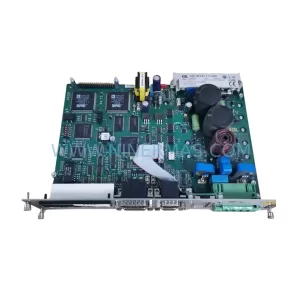
SKU: DSC2P142-111-000
Etel DSC2P142-111-000 Retrofit-Compatible Digital Servo Amplifier
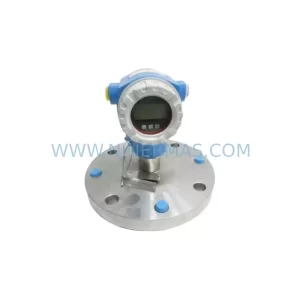
SKU: FMB51-AA21RA1FGC80GGJB3A+AA
E+H FMB51-AA21RA1FGC80GGJB3A+AA Retrofit Magnetic Flowmeter
SKU: 4PP350.0571-K01
B&R 4PP350.0571-K01 Retrofit-Compatible HMI Panel for Legacy Systems