
Original Industrial Spare Part
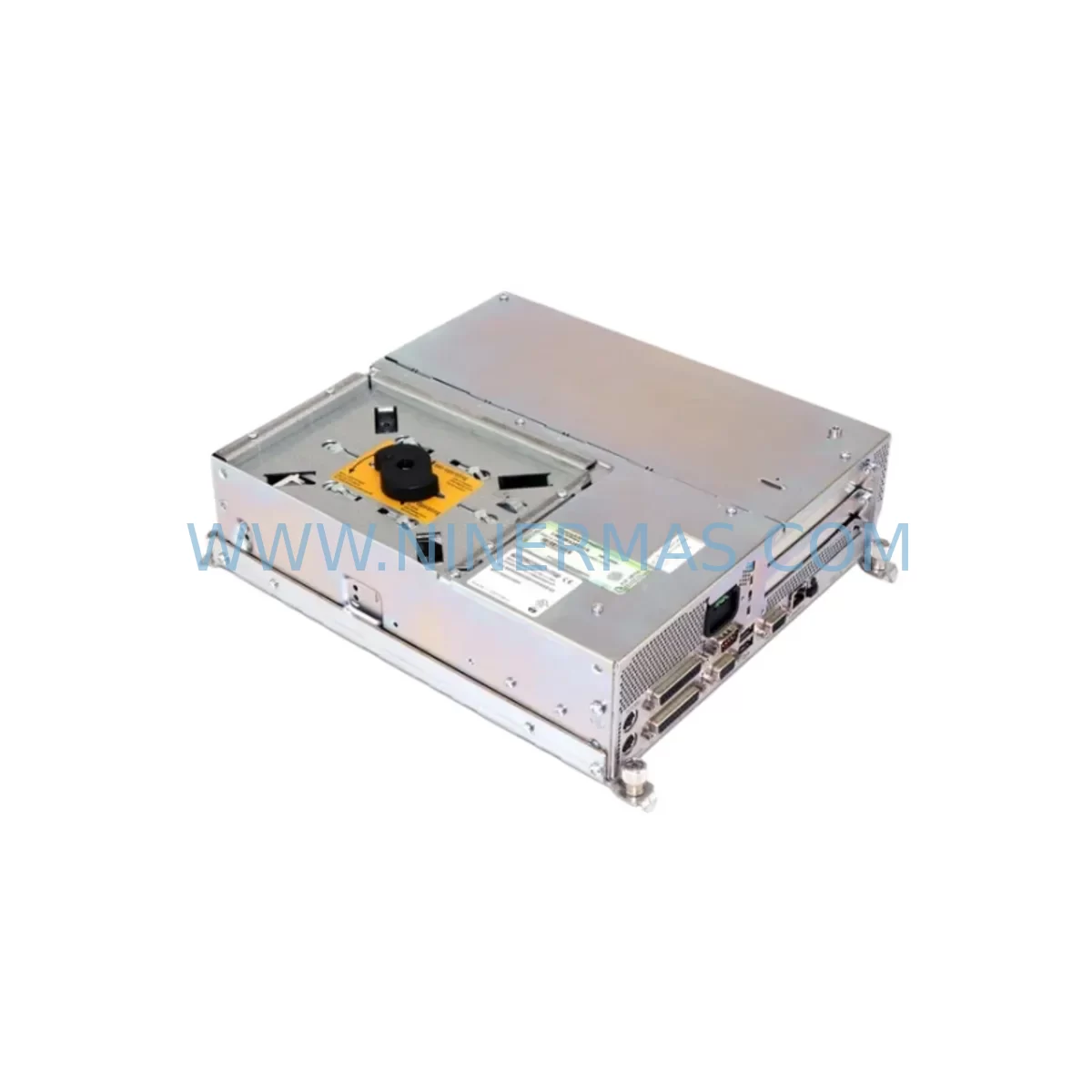
Siemens 6FC5210-0DF25-2AA0 Retrofit-Compatible PCU for Legacy CNC
Verify the part, confirm the platform family, and move straight into quotation with the right commercial details.
RFQ Ready
- SKU6FC5210-0DF25-2AA0
- CategoryPLC & Industrial Automation Modules
- BrandSiemens
- SupportAvailability, lead time, condition, and shipping coordination
How Buyers Usually Use This Page
- Confirm the exact part number and platform family before sending the quote request.
- Use direct email when quantity, condition, and destination are already defined internally.
- Switch to the broader brand or category archive when you need alternates nearby.
Series Navigation
Move through the most common platform families behind this part.
Product RFQ
Send this part directly for quotation.
Include quantity, required condition, destination country, and target delivery timing. Current reference: Siemens 6FC5210-0DF25-2AA0 Retrofit-Compatible PCU for Legacy CNC with SKU 6FC5210-0DF25-2AA0.
Siemens 6FC5210-0DF25-2AA0 Retrofit-Compatible PCU for Legacy CNC: Seamless Upgrade for Aging SINUMERIK Systems
The Siemens 6FC5210-0DF25-2AA0 is a SINUMERIK PCU 50.3 industrial PC designed to serve as the human-machine interface and computing platform within SINUMERIK 840D sl and 840Di sl CNC control architectures. As production lines age and original equipment reaches end-of-life status, maintenance engineers and system integrators increasingly rely on verified retrofit-compatible replacements to extend the operational lifespan of precision machining centers, grinding systems, and multi-axis turning cells without committing to a full control system overhaul.
This unit provides a direct hardware replacement path for facilities running legacy PCU 50 variants, including the 6FC5210-0DF22-2AA0 and earlier PCU 50.3 configurations. The 6FC5210-0DF25-2AA0 maintains the same mechanical footprint, backplane connector layout, and operating system compatibility required for a controlled swap with minimal reprogramming. Before initiating any replacement, engineers must verify the existing power supply capacity — the PCU 50.3 draws from the operator panel interface (OPI) bus and requires a stable 24 VDC supply with sufficient current headroom. Confirm terminal wiring at the MCP (Machine Control Panel) connector block and document all existing I/O assignments before disconnecting the legacy unit.
Upgrade Compatibility Table
| Parameter | Specification | Retrofit Notes |
|---|---|---|
| Power Supply | 24 VDC via OPI bus | Verify existing PSU current rating; upgrade if below 6A sustained |
| Backplane Interface | SINUMERIK OPI / MPI | Confirm cable routing and connector pinout match legacy PCU 50 variant |
| Communication Protocol | Ethernet (RJ45), USB 2.0, MPI/OPI | Validate PLC communication link via STEP 7 or TIA Portal after swap |
| Installation Dimensions | Standard PCU 50 panel cutout | No mechanical modification required for direct PCU 50.3 replacement |
| Operating System | Windows XP Embedded / Windows 7 Embedded | Confirm HMI software version compatibility before OS migration |
| Storage | CompactFlash or HDD (model-dependent) | Clone existing CF card (e.g. 6FC5248-0AF20-0AA0) before replacement |
| Memory | 512 MB RAM (standard configuration) | Sufficient for SINUMERIK Operate and legacy HMI Advanced |
| Warranty | 12 Months | Covers hardware defects; pre-shipment functional test included |
Retrofit Planning for Existing Automation Systems
Successful integration of the 6FC5210-0DF25-2AA0 into an existing SINUMERIK control cabinet requires a structured pre-migration audit. Begin by documenting the current NCU (Numerical Control Unit) firmware version — systems running an NCU 573.5 (6FC5357-0BB35-0AA0) or NCU 710.3 (6FC5370-0AA00-0AA0) will require specific PCU software builds to maintain synchronization across the OPI bus. Mismatched firmware between the PCU and NCU is one of the most common causes of post-replacement alarm states and communication faults.
Next, audit the machine control panel wiring. The 6FC5203-0AF02-0AA2 Machine Control Panel connects to the PCU via a defined ribbon or cable harness; verify that the existing harness length and connector type are compatible with the replacement unit’s front panel interface. If the control cabinet also houses a SIMODRIVE 611 drive system with modules such as the 6SN1118-0DM33-0AA2, confirm that the drive communication link (typically via MPI or PROFIBUS) remains intact after the PCU swap. Drive parameter sets should be backed up to a programming device before any hardware change.
For facilities using SINUMERIK Operate as the HMI platform, the screen layout, tool management data, and cycle programs stored on the existing CompactFlash card (such as the 6FC5248-0AF20-0AA0) must be imaged and verified before the old PCU is removed. If the legacy system uses a hard disk module (6FC5247-0AA02-0AA0), transfer all NC data, PLC programs, and HMI configuration files to a secure backup location. Confirm that the replacement PCU’s storage interface accepts the same media format.
I/O expansion modules connected via PROFIBUS DP or PROFINET should be re-addressed if the PCU’s network configuration changes. Verify that all distributed I/O nodes, signal isolators, and remote terminal units retain their original logical addresses in the PLC program. If the system includes a CU320 Control Unit (6SL3040-1MA01-0AA0) managing servo drives via DRIVE-CLiQ, confirm that the topology file stored in the NCU remains consistent with the physical wiring after the PCU replacement. Any topology mismatch will trigger drive faults on first power-up.
Finally, confirm installation space within the control cabinet. The PCU 50.3 mounts directly behind the operator panel and requires adequate ventilation clearance. Check that no additional cable management or bracket modifications are needed before committing to the swap.
Downtime Control During System Migration
Minimizing unplanned downtime during a PCU replacement is a primary concern for any production facility. A structured migration plan should target a controlled maintenance window — ideally during a scheduled production stop — rather than an emergency swap. Before the maintenance window opens, prepare a complete system backup: NC programs, PLC ladder logic (exported from STEP 7 or TIA Portal), HMI screen configurations, tool offset tables, and drive parameter sets. Store these backups on at least two independent media.
During the swap, follow a defined sequence: power down the control cabinet using the main isolator, discharge any residual voltage in the drive bus, disconnect the PCU’s OPI cable and USB peripherals, remove the legacy unit, and install the 6FC5210-0DF25-2AA0 in the same panel cutout. Reconnect all cables in reverse order, verifying each connector’s locking mechanism before applying power. On first power-up, monitor the NCU boot sequence for communication alarms — a clean boot with no axis faults confirms that the backplane interface and OPI link are correctly established.
Restore NC and PLC data from backup, then perform a controlled dry-run cycle without workpieces to verify axis movement, spindle response, and I/O signal integrity. Confirm that all HMI screens display correctly and that operator inputs register without latency. Document the commissioning results and retain them as part of the machine’s maintenance record. This structured approach consistently reduces total replacement downtime to under four hours for experienced teams.
Retrofit Support FAQ
Q: Is the 6FC5210-0DF25-2AA0 a direct replacement for earlier PCU 50 variants?
A: Yes, the 6FC5210-0DF25-2AA0 is mechanically and electrically compatible with other PCU 50.3 variants, including the 6FC5210-0DF22-2AA0. Confirm the NCU firmware version and HMI software build before installation to ensure full software compatibility. Minor configuration adjustments in the SINUMERIK system settings may be required.
Q: What commissioning steps are required after wiring the replacement PCU?
A: After physical installation and cable reconnection, restore NC and PLC data from backup, verify the OPI/MPI communication link to the NCU, confirm drive topology via DRIVE-CLiQ (if applicable), and perform a dry-run axis test. Check all HMI screens and operator panel inputs before returning the machine to production.
Q: Is the unit tested before shipment?
A: Yes. Every 6FC5210-0DF25-2AA0 unit undergoes a pre-shipment functional test covering power-on self-test, communication interface verification, and storage media integrity check. A test report is available upon request. All units are covered by a 12-month warranty against hardware defects from the date of shipment.
Q: What is the stock availability and lead time?
A: We maintain ready inventory of the 6FC5210-0DF25-2AA0 to support urgent replacement requirements. Standard orders ship within 2–5 business days. For large-quantity or long-term supply agreements, contact our team to discuss reserved inventory arrangements and extended lead time commitments.
| Product Series | SINUMERIK |
|---|---|
| Country of Origin | DE |
Catalog Continuation
More Siemens modules in the catalog.
Use the brand lane to compare nearby part numbers, platform-adjacent modules, and other inquiry-ready listings before sending your final RFQ.
SKU: 6SL3210-5BE31-8CV0
Siemens 6SL3210-5BE31-8CV0 Safety-Reliable VFD Drive
SKU: 6SE7027-2ED84-1HF3
Siemens 6SE7027-2ED84-1HF3 Retrofit-Compatible Drive for Legacy Systems
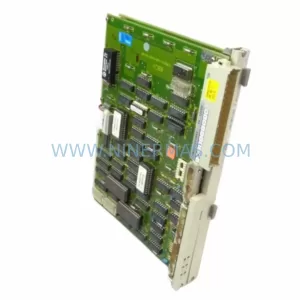
Catalog Continuation
Alternative parts within PLC & Industrial Automation Modules.
Stay inside the same system family when you need substitutes, adjacent modules, or a broader shortlist for procurement review.
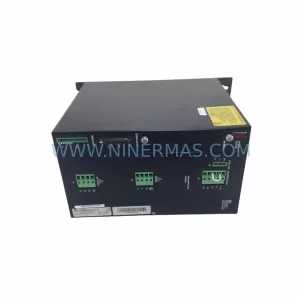
SKU: SCE906A2-002-01 SCE906A200201
Pacific Scientific SCE906A2-002-01 Retrofit Servo Amplifier
SKU: EPC500 3183062451
Alfa Laval EPC500 3183062451 Service-Ready Spare Part



