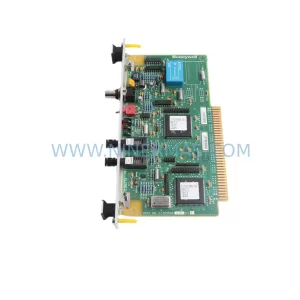
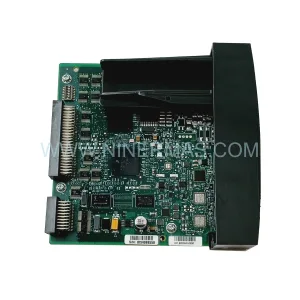
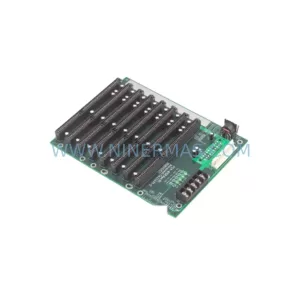
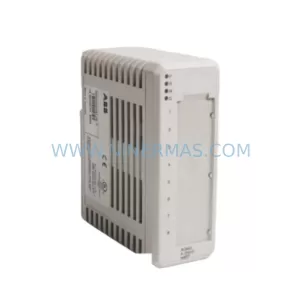
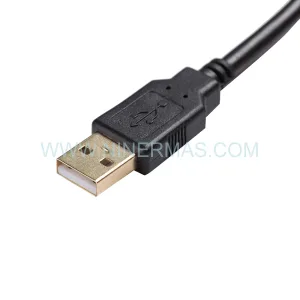
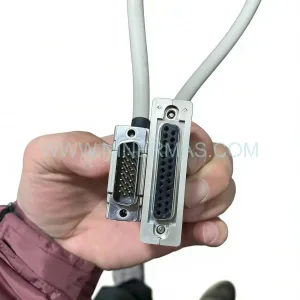
Original Industrial Spare Part
QM SOFT VEO-04 Service-Ready Spare Part for Maintenance
Verify the part, confirm the platform family, and move straight into quotation with the right commercial details.
RFQ Ready
- SKUVEO-04
- CategoryDCS Distributed Control Systems
- BrandQM SOFT
- SupportAvailability, lead time, condition, and shipping coordination
How Buyers Usually Use This Page
- Confirm the exact part number and platform family before sending the quote request.
- Use direct email when quantity, condition, and destination are already defined internally.
- Switch to the broader brand or category archive when you need alternates nearby.
Series Navigation
Move through the most common platform families behind this part.
Product RFQ
Send this part directly for quotation.
Include quantity, required condition, destination country, and target delivery timing. Current reference: QM SOFT VEO-04 Service-Ready Spare Part for Maintenance with SKU VEO-04.
QM SOFT VEO-04 Service-Ready Spare Part for Maintenance
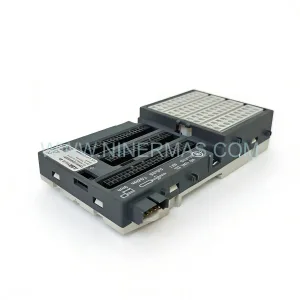
The QM SOFT VEO-04 is an original industrial controller card module designed for deployment in demanding process control environments. For maintenance engineers managing aging automation infrastructure, sourcing a verified, service-ready VEO-04 spare is critical to minimising unplanned downtime and sustaining continuous production. NINERMAS supplies the VEO-04 with full pre-shipment functional testing and a 12-month warranty, ensuring your replacement unit arrives ready for immediate installation.
Whether you are executing a scheduled annual overhaul, responding to an emergency fault isolation event, or building a strategic spare parts inventory for a critical control cabinet, the QM SOFT VEO-04 represents a reliable, cost-effective solution for lifecycle extension of your existing QM SOFT control platform. Its compatibility with established QM SOFT system architectures means no firmware re-engineering or hardware redesign is required — a direct, drop-in replacement that restores system integrity and operational confidence.
Spare Maintenance Table
| Parameter | Specification / Detail |
|---|---|
| Part Number / SKU | VEO-04 |
| Manufacturer | QM SOFT |
| Product Type | Controller Card Module |
| Series | VEO Series |
| Form Factor | Industrial rack-mount card module |
| Application | PLC / DCS control cabinet integration, process automation |
| Compatibility | QM SOFT VEO Series control platforms; retrofit-compatible with legacy QM SOFT system racks |
| Installation Environment | Industrial control panels, process plant control rooms, MCC enclosures |
| Operating Temperature | 0°C to +55°C (typical industrial grade) |
| Supply Condition | Original, pre-tested, service-ready |
| Pre-Shipment Testing | Full functional verification prior to dispatch |
| Warranty | 12 Months from date of shipment |
| Lead Time | Subject to stock availability — contact NINERMAS for confirmation |
| Maintenance Recommendation | Inspect connector pins, backplane slot integrity, and power rail voltage before installation |
Maintenance Planning for Continuous Operation
Replacing the QM SOFT VEO-04 in a live control cabinet is rarely an isolated task. Experienced maintenance engineers understand that a controller card fault is frequently symptomatic of broader stress across the control loop. Before commissioning a replacement VEO-04, a structured inspection of adjacent components is strongly recommended to prevent repeat failures and ensure full system restoration.
Begin with the 24VDC power supply module feeding the controller rack — voltage sag or ripple is a leading cause of card-level faults in QM SOFT platforms. Verify that the backplane bus connector and rack slot contacts are clean and free of oxidation, as poor backplane contact can cause intermittent communication errors that mimic card failure. Inspect the I/O terminal blocks connected to the VEO-04 for loose wiring, corrosion, or overheating marks, particularly on analogue input channels where signal integrity is critical.
If the VEO-04 interfaces with field instruments, check the associated signal isolators and signal conditioners in the loop — a failed isolator can inject noise or ground loops that damage replacement cards prematurely. Review the fuse holders and circuit protection devices on the input power rail; a blown fuse that was not the root cause of the original fault will immediately compromise the new module.
For systems with communication modules — such as Profibus DP, Modbus RTU, or proprietary QM SOFT fieldbus cards — confirm that the network termination resistors are correctly installed and that the communication cable shielding is intact. A degraded fieldbus segment can cause the VEO-04 to report spurious faults post-replacement. Similarly, inspect any relay output modules or digital output cards in the same rack that share the backplane power bus.
Where the control system includes an HMI panel or operator workstation connected to the QM SOFT controller, verify that the HMI communication link is re-established after card replacement and that all process variable displays are reading correctly. For older installations, this is also an appropriate moment to assess whether the battery-backed RAM module or CPU memory card requires replacement as part of the same maintenance window, avoiding a second outage in the near term.
Procurement engineers building a strategic spare parts kit around the VEO-04 should also consider stocking compatible power distribution terminal blocks, DIN rail mounting hardware, and cable duct components to support rapid cabinet restoration without waiting for ancillary hardware sourcing.
Site Replacement Workflow
Step 1 — Fault Isolation: Confirm the VEO-04 as the failed component using the QM SOFT diagnostic interface or system fault log. Document the fault code and timestamp for maintenance records.
Step 2 — Safe Isolation: Follow your site LOTO (Lockout/Tagout) procedure. De-energise the controller rack and verify zero voltage on the backplane power rail before removing the card.
Step 3 — Physical Replacement: Remove the faulty VEO-04 by releasing the card ejector levers. Inspect the backplane slot for damage or contamination. Insert the replacement VEO-04, ensuring full seating and secure locking.
Step 4 — Configuration Restore: If the VEO-04 holds local configuration parameters, restore from your site backup or re-enter parameters per the QM SOFT commissioning documentation. Confirm firmware version compatibility if applicable.
Step 5 — Power-Up and Verification: Re-energise the rack in sequence. Confirm the VEO-04 status LED indicates normal operation. Verify all associated I/O channels are reading correctly at the HMI or SCADA level.
Step 6 — Documentation: Update the site maintenance log with the replacement date, new unit serial number, and post-replacement test results. Initiate a replenishment order for the consumed spare to maintain inventory levels.
NINERMAS supports this workflow by supplying VEO-04 units that are fully tested and documented prior to shipment, reducing commissioning risk and enabling faster return to service.
Spare Parts Support FAQ
Q1: Is the QM SOFT VEO-04 supplied by NINERMAS an original part?
Yes. NINERMAS supplies original QM SOFT VEO-04 controller card modules. Each unit undergoes pre-shipment functional testing to verify operational integrity before dispatch. A 12-month warranty is provided from the date of shipment.
Q2: How do I confirm compatibility with my existing QM SOFT control system?
The VEO-04 is designed for integration within QM SOFT VEO Series control platforms. To confirm compatibility with your specific rack configuration, firmware version, or system revision, contact NINERMAS with your system model number and existing card part numbers. Our technical team will verify fit before order confirmation.
Q3: What is the typical lead time and can NINERMAS support long-term supply agreements?
Lead time depends on current stock availability. NINERMAS maintains proactive inventory for high-demand industrial spare parts and can support scheduled procurement programmes, annual maintenance contracts, and emergency stock reservations. Contact our sales team to discuss long-term supply arrangements.
Q4: What testing is performed before the VEO-04 is shipped?
Every VEO-04 unit supplied by NINERMAS is subject to full functional verification prior to shipment. This includes power-on testing, I/O channel verification, and communication interface checks where applicable. Test records are available upon request and accompany the unit as part of our quality documentation package.
—
| Product Series | Other series |
|---|
Catalog Continuation
Alternative parts within DCS Distributed Control Systems.
Stay inside the same system family when you need substitutes, adjacent modules, or a broader shortlist for procurement review.